AI plugin for WordPress & WooCommerce
Write whole search-ready articles, rewrite any paragraph in one click, make featured images, image alt text and audio versions of posts, and write product descriptions, SEO and images in WooCommerce — all inside the WordPress dashboard, in Persian or English.
The DeepFA AI Plugin for WordPress and WooCommerce — Content, SEO, Images and Products in the Dashboard
Producing content for a WordPress site is more than writing: every post needs research, the right structure, search-friendly headings, a featured image, alt text for its images and an SEO title and meta description — and in a WooCommerce store, every product needs its own description and SEO too. When each of these is done in a separate tool, most of the time goes into moving text between them. The DeepFA AI plugin for WordPress and WooCommerce brings all of it into WordPress itself.
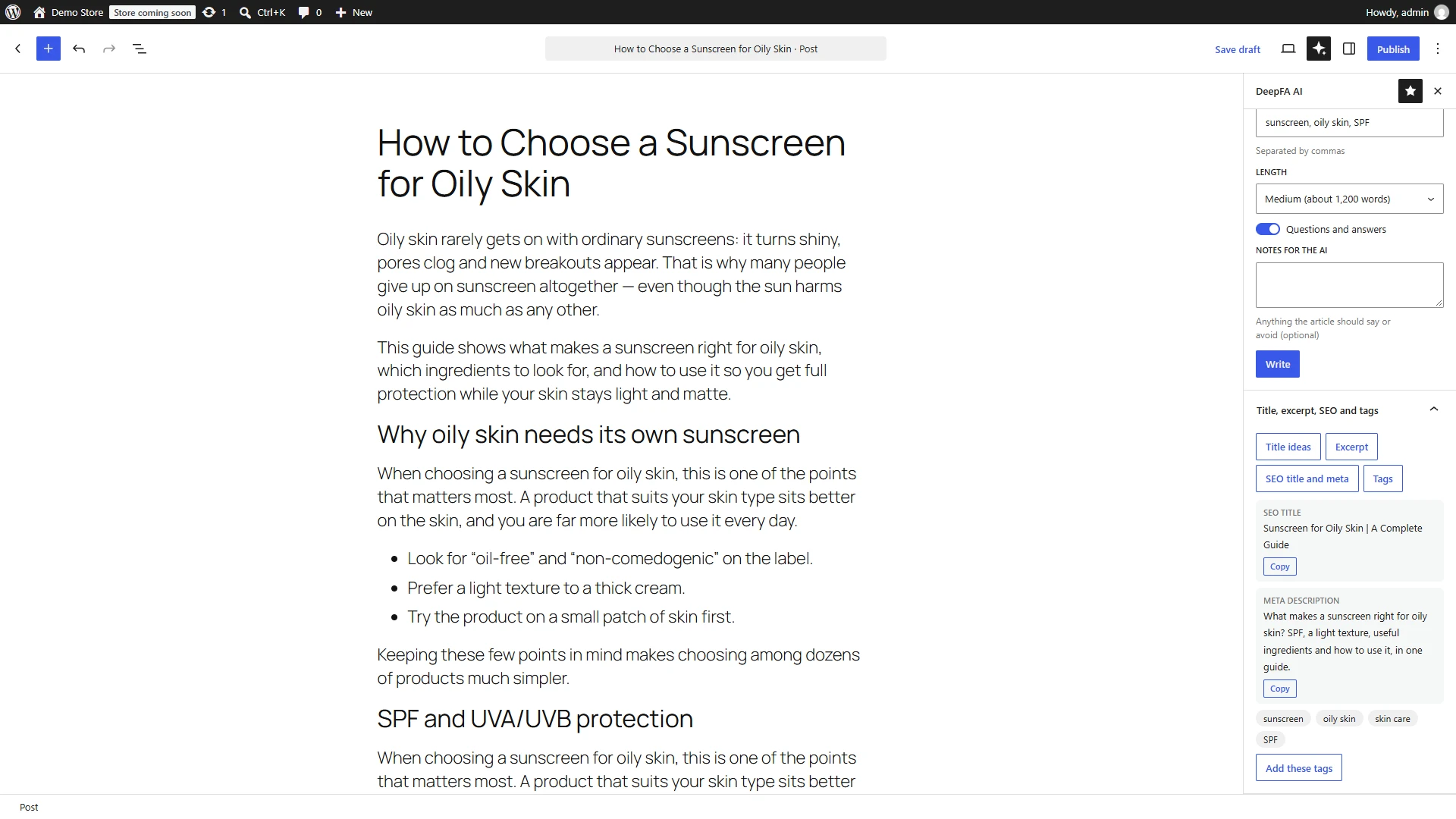
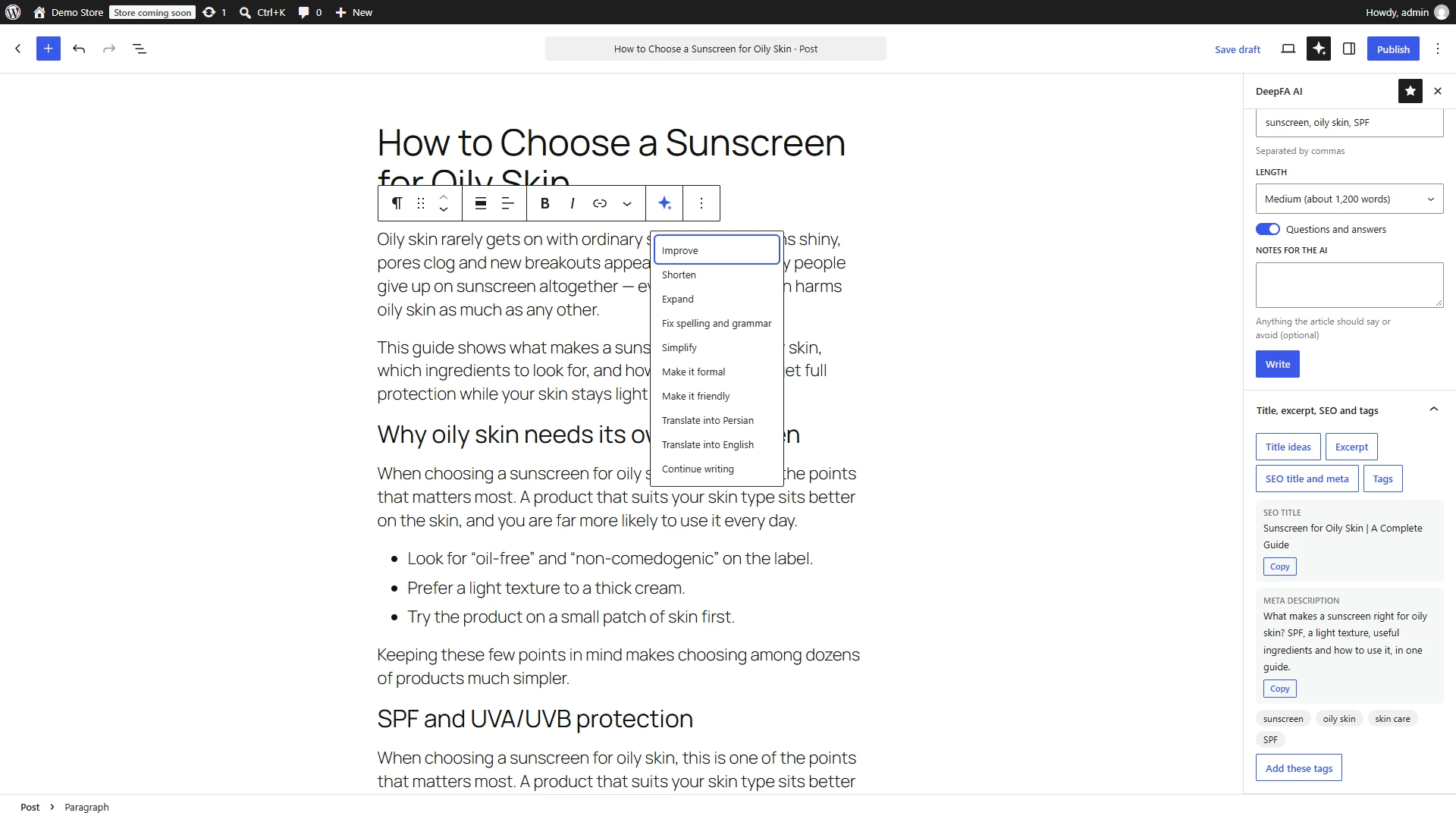
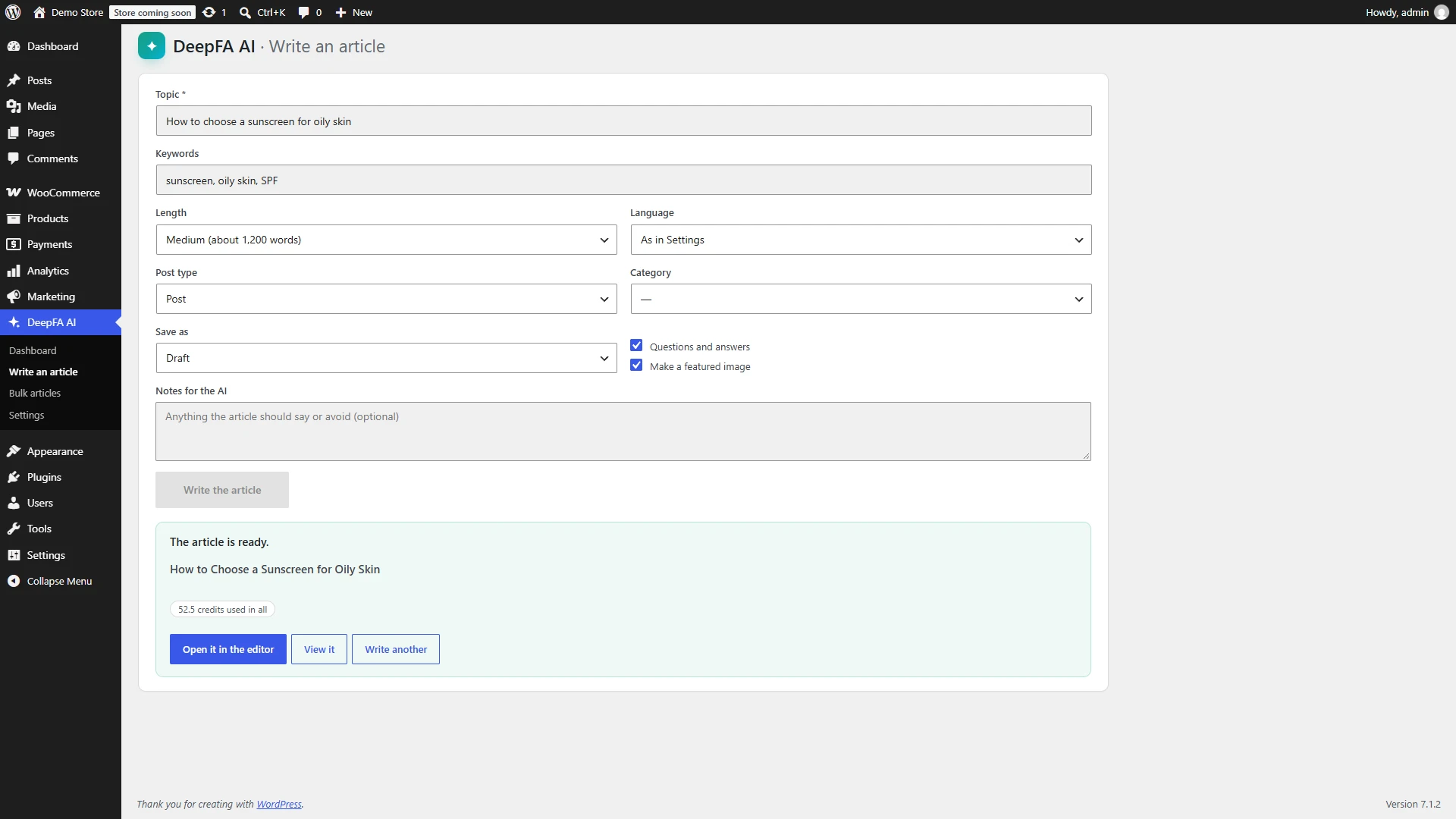
In the block editor, the DeepFA AI sidebar builds a whole article from a topic and keywords: first the structure and headings, then the introduction, each section with H2 and H3 headings, questions and answers and a conclusion. The article arrives as ordinary WordPress blocks, together with the excerpt, an SEO title and meta description, and tags. Every paragraph, heading and list item also gets a DeepFA AI menu to improve, shorten, expand, simplify, make it formal or friendly, fix its spelling, translate it or continue it.
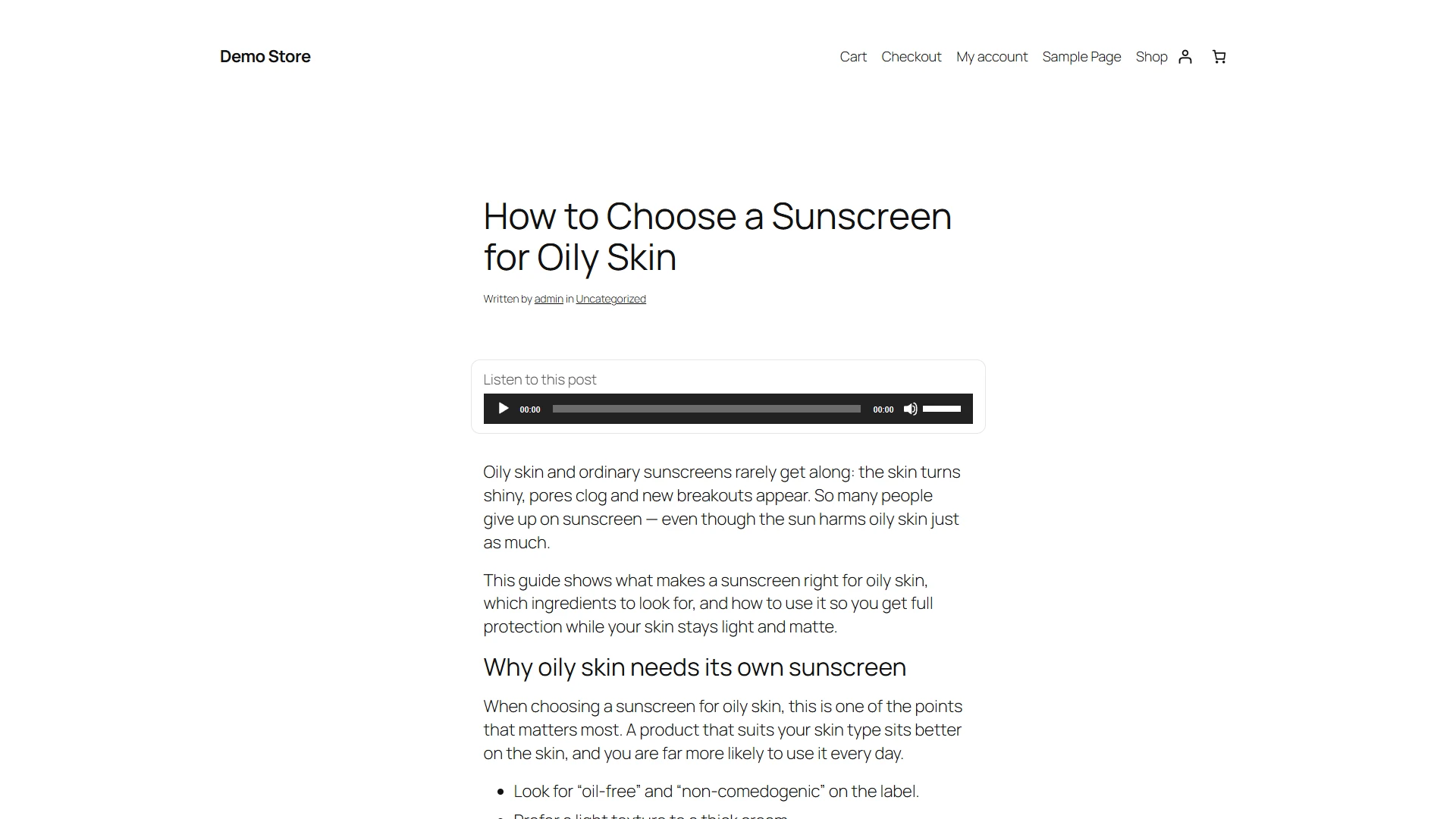
A featured image is made from each post’s title and content, and image alt text is written by a model that looks at the image — for one image, the whole media library, or automatically on every upload. An audio version of any post is made in a natural voice, and its player sits on the post itself.
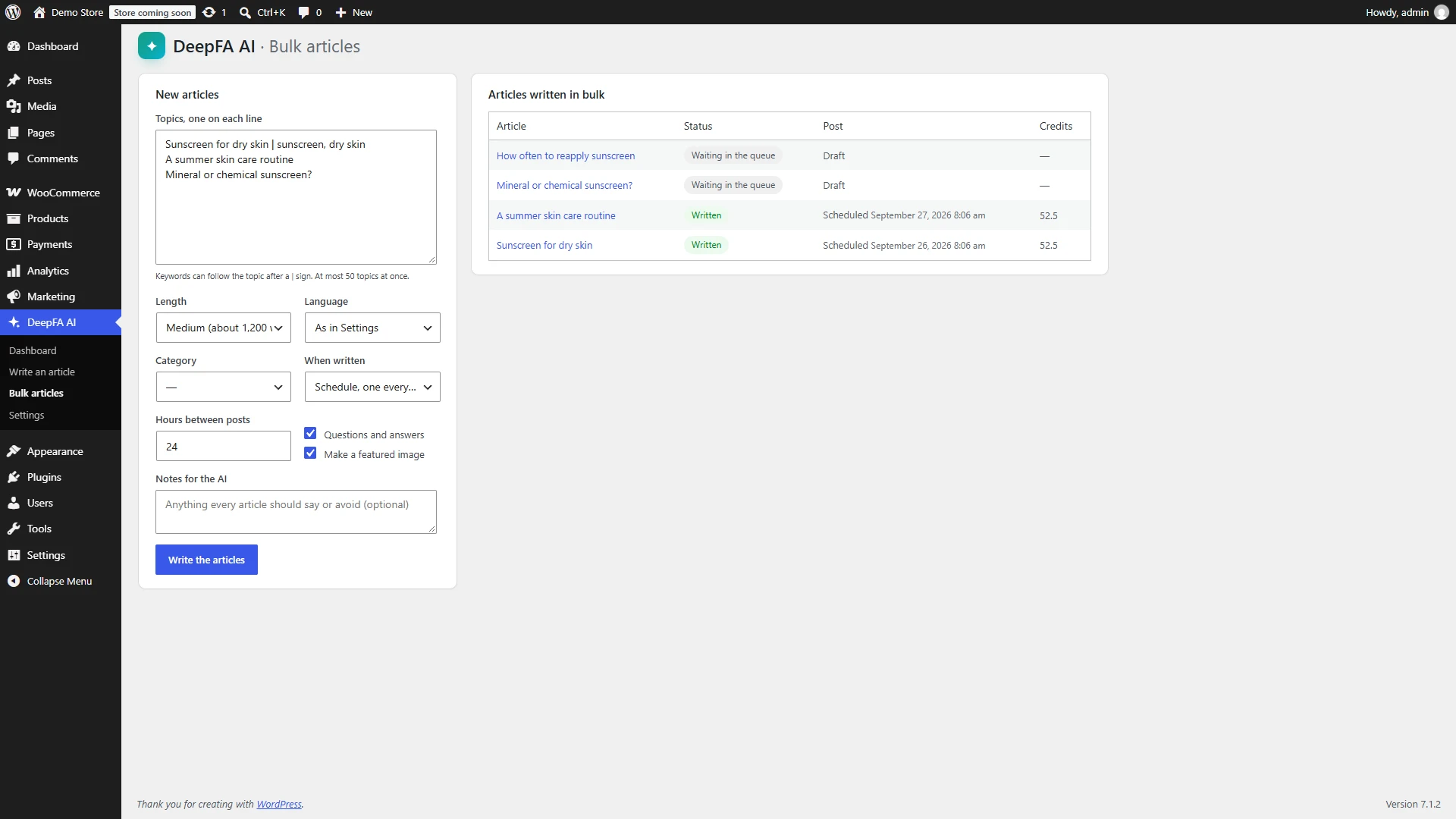
For sites that need a lot of content, Bulk articles takes a list of topics and writes each one in the background; the articles stay as drafts, are published, or are scheduled at a set interval, with their SEO title and meta description saved straight into Yoast SEO, Rank Math or SEOPress. If you run a WooCommerce store, product descriptions and SEO are in the same plugin.
The plugin is free and works through the DeepFA API; you pay only for the work done, and each job is recorded with its cost in the plugin’s dashboard. The API key stays on your own server, and you choose which user roles can use the AI.
What the WordPress and WooCommerce AI plugin does
From writing articles to SEO, images, audio, WooCommerce products and a site chatbot.
Whole articles
From a topic and keywords: the structure, introduction, each section, questions and answers and a conclusion — step by step, as WordPress blocks.
Rewrite any paragraph
On any paragraph, heading or list item: improve, shorten, expand, fix spelling, simplify, make formal or friendly, translate or continue.
Titles, excerpt, SEO and tags
Five title ideas, the excerpt, an SEO title and meta description, and tags added to the post in one click.
Featured images
A featured image from the post’s title and content, in the style or scene you want; set on the post straight away.
Image alt text
A model that sees the image writes its alt text; one at a time, in bulk, or automatically on upload.
Audio versions of posts
The post is read in a natural Persian or English voice, with a player shown on the post itself.
Post translation
A post is translated into English or Persian and saved as a new draft, with its structure and headings kept.
Bulk articles
A list of topics, each written in the background and kept as a draft, published or scheduled.
The DeepFA chatbot on the site
A chatbot you made in the DeepFA panel, on every page of the site with one ID.
WooCommerce
Product descriptions, short descriptions, SEO and images — one at a time or for hundreds at once.
Usage dashboard
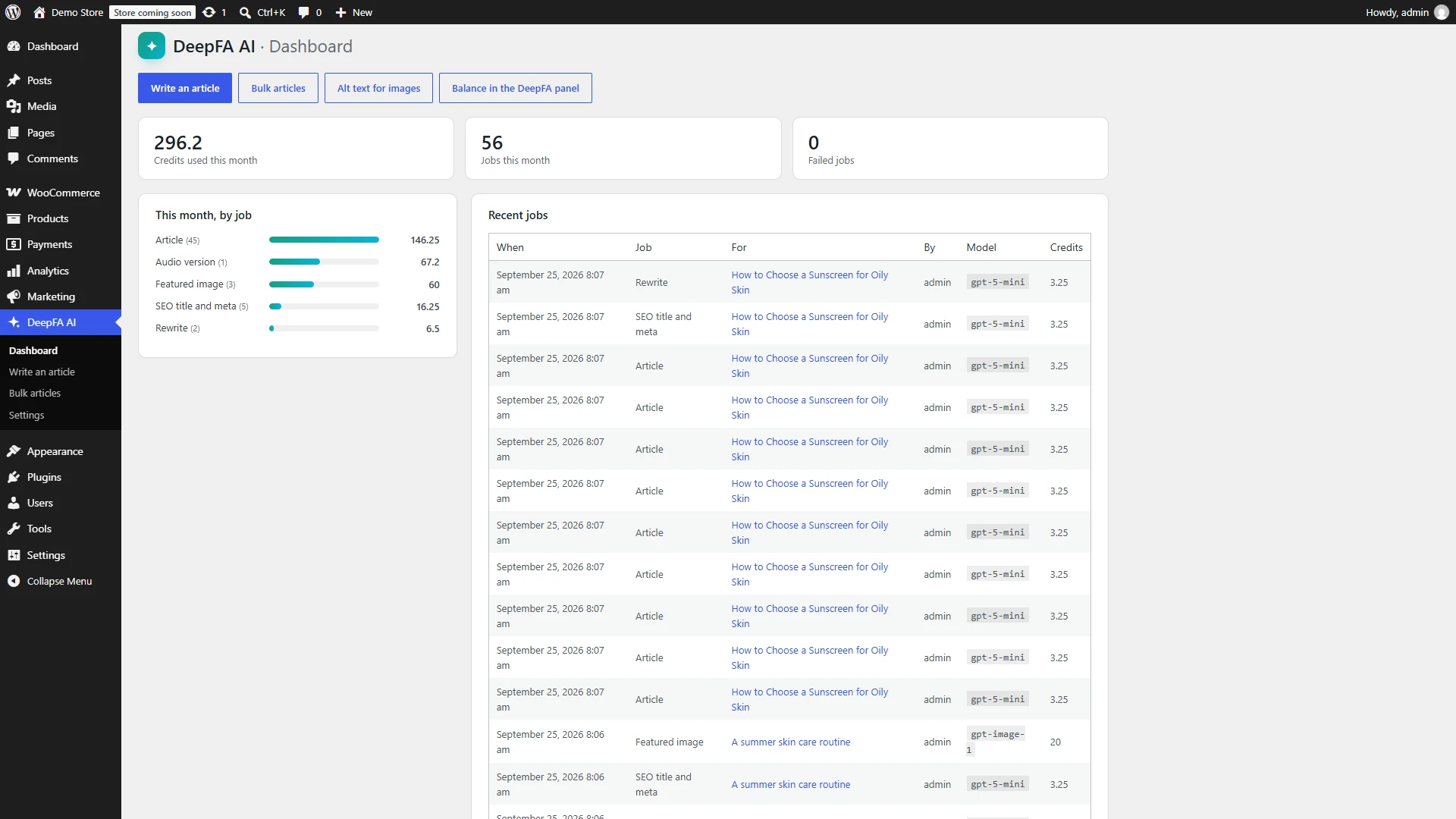
This month’s credit by job, and every job with its time, post, person, model and cost.
Access by role
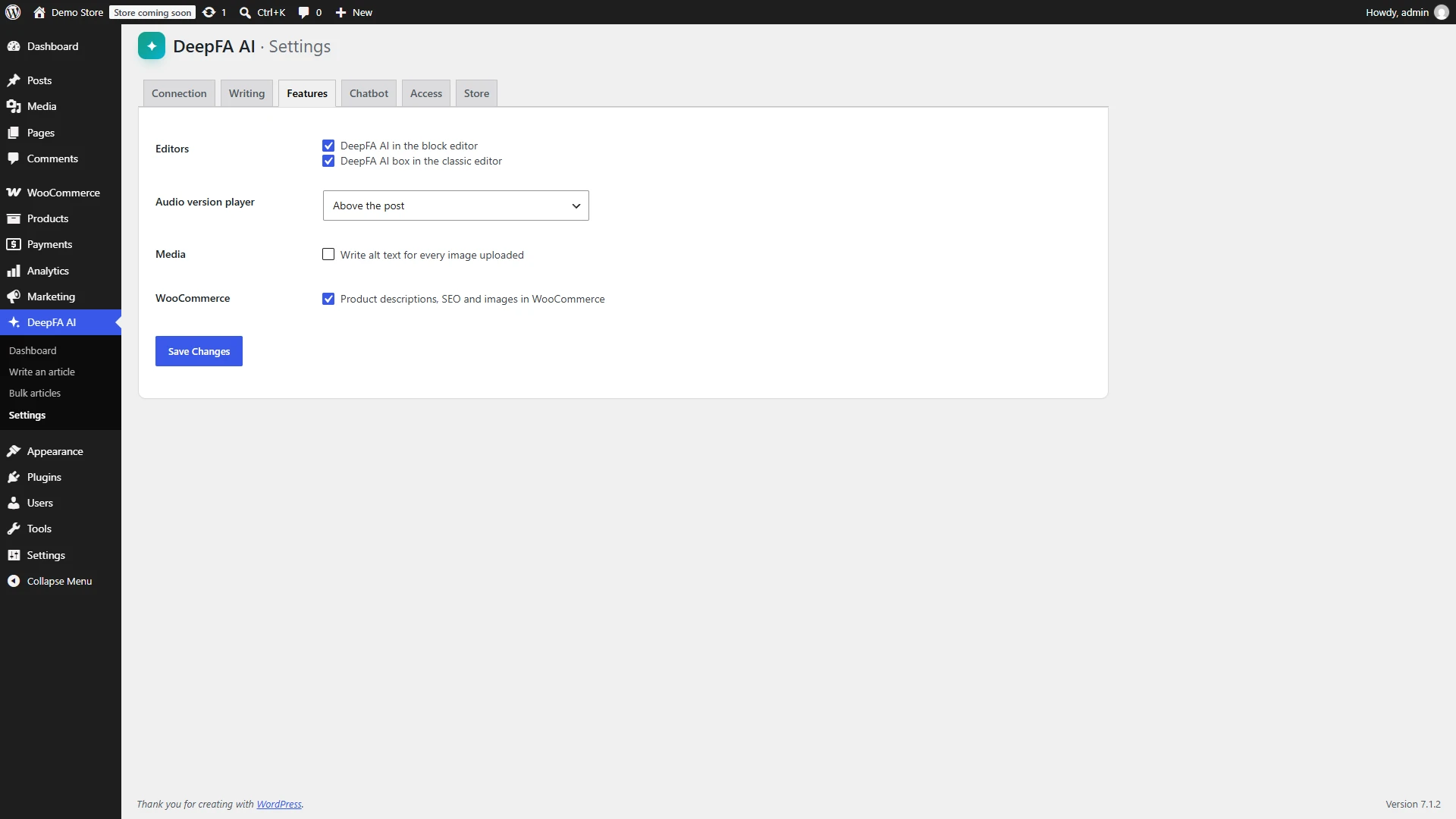
Choose which WordPress user roles can use the AI.
AI plugin for WooCommerce: product descriptions, SEO and images
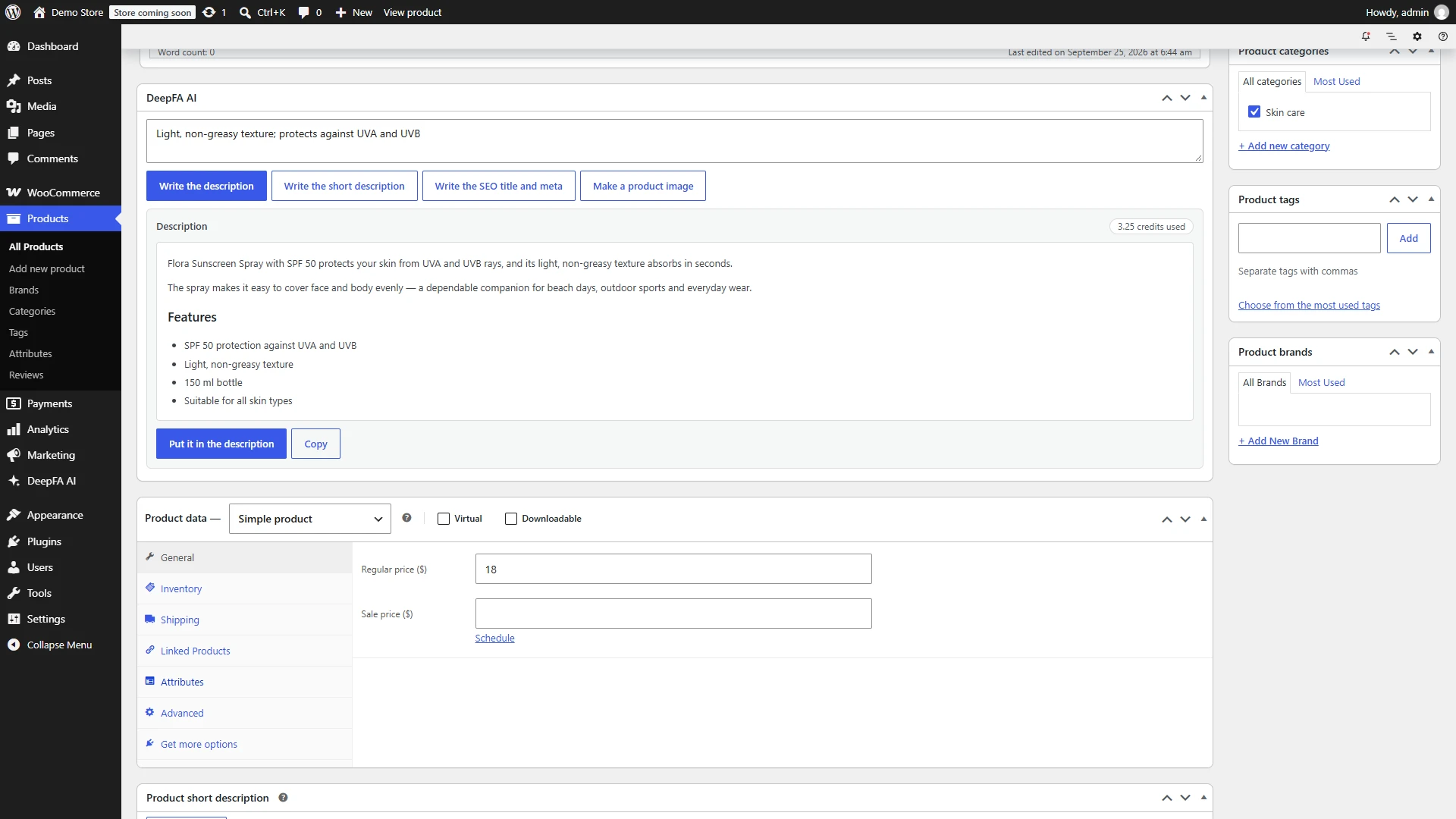
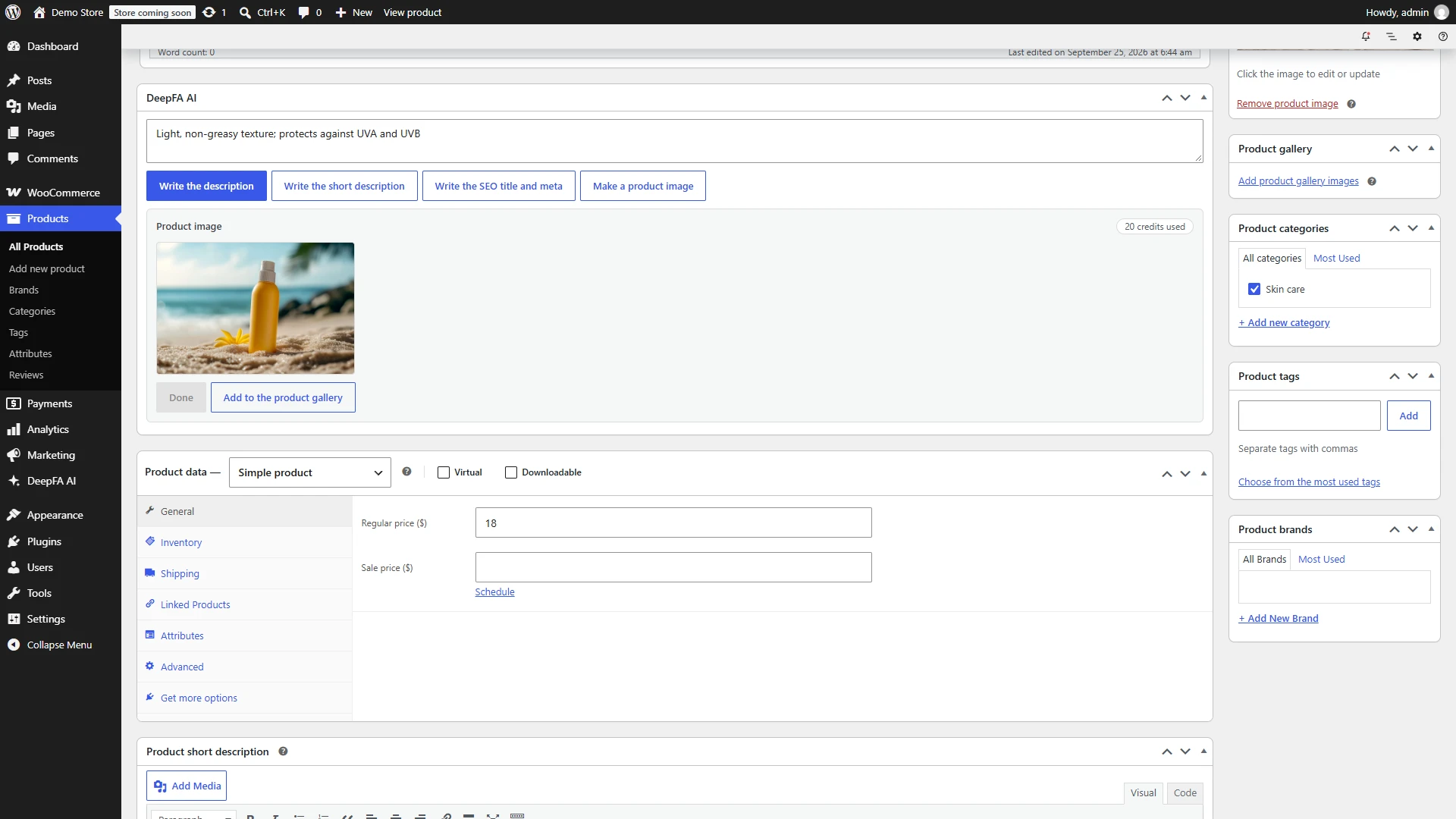
If your site is a WooCommerce store, the same plugin adds a DeepFA AI box to every product edit page: a full description with a list of features, the short description shown next to the price, an SEO title and meta description, and a product image that becomes the main image or joins the gallery in one click.
The text is written from the product’s own information — its name, category, attributes such as colour and size, price, weight and dimensions — and the AI is told not to state a material, size, guarantee or price that is not in it. In the editor nothing is saved until you save the product.
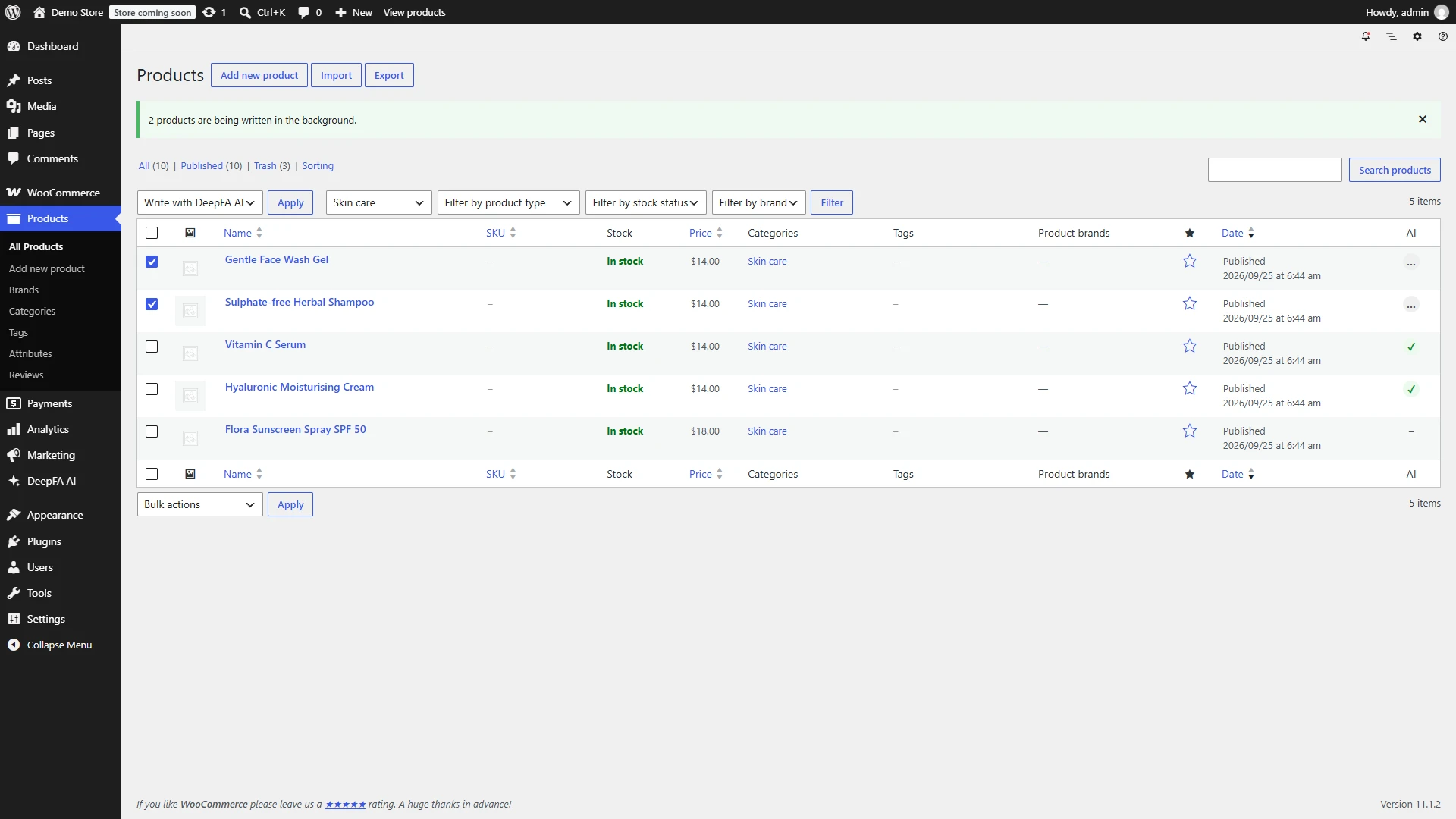
For hundreds of products, choose “Write with DeepFA AI” in the product list: the products are written in the background, only empty fields are filled by default, and each product’s status is shown next to it. If Yoast SEO, Rank Math or SEOPress is active, the products’ SEO title and meta are saved straight into it.
Up and running in 4 steps
No coding; just the plugin and an API key.
Install the plugin
Download the zip file and install and activate it in WordPress under Plugins → Add New → Upload Plugin.
Make an API key
Make a key in the API section of your DeepFA panel, with a daily and monthly spending cap if you like.
Set it up
Enter the key in DeepFA AI → Settings, and set the language, tone, voice and a note about your site.
Write
From the editor sidebar, the Write an article page or Bulk articles — and in WooCommerce from each product.
Why the DeepFA WordPress plugin?
Content made right where you publish.
From an idea to a published article, in WordPress
No copying text from one tool to another; the article, image, SEO and audio are made where you publish.
Fluent Persian, right to left
The text is written in natural everyday Persian, and the plugin itself is fully translated and right-to-left.
A search-friendly structure
H2 and H3 headings, lists, questions and answers, an SEO title and meta, and image alt text — what makes a page readable for Google.
The cost of each job, in plain sight
Each job’s cost is shown as it happens, and the plugin’s dashboard keeps it all by job and by person.
You stay in control
Text in the editor is not published until you save it, the API key stays on your own server, and access is by role.
The WordPress plugin or the Blogger Agent?
Both write for WordPress; they differ in where the work is done from.
The DeepFA WordPress plugin
Works inside the WordPress dashboard: writes and rewrites alongside your own text, makes images, alt text and audio, and writes WooCommerce products too. Best when you or your team write in WordPress.
🤖 The Blogger Agent
Works from the DeepFA panel: writes articles in the voice and on the schedule you set, and publishes them to your WordPress site itself. Best when you want the blog kept up to date without daily work.
About the Blogger AgentWriting an article with AI in WordPress
From a topic to a finished post, in minutes.
The structure
The title, headings and the points of each section are planned from the topic and keywords.
Writing part by part
The introduction, each section, the questions and the conclusion are each written on their own, with the progress on screen.
SEO and tags
The excerpt, SEO title and meta description and tags are written from the finished article.
Image, audio and publishing
The featured image, and an audio version if you want one, are made, and you edit and publish.
Which sites is this plugin for?
Any WordPress site that needs regular, search-ready content.
Blogs and content sites
Regular, search-ready articles without writing each one from scratch
WooCommerce stores
Product descriptions and SEO, alongside the store’s blog
Agencies and freelancers
Content for several client sites, with a clear cost for each job
Company sites
News, articles and service pages, with a chatbot on the site
A look at the plugin in WordPress
Real screens from a WordPress site — click any image to enlarge.
More DeepFA tools for sites and stores
Questions about the AI plugin for WordPress and WooCommerce
Bring AI into your WordPress site
Download the plugin, make an API key and write your first article now