AI Realtime Voice Chat
Speak with AI and Hear Instant Replies
Turn on your microphone and start talking — AI responds instantly with voice like a real friend. Choose from 20+ advanced models for English language practice, academic and career consulting, brainstorming and content creation.
What is Realtime Voice Chat and Why Do You Need It?
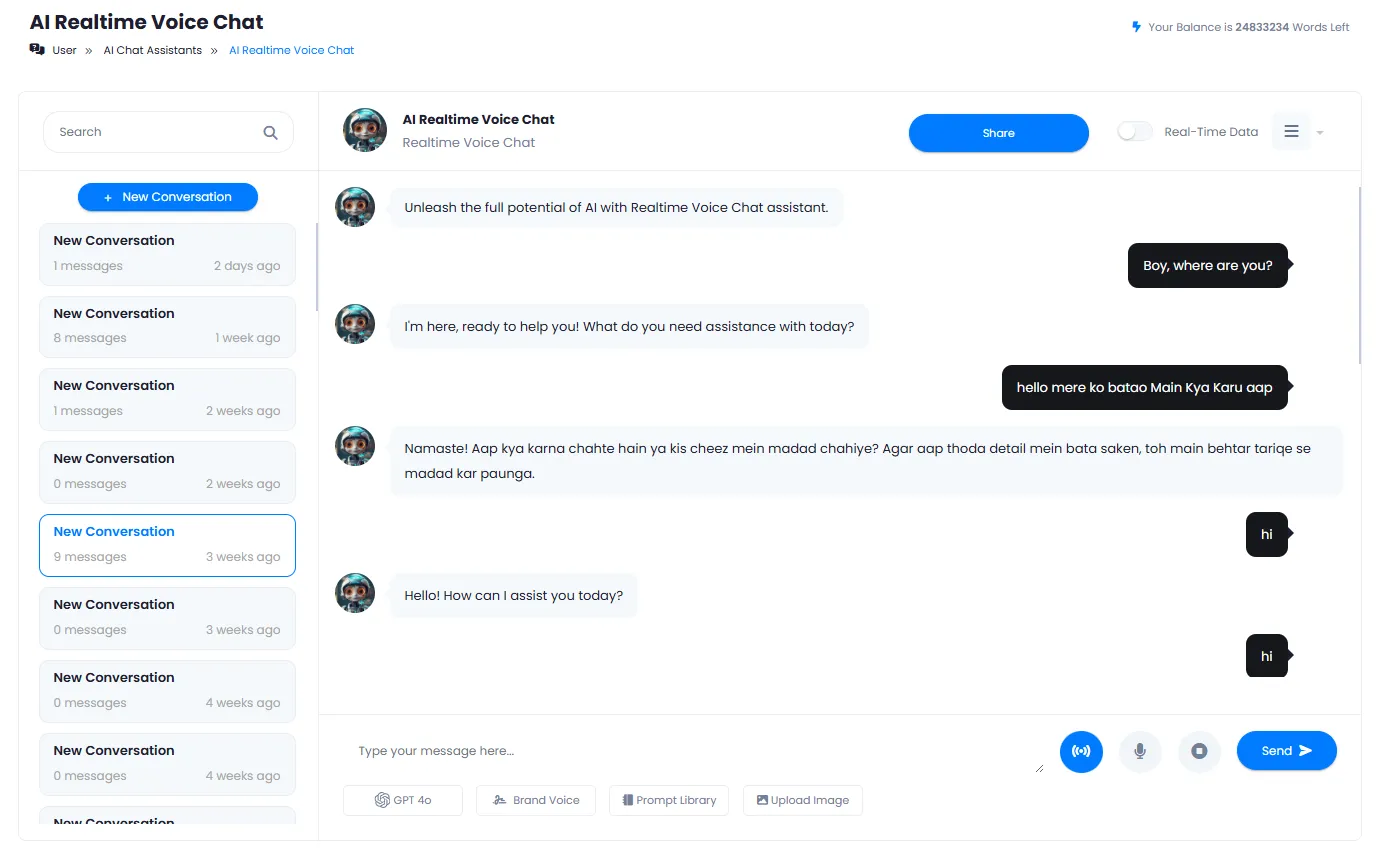
Realtime voice chat with AI is a cutting-edge technology that lets you talk to artificial intelligence like a real phone call. Simply click the microphone icon and start speaking — AI responds instantly with natural voice. Simultaneously, the full conversation transcript appears on screen, and you can also type text messages instead of speaking.
This tool supports 20+ advanced AI models from major tech companies including OpenAI with GPT-4o and GPT-4o mini, Anthropic with Claude 3.5 Sonnet, Google with Gemini 1.5 Pro, DeepSeek with R1, xAI with Grok 2 and Perplexity with Sonar, allowing you to pick exactly the right model for your task. Lightweight and fast models for everyday conversations, powerful models for deep and complex analysis, and specialized models for coding and mathematics.
Key use cases include practicing English conversation with different accents, receiving voice consulting on academic and career topics, creative brainstorming for podcast and video content production, and preparing for job interviews. All your conversations are automatically saved and you can access your chat history at any time, edit conversation titles or delete old discussions.
To start your AI voice conversation, simply create a free account on DeepFA. With no software installation needed, you can begin voice chatting directly in your browser on mobile, tablet or desktop. You can also enable real-time data to allow AI to use up-to-date internet information in its responses.
20+ AI Models for Voice Conversation
Each model has unique strengths — choose the one that fits your task
Fast models like GPT-4o mini are great for everyday chats, while models like Claude 3.5 Sonnet excel at precise analysis. With 20+ models available, you can find the perfect fit for any voice conversation.
GPT-4o
Latest & FastGPT-4o mini
Light & CheapClaude 3.5 Sonnet
High AccuracyGemini 1.5 Pro
1M ContextDeepSeek R1
Strong ReasoningGrok 2
WittyPerplexity Sonar
Analyticalo1 mini
Coding & MathWhy Realtime Voice Chat with AI?
A different experience from text chat — natural, fast and intelligent conversation with real voice
Natural Voice Conversation Like a Phone Call
Just turn on your microphone and speak. AI responds with natural voice and no noticeable delay, just like talking to a real friend.
Instant Responses with Minimal Latency
Real-time technology with very low latency provides a smooth, natural experience similar to a real phone call.
20+ Advanced AI Models
Use GPT-4o, Claude, Gemini, DeepSeek and Grok models for voice chat. Each model is optimized for specific tasks.
Save and Manage All Conversations
All your voice and text conversations are saved in the left panel. You can search, rename and delete old conversations.
Combined Input: Voice and Text Simultaneously
In addition to speaking, you can also type text messages. Both input methods are supported and you can switch between them.
English Language Practice with AI
Talk to AI like a native English speaker partner, improve your pronunciation and get instant feedback.
Start Voice Conversation in Four Simple Steps
No software installation or complex setup needed — just speak.
Enter the page and enable microphone access
Click the microphone icon and approve microphone access in your browser.
Speak or type a text message
State your question, request ideas or practice language. You can speak and type at any time.
Receive voice and text reply simultaneously
AI instantly replies with natural voice and the full conversation transcript appears on screen.
Change AI model (optional)
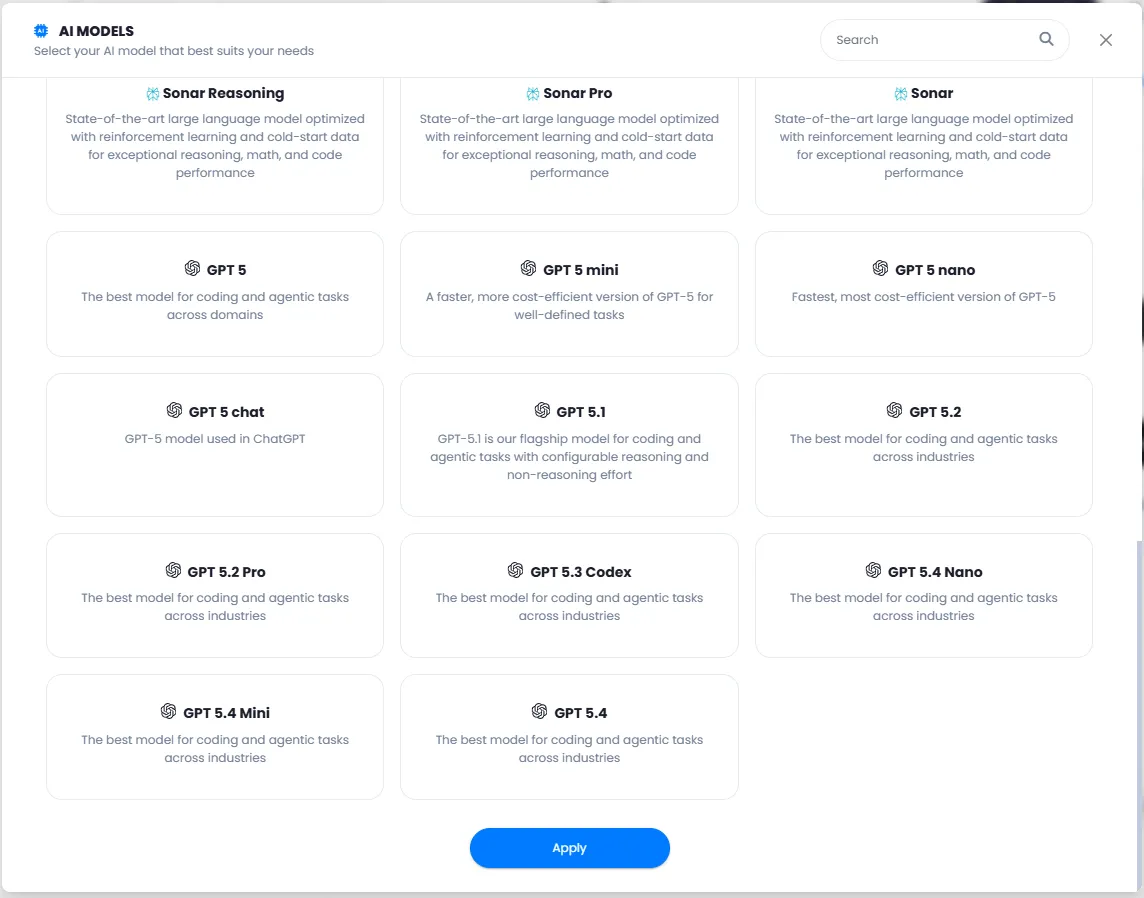
Click the current model name and choose your preferred option from 20+ advanced models.
Who Uses AI Voice Conversation?
From language learners and students to professionals and business owners
English Language Practice
Voice conversation with AI to improve English accent, grammar and fluency
Brainstorming & Ideation
Get AI help for project ideas, business or creative content creation
Quick Voice Consulting
Get instant advice on academic, career, life and health topics by speaking
Text Content Creation
Prepare podcast, video or article content through voice conversation with AI
Job Interview Preparation
Practice job interviews with AI role-playing as employer
Daily Chat & Smart Companion
Casual talk, mental venting or getting a second opinion from AI
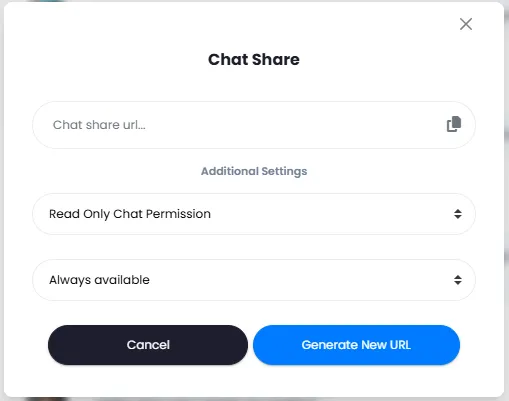
DeepFA Realtime Voice Chat Interface
Real screenshots of the AI voice chat page — click any image to enlarge
What is AI Realtime Voice Chat and what is it used for?
From English language practice to voice consulting and brainstorming — everything you need to know about realtime voice conversation with 20+ AI models.
AI Realtime Voice Chat is a groundbreaking technology that transforms the experience of talking to AI. Unlike traditional text chats where you need to type and read text replies, this method only requires you to turn on your microphone and speak — AI instantly responds with a natural voice, just like a real phone call. Simultaneously, the full conversation transcript appears on screen, and you can type text messages at any time instead of speaking. This capability is ideal for English language practice, voice consulting, brainstorming and any scenario needing fast, natural interaction.
The key difference from other similar services is support for 20+ advanced AI models. Fast models like GPT-4o mini for everyday chats and language practice, powerful models like Claude 3.5 Sonnet for precise and complex analysis, and specialized models like o1 mini for coding and mathematical problems. By enabling real-time data, the AI can also use up-to-date internet information in its responses. All your conversations are saved, and you can search through history, rename titles or delete them.
Voice Chat vs. Text Chat — What is the fundamental difference?
In text chat, you must type and read replies — slower and less natural. In realtime voice chat, you speak and hear voice responses, just like a real phone call. The conversation transcript appears on screen simultaneously, and you can combine both methods.
20+ Advanced Models — Which one is right for you?
GPT-4o: most up-to-date and fastest option. Claude 3.5 Sonnet: high accuracy for analysis. GPT-4o mini: lightweight, cost-effective for everyday chats. DeepSeek R1: strong reasoning for complex problems. Grok 2: witty and creative style. Each model is optimized for specific tasks.
Under 100ms latency — smooth, natural experience
Advanced real-time technology makes the delay between your speech and AI response under 100ms — barely perceptible. This means a smooth, natural, uninterrupted conversation, just like talking to a real person.
English Language Practice — Best tool for accent and pronunciation
Speak with AI like a native English speaker partner. Practice different accents (American, British), improve pronunciation, learn everyday expressions and get instant feedback. Voice chat is far more effective for this than text chat.
Auto-save and complete history — never lose a conversation
All your voice conversations are automatically saved. Search through history, rename conversation titles or delete old ones. Search within past conversations also helps you quickly find important ideas and information.
Works on mobile and tablet — from anywhere
DeepFA voice chat tool is fully responsive and works well on mobile browser, tablet and computer. Just enable microphone access and start your voice conversation from anywhere — home, work or on the go.
To start an AI voice conversation, simply create a free account on DeepFA. After entering the tool page, click the microphone icon and grant microphone access in your browser. Then start speaking — AI responds with a natural voice. To change the AI model, click the model name at the top and choose from 20+ advanced models. You can also enable real-time data to use up-to-date internet information. All your conversations are saved in the left panel list and are always accessible.
Companion Tools for AI Voice Chat
From content creation to WordPress publishing and presentation design — all in one platform
Frequently Asked Questions About AI Voice Chat
Answers to common questions about realtime voice chat with AI
Start Your First Voice Conversation with AI Right Now
Free registration in 30 seconds • Instant access to voice chat with 20+ AI models