AI Data Analyst
From Spreadsheet to Charts and a Report
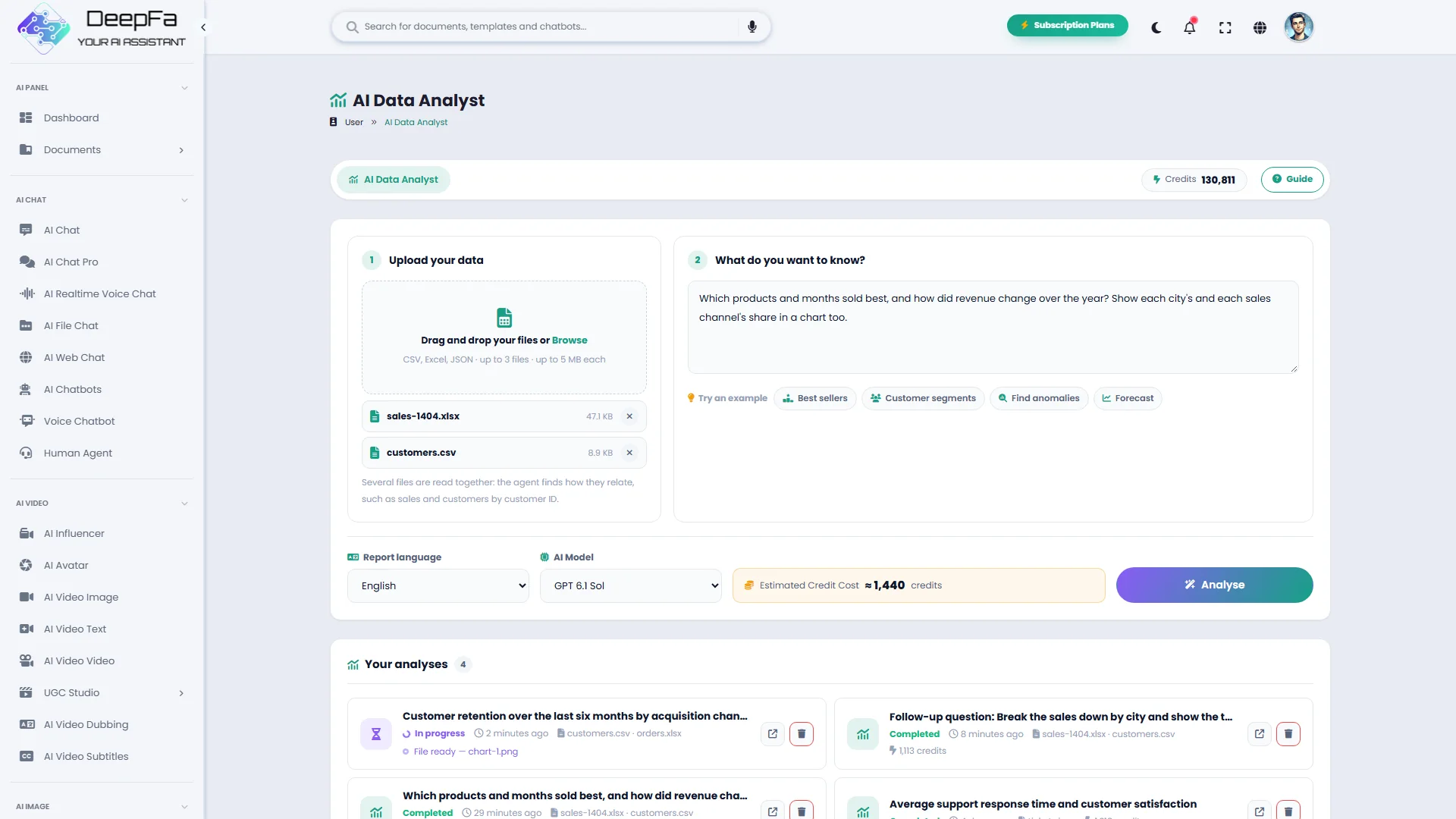
Upload up to three Excel, CSV or JSON files and ask what you want to know; the agent cleans the data, relates the files, computes the answer in code and delivers a report with charts and an Excel workbook of the results. Ask your next question without uploading again.
AI Data Analyst — Asking Your Spreadsheet Questions in Plain Language
Most of a business's data lives in Excel and CSV files, but getting answers out of them usually takes formulas, pivot tables and hours. DeepFA's data analyst turns that around: you upload the file, write your question in plain language and the agent does the rest.
The agent opens the files in a private workspace with no internet access, recognises the columns, cleans missing or duplicate records and computes the answer in code. Give it several files — sales and customers, say — and it works out how they relate through their shared columns, and tells you how it joined them. Every number you see in the report was calculated, not guessed, and the agent tells you what it changed or set aside in the data.
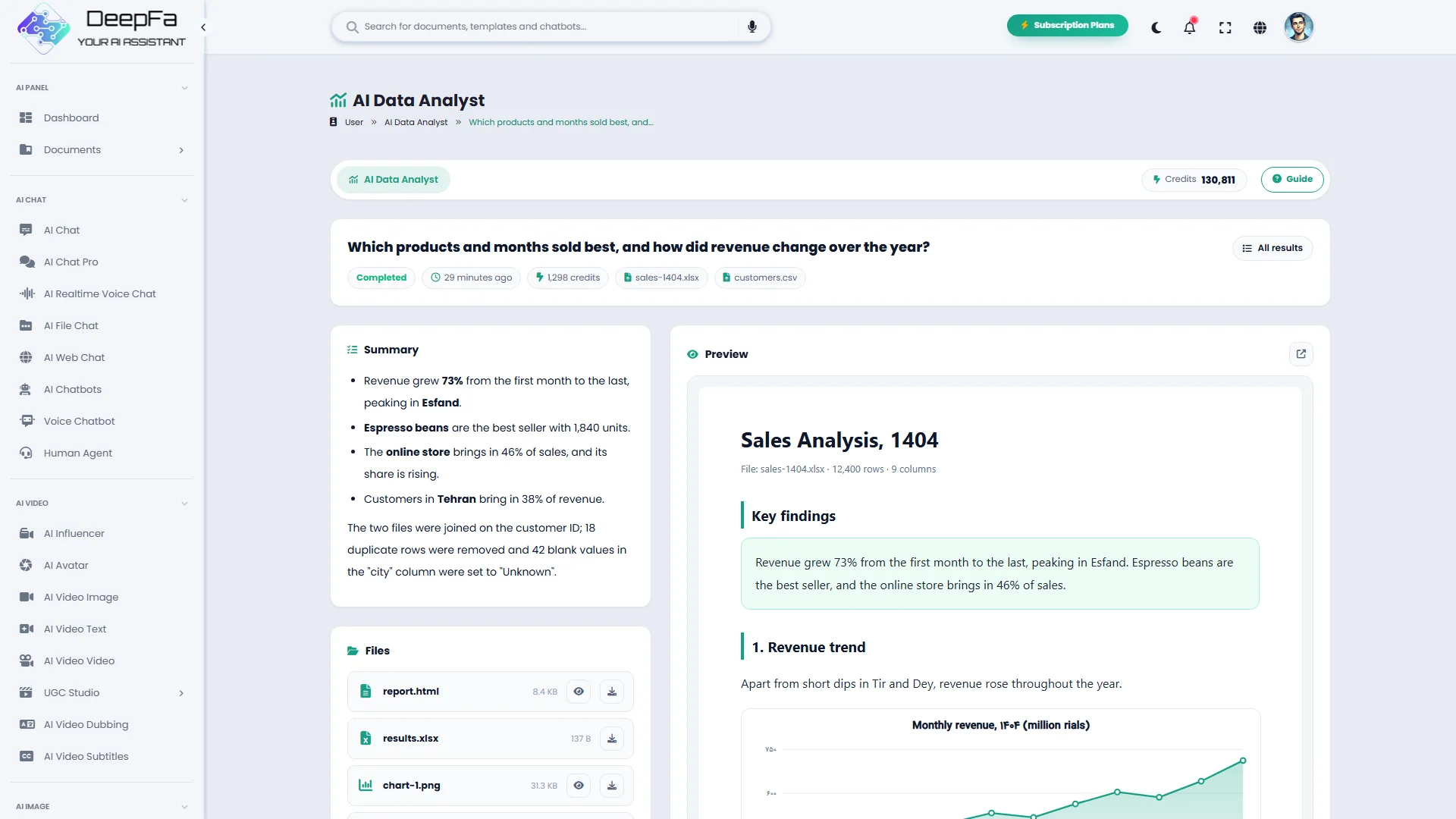
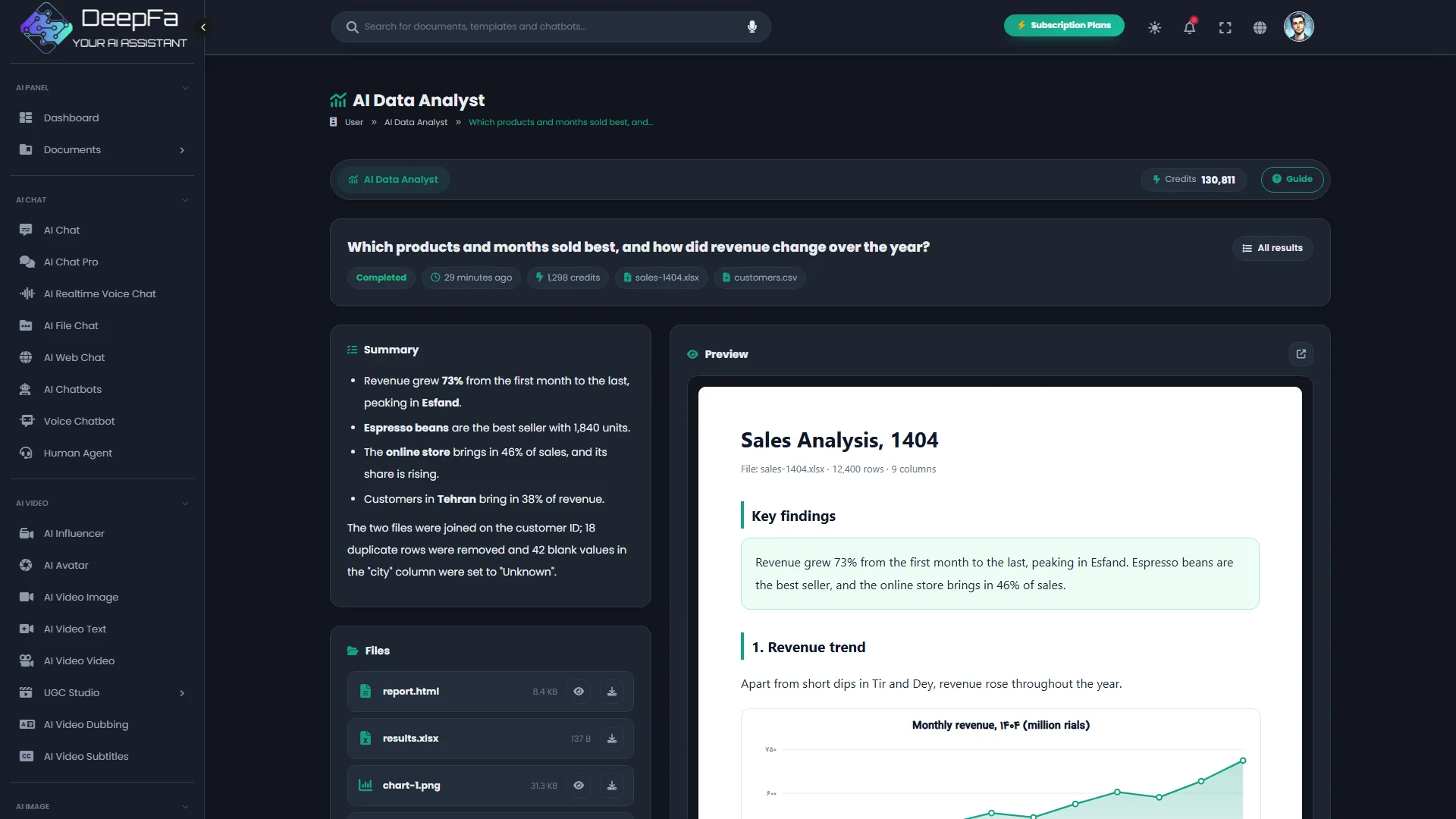
The output has three parts: an analysis report as a web page with the key findings and charts, the charts as images, and an Excel workbook of every table built during the analysis. The charts show Persian text correctly, and the report is written in the language you choose.
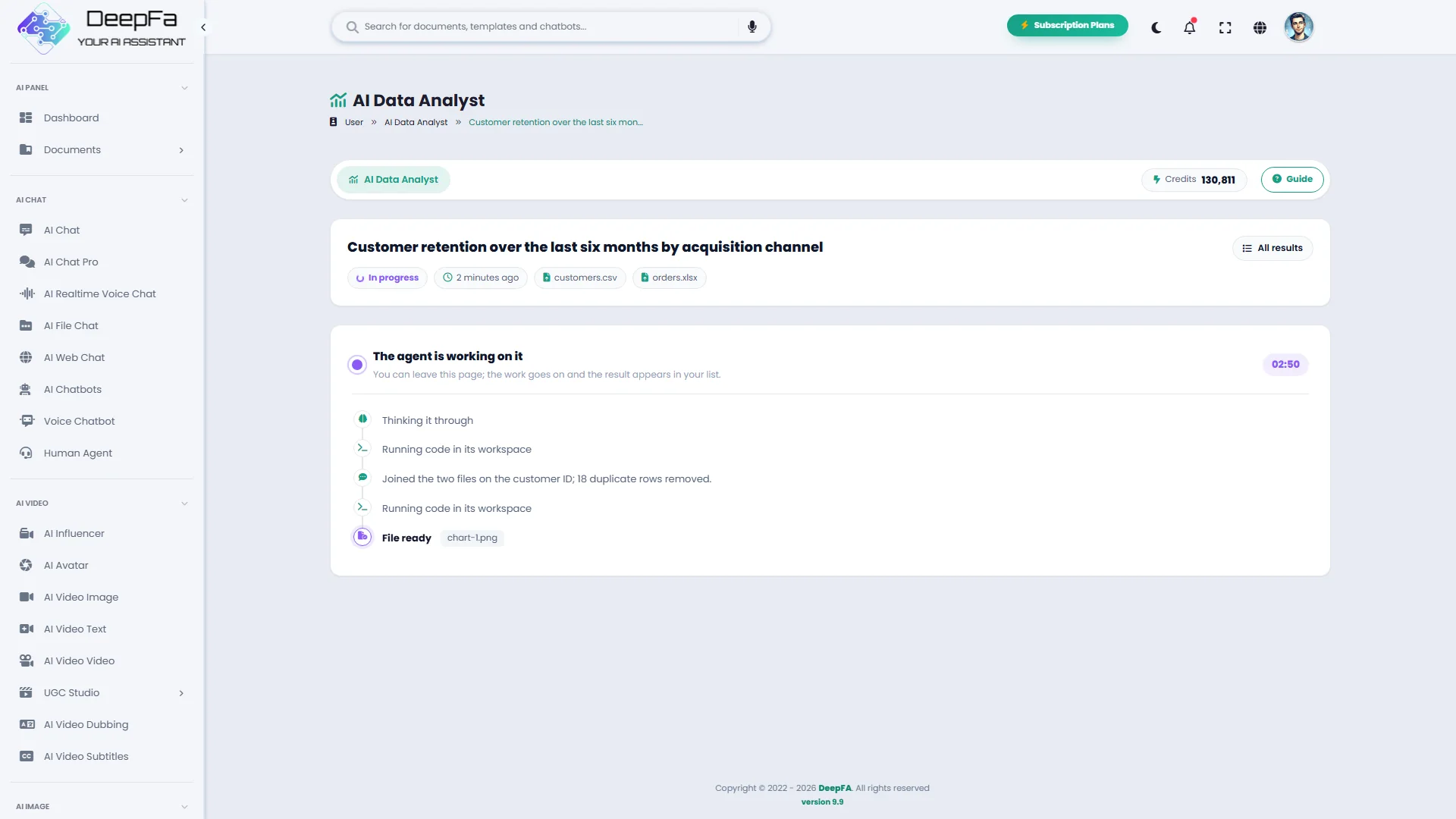
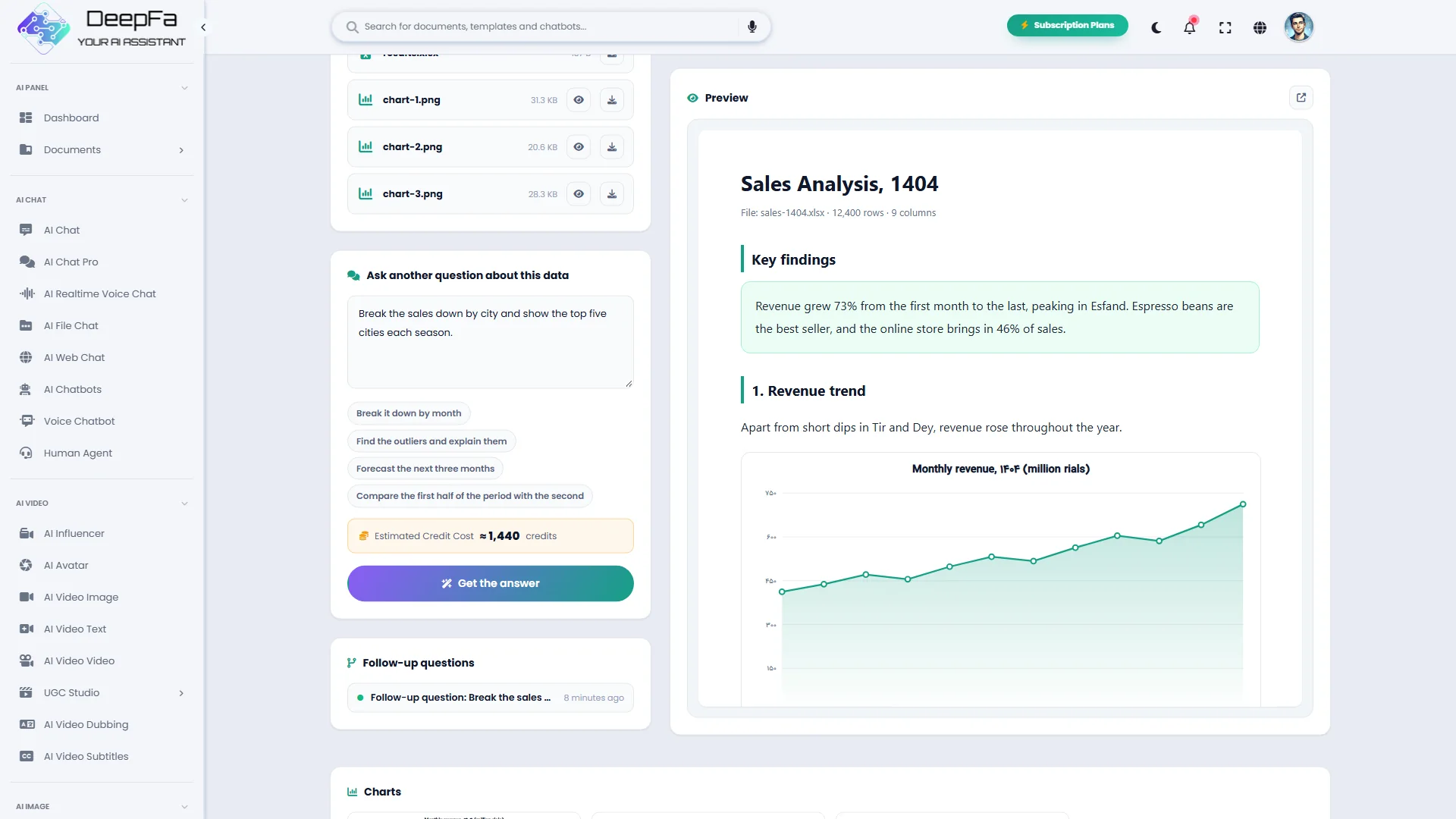
An analysis does not end with the first answer: on any result, write the next question — "break it down by city" or "forecast the next three months" — and the agent answers from the same files, knowing what it found before. While it works you watch its steps live: the code it runs, what it says along the way and the charts as they become ready.
If you are looking for sales analysis, financial reporting, customer data review or automatic charts from an Excel file, DeepFA's data analyst pulls the answer to your question out of the data — no formulas, no programming.
The answer to your question, in numbers and charts
Every analysis has four outputs — from the findings you read on the page to the Excel file you give your team.
Key findings
The most important numbers and conclusions on the result page, in plain words.
Analysis report
The full report with the method, tables and charts, opened beside the page.
Charts
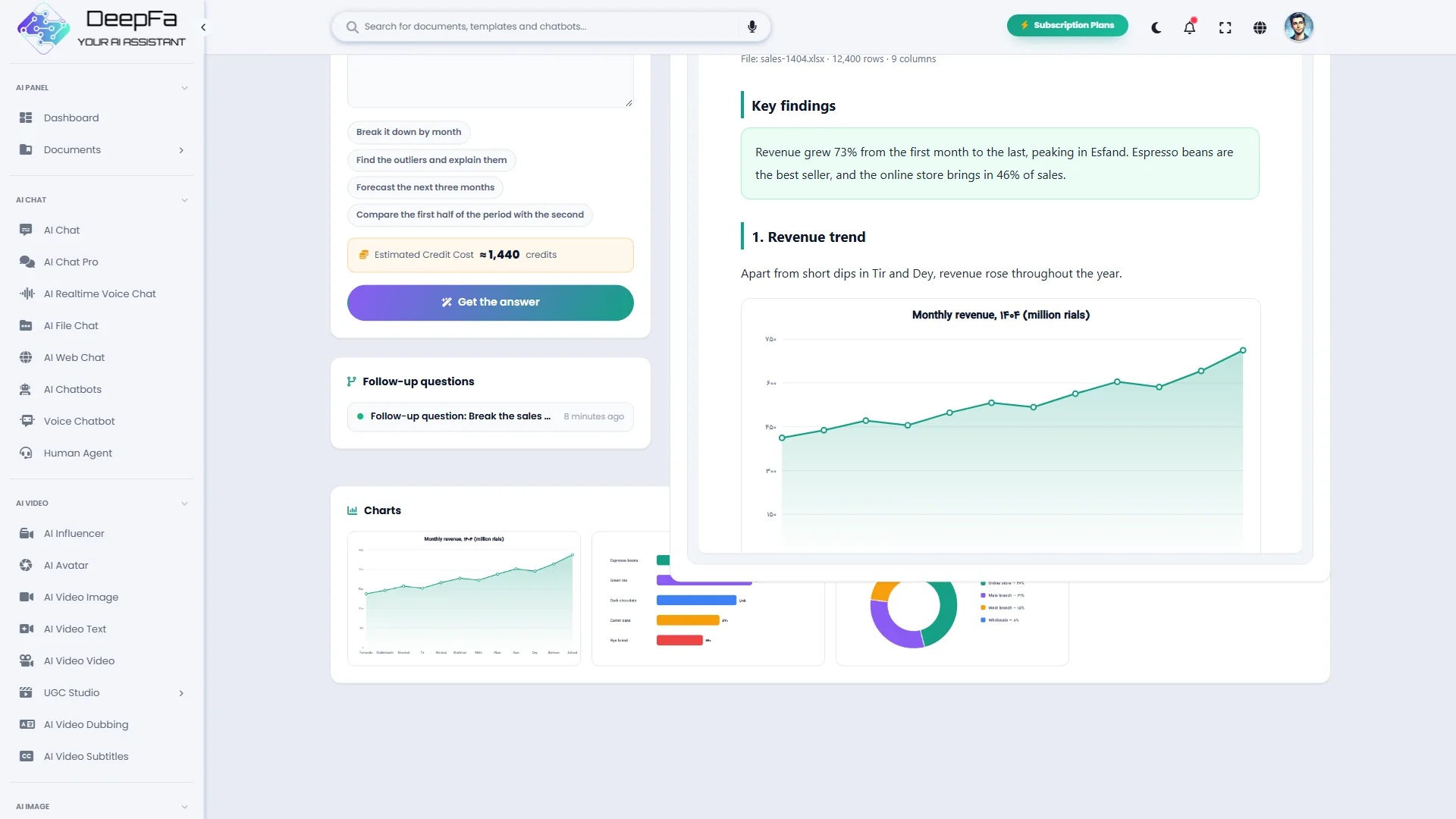
Every chart as a separate image, ready for your slides or report.
Results workbook
Every table built during the analysis, in one Excel file.
Data analysis in 5 steps
You give the file and the question; the cleaning, computing and charting are the agent's job.
Uploading the files
Drag and drop up to three CSV, Excel or JSON files, each up to the size shown on the form.
A real question
Ask what you want to know, or pick a ready-made example: best sellers, customer segments, anomalies or a forecast.
Cleaning and computing, live
The agent prepares the data, relates the files and computes the answer in code; you see each step as it happens.
Charts and report
Suitable charts are built and placed beside the findings in the report.
Delivery, and the next question
The findings on the page, the report in the preview, the charts and Excel file ready to download — and a follow-up question on the same data.
Why DeepFA's Data Analyst?
An analysis you can trust: computed in code, open about the data, and files that stay private.
Every number is computed
The agent reports only what its code calculated — no guesses, no estimates.
The next question, no second upload
Your files stay privately with the analysis so you can ask about the same data again; the analysis runs in a space with no internet access.
Persian that renders right
Persian labels and titles in the charts are shaped and displayed correctly.
Pay for what the run used
An estimate before you start, the actual charge on the result; a failed run costs nothing.
Several files together
Give it up to three files; the agent joins them on their shared columns — no formulas, pivot tables or code.
Open about the data
The agent says which rows or columns it cleaned, corrected or set aside.
From file to report in 4 steps
One file, one question and a few minutes' wait.
Upload the files
Up to three CSV, Excel or JSON files, each with a header row.
Write the question
Ask what you want to find in the data.
Watch the agent at work
The agent prepares, computes and charts the data, and each step shows as it happens.
Get the result and ask more
Read the findings, download the report and files, and ask your next question about the same data.
Who is the data analyst for?
Anyone who has data but not the time or the formulas.
Online stores
Find the best-selling products, seasons and customers in your sales export.
Finance managers
Revenue and cost trends, month-by-month comparisons and budget variance.
Marketers
Campaign results, conversion rates and channel comparisons.
HR teams
Workforce mix, staff turnover and hiring trends.
Researchers and students
Descriptive statistics and charts from survey or experiment data.
Product managers
Feature usage, user feedback and growth trends.
A look inside the AI Data Analyst
Click any image to enlarge.
What is an AI data analyst, and how does it work?
From preparing the file to asking a question that gets you a real analysis.
An AI data analyst is an agent that works the way a human analyst does: it first gets to know the data, then prepares it, and then writes and runs code to answer your question. The difference from asking a chat is that the numbers are actually computed, and usable files are delivered.
Your files are opened in a workspace with no internet access. DeepFA keeps them privately with that analysis so a follow-up question needs no second upload; they are removed when you delete the analysis or when your plan's file storage period ends. For the best result, prepare the table with one header row, one record per row and one table per sheet.
Which files are accepted?
CSV, TSV, TXT, Excel (xlsx and xls) and JSON, up to the size shown on the form.
Cleaning the data
Duplicate rows, blank values and inconsistent formats are found and fixed, and the agent reports them.
Computed in code
The answer is calculated by running code on the data, which is why the numbers are reliable and repeatable.
The right chart for each question
Trends as lines, comparisons as bars, shares as pies — or whatever chart you ask for.
Data privacy
The analysis workspace has no internet access. The files are kept privately, only for that analysis's follow-up questions, and are removed when you delete it or when the storage period ends.
Several files, and the next question
Analyse up to three files together, and on any result ask the next question without uploading again; the agent knows what it found before.
Ask a real question: "Which products lost sales in the second half of the year?" gets an analysis, while "analyse this" gets a description of the columns. Clear column names help, remove columns of personal data you do not need before uploading, and if you want a particular chart, ask for it by name. For further questions, do not start a new analysis — ask on the same result.
Tools that complement the Data Analyst
Turn the findings into a sourced report, a presentation or content.
Frequently asked questions about the AI Data Analyst
Everything you need to know about files, privacy, cost and output.
Analyse your first file right now
Sign up and get the answer to your question with charts and a report