Every message and comment answered the moment it arrives
DeepFA AI Auto Reply answers Instagram DMs and comments and messages on Telegram, WhatsApp, Bale and Rubika around the clock — with fixed answers you write yourself, or with an AI that finds the right answer in your price list, FAQ and business files.
 @mina.shopDirect message
AI Auto Reply — Automatic Answers to DMs, Comments and Messengers
Most of the messages an online business receives are the same few questions: “how much is it?”, “is it in stock?”, “do you deliver to my city?”, “when are you open?”. Answering them by hand takes hours, and every message answered late is probably a customer lost. DeepFA AI Auto Reply does this for you: it answers Instagram direct messages and comments, a Telegram bot, a WhatsApp Business number, a Bale bot and a Rubika bot the moment a message arrives.
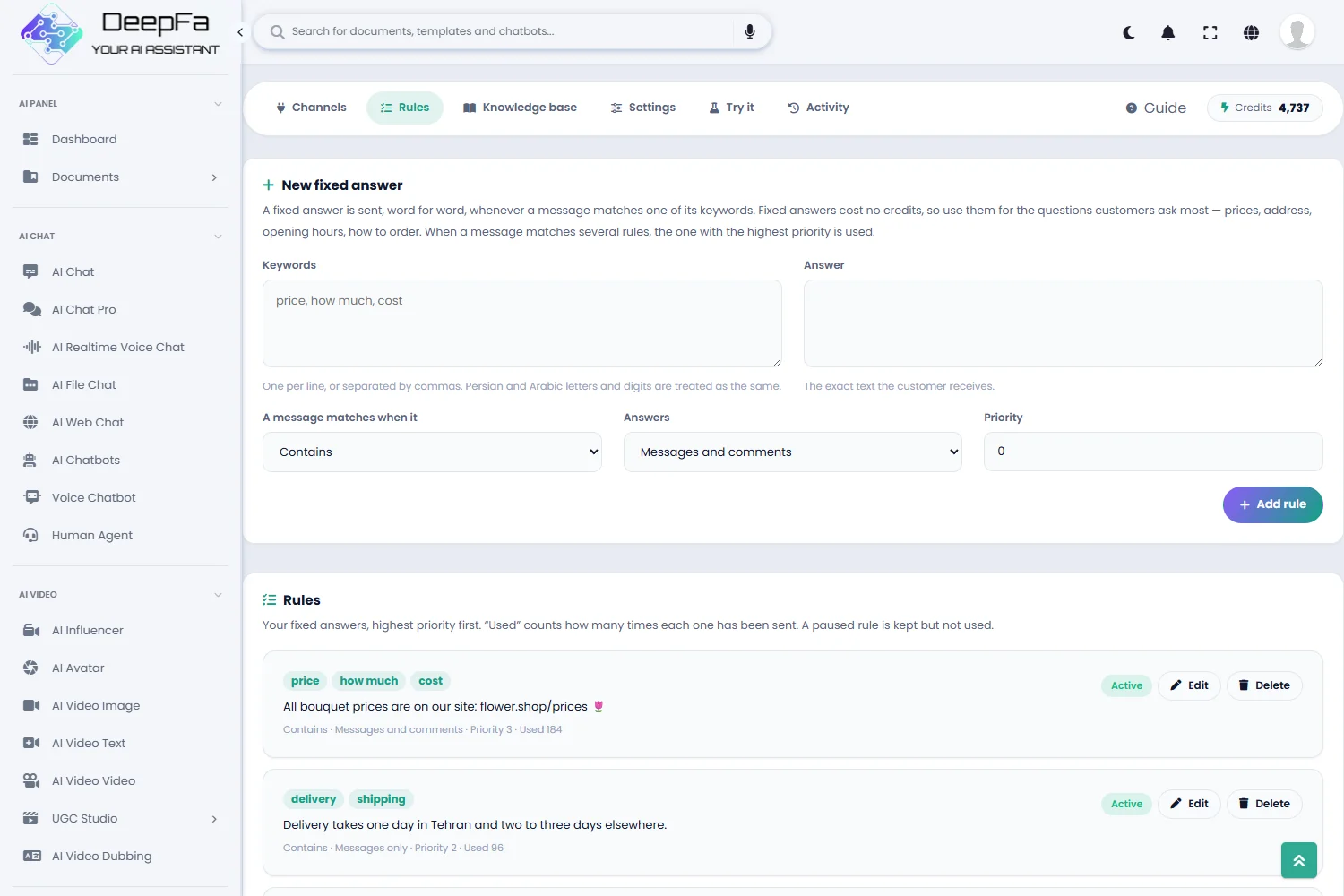
The simplest way is a fixed answer. For each common question you write a few keywords and an answer, and every message containing those keywords gets that answer word for word. You choose whether the message has to contain the keyword, equal it exactly or start with it, whether the rule is for messages or comments, and which rule wins when several match. A fixed answer costs far less than an AI answer. Because Persian text is often typed with Arabic letters or digits, those differences are evened out before comparing.
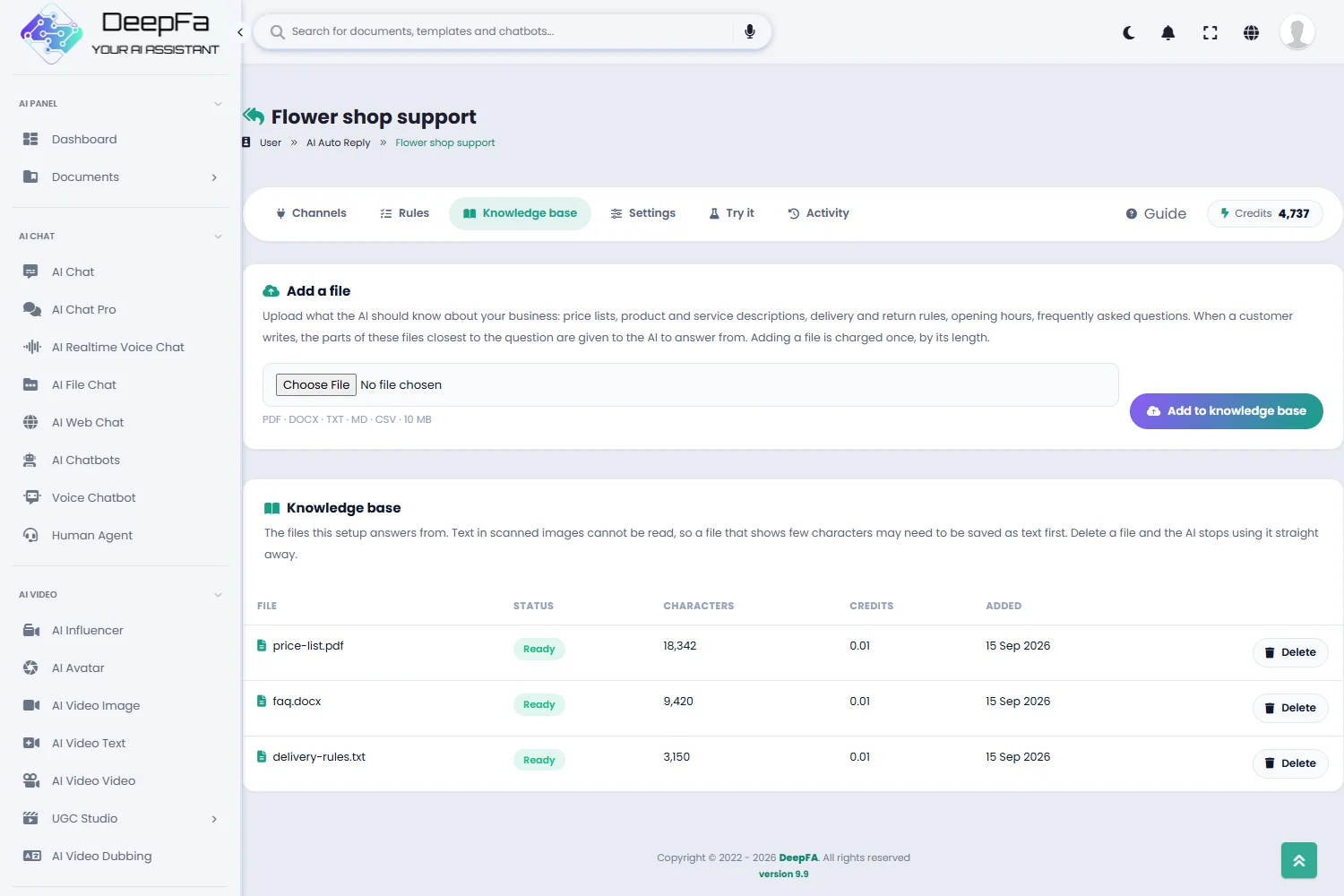
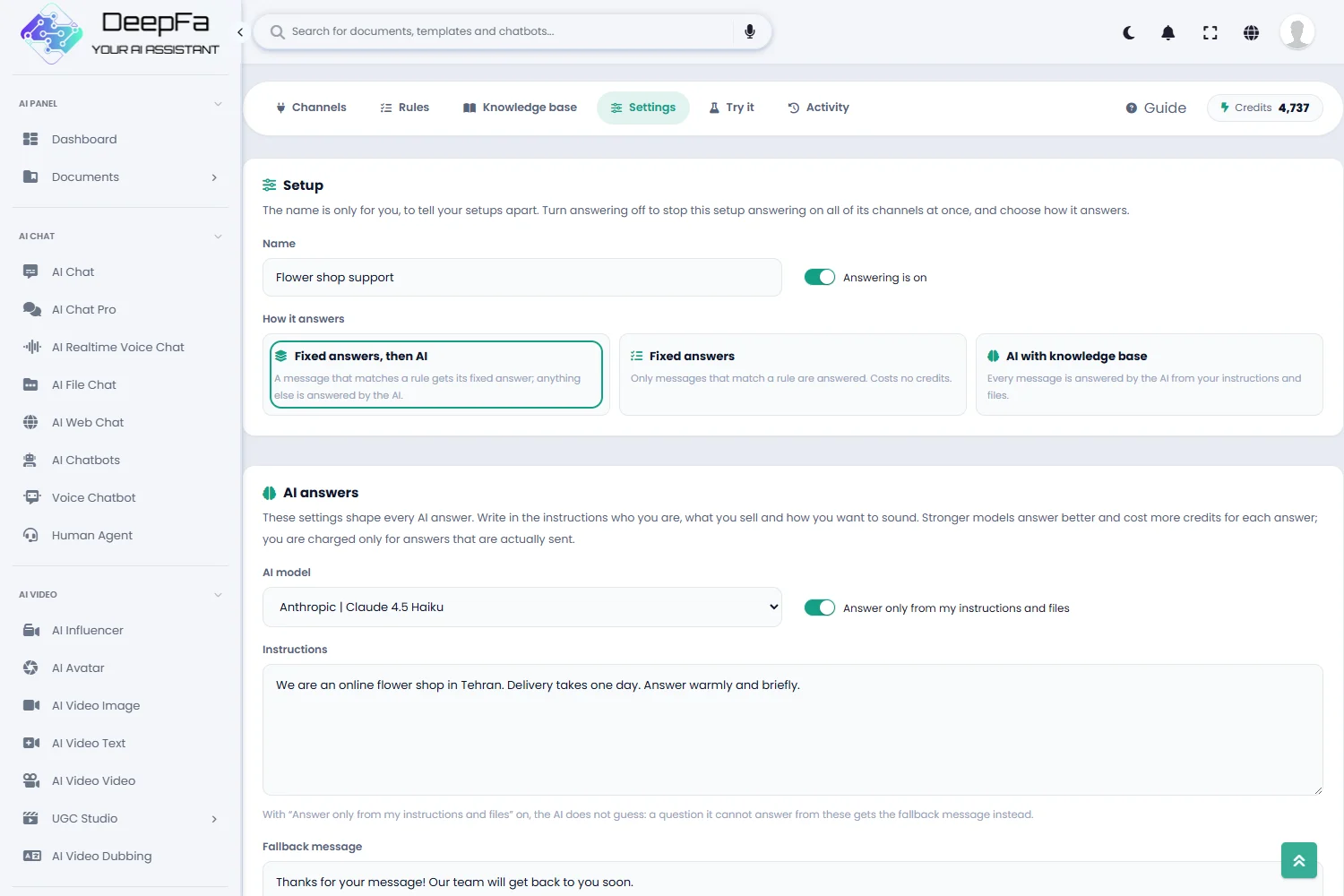
For questions you cannot predict, the AI steps in. Upload your price list, product catalogue, delivery and return rules or FAQ to the knowledge base as PDF, Word, text or CSV. When a customer writes, the parts of those files closest to the question are found, and the AI writes the answer from them and from the instructions you wrote — who you are, what you sell and how you want to sound. The last few messages of the same conversation are taken into account, so the answers follow on from each other.
If you do not want the AI guessing at anything outside your information, switch on “Answer only from my instructions and files”; a question the files cannot answer then gets the fallback message you wrote instead. You can also combine both ways: fixed answers are checked first, and only the messages no rule matches reach the AI.
Instagram comments are covered too. A comment can be answered privately in the commenter’s DMs, publicly under the comment, or both — the price and the buying link in a DM, with “we sent you the details” under the comment, for example. That suits posts that collect hundreds of “price?” comments, and campaigns that send a link or a discount code to everyone who comments a certain word.
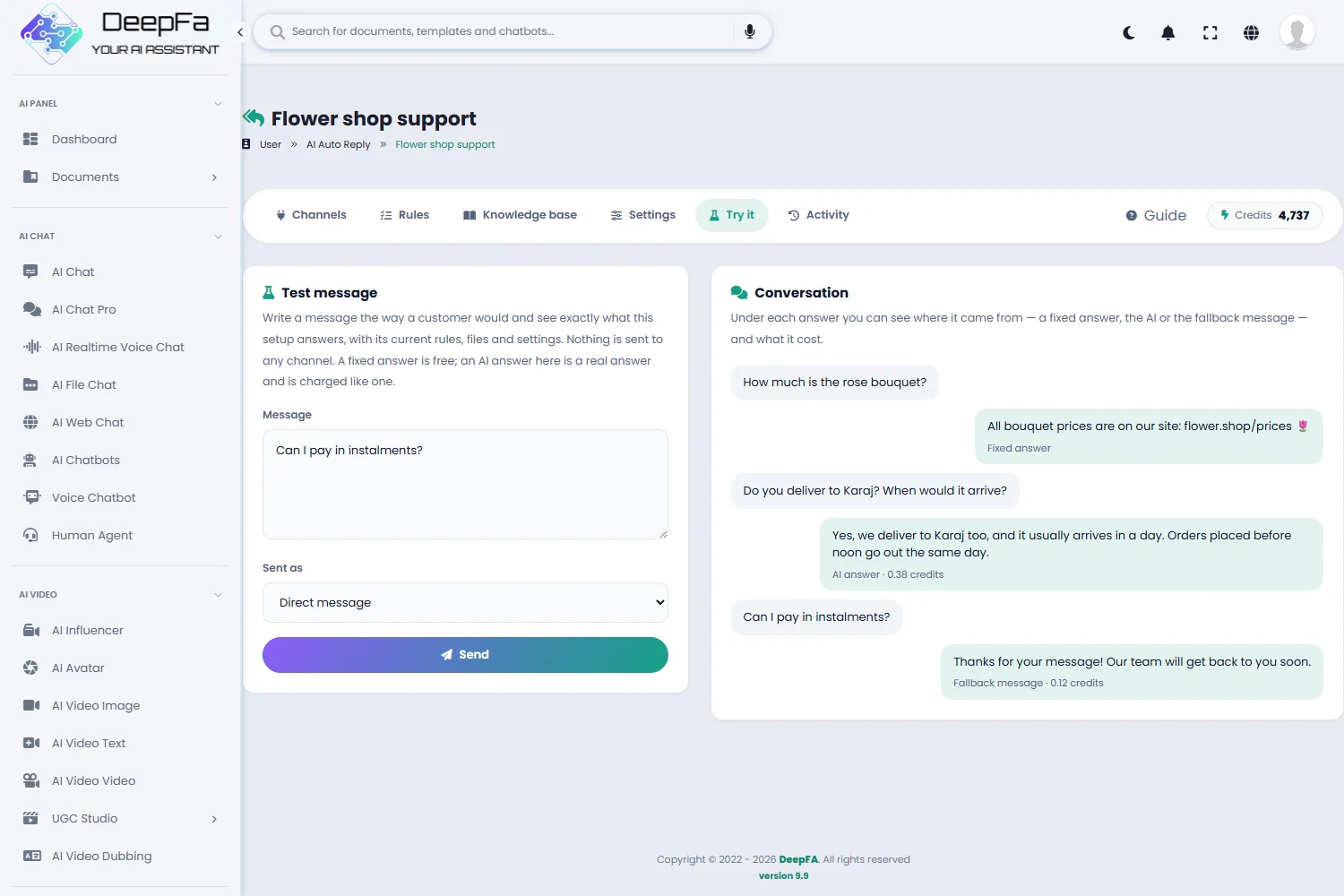
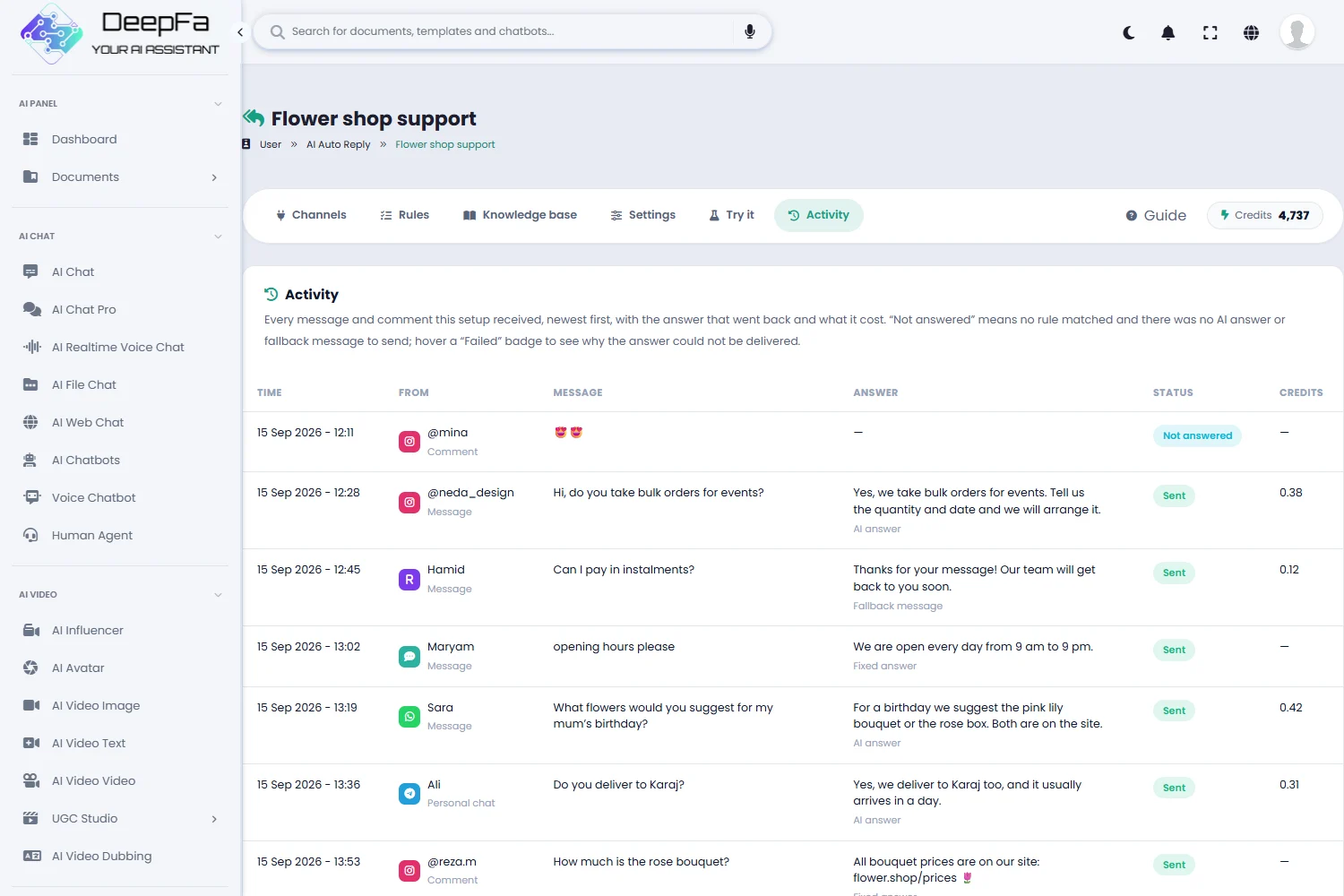
Before switching it on, you can write to it like a customer in the Test tab and see exactly what it answers and where the answer came from. Once it is live, every message received, the answer sent, whether it was delivered and what it cost are recorded in the message history. An AI answer is charged only when it is actually sent to the customer.
Everything automatic answering needs
From connecting a channel to checking every single answer — on one page.
Five channels in one place
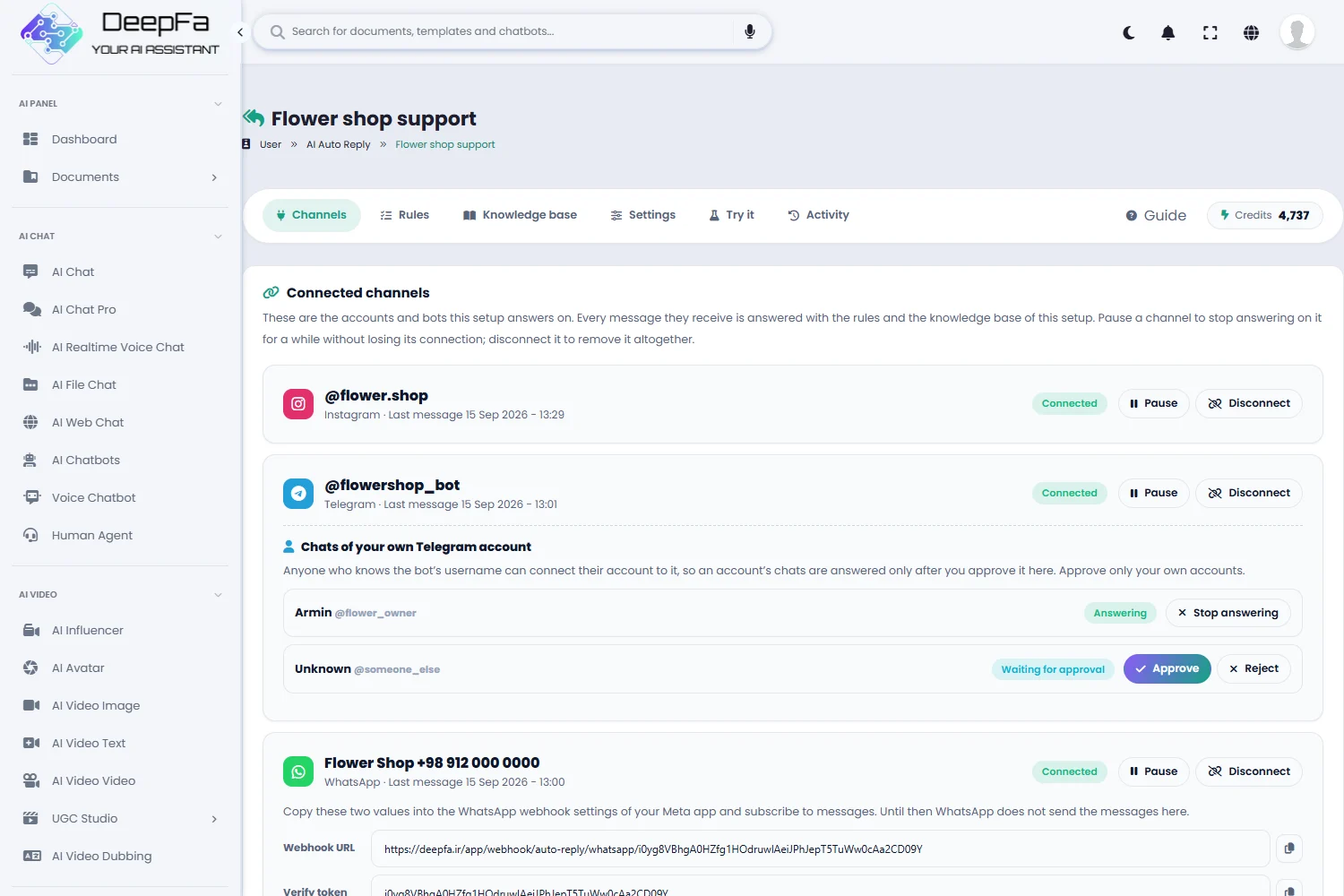
Instagram DMs and comments, a Telegram bot and your own Telegram account, WhatsApp, Bale and Rubika — one setup can answer on several channels at once.
Fixed answers
Keywords and an answer for the questions you get every day, with a priority, a match type and a choice of messages or comments. At far less than an AI answer.
Knowledge base
Upload a price list, a catalogue or an FAQ as PDF, Word, text or CSV, and the AI answers from them.
AI answers
Choose the AI model, write your tone and business details in the instructions, and keep it to answering only from your files.
Instagram comment replies
A private answer in DMs, a public reply under the comment, or both — for every comment or only the ones that match a rule.
Test before going live
Write like a customer and see exactly what comes back, where it came from and what it cost — without sending anything to a channel.
Message history
Every message and comment received, the answer sent, where it came from, whether it was delivered and what it cost, in one table.
Voice messages answered
A customer’s voice note is written out and answered like any other message — on Instagram, Telegram, WhatsApp, Bale and Rubika. Optional, and charged only when words actually came back.
Reports
Messages received, reply rate, the share answered by AI and by fixed answers, a breakdown per channel, credit spent and the last thirty days — at no extra cost.
Satisfaction and lead detection
Each message is marked satisfied, neutral or unhappy, and the AI reading also works out what it was about — a price, support, buying, a complaint — and how ready to buy the person sounds. You choose how it is read: free keyword matching, or the more accurate AI reading.
Complaints escalated
An unhappy message can raise a follow-up task the moment it arrives and land with the right person, instead of only being counted in a report.
Funnel and conversion rate
From a message to a sale at a glance: received, answered, became a contact, opened a deal and closed — with the share at each step and the conversion rate.
Optional CRM connection
Everyone who writes in can become a CRM contact, with the message and its answer kept on their timeline — the same contact next time they come back, never a duplicate. Their readiness to buy is scored onto the contact, a deal is opened for anyone who asks to buy, and you can answer them from the CRM on the very channel they wrote from.
Up and running in 4 steps
No coding, no server and nothing to install.
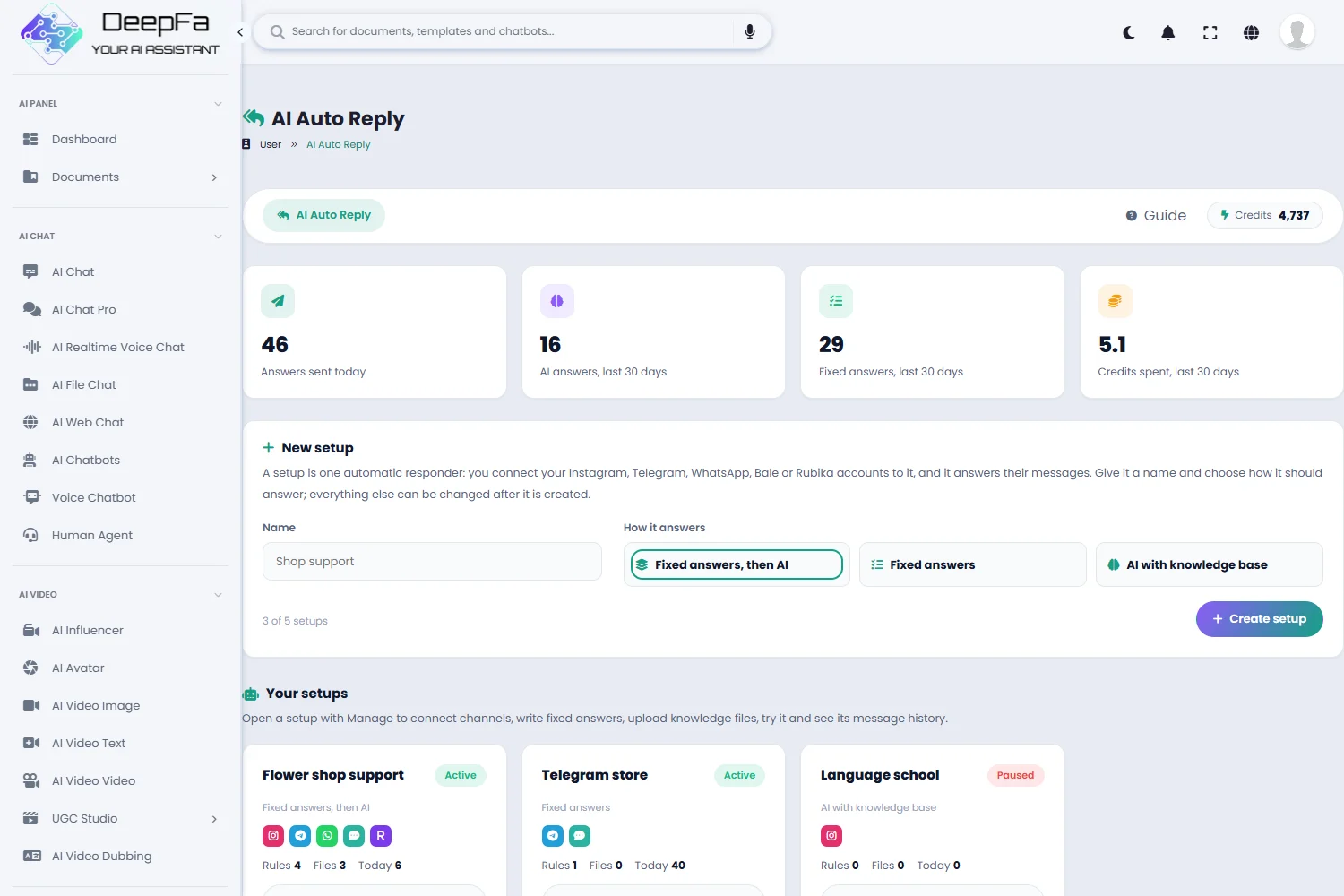
Create a setup
Give it a name and choose how it answers: fixed answers only, AI only, or fixed answers first and the AI after.
Connect your channels
Sign in to Instagram, or paste the Telegram, Bale, Rubika or WhatsApp token. Receiving messages is set up automatically.
Teach it your business
Write fixed answers for the common questions, upload your business files and set out the instructions and tone.
Test it and leave it on
Send a few messages in the Test tab, check the answers, then let it answer around the clock. The message history is always there.
Why DeepFA AI Auto Reply?
Customers do not wait — and this makes sure they do not have to.
Answers around the clock
The customer asking the price at midnight gets the answer at midnight — not the next morning, after they have bought somewhere else.
Answers from your own information
The AI answers from your files and instructions, and if you want, it does not guess at anything they do not cover.
Charged only for answers sent
Every answer, fixed or AI, is charged only when it is actually sent to the customer, and a fixed answer costs far less.
Iranian messengers included
Besides Instagram, Telegram and WhatsApp, Bale and Rubika are supported too, so customers get an answer wherever they are.
Understands Persian properly
Arabic “ي” and “ك”, Persian and Arabic digits, zero-width spaces and diacritics do not stop a keyword from matching.
No comment left unanswered
Under a post that takes off, hundreds of people write “price?”. Every one gets the answer in DMs, with a note under the comment that it was sent.
You stay in control
Pause any channel for a while, switch any rule off, and see in the history exactly what was sent to whom.
From the message arriving to the answer going out
All of this happens within a few seconds.
A message arrives
A customer writes a message or a comment on Instagram, Telegram, WhatsApp, Bale or Rubika, and it reaches the setup straight away.
Fixed answers are checked
The message is normalised and compared with the rules’ keywords in order of priority. If one matches, its fixed answer is sent.
The relevant knowledge is found
If no rule matches, the parts of the knowledge base files closest to the question are found.
The AI writes the answer
The AI writes the answer from your instructions, the knowledge found and the last few messages of the conversation — or, if it does not know, the fallback message is sent.
The answer is sent and recorded
The answer goes out on the same channel, its cost is charged only once it has been sent, and everything is recorded in the history.
Who is AI Auto Reply for?
Any business that gets a lot of messages and does not want customers kept waiting.
Instagram shops
Price, stock, size and how-to-order answers in DMs and under posts
Restaurants and cafés
Menu, hours, address and bookings without anyone sitting by the phone
Schools and online courses
Fees, class times and enrolment terms straight from the course brochure
Clinics and services
Opening hours, services and fees, and a fallback message for questions a person should answer
Influencers and creators
A link or discount code in DMs to everyone who comments a certain word
Support teams
The repeated questions answered on every channel, so people can get to the harder ones
A look inside AI Auto Reply
Real screens from the dashboard — click any image to enlarge.
Tools that work well alongside Auto Reply
Questions people ask about Auto Reply
From today, no message goes unanswered
Sign up and have your first auto reply running in minutes