Build AI Chatbot for Your Website
Text Chat, Voice Chat & Human Agent Handoff
Build a custom AI-powered assistant for any website with DeepFA external chatbot builder. Your chatbot can converse with users via text and voice, and automatically hand off conversations to human operators when needed. Choose from ChatGPT, Claude and DeepSeek models, and deliver accurate, relevant answers with your own knowledge base.
Build Custom AI Chatbots for External Websites
DeepFA's external chatbot builder allows you to create custom AI chatbots for third-party websites. Design your chatbot by choosing from advanced models including ChatGPT, Claude and DeepSeek. Fully customize the chatbot's role, personality and response tone to match your business needs. The "restrict to data" feature ensures the chatbot only responds based on your connected knowledge base and specified instructions, preventing inaccurate or irrelevant answers.
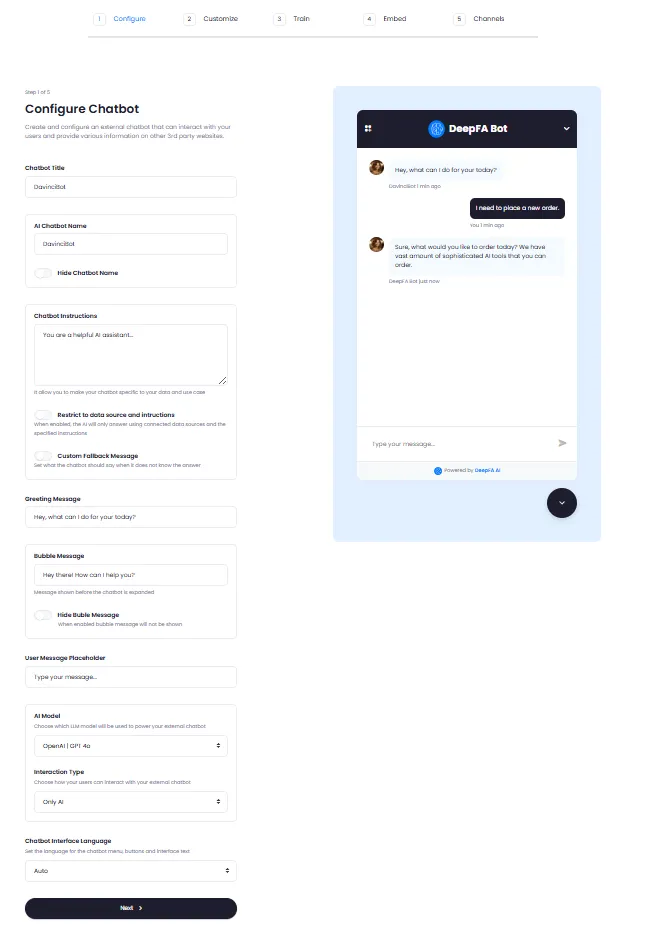
The chatbot creation process consists of 5 simple steps with no coding required: Configure (title, name, system prompt, greeting, AI model and language selection), Customize (avatar, colors and visual theme), Train (upload your files, documents and links), Embed (get embed code to place on your website), and Channels (connect to Telegram and WhatsApp). Each chatbot can be individually enabled or disabled, and you can view complete analytics including conversations, messages, token usage and channel performance in the chatbot analytics dashboard.
If you're looking for a professional solution to provide intelligent support on your clients' websites, DeepFA's external chatbot builder with text chat, voice chat and automatic human agent handoff is the perfect choice. This tool is ideal for online stores, corporate websites, educational centers, medical sites and government agencies.
Complete AI Chatbot Building and Management Features
From text and voice chat to automatic human agent handoff — all the tools you need to build a professional chatbot
Smart Text Chat
Text chatbot with full customization and accurate answers based on your knowledge base.
Voice Chat
Users can speak to the chatbot and receive voice responses.
Human Agent Handoff
Hand off conversations from AI to a real human operator when needed.
Custom Knowledge Base Training
Upload your files and documents so the chatbot gives personalized and accurate answers.
Performance Analytics
View complete stats on conversations, messages, token usage and channel performance.
Instant Enable/Disable
Enable or disable any chatbot with one click without deletion.
Full AI Chatbot Customization
From AI model selection and interaction type to interface language — everything is configurable
The chatbot connects to your knowledge base via these messengers to provide responses
When enabled, AI only responds using connected data sources and specified instructions, preventing irrelevant information
Support for the World's Best AI Models
From OpenAI, Anthropic and DeepSeek — choose the right model for any business need
ChatGPT
Advanced OpenAIClaude
Creative AnthropicDeepSeek
Analytical DeepSeekBenefits of Using DeepFA External Chatbots
Capabilities beyond ordinary chatbots that transform your customer experience.
Multi-Chatbot Management
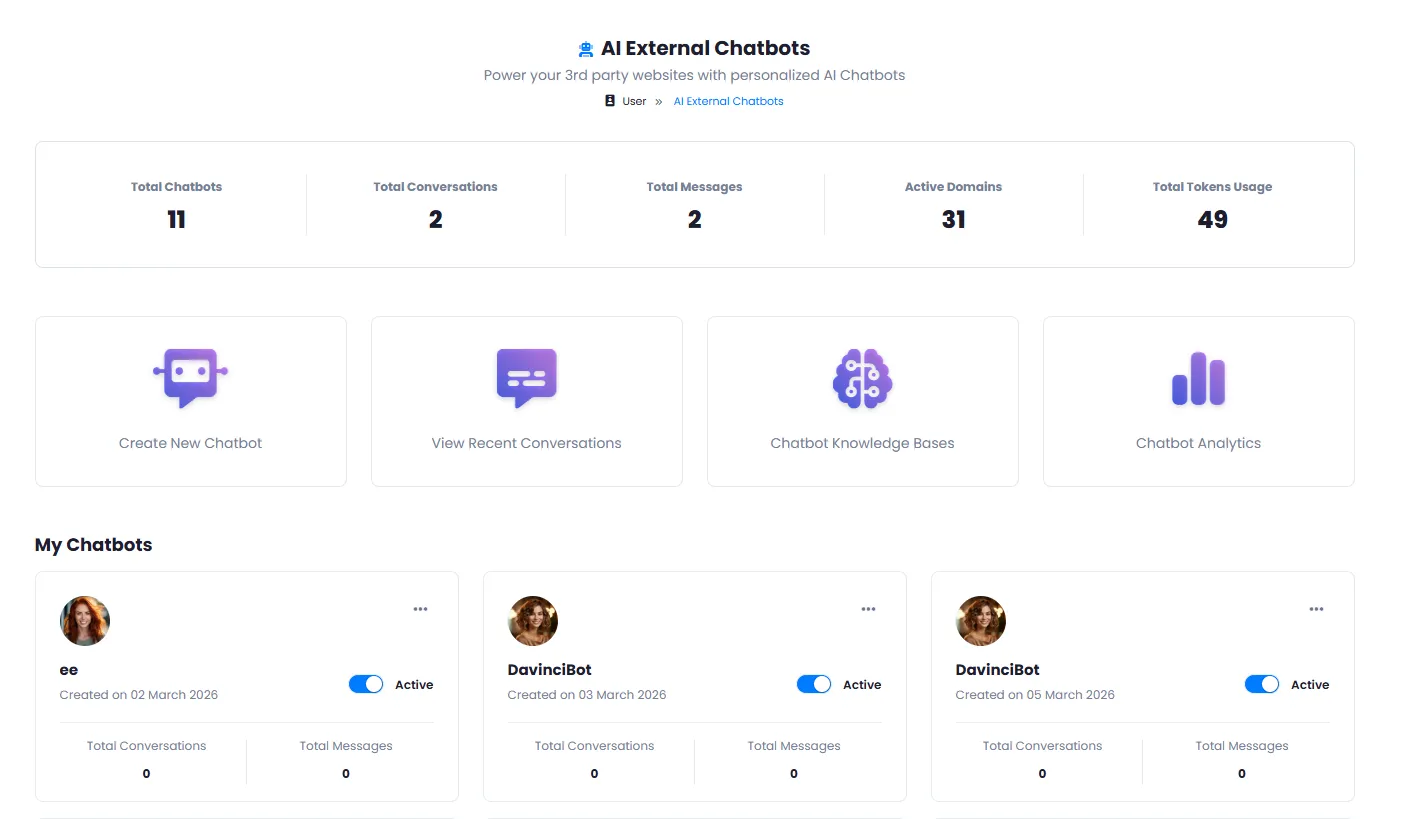
View, enable/disable and manage all your chatbots from a single centralized dashboard.
Three Interaction Modes
Text chat, voice chat and human agent handoff — each can be enabled or disabled separately.
Multiple AI Model Support
Choose the best model for your business from ChatGPT, Claude and DeepSeek.
Custom Knowledge Base Training
Upload your documents, files and website links so the chatbot responds accurately based on your data.
Telegram & WhatsApp Integration
Connect the chatbot to Telegram and WhatsApp channels to respond using your knowledge base.
Restrict Responses to Connected Data
Restrict chatbot to connected data sources and specified instructions for controlled output.
Build Your Chatbot in 5 Simple Steps
From initial setup to website embedding — no complex coding required
Initial Setup
Set title, name, system prompt, AI model and interface language.
Visual Customization
Customize avatar, color scheme and visual theme to match your brand.
Train with Your Data
Upload your files, documents and website links so the chatbot responds based on them.
Get Embed Code
Receive the embed code and place it on your target website.
Connect Messengers
Connect the chatbot to your Telegram and WhatsApp channels.
Businesses That Benefit from AI Chatbots
From online stores to government agencies — any website can benefit from a smart chatbot
Online Stores
24/7 customer support, product Q&A and purchase guidance
Call Centers
Reduce repetitive call volume with intelligent AI-powered automated responses
Medical Websites
Answer common patient questions, appointment guidance and drug information
Online Education
Course guidance, student Q&A and enrollment process
Corporate Websites
Product and service showcase, partnership requests and Q&A
Government Agencies
Visitor guidance, form delivery and administrative Q&A
A Look Inside the Chatbot Builder
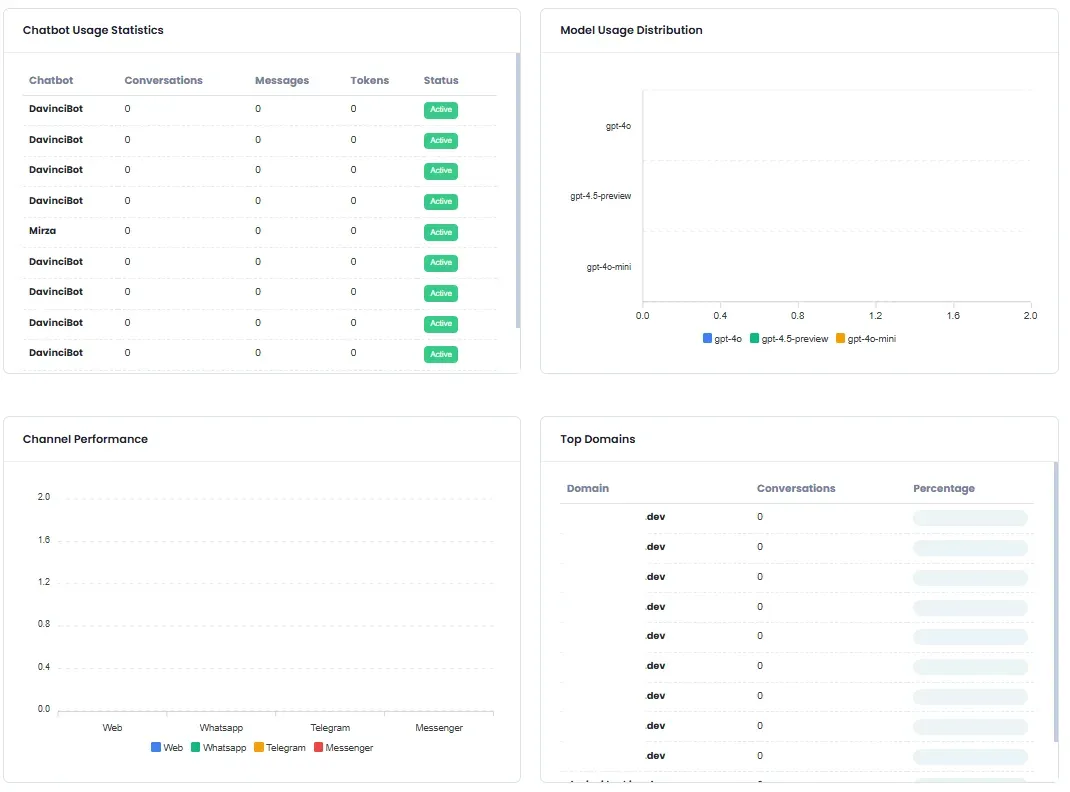
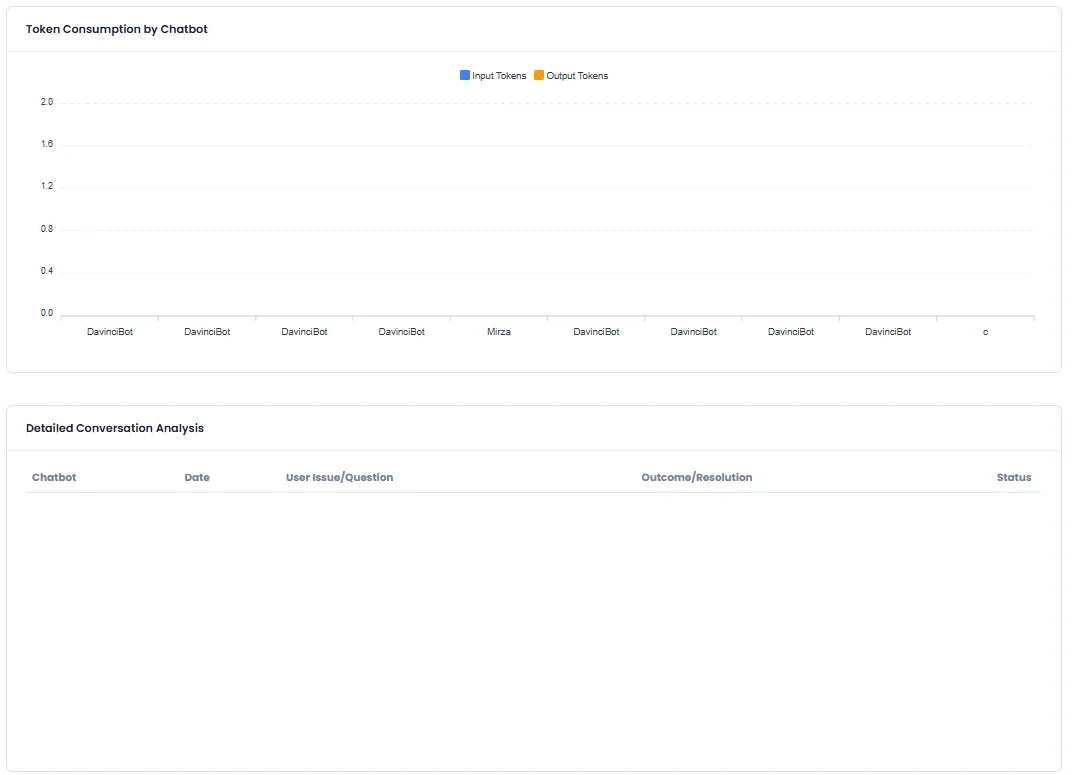
Management panel, chatbot builder and performance analytics dashboard
What is Building an AI Chatbot for Website and how does it work?
From full customization and training with your own data to connecting Telegram and WhatsApp — everything you need to know about building a professional chatbot.
DeepFA's external AI chatbot builder lets you create an intelligent assistant for third-party websites (your clients or business partners). The key difference from chatbots installed directly on your own website is that you retain full ownership and control over the chatbot, can customize it with your own branding, and embed it on any external website you choose. The built chatbot connects to your dedicated knowledge base and responds to users based solely on that information — without disclosing other businesses' data.
The chatbot building process is done in five simple steps with no coding required: initial setup (title, name, system prompts, AI model selection, UI language), visual customization (avatar, color scheme and theme), training with custom data (upload files, documents and website links), receiving the embed code and placing it on the target website, and connecting to Telegram and WhatsApp channels for messenger-based responses. You can also restrict chatbot responses to the connected data source only, preventing inaccurate or out-of-scope answers. All built chatbots are visible and manageable from a centralized dashboard, and each can be individually enabled or disabled.
What is an external chatbot? Difference from internal chatbot
An external chatbot installs on other websites, but you retain full ownership and control. Unlike regular chatbots that can only be used on your own site, you can brand this chatbot and embed it on any external website. Ideal for digital marketing agencies and support service providers.
Full customization: role, instructions, model and appearance
Set chatbot name, avatar, color scheme and visual theme to match your brand. System prompts define the chatbot's role and personality — from formal professional responses to friendly casual tones. You can also choose from ChatGPT, Claude and DeepSeek models.
Three interaction modes: text, voice and human agent handoff
Users can ask questions via text or click the microphone button for live voice chat. When complex issues arise, conversations can be automatically handed off to a human operator. Each of these features can be independently enabled or disabled.
Train with custom knowledge base and restrict responses
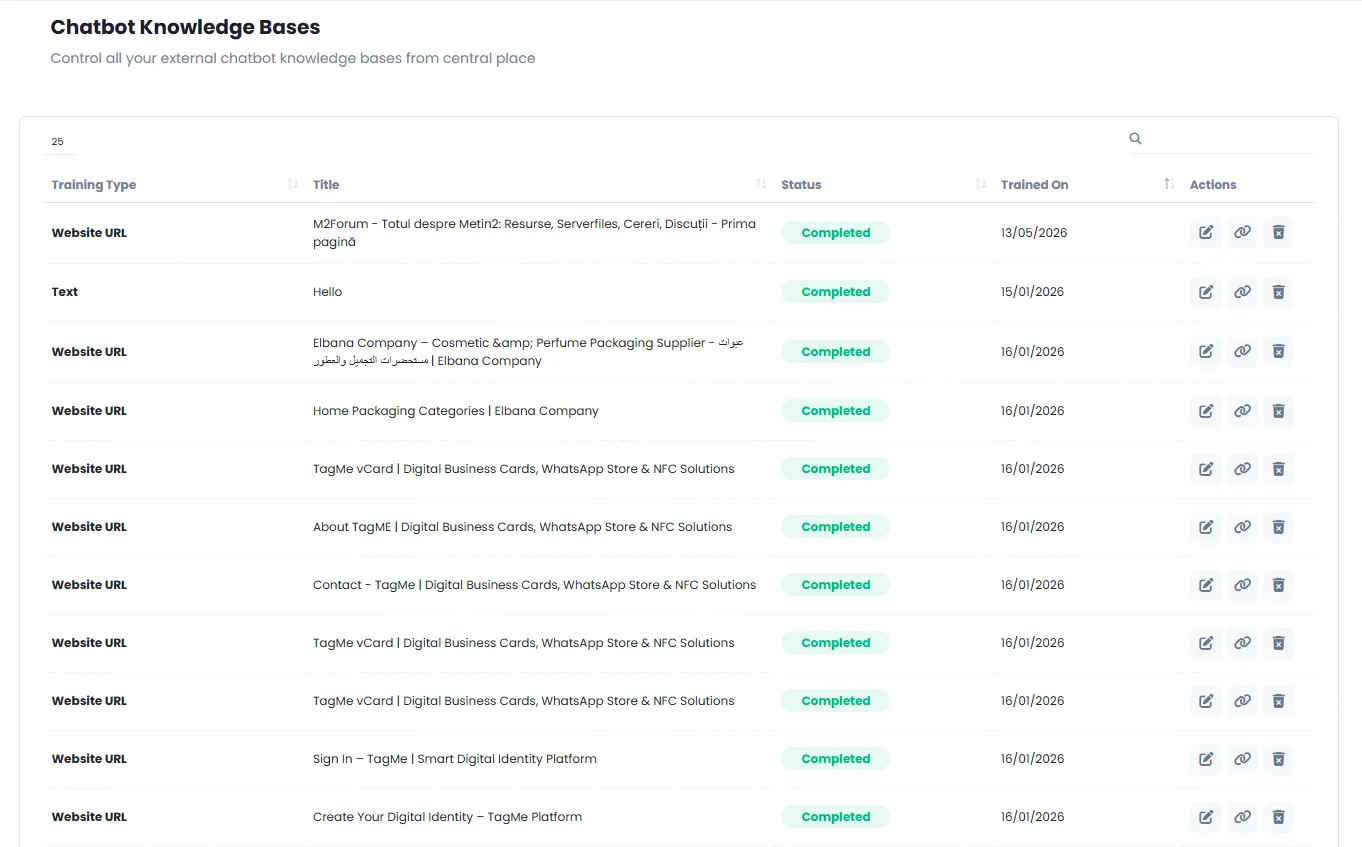
Upload PDF files, text documents and website links. The chatbot answers users based solely on this information. By enabling the "Restrict answers to connected data" option, AI uses only that source and prevents irrelevant or out-of-scope answers.
Connect to Telegram, WhatsApp and get embed code
After building the chatbot, you can connect it to your Telegram and WhatsApp channels so it can answer on those messengers as well. You will also receive an embed code that can be copied and pasted into the target website — no additional coding required.
Analytics, temporary disabling and centralized management
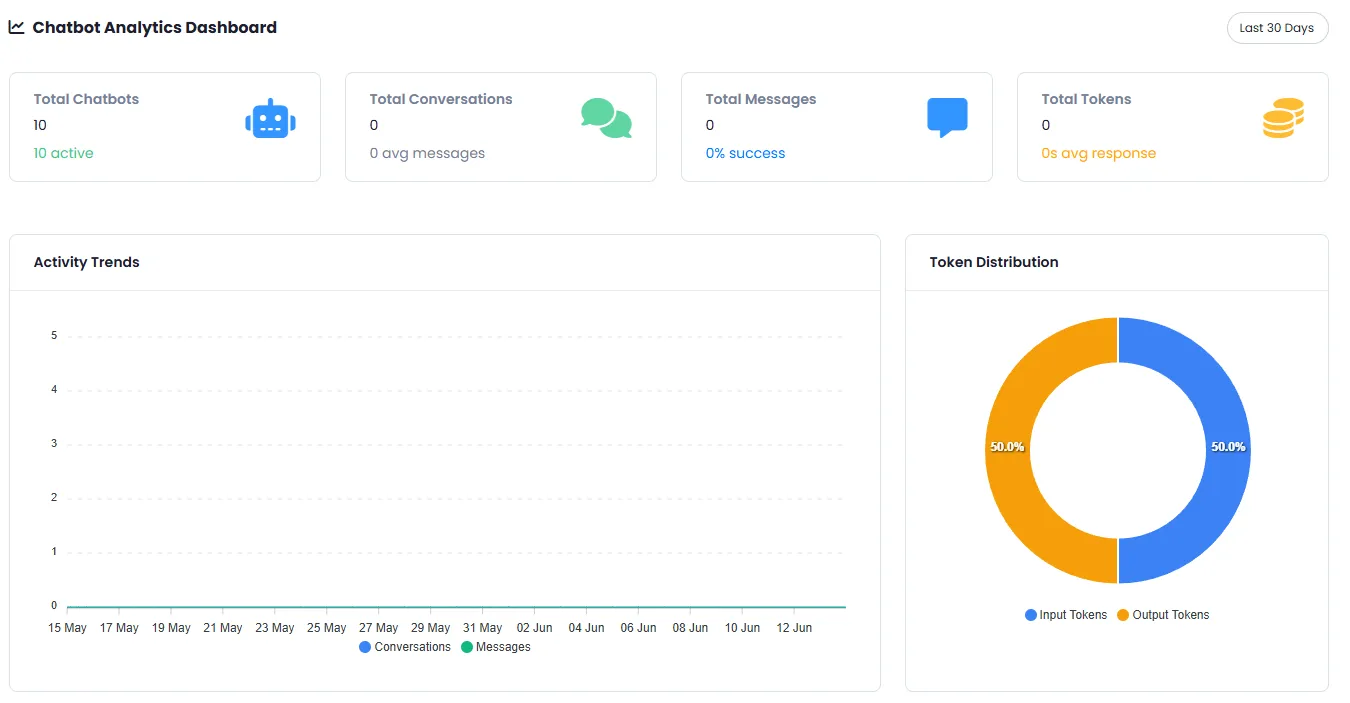
View complete stats including conversation counts, messages, token usage, activity trends and channel performance in the management panel. You can temporarily disable any chatbot without deleting it and re-enable it later. All chatbots are manageable from one central dashboard.
For professional use of the external chatbot builder, start by building a test chatbot with simple data and test its performance on a test website. With more experience, expand your knowledge base with real documents and more precise system prompts. If building chatbots for different clients, create a separate chatbot for each client with its own dedicated knowledge base. The temporary disable feature lets you turn off a chatbot during issues or updates without losing its settings.
Tools That Pair with the External Chatbot Builder
From content creation to WordPress publishing and presentation building — more capabilities with DeepFA tools
Frequently Asked Questions About AI External Chatbot Builder
Answers to your common questions about building, configuring and using AI chatbots.
Build Your Smart Chatbot Now
Launch your first AI chatbot for your website at no initial cost