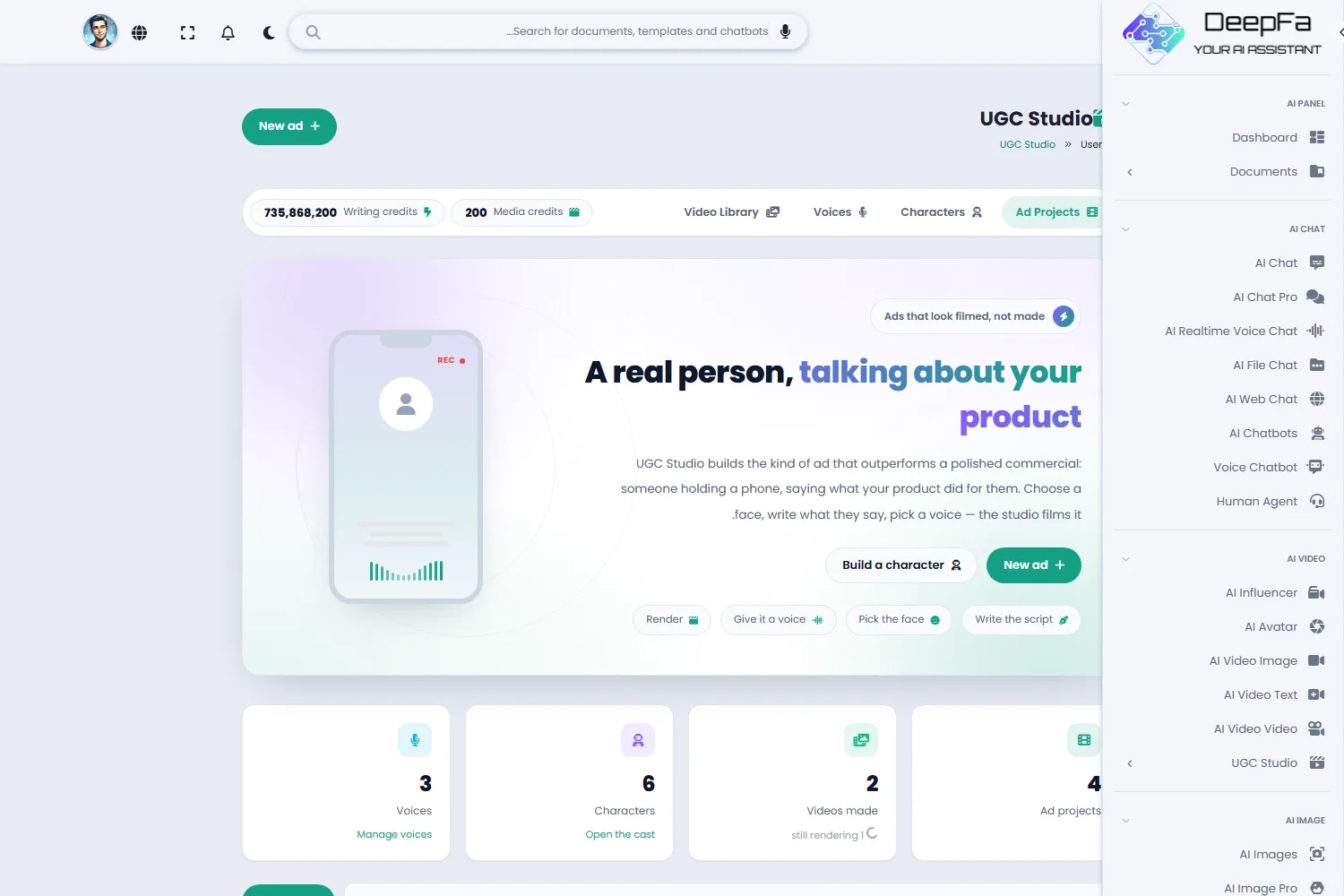
A real person, talking about your product
UGC Studio makes the kind of ad that beats a polished commercial: someone holding a phone, saying what your product did for them. Build or upload the face, get the script, pick a voice — and receive a vertical video ready to publish.

UGC Studio — Video Ads With the Face and Voice You Choose
DeepFA UGC Studio is a tool for producing user-generated-content style video ads — the kind that outperform polished commercials on Reels, Shorts and TikTok, because they read as one real person's experience. The whole process is four steps: write the product brief, get the spoken script from the AI writer or write it yourself, choose a face and a voice, and render.
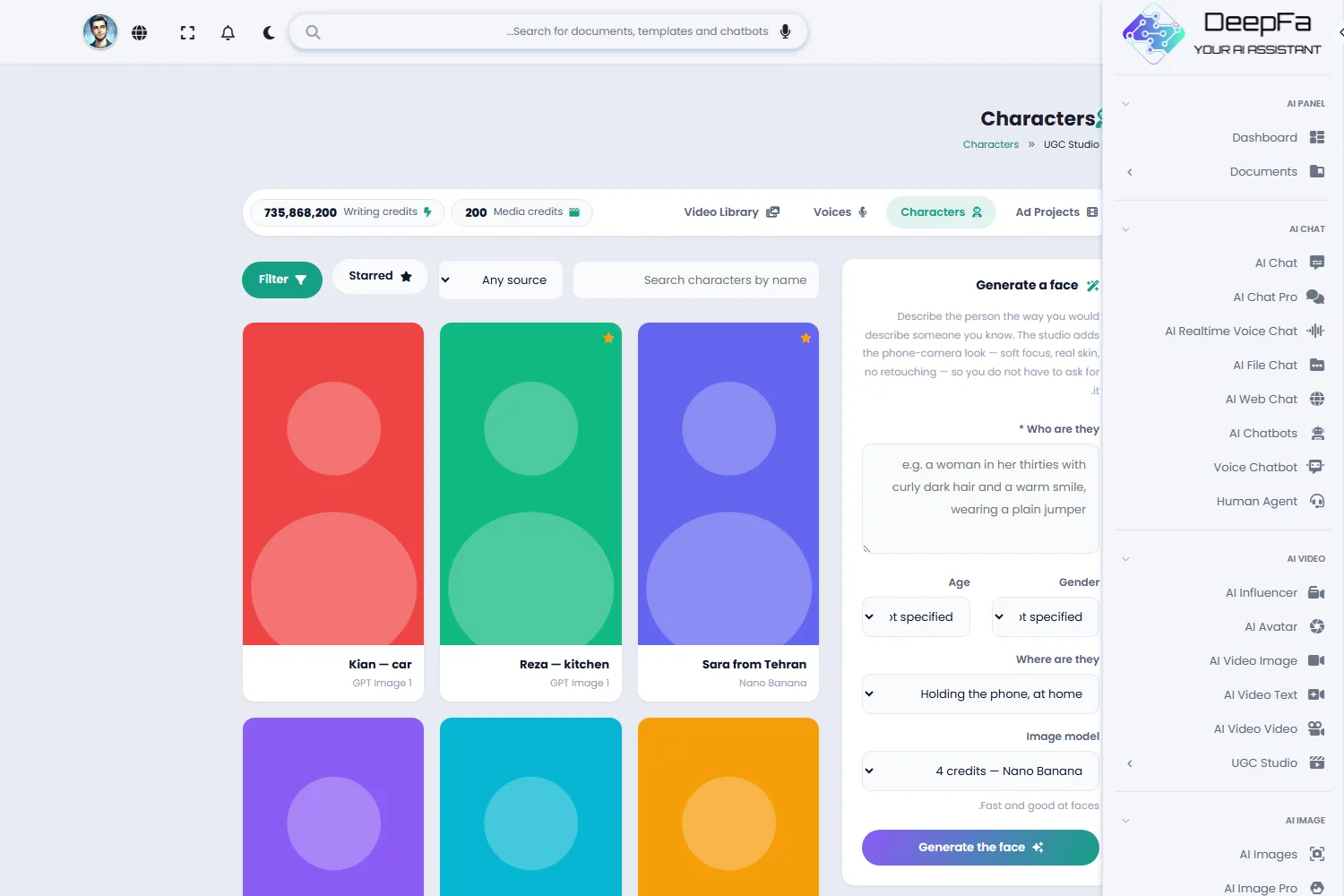
The face that speaks in the ad can be built with Nano Banana or GPT Image — describe the person and pick a gender, an age range and a setting. The studio adds the phone-camera look to the prompt on its own: soft focus, real skin texture, no retouching. If you already have a photo, upload it instead. Characters stay in your library and are reused for the next ad.
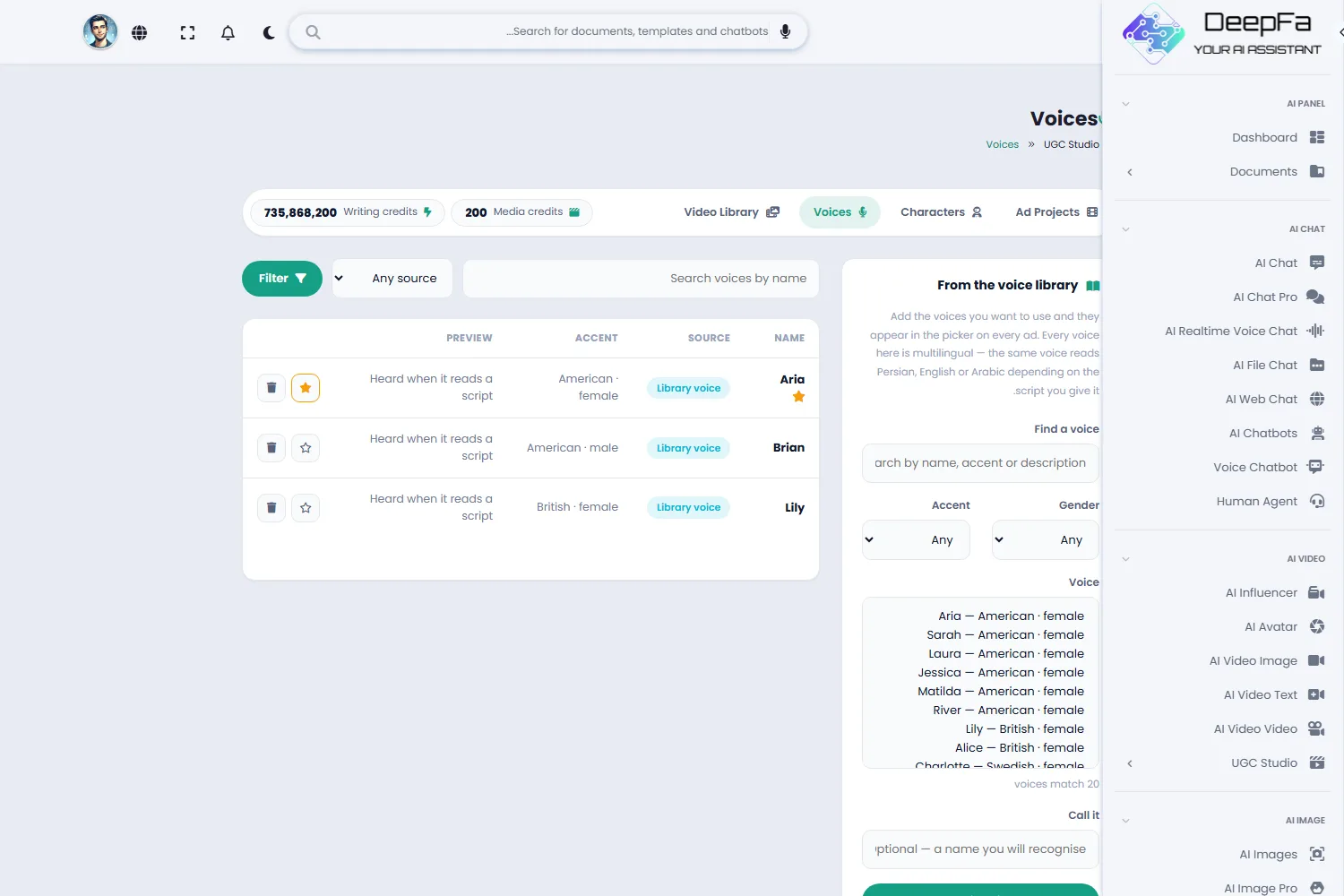
For the voice there are two routes: record yourself on your phone and upload it — which always sounds more real — or pick from the library of twenty ready voices. The library is searchable and filters by accent and gender, and every voice is multilingual: one voice reads Persian, English or Arabic depending on the script you give it. Nineteen languages are supported in total.
Output is vertical 9:16 by default — the ratio social platforms expect — with square and wide also available. Before a render starts, the exact number of credits it will spend is written on the button, and a render that fails returns its credits automatically. Finished videos stay in your library, kept on whichever storage the site uses — your own server or a cloud provider.
4 sections that make one complete ad
From writing the script to delivering the finished video — one place, no jumping between tools.
Ad Projects
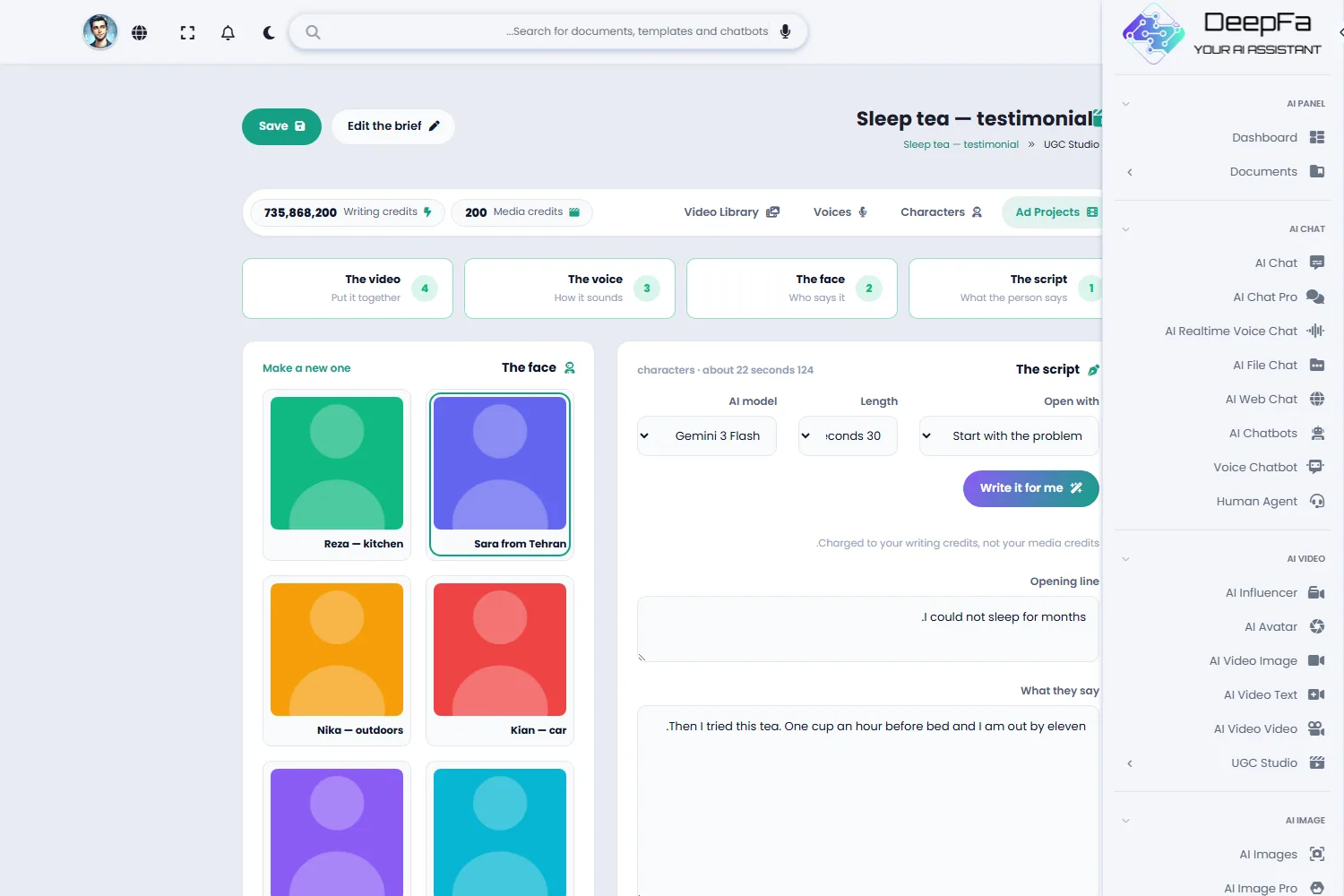
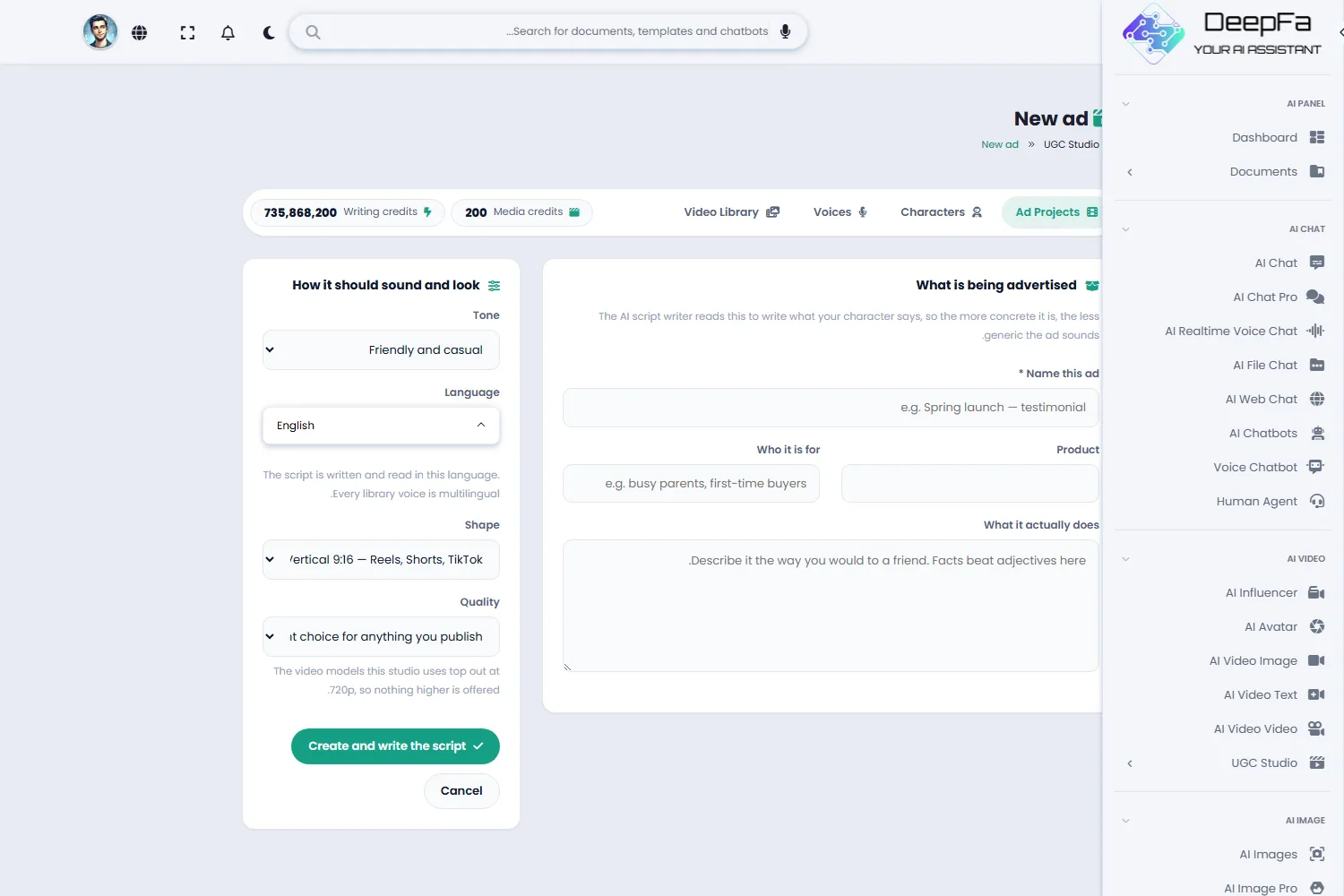
Each ad is a project: the product, the audience, the tone and the words the character says — all on one page, with the remaining steps marked as you go.
Characters
The face that speaks in the ad. Build it with Nano Banana or GPT Image, or upload your own photo — and keep it for the next ad.
Voices
Twenty ready multilingual voices with search and filters for accent and gender — or your own recording, which always sounds more real.
Video Library
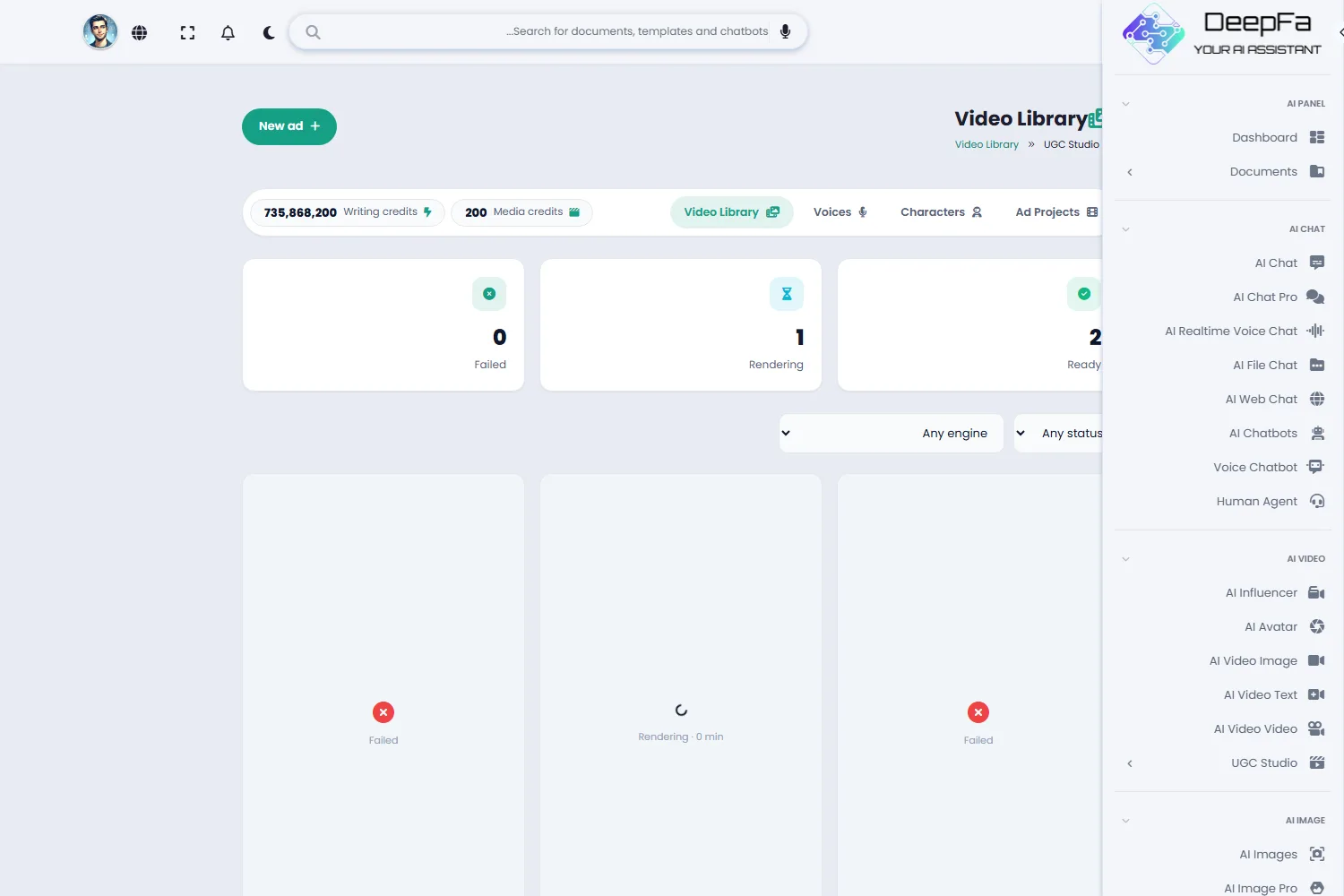
Every ad you render stays here — ready to download, with its render status and filters by engine and outcome.
From idea to finished ad in 4 steps
No actor, no camera, no studio.
Write the brief
The product, what it actually does, who it is for and the tone. The more concrete this is, the less generic the ad sounds.
Get the spoken script
Choose the opening angle and the length, and the AI writer produces the hook, the body and the closing line — or write it yourself.
Choose the face and the voice
Pick a character from your own cast and either choose a library voice or upload your own recording.
Render it
The exact cost is stated before you start. The render runs in the background and the finished video lands in your library.
Why DeepFA UGC Studio?
What a content team does more slowly and more expensively — and a real creator is not always available.
Looks filmed, not made
The character prompt deliberately asks for the things a studio shot removes: soft phone focus, real skin texture, no retouching. That is what makes the ad believable.
Your voice, or twenty ready ones
Upload your own recording or choose from the voice library — searchable by name, accent and description. Every voice is multilingual.
Nineteen languages, Persian included
The script is written and read in the language you choose. The whole studio interface is Persian and right-to-left too.
The price before, not after
The render button states exactly how many credits it will spend. A render that fails returns its credits automatically.
Your videos are kept properly
Every video is stored on whichever storage the site uses — your own server, or S3, R2, Wasabi, Google Cloud, Storj and Dropbox.
One face, dozens of ads
Characters and voices stay in your library. The next ad is a new script, not a fresh start.
What happens inside the studio
Three pieces are made, and one engine puts them together.
The spoken script is written
A language model writes the hook, the body and the closing line from your product brief — spoken, not sloganeering.
The face is built
Nano Banana or GPT Image produces a vertical portrait with a phone-camera look; or your own photo is used.
The voice is made or uploaded
The script is read in the chosen voice, or your own recording is attached to the ad.
The video is rendered
The video engine makes the face speak the audio and delivers a vertical file ready to publish.
Who is UGC Studio for?
Anyone who needs believable video ads and does not want to hunt for a creator every time.
Online stores
Product ads that read as a real customer experience — without paying a creator
Ad agencies
Produce several versions of one ad with different faces and angles for A/B testing
Startups
A product video on day one, with no filming budget
Beauty and wellness brands
Thirty-day results, unboxings and honest reviews — the formats that work in this space
Performance marketers
Fresh creative fast, for campaigns that burn through it quickly
Courses and apps
Explain the product in the user’s language, with a face that looks like the audience
A look inside UGC Studio
Real screens from the dashboard — click any image to enlarge.
Other DeepFA video tools
Questions people ask about UGC Studio
Make your first UGC ad today
Sign up free and get a vertical video ready to publish in minutes