AI Smart Editor
Generate & edit content
with 60+ ready templates
Professional Rich Text editor with 60+ ready AI templates — write, generate with templates, edit and save to Workbook, all in one integrated environment without switching between pages.
DeepFA AI Smart Editor — Combining Professional Text Editor and 60+ AI Content Generation Templates
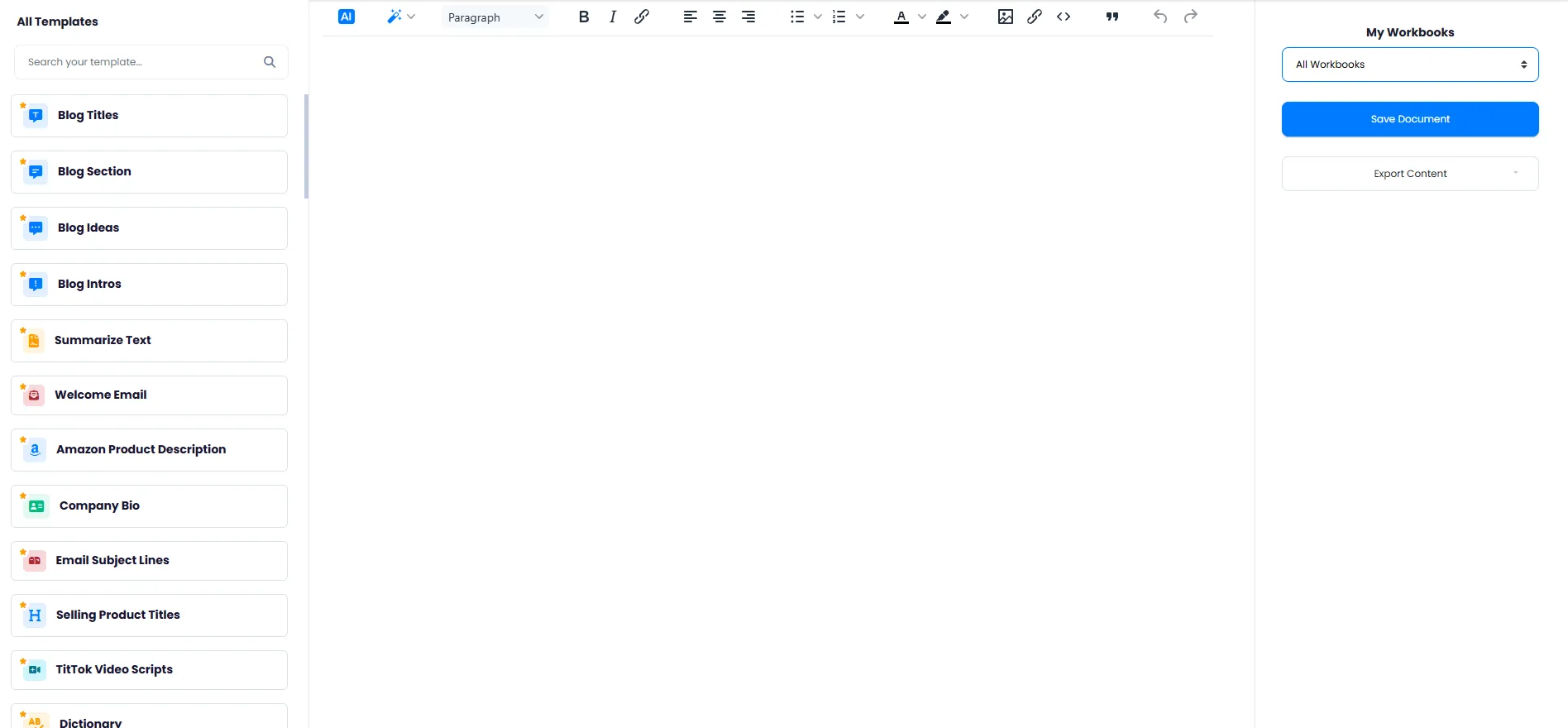
DeepFA AI Smart Editor is an integrated environment for content generation and editing that combines a professional Rich Text editor with over 60 ready AI templates in one page. This tool lets you find the desired template, generate content, edit it with bold, italic, text alignment, list, color and image tools, and save to a dedicated Workbook or export — all without switching between different pages. Available templates include blog, email, social media (Instagram, Facebook, LinkedIn, Twitter), ads, product descriptions, articles, grammar and over 40 more templates.
One of Smart Editor's key features is the ability to star frequently-used templates for faster access and instantly search among 60+ templates by typing the template name. Support for multiple AI models including GPT, Claude and Gemini lets you choose the best model for each content type and compare output quality. The multi-Workbook system enables categorizing and organizing different documents, making content management easier.
DeepFA AI Smart Editor is designed for content creators, marketers, online stores, businesses, students and developers. If you are looking for a tool that provides a professional text editor, ready AI content generation templates and a document management system in one environment, DeepFA AI Smart Editor is the best option for you.
Supported AI Models
Choose the best model for each content type and compare output quality.
GPT
OpenAIClaude
AnthropicGemini
Google60+ AI Templates in One Page
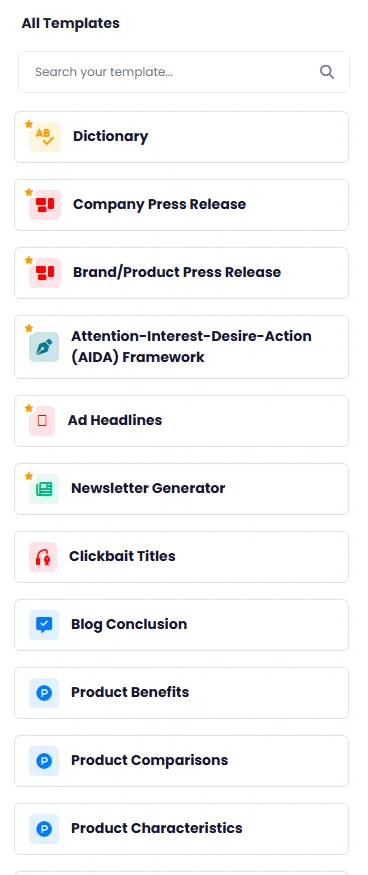
All templates with quick search and starring for instant access to the most used ones.
Blog Section
Blog Ideas
Blog Intros
Summarize Text
Welcome Email
Product Description
Company Bio
Email Subject Lines
Selling Product Titles
Video Scripts
Clickbait Titles
Company Press Release
Instagram Captions
Instagram Hashtags
Facebook Ads
LinkedIn Posts
Twitter Tweets
Article Generator
Content Rewriter
Academic Essay
Grammar Checker
Tone Changer
Meta Description
FAQs
Professional Text Editing Tools in Smart Editor
Edit and format content exactly the way you want.
Bold Text
Make selected text bold — shortcut Ctrl+B.
Italic Text
Make selected text italic — shortcut Ctrl+I.
Insert Link
Add or edit a link to text — shortcut Ctrl+K.
Text Alignment
Align text to left, center or right.
Bullet List
Create bullet or numbered list for structured content.
Text Color
Change text color and background color.
Insert Image
Add images to the editor content.
Blockquote
Display text as a block quote.
Source Code
Directly edit the source code of content.
Undo/Redo
Undo or redo changes — Ctrl+Z/Y.
Why DeepFA AI Smart Editor?
Generate, edit and save content in one integrated environment without switching between different tools.
Generation + Editing in One Page
No more switching between template pages and separate editors — writing, AI generation, editing and saving all happen in one environment.
Fast Search Among 60+ Templates
Find templates instantly by typing the name — no long scrolling needed through dozens of templates.
Workbook Organization
Categorize, save and manage different documents in separate Workbooks.
Quick Access with Stars
Star your most-used templates for instant access without searching.
Easy Content Export
Export your final content with one click and use it on any platform.
Choose from Multiple AI Models
Use GPT, Claude and Gemini for content generation — choose the best model for each content type.
How to generate content with Smart Editor
From choosing a template to publish-ready content — in minutes
Find your template
From 60+ templates, find the right one for your content type by searching or scrolling.
Fill in the template fields
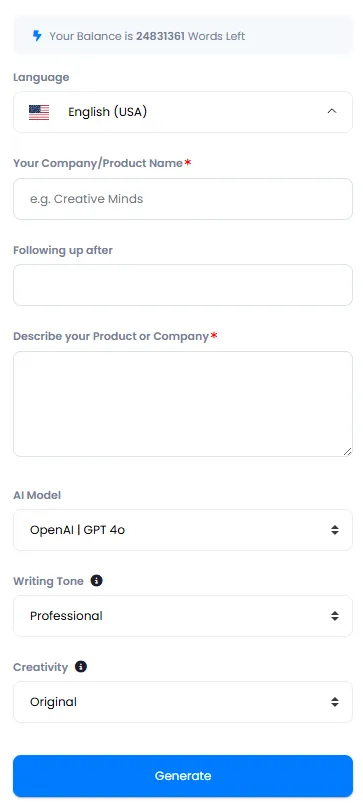
Enter the requested information like topic, description, tone and output language.
Start content generation
Click the generate button for AI to display the content directly in the editor.
Edit and optimize
Use text editing tools to edit and format the content exactly to your needs.
Save and export
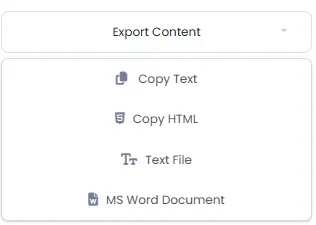
Select the desired Workbook, save the content or export directly.
Who is Smart Editor designed for?
Anyone who creates content — from bloggers to professional marketing teams
Content Creators
Blog, social media, newsletter and articles — all with ready templates and professional editor
Online Stores
Product descriptions, selling titles and ad copy for different platforms
Marketers
Google ads, Facebook, LinkedIn and campaign content in minutes
Businesses
Press releases, company bio and formal communication content
Students
Academic essays, text summarization and paragraph writing
Developers
Meta descriptions, FAQs and legal texts for applications
A Look Inside AI Smart Editor
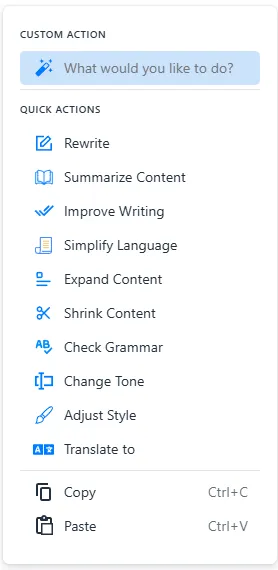
Simple and user-friendly interface — click any image to enlarge. Simple, step-by-step interface — preview each step before you begin.
What is AI Smart Editor and what is it used for?
From 60+ ready templates to advanced text editing tools — everything you need to know about generating and editing content with AI on one page.
DeepFA AI Smart Editor is an integrated environment for generating and editing content with AI. Its key difference from other tools is combining an advanced Rich Text editor with over 60 AI templates on one page. Unlike tools that place templates and the editor on separate pages, Smart Editor lets you find the template, generate content, edit it with bold, italic, list and image tools, and save to a Workbook — all without switching. This integration makes the content creation process much faster and smoother.
Generating content in Smart Editor takes just seconds. Simply choose one of the 60+ templates, fill in the input fields, select the right AI model (GPT, Claude or Gemini) and click generate. Content is displayed directly in the editor, where you can refine it with text editing tools, save to a Workbook or export. Star frequently-used templates for faster access next time. Instant search among 60+ templates by typing the template name also makes finding the right template very easy.
Smart Editor vs AI Writer — the key difference is integration
AI Writer only shows a template list on a separate page and has no editor. But Smart Editor combines the rich text editor and 60+ templates on one page. Choose a template, generate content, edit immediately on the same page and save to a Workbook — no page switching.
60+ ready templates — from blog and email to ads and SEO
Available templates include blog (ideas, intros, sections), email (welcome, cold, follow-up), social media (Instagram captions, LinkedIn posts, tweets), ads (Facebook, Google), product descriptions, articles, meta descriptions, grammar checking and dozens more — all on one page.
Quick search and starring — instant access to frequently-used templates
Type the template name in the search box to instantly find it — no long scrolling needed. Star the templates you use every day so they appear in a separate section for even faster access without searching.
Advanced text editing tools — bold, italic, lists, images and more
Smart Editor includes all professional text editing tools: bold and italic, insert links and images, left/center/right alignment, bullet and numbered lists, text and background color, blockquotes and source code. All with keyboard shortcuts (Ctrl+B, Ctrl+I, etc.).
Workbooks — organize documents in different categories
Create separate Workbooks for different projects: one for marketing content, one for your blog, one for emails, etc. Each Workbook has its own saved document list. No more searching for files across different system folders.
Choose your AI model — GPT, Claude and Gemini
Depending on your content type, choose the best model: GPT for fast economical generation, Claude for creative writing and deep analysis, Gemini for multipurpose tasks. Switch models and compare outputs.
For professional use of Smart Editor, start by starring your most-used templates so you can access them instantly next time. If you have repetitive content (e.g., welcome emails for different products), select a template once, save the settings, and just enter new information each time. Use separate Workbooks to categorize content for different brands. Smart Editor saves outputs to Workbooks where they are always accessible.
Other AI Content Generation Tools
From text generation to WordPress publishing and text-to-image conversion
Frequently asked questions about AI Smart Editor
Answers to every question about DeepFA AI Smart Editor
Create professional content right now
Choose from 60+ ready templates and generate unique content — edit, save and export in one environment