AI Music Pro
From text to song with
section-by-section composition
Write your music idea, choose genre and mood, and let AI compose the song. Section-by-section structure, 20+ genres, 16 moods and multi-layer mixer for final editing.
AI Music Studio — From Text to Professional Song
DeepFA AI Music Pro is a complete AI-powered music studio. Just write your music idea and AI converts it into a real music track. You can start with a simple description or use the section-by-section composition plan to precisely define the structure of intro, verse, chorus and bridge. With over 20 different music genres and 16 emotional moods, you have full control over the atmosphere and feel of your music.
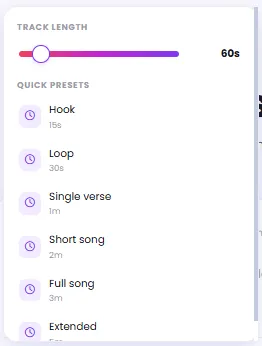
Track length can be set from 15 seconds to 5 minutes using predefined options like hook, loop, verse, short song, full and extended. If you want a version without vocals, enable instrumental mode. In advanced settings you can configure output format, AI model and generation seed for result reproducibility.
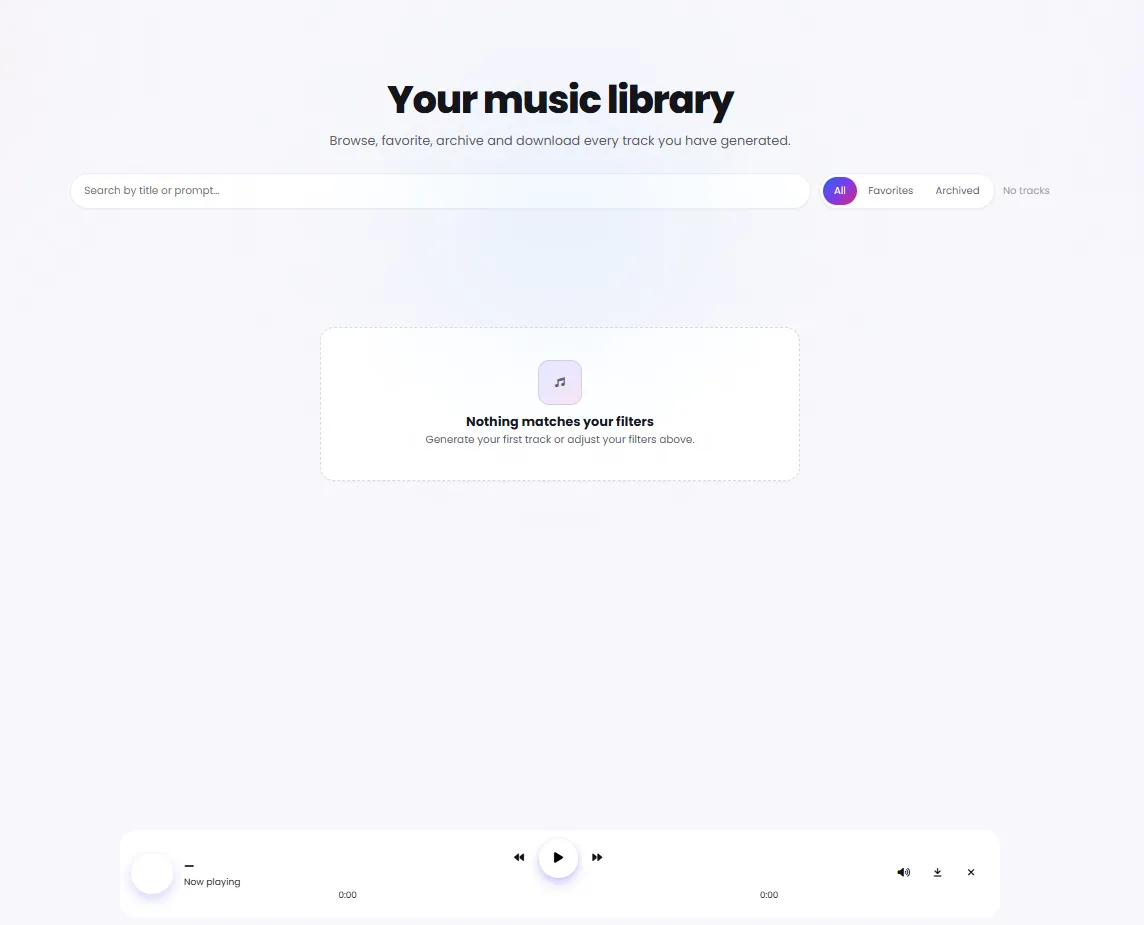
After generation, all tracks are saved in the library section. You can send them to the multi-layer mixer to combine with other layers, adjust volumes and edit for professional final output. The goal of this tool is to create music that sounds alive and authentic.
Everything for professional music creation
From writing your idea to final editing in the mixer — all the tools you need in one studio
Prompt
Write your music idea and AI converts it to music.
Composition Plan
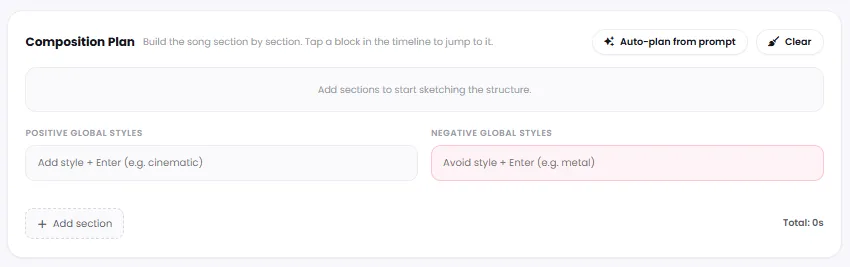
Structure your song section by section: intro, verse, chorus, bridge and any custom section.
Track Length
From 15 seconds to 5 minutes: hook, loop, verse, short song, full and extended.
20+ Vibe Genres
From cinematic and electronic to jazz, hip-hop, classical and many more genres.
16 Moods
From epic and energetic to calm, melancholic, romantic and dreamy — set the emotional feel.
Instrumental Mode
Create an instrumental version — no vocals, just pure music.
Advanced Controls
Set output format, AI model and generation seed for more precise control.
Multi-Layer Mixer
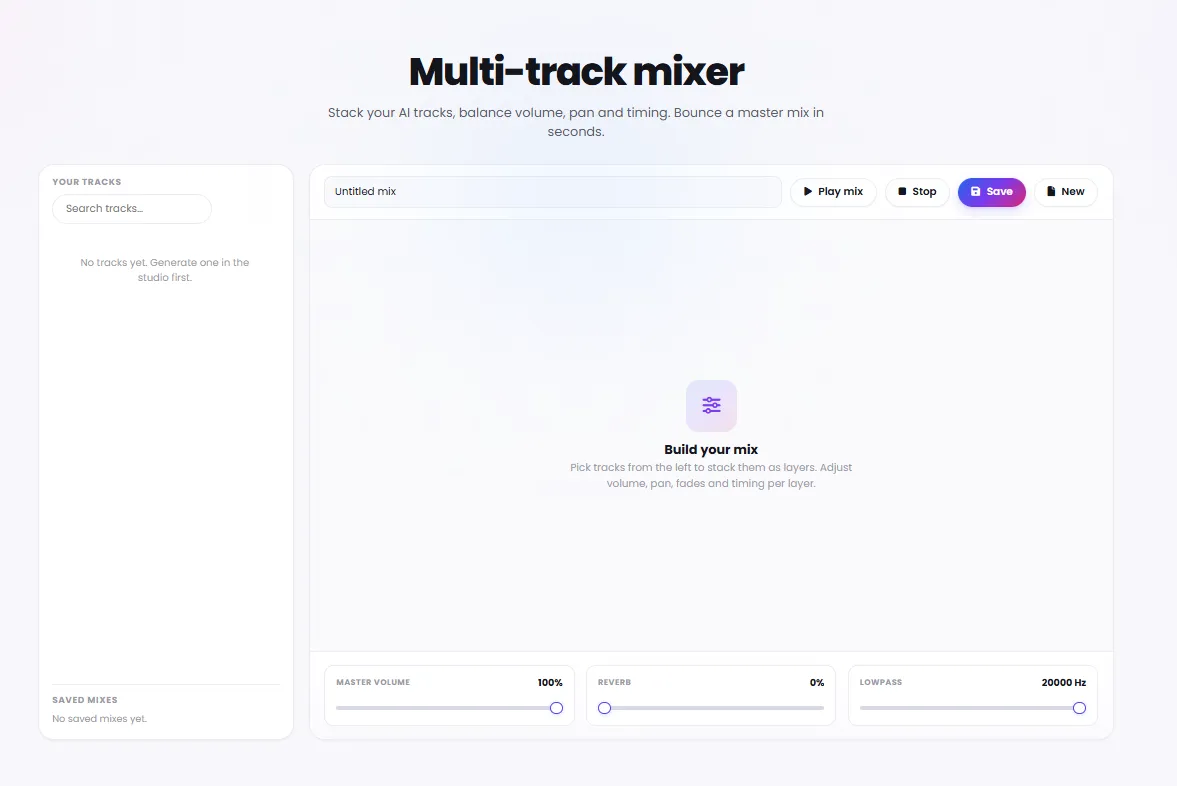
Send outputs to the mixer to combine, adjust and edit layers.
Choose your track length, genre and mood
Track length options
Music genres
Emotional moods
Why choose DeepFA AI Music Pro?
Combines automatic generation with manual control — suitable for both quick starts and detailed refinement.
From Idea to Song in Minutes
Just write your music idea — AI handles the rest.
Both Automatic and Manual Control
Both quick generation from simple text and detailed section-by-section control with composition plan.
Precise Music Guidance with Genre and Mood
Define genre space with Vibe and emotional feel with Mood for precise musical direction.
Section-by-Section Song Structure
Intro, verse, chorus, bridge and custom sections — build and manage each section independently.
Multi-Layer Mixer for Final Editing
Send generated tracks to the mixer, combine layers and create professional final output.
Complete Tracks Archive
All generated music is saved in the library section and accessible anytime.
From idea to song in a few steps
Simple, fast and no music technical knowledge needed — directly in your browser.
Write your music idea
Write a brief description of your desired song. For example, "an epic cinematic track with energetic rhythm."
Choose genre, mood and track length
Choose from 20+ genres, 16 moods and track length options from 15 seconds to 5 minutes.
Design the song structure
Optional: with composition plan, arrange intro, verse, chorus and bridge. Or just auto-generate from your text.
Generate and edit
Click generate and the music is created. Then go to the mixer to combine and edit layers.
Who uses AI Music Pro?
From video creators and game developers to composers and wellness content creators
Video and Content Creators
Create custom background music for educational, advertising and social media videos — exactly matching desired mood and length
Game Developers
Generate game soundtracks, sound effects and ambient pieces with desired genre and mood for each game level
Podcasters and Audio Producers
Create intro, outro and inter-segment music with exact length and matching style
App Developers
Create UI music, notification sounds and ambient pieces for applications
Wellness Content Creators
Create meditation, relaxation and yoga music with desired mood and length
Composers and Musicians
Get initial ideas and musical inspiration, build demos and quickly experiment with genre combinations
DeepFA AI Music Pro Studio Interface
Simple and powerful music creation interface — click any image to enlarge.


What is AI music generation and how does it work?
From writing your idea to final mixing — everything you need to know about professional AI music generation.
AI music generation is a process where deep learning models analyze your text description and convert it into a real music track. Unlike traditional methods that require music theory, performance and arrangement skills, this tool lets you get a song just by writing your idea. The key difference from simple audio generators lies in its advanced features: you can design the song structure section-by-section (intro, verse, chorus, bridge), choose from over 20 music genres, set 16 emotional moods, adjust track length from 15 seconds to 5 minutes, and select instrumental or vocal versions. You can also send generated tracks to the multi-layer mixer to combine and edit layers.
At DeepFA, the AI music generation process involves several steps: writing a text description (e.g., "an epic cinematic track with energetic rhythm"), choosing genre and mood, setting track length, and optionally designing the structure with a section-by-section composition plan. Advanced settings like AI model, output format (MP3, WAV, PCM) and seed can also be adjusted. After generation, the track is saved in the library and you can combine it with other layers, adjust volumes and download the final output. This tool is ideal for creating background music for videos, podcasts, games, ads and educational content.
Writing effective prompts — how to describe your music idea
For best results, be as detailed as possible. Instead of "happy music", write "an energetic pop track with guitar rhythm and male vocals". Specify genre (cinematic, electronic, jazz), mood (epic, calm, melancholic), instruments and tempo.
Section-by-section composition plan — full control over song structure
This feature lets you arrange intro, verse, chorus, bridge and custom sections, and even write lyrics for each section so the singer performs them. Essential for complex, professional song structures.
6 track length options — from 15-second hook to 5-minute extended song
Hook (15s) for teasers and notifications. Loop (30s) for background repetition. Single verse (1m) for short content. Short song (2m), full song (3m) and extended (5m) for longer projects.
20+ genres and 16 moods — precise AI guidance
Vibe defines the genre space (cinematic, electronic, jazz, hip‑hop, etc.). Mood determines the emotional feel (epic, calm, melancholic, romantic, etc.). Set both together for better results.
Instrumental mode — pure music only
If you need an instrumental track, enable Instrumental mode. AI generates only instruments without vocals. Ideal for background music, meditation and educational videos.
Multi-layer mixer — professional track combining
Send generated tracks to the mixer and combine different layers (melody, rhythm, instruments). Adjust each layer's volume independently and create the final output — no external software needed.
For best results in AI music generation, write a detailed prompt: specify the music genre (cinematic, electronic, jazz), emotional mood (epic, calm, melancholic), desired instruments (piano, guitar, orchestra), tempo (fast, medium, slow) and expected structure. If using the composition plan, define at least three sections (intro, verse, chorus). Check output format and AI model settings before final generation. Use the same seed to experiment with minor variations of an idea. All tracks are saved in the library and you can return to the mixer later for editing.
More AI Audio & Music Tools
From music generation to voice cloning, voiceover and speech-to-text — all tools together
Frequently asked questions about DeepFA AI Music Pro
Answers to common questions about music creation, composition plan and output settings.
Create your first song right now
Write your music idea and let AI compose the song in minutes — no software install needed