AI 3D Model Generator
From a Photo to a Model in Your Room
Add a photo or write a few words and get a complete 3D model in minutes: turn it in the page, see it in your room in augmented reality, make a character that dances, share it with a link and download it for 3D printing, games or your shop.
Turn a Photo into a 3D Model with AI — for Shops, 3D Printing, Games and Social Media
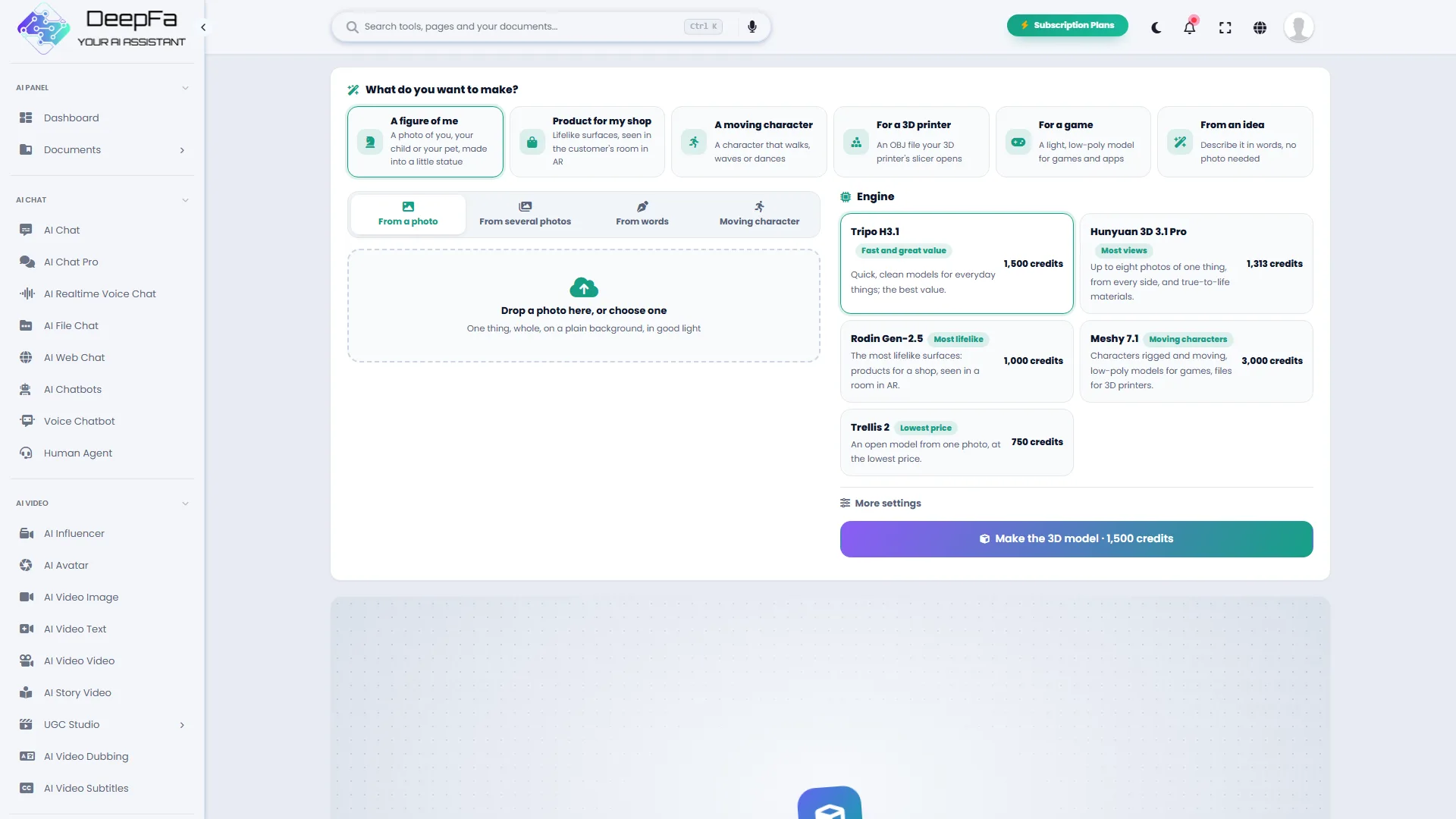
DeepFA 3D Studio makes a complete 3D model with colours and textures from one photo, a few photos of the same thing or a few words. You do not need to know 3D software: ready-made starting points such as a figure, a product for a shop, a moving character, a 3D print and a game item pick the right engine and settings for you. For professionals, five engines (Tripo, Hunyuan 3D, Rodin, Meshy and Trellis) are there with texture quality, PBR materials, geometry detail and low-poly options.
You turn the finished model right in the page, change the background and the light, and take a picture or a 360° turning video of it. On a phone, "View in your room" places the model at real size on your floor or table with augmented reality (AR). Show it to others with a public link or put it on your shop's product page with an iframe code, and download the GLB, plus OBJ, FBX or USDZ depending on the engine, for 3D printing, Blender, Unity or Unreal.
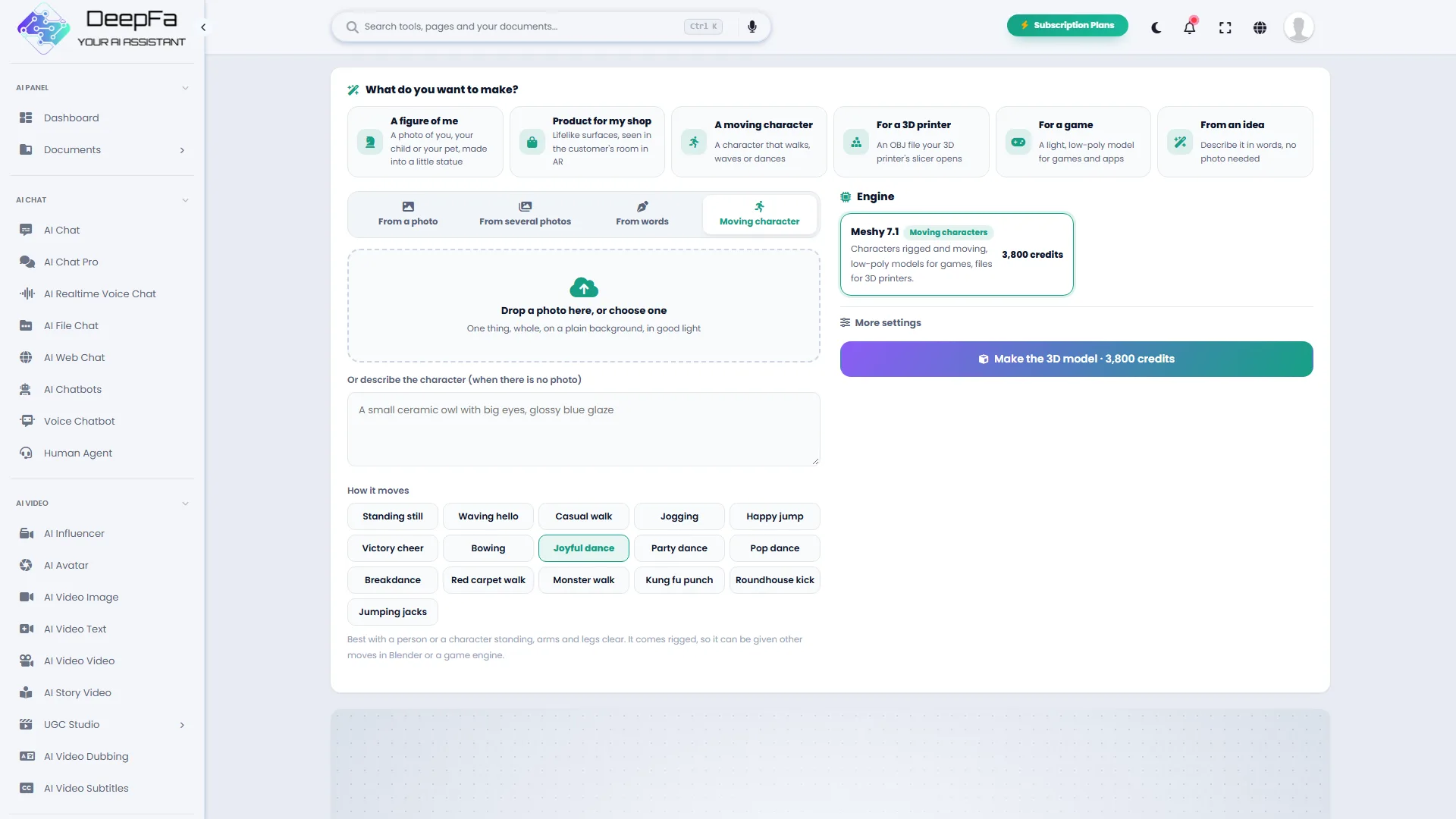
Moving characters are one of its most striking features: from a photo of a person, a pet or a cartoon character, a rigged character is made that dances, walks or waves. The tool suits online shops, 3D printers, game makers, designers, teachers and content creators.
Key Features of AI 3D Studio
Everything you need to make, view, show and use a 3D model
From a Photo, a Few Photos or a Few Words
One photo is enough; for more accuracy give up to eight photos of one thing from the front, back and sides, or write what you want, such as "a blue ceramic mug with white flowers".
Ready-Made Starting Points
Figure or toy, product for a shop, moving character, 3D print, game item and model from an idea; each picks the right engine and settings for you.
Moving Characters
From a photo of a person, an animal or a cartoon character it makes a rigged character that dances, walks, waves or does martial-arts moves; sixteen moves to choose from.
See It in Your Room with AR
On Android and iPhone the model is placed at real size on your floor or table through the phone's camera; walk around it and see it from every side.
A Share Link and Website Code
A public link anyone opens without an account, and an iframe code for a product page, a blog or a WordPress site; switch it off whenever you like.
Pictures and 360° Videos
Change the angle, the background and the light, and take a sharp picture or a 360° turning video for Instagram and stories, right in the browser.
Files for 3D Printing
A colourless model with its whole shape and an OBJ file that opens straight in slicers such as Cura and PrusaSlicer; for figures, parts and gifts.
Ready for Games and 3D Software
GLB for the web, Blender, Unity and Unreal, low-poly models for games and FBX for animation.
Five Engines, Each for Its Job
Tripo H3.1, quick and good value; Hunyuan 3D 3.1 Pro with eight views; Rodin Gen-2.5 with the most lifelike surfaces; Meshy 7.1 for characters and printing; and Trellis 2, the cheapest.
Clear Price, No Risk
The exact amount is on the button before you make it; if the model is not made, the credit comes back in full.
Make a 3D Model in 4 Simple Steps
No 3D software and no modeller
Pick a Starting Point
A figure, a product for a shop, a moving character, a 3D print, a game item or a model from an idea; or choose the way and the engine yourself.
Add a Photo or Write a Description
A clear photo on a plain background, a few photos from different sides or a few words about what you want. For a character, choose its move too.
Make the Model
The cost is on the button. A model usually takes one to a few minutes, and the page does not have to stay open.
View, Share and Download
Turn the model, see it in your room in AR, take a picture or a 360° video, make a link or website code and take the GLB, OBJ or FBX file.
Who Uses 3D Models?
From shops and 3D printing to game making and education
Online Shops
3D and AR product views on the shop page, from sofas and lamps to shoes and watches
3D Printing
Figures, toys, parts and personal gifts from one photo
Game Makers
Items, moving characters and low-poly models for Unity and Unreal
Content Creators
360° videos and dancing characters for Reels and stories
Interiors and Decoration
Furniture and decorations seen in the real room before buying
Education
3D models of objects, animals and buildings for class and presentations
Why Make 3D Models at DeepFA
Making, viewing in AR, sharing and downloading, all in one tool.
Minutes Instead of Days
Modelling even a simple thing by hand takes a specialist hours or days; here it is ready from a photo in minutes.
Products Shown in 3D
Customers see the product from every side and try it in their own home in AR, through an iframe code on your shop's product page.
For Everyone, Not Only Professionals
Ready-made starting points make it simple for anyone, and the advanced options are right there for designers, game makers and 3D printers.
Something Different for Social Media
A 360° turning video of a product or a dancing character, with no studio and no animator.
If It Fails, You Pay Nothing
The credit is taken when you ask for the model and given back in full if it is not made.
The Simple, Practical DeepFA 3D Studio Interface
Screenshots of the tool — from picking a starting point to a moving character
How Is a 3D Model Made with AI?
From shape and texture to rigging, augmented reality and output formats — everything you need to know about 3D models.
How does AI make a 3D model from a photo?
3D models learned from millions of 3D objects what each shape looks like from other angles. From your photo they first build the object's whole shape (its geometry), even the side the photo does not show, then lay colour and texture over it and hand over a GLB file.
Why are several photos more accurate?
With one photo, the back of the object is guessed. When you have the same thing from the front, back and sides, the engine uses a real picture of each side instead of a guess; for a product whose back differs from its front, that makes a big difference.
What are textures, PBR and geometry quality?
The texture is the colour and pattern of the model's surface. PBR materials add gloss and roughness to the colour, so metal, wood or fabric look more real under light. Detailed geometry keeps edges and fine detail better, which suits figures and 3D printing.
Rigging and animation
For a moving character a skeleton with joints such as shoulders, elbows and knees is put inside the model and a ready-made move is played on it. The result is a moving GLB or FBX file that plays in the page and works in games and animation software too.
How does augmented reality (AR) work?
The phone finds the floor or the table with its camera and places the model on it at real size; as you walk around, the model stays where it is. It happens in the phone's browser, with no app to install.
Which format is for what?
GLB for the web, AR and most 3D software; OBJ for 3D-printing slicers and editing; FBX for games and animation; USDZ for AR on iPhone. Formats depend on the engine, and GLB is always there.
For the best result, photograph the thing on its own and wholly in the frame, evenly lit, on a plain background; a photo from slightly above the front usually shows the shape best. If the back differs from the front, use "several photos". To make a model from words, describe the shape, colour and material precisely ("a walnut wooden chair with a green velvet seat" beats "a chair"). Try it first with Tripo or Trellis, and choose a higher engine and quality for the final one.
Other DeepFA AI Image Tools
From making and editing pictures to product shots and the photo studio
Frequently Asked Questions About AI 3D Studio
Answers about photos, engines, moving characters, AR, formats, cost and the API
Make Your First 3D Model Right Now
Add a photo, see the model in your room and share it with a link