AI Vision
Expert image analysis
through conversation
Upload your image and have AI analyze it through interactive conversation — scene description, object recognition, text extraction, caption suggestions and any question you have about the image.
DeepFA AI Vision: Image Analysis Through Interactive Conversation — Machine Vision Assistant for Everyone
DeepFA AI Vision is a specialized image assistant where uploading any photo lets you get expert conversational analysis, scene description, object recognition, people counting, text extraction and caption suggestions. Unlike ordinary image recognition and text extraction tools that give just one fixed one-way response, this tool works like a specialized image expert assistant — you can ask questions one after another, request more details, and each new answer is based on the same image and your complete previous conversation history. PNG, JPEG and WEBP formats up to 20MB are supported.
Among the unique features of this tool are saving all image conversations with search, rename and delete capabilities, Brand Voice for aligning response tone with your brand visual and writing identity, and a Prompt Library with a collection of ready-made questions and commands for a quick start on image analysis. This tool is designed for marketers, online stores, content creators, researchers, designers and anyone who needs professional visual analysis of images.
If you are looking for the best AI tool for image analysis, text extraction from photos, object recognition in images, Instagram caption suggestions from images, visual advertising content analysis or automatic product image description, DeepFA AI Vision covers all these needs in one simple and efficient environment with a conversational, interactive and specialized approach.
6 Key DeepFA AI Vision Capabilities for Image Analysis
Everything you expect from an intelligent and specialized visual assistant — from content analysis to text suggestions.
Image Content Analysis
Detect everything in the image — scene, objects, people, colors, textures and visual details with high accuracy.
Question & Answer About Images
Ask any question about the image — how many people, clothing color, product name, brand and any other detail.
Text Extraction from Images
Extract texts, labels, numbers, signs and any written content from images with high accuracy and return them as editable text.
Caption & Content Suggestions
Get Instagram captions, ad copy, product descriptions or any related text content suggested based on the image.
Continuous Conversation About One Image
Ask questions one after another — all answers are based on the same uploaded image and your previous conversation history.
Brand Voice Alignment
Align AI response tone with your brand identity so descriptions and suggestions are consistent with your other brand content.
Sample Ready-Made AI Vision Prompts for Image Analysis
Not sure what to ask? Use the ready-made prompts below — or get creative and ask any question you have.
Full Scene Description
"Describe this image in full detail — including objects, colors and details"
Product Analysis
"What is this product and what are its features and benefits?"
Instagram Caption
"Write 3 engaging and creative captions for this photo"
Text Extraction
"Extract all text and writing visible in this image"
Ad Image Analysis
"What message does this ad image convey and who is its audience?"
Improvement Suggestion
"How can this image be made more effective for advertising?"
People Count
"How many people are in this image and what are they doing?"
Color Analysis
"What is the main color palette and visual feel of this image?"
Why is DeepFA AI Vision Different?
Image analysis as interactive conversation — not just a fixed one-way response. A different experience of visual analysis.
Interactive Conversation — Not Just One-Way Analysis
Unlike ordinary image recognition tools that give just one fixed response, DeepFA AI Vision works like a specialized image assistant you can have an ongoing conversation with.
Save and Manage Conversation History
All image conversations are saved with message count and last activity time. You can search, rename or delete them anytime.
Brand Voice — Responses Aligned with Brand Identity
Define brand voice once so all AI descriptions and suggestions are consistent and professional with your brand style and tone.
Ready Prompt Library for Quick Start
If you are unsure what to ask, a collection of ready prompts for scene description, information extraction, product analysis and caption suggestions is available.
Common Format Support up to 20MB
Images in PNG, JPEG and WEBP formats up to 20MB are accepted — suitable for high-quality images and large files.
Integrated with Other DeepFA Tools
AI Vision sits alongside DeepFA's other image, text and social media tools, letting you transfer results directly to other sections.
How to Analyze Images with AI Vision?
From uploading an image to getting expert analysis — just a few simple steps and seconds of time.
Upload your image
Drag the image into the box or use the upload button — PNG, JPEG and WEBP formats up to 20MB are accepted.
Write your question or command
Write any question about the image or pick a ready command from the Prompt Library — from scene description to text extraction.
Send and get your expert analysis
AI analyzes the image and delivers a precise, expert answer in just seconds.
Continue the conversation and ask follow-ups
Ask your next question — all answers are based on the same uploaded image and your full previous conversation context.
Who Uses AI Vision?
Anyone who needs professional visual analysis of images — from marketers to researchers and content creators.
Marketers
Analyze advertising images, get caption suggestions and review campaign visual messages
Online Stores
Extract product specifications from images and get professional sales description suggestions
Content Creators
Instagram caption, hashtag and post text suggestions based on image content
Researchers & Analysts
Extract information from infographics, charts, tables and technical images
Businesses
Analyze competitor brand images and get improvement suggestions for corporate visuals
Education & Teaching
Describe diagrams, charts and educational images for online learning content
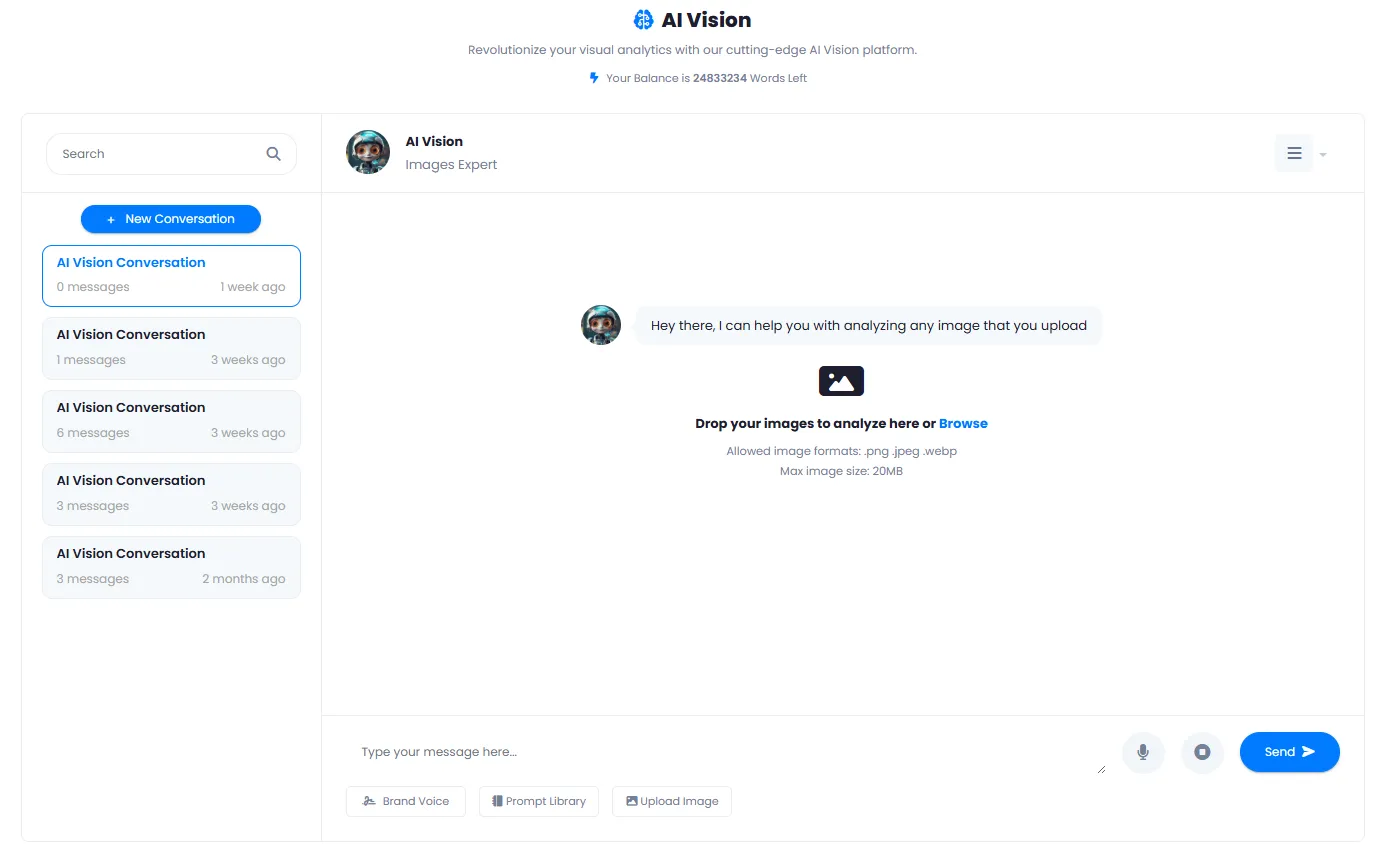
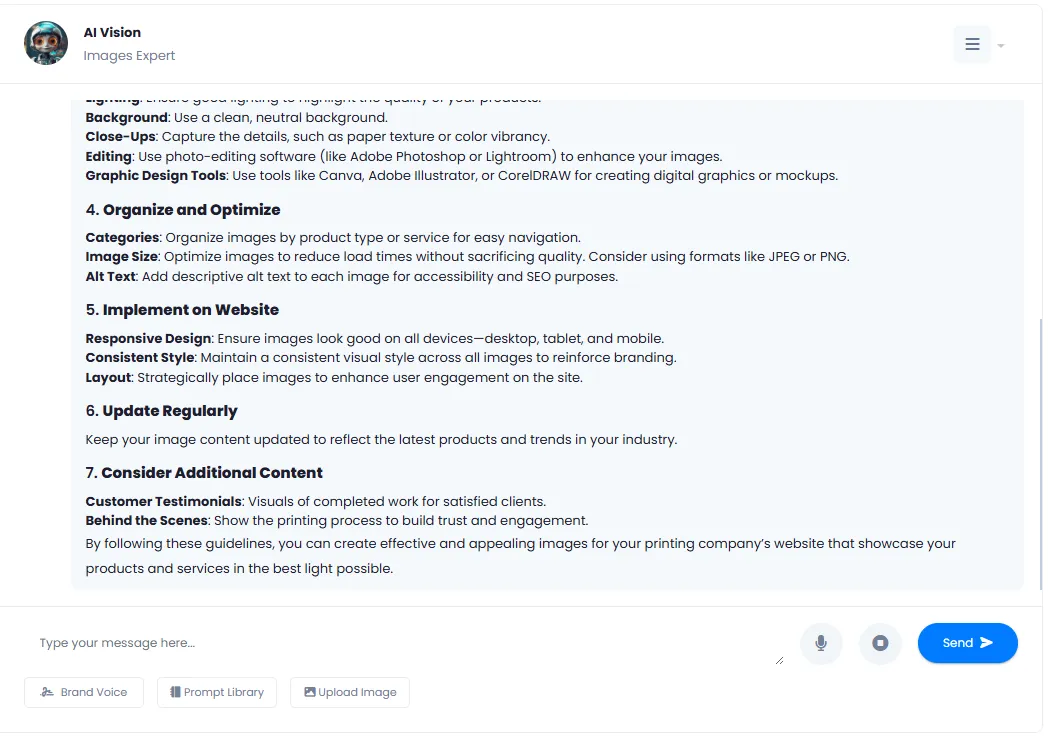
A Look Inside DeepFA AI Vision Interface
Simple, professional interface — click any image to enlarge.
What is AI Vision and how does it work?
From conversational image analysis to text extraction and caption suggestions — everything you need to know about the intelligent visual assistant.
DeepFA AI Vision is a visual assistant that uses advanced machine vision models to analyze image content and answer your questions through natural conversation. Its key difference from ordinary "object detection" or "OCR" tools is the conversational approach: you don't get just a fixed output, but you can ask follow‑up questions, request more details, and the AI responds based on the same image and conversation history. This capability is extremely valuable for applications such as in‑depth analysis of ad images, extracting information from complex infographics, or generating creative captions based on visual details.
Unlike simple tools that are just "text extractors from images", DeepFA AI Vision also understands high‑level concepts: visual mood, advertising message, relationships between objects, suitability for a specific platform, and even improvement suggestions for product photography. With the "Brand Voice" feature, you can align the response tone with your brand identity, and all conversations are saved for later reuse.
Conversational Analysis — Beyond a One‑Time Response
AI Vision works like an image expert. You can ask a first question, then a follow‑up based on the answer, and the AI takes full context into account. This is ideal for deep analysis of complex images (infographics, charts, busy scenes).
Difference from Simple Object Detection & OCR
Ordinary tools just return a label (e.g., "cat") or raw text. But AI Vision also analyzes relationships between objects, visual mood, hidden messages, and even improvement suggestions. For product photography, advertising and social media content, this level of analysis is essential.
Brand Voice — Responses Aligned with Your Identity
Set Brand Voice once (e.g., "formal & professional" or "friendly & creative"). Then all descriptions, captions and suggestions from the AI are written in that tone — no manual editing each time.
Prompt Library — Quick Start Without Confusion
Not sure what to ask? Use the ready‑made prompts: "Full scene description", "Extract text", "Suggest 3 Instagram captions", "Analyze product" and "Improve ad image". Select the appropriate command with one click.
Auto‑Save Conversations and Search History
All image conversations are saved with message count and last activity time. You can search conversations, rename them or delete them. Extremely useful for marketing and content teams who frequently need previous analyses.
Professional Use Cases — From Ads to Research
Marketers: analyze competitor ad images and get caption suggestions. Online stores: extract product specs from images. Researchers: extract information from charts and infographics. Content creators: Instagram captions and hashtags. All in one tool.
How to use AI Vision depends on your need. If you have an ad image and want to know what message it conveys and how to improve it, use the "Ad image analysis" prompt. If you have a complex infographic and need to extract numbers and text, "Text extraction" is the best choice. If you create content for social media, try "Caption suggestion". Most importantly, you can continue the conversation and build on previous answers — something impossible with simple image recognition tools. All conversations are saved and can be revisited later.
Complementary Tools for AI Vision
From image generation to editing and enhancement — all AI image tools in one platform
Common Questions About DeepFA AI Vision
Answers to common questions about how AI Vision works, its capabilities and features.
Analyze Your First Image with AI Right Now
Expert image analysis in seconds — description, text extraction and answers to your questions