Professional fashion photoshoot
with AI
No camera, studio or real model — realistic fashion photoshoot, virtual try-on, model swap, style change and ad video creation with AI in minutes. 8 specialized tools for fashion visual content.
AI Fashion Studio: A Comprehensive Suite for Fashion Visual Content
DeepFA AI Fashion Studio is a comprehensive toolset for producing fashion visual content without traditional photography. With this studio you can build realistic fashion photoshoots with your chosen model, background, pose and lighting, precisely fit garments using Virtual Try-On, swap faces while keeping garments with Model Swap and change clothing style in seconds with Style Change. All these tools are designed for clothing brands, online stores, content creators and fashion designers.
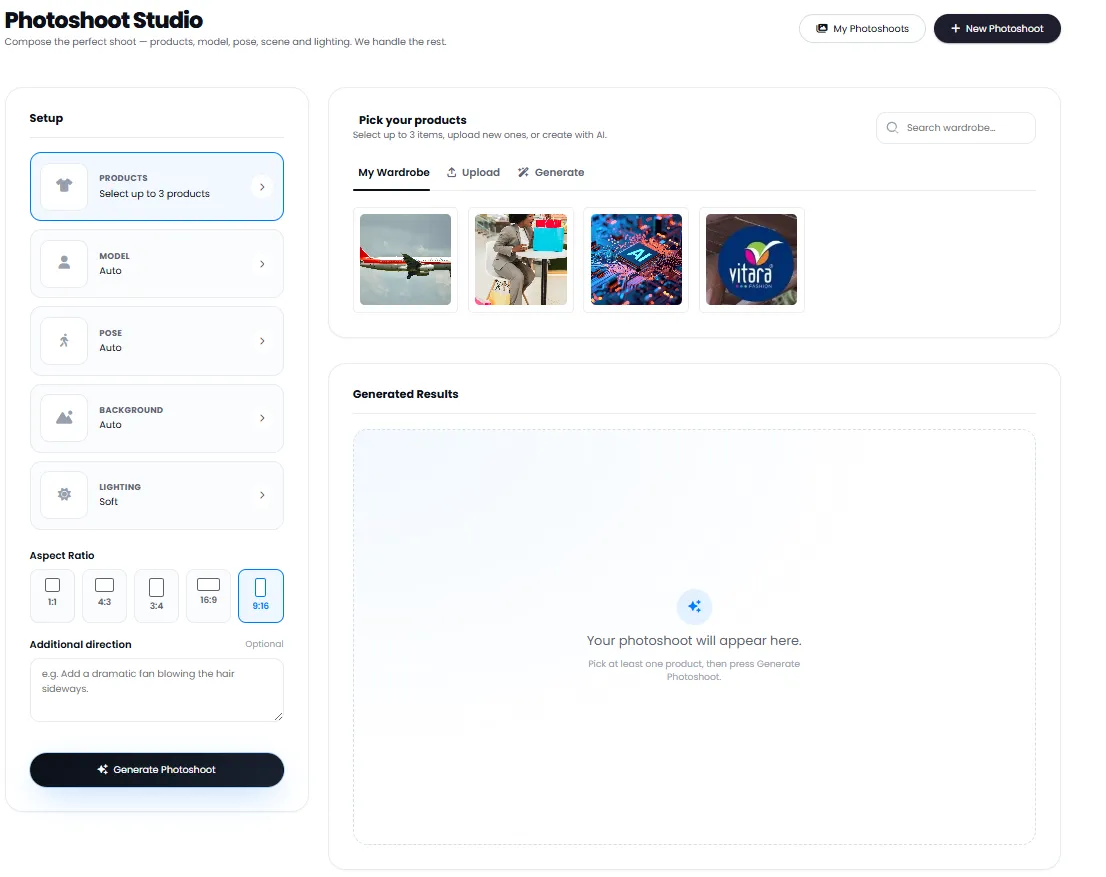
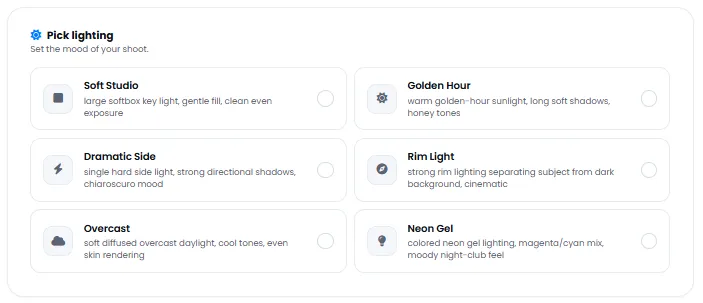
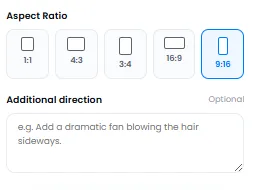
One of the studio's key capabilities is the Create Video tool, which converts generated images into dynamic videos — perfect for social media ads on Instagram and TikTok. The centralized Wardrobe feature also lets you upload all garments and products once and reuse them across all future projects without re-uploading. With six lighting modes including Soft Studio, Golden Hour, Dramatic Side, Rim Light, Overcast and Neon Gel, plus five aspect ratios, the tool provides full flexibility for all platforms.
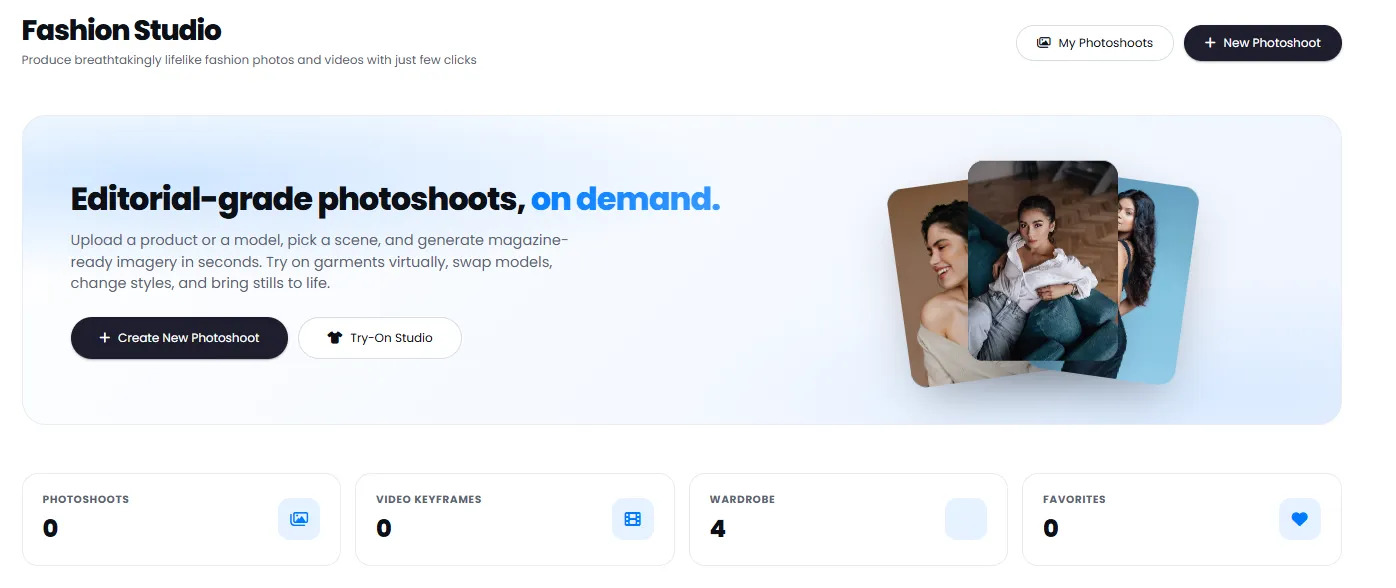
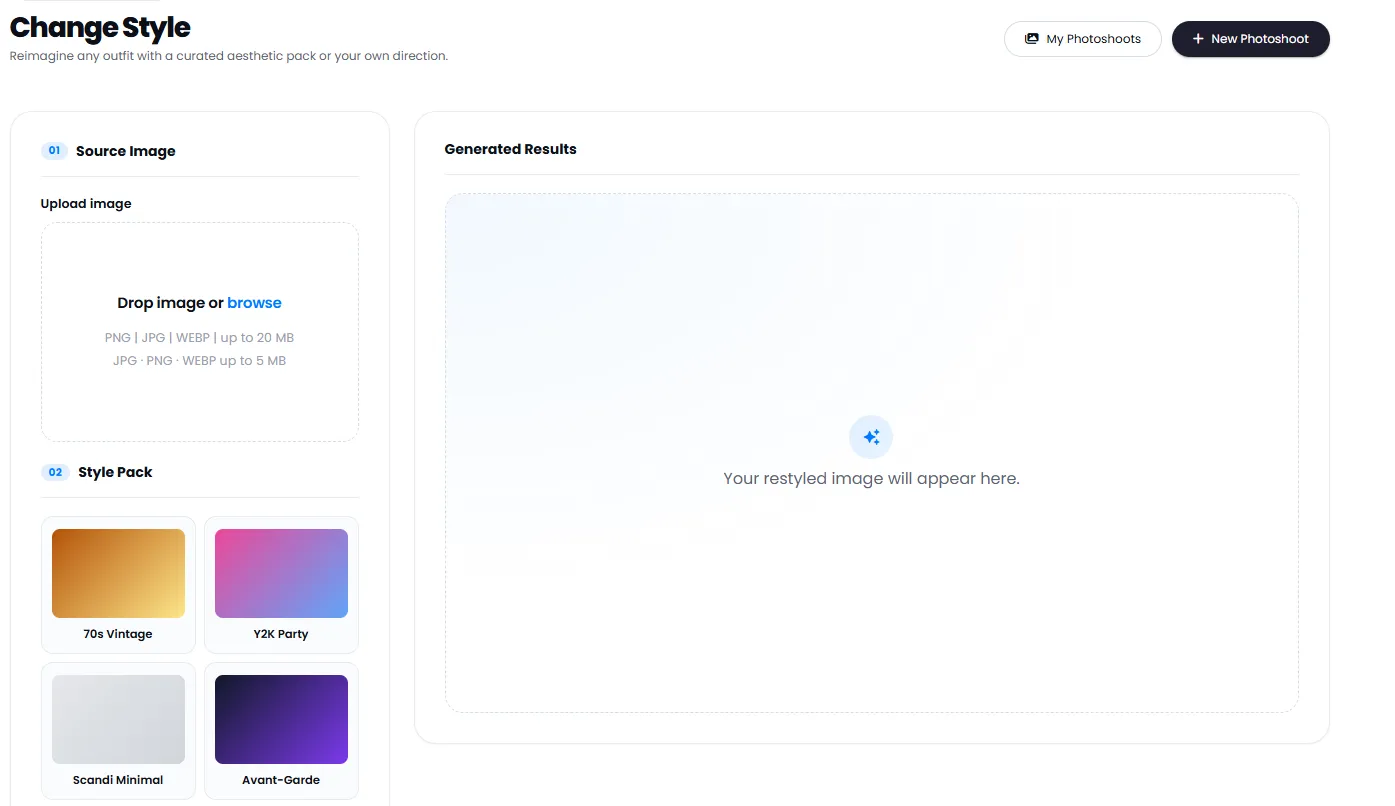
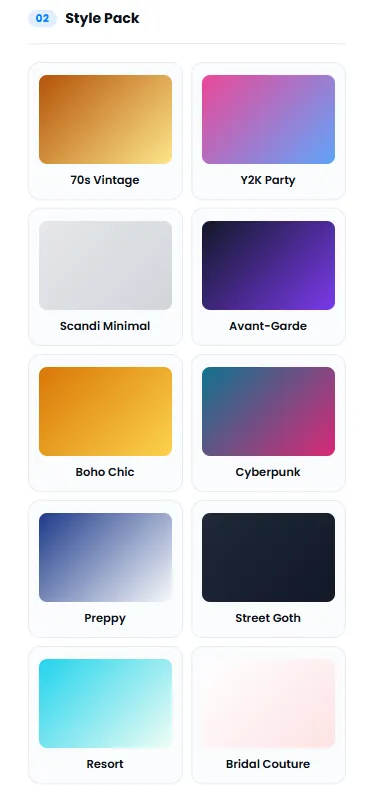
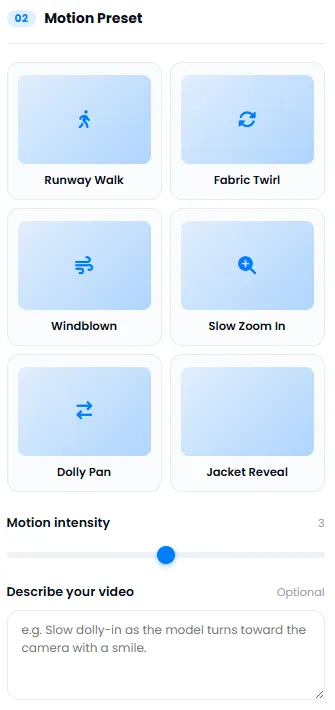
The Fashion Studio central dashboard shows all photoshoots and their stats at a glance. The Style Change tool with curated packs like Vintage, Y2K, Minimal and Streetwear lets you switch product style in seconds. The Create Video tool also generates cinematic footage using motion presets including runway walk, fabric twirl and windblown. Model presets — random, athletic, streetwear and formal — make model selection straightforward.
Full Control Over Your AI Fashion Photoshoot Scene
Set lighting, background, model pose and aspect ratio precisely to match your brand needs.
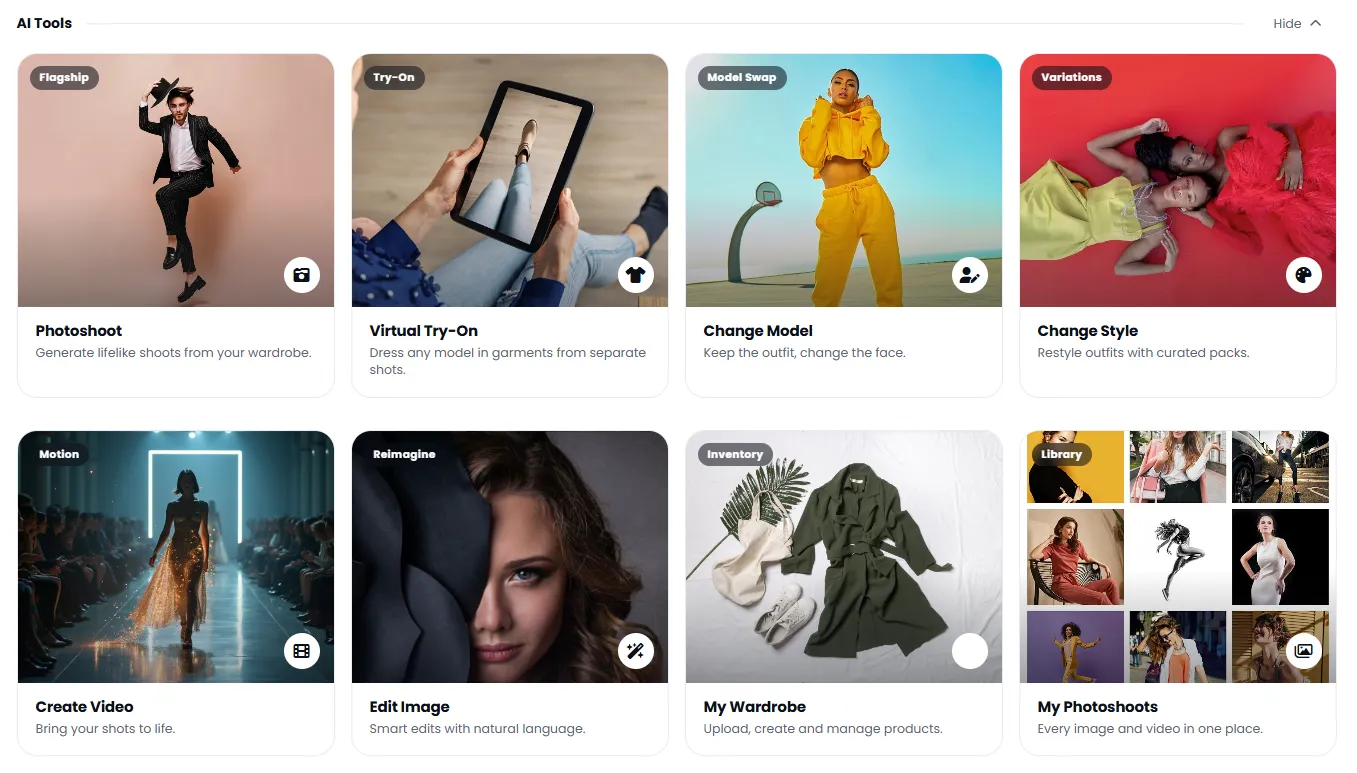
8 Specialized AI Fashion Studio Tools for Fashion Content
From initial photoshoot to final publication — everything on one platform.
Style Change
Change garment style with curated packs — Vintage, Y2K, Minimal, Streetwear and more in seconds.
Create Ad Video New
Convert photoshoot image outputs into dynamic videos — with runway walk, fabric twirl and windblown motion presets.
AI Fashion Photoshoot Popular
Create a complete fashion photo scene with your chosen model, background and lighting — like a magazine shoot.
Virtual Try-On
Fit garments onto your chosen model or uploaded image — no re-shooting required.
Model Swap
Keep the garment and swap only the face or model — multiple diverse outputs from one product.
Style Change
Change garment style with preset packs — from casual to formal in seconds.
Create Ad Video New
Convert photoshoot image outputs into dynamic videos — perfect for social media ads.
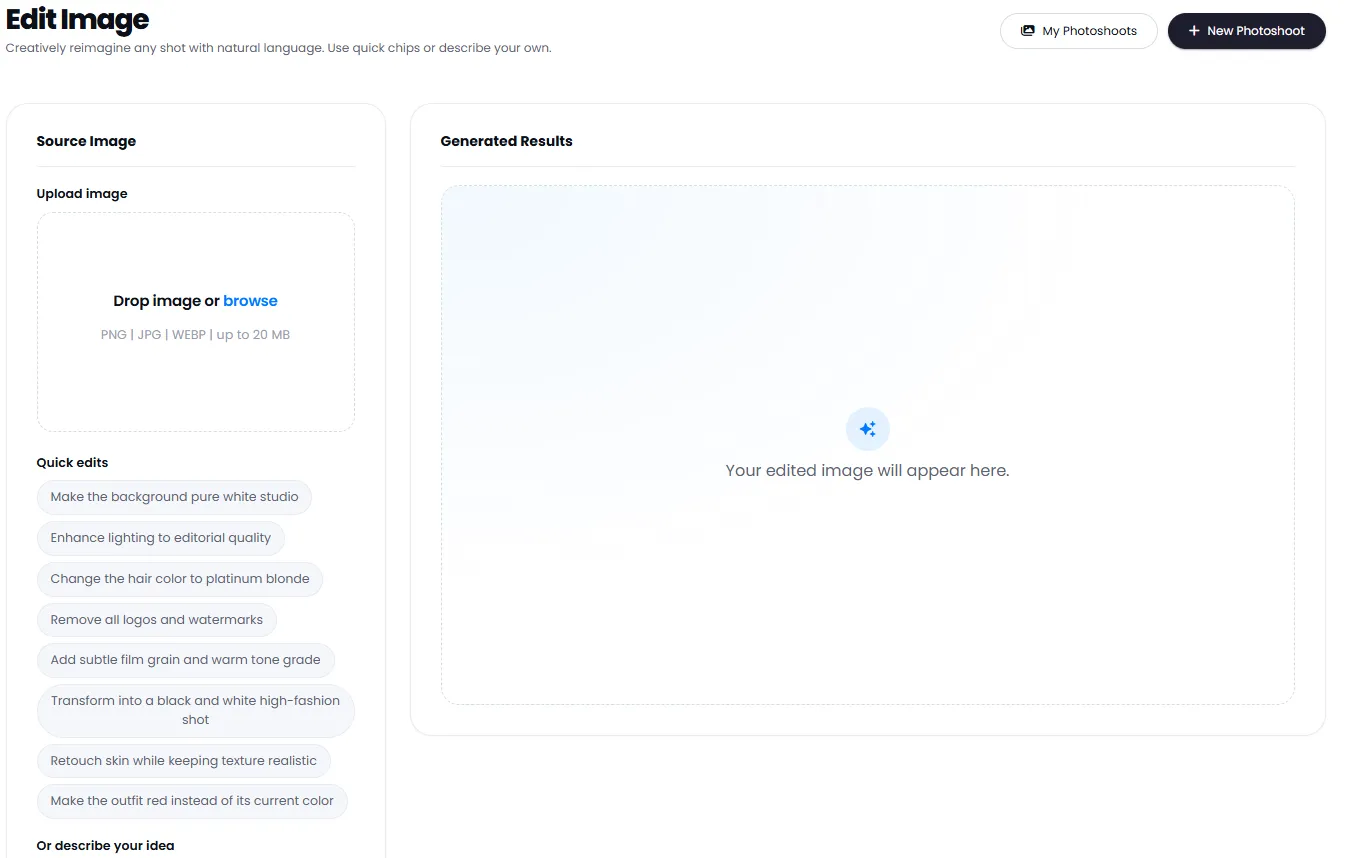
Smart Image Edit
Edit and refine photoshoot outputs with simple text instructions.
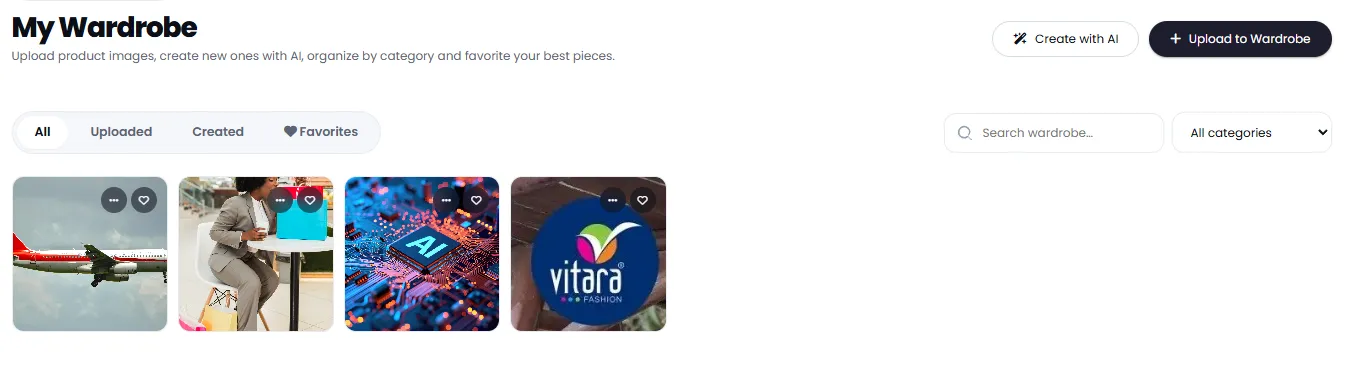
My Wardrobe
Upload, organize and reuse your garments and products across all projects.
My Photoshoots
View, manage and download all your generated images and videos.
Benefits of AI Fashion Studio for Fashion Content
Leave traditional photography behind — professional fashion content at a fraction of the cost and much faster.
Up to 90% Reduction in Photography Costs
No photographer, studio, model or lighting equipment — professional ad content at a fraction of traditional costs.
From Idea to Ready Output in Minutes
Where traditional photography takes days, DeepFA Fashion Studio delivers publish-ready output in minutes.
Unlimited Style and Combination Testing
One product, dozens of model, background and lighting combinations — no re-shoot for each variation.
Output Ready for All Platforms
With 1:1, 9:16, 16:9 and more ratios, output is ready for Instagram, TikTok, online store and banners.
Convert Images to Ad Videos
Convert generated images to dynamic videos and create more engaging advertising content.
Centralized Wardrobe Management
Upload all products and garments once and use them in all future projects without re-uploading.
Steps to Create a Professional AI Fashion Photoshoot
From product to publish-ready output — no prior experience needed.
Open AI Fashion Studio
From the AI Image tools menu, select Fashion Studio.
Choose your tool
Photoshoot, Virtual Try-On, Model Swap or any other tool — based on your needs.
Upload your product or garment
Upload your product image or select from your saved Wardrobe.
Customize scene settings
Set model, background, lighting and aspect ratio to match your brand.
Get output and publish
Download your generated image or convert it to an advertising video.
Who Uses AI Fashion Studio?
Anyone who needs fashion visual content — from clothing brands to online stores and content creators.
Fashion & Clothing Brands
Seasonal photoshoots, digital lookbooks and sales campaign content
Online Stores
Product images with multiple models and backgrounds for product pages
Content Creators
Fashion and lifestyle content for Instagram and TikTok
Marketers
Ad images and videos for seasonal and special campaigns
Fashion Startups
Professional content without photography budget for market entry
Fashion Designers
Conceptual visualization and collection preview before production
Inside the AI Fashion Studio Interface
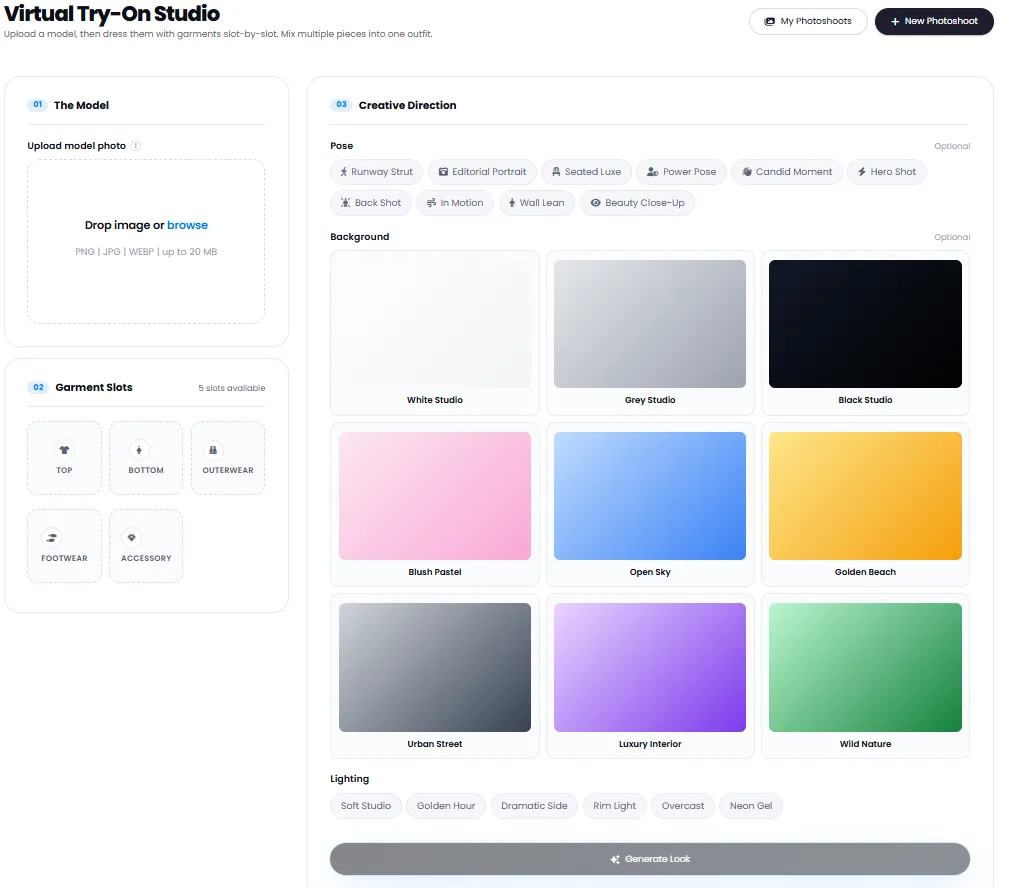
Simple, professional interface — click any image to enlarge.
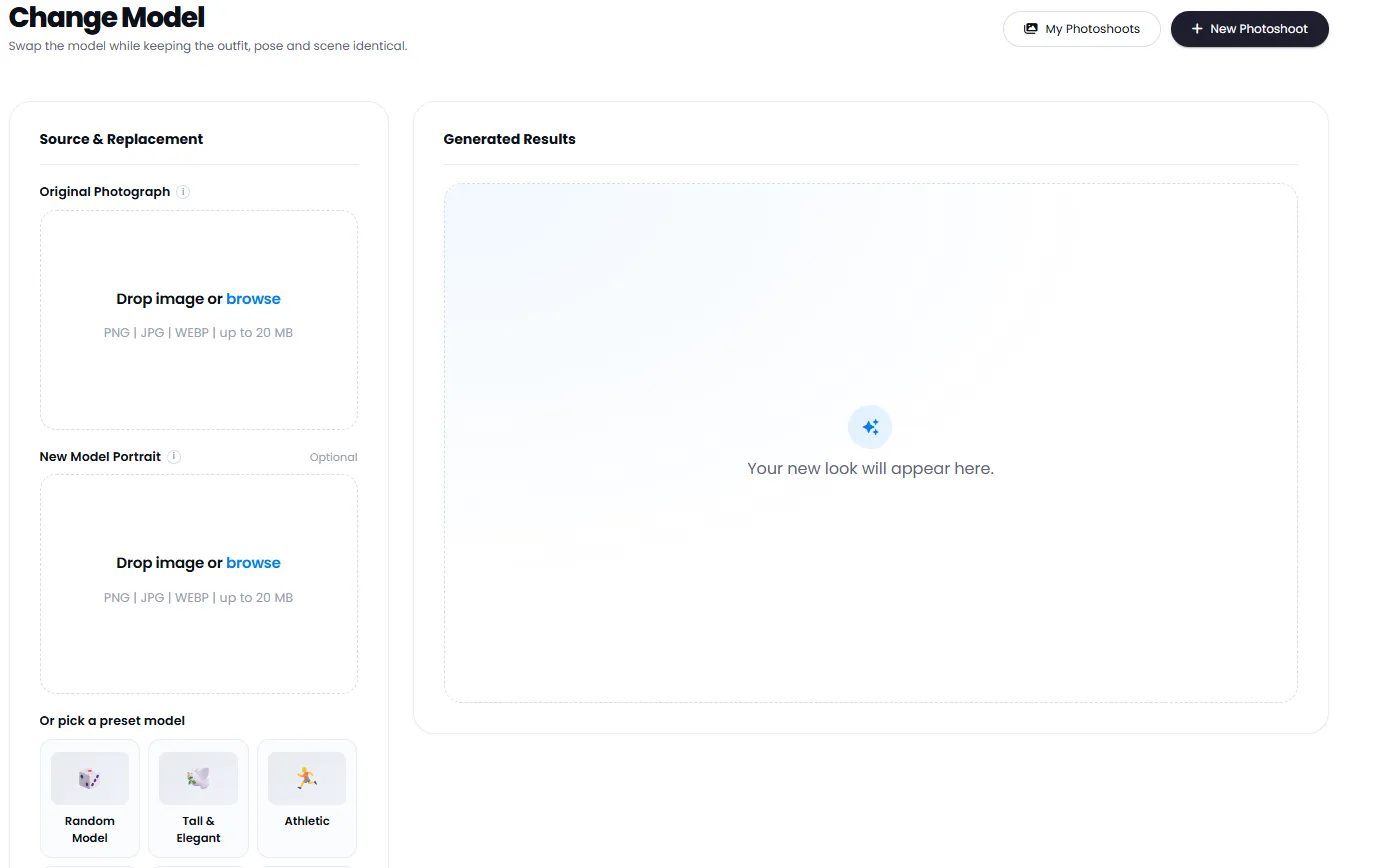
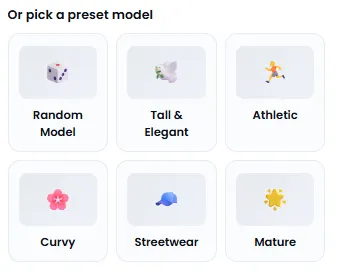
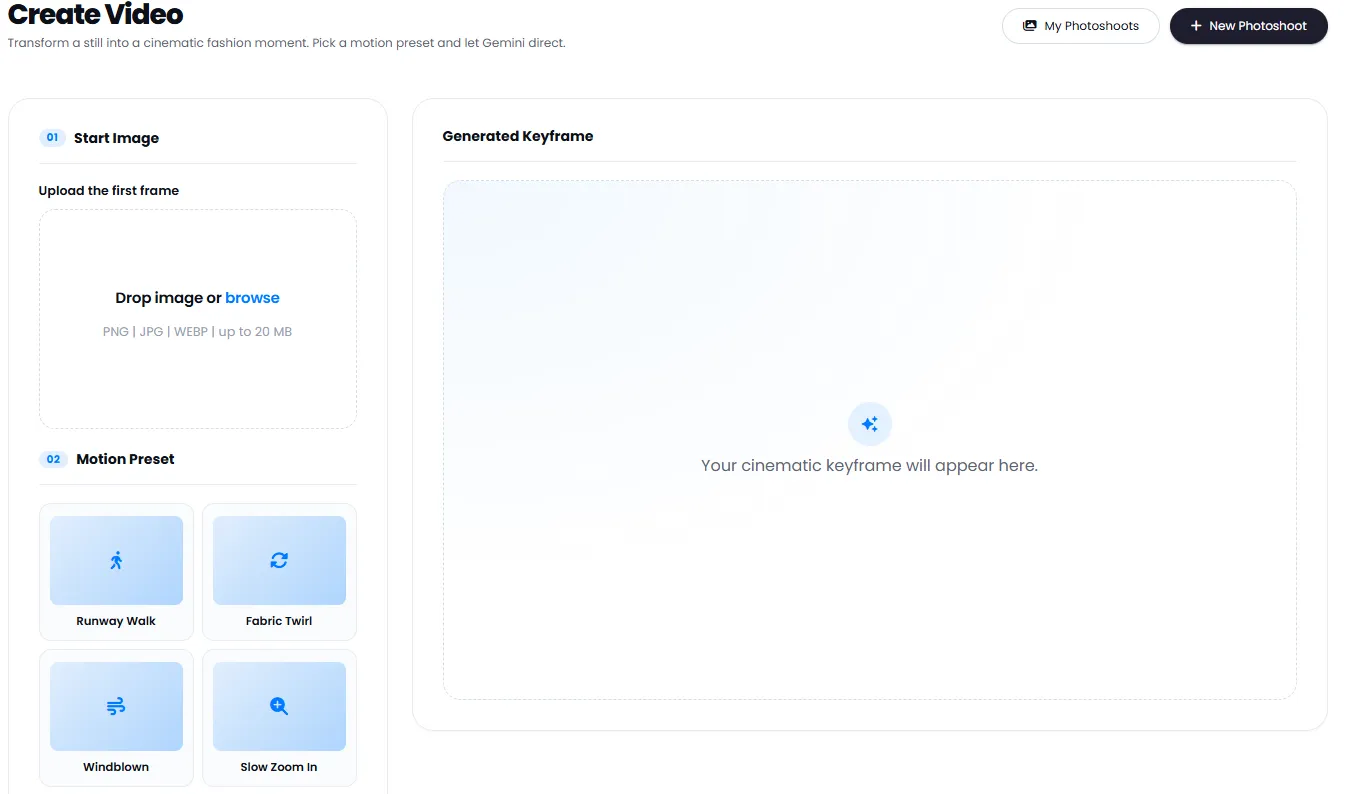
What is AI Fashion Studio and what is it used for?
From professional fashion photoshoots to virtual try-on, model swap and ad video creation — everything you need to know about the 8 AI Fashion Studio tools.
AI Fashion Studio is a specialized suite for generating fashion visual content without traditional photography. Its key difference from general image generation tools is its focus on specific fashion industry needs: photographing garments on realistic models, virtual try-on on different body types, swapping model faces without changing the garment, and even creating ad videos from still images. When a clothing brand needs 50 different images of one product with various models and backgrounds — that's where specialized tools are needed, not a basic image generator.
Another important distinction is the complementary tools: "Wardrobe" lets you upload products once and reuse them across all projects without re-uploading. "Fashion Photoshoot" creates a complete scene with model, lighting and pose. "Virtual Try-On" precisely places garments on a model. "Model Swap" changes only the face. "Style Change" alters the garment's style in seconds. And "Create Video" turns image outputs into dynamic videos. This integrated workflow is absent from any simple tool.
AI Fashion Photoshoot — professional scenes without a studio
The Fashion Photoshoot tool creates a complete scene with your chosen model, background, lighting and pose. Six lighting modes (Soft Studio, Golden Hour, Dramatic Side, etc.) and five aspect ratios (1:1 to 16:9) give you full control. Perfect for digital lookbooks, seasonal catalogs and store ads.
Virtual Try-On — accurate, realistic, no re-shoot needed
Place your garment onto a selected model or uploaded image. Fabric, folds and fit sit naturally on the model’s body. Online stores can display one product across multiple body types without any reshoot.
Model Swap and Style Change — infinite variety from one product
Model Swap keeps the garment fixed and changes only the model’s face — multiple diverse outputs from one product. Style Change lets you switch garment style in seconds with curated packs: Vintage, Y2K, Minimal or Streetwear. Both tools work without re-uploading the product.
Create Ad Video — from still image to cinematic motion
Turn your fashion photoshoot images into dynamic videos. Three motion presets are available: Runway Walk, Fabric Twirl and Windblown. The final output is ready for Reels, TikTok and ads without any editing software.
Digital Wardrobe — upload once, use forever
Upload and organize your garments and products in the Wardrobe. In all studio tools (Fashion Photoshoot, Virtual Try‑On, Style Change) you can select directly from the Wardrobe — no re-uploading every time. This creates a fast workflow for brands with large catalogs.
My Photoshoots & Smart Image Edit — manage and refine outputs
All generated images and videos are saved in "My Photoshoots". The Smart Image Edit tool lets you refine final outputs with simple text instructions (e.g. "make it slightly brighter" or "remove the earring") — no separate software needed.
Choosing the right tool depends on your workflow stage. If you're just starting and have a product ready, use "Fashion Photoshoot" to build an initial scene. If you're satisfied but need variety, apply "Model Swap" or "Style Change". If you want to make the output more dynamic for social media, select "Create Video". Important note: all outputs are saved in "My Photoshoots", and you can refine them anytime with "Smart Image Edit" — all on one platform without switching between different software.
Tools That Pair with AI Fashion Studio
From image generation to editing and redesign — all on one platform
Frequently Asked Questions About AI Fashion Studio
Answers to common questions about how it works, capabilities and benefits of AI Fashion Studio.
Create your professional fashion photoshoot now
Free sign-up — no bank card needed, start instantly in under a minute