AI ReWriter
Rewrite and improve content in seconds
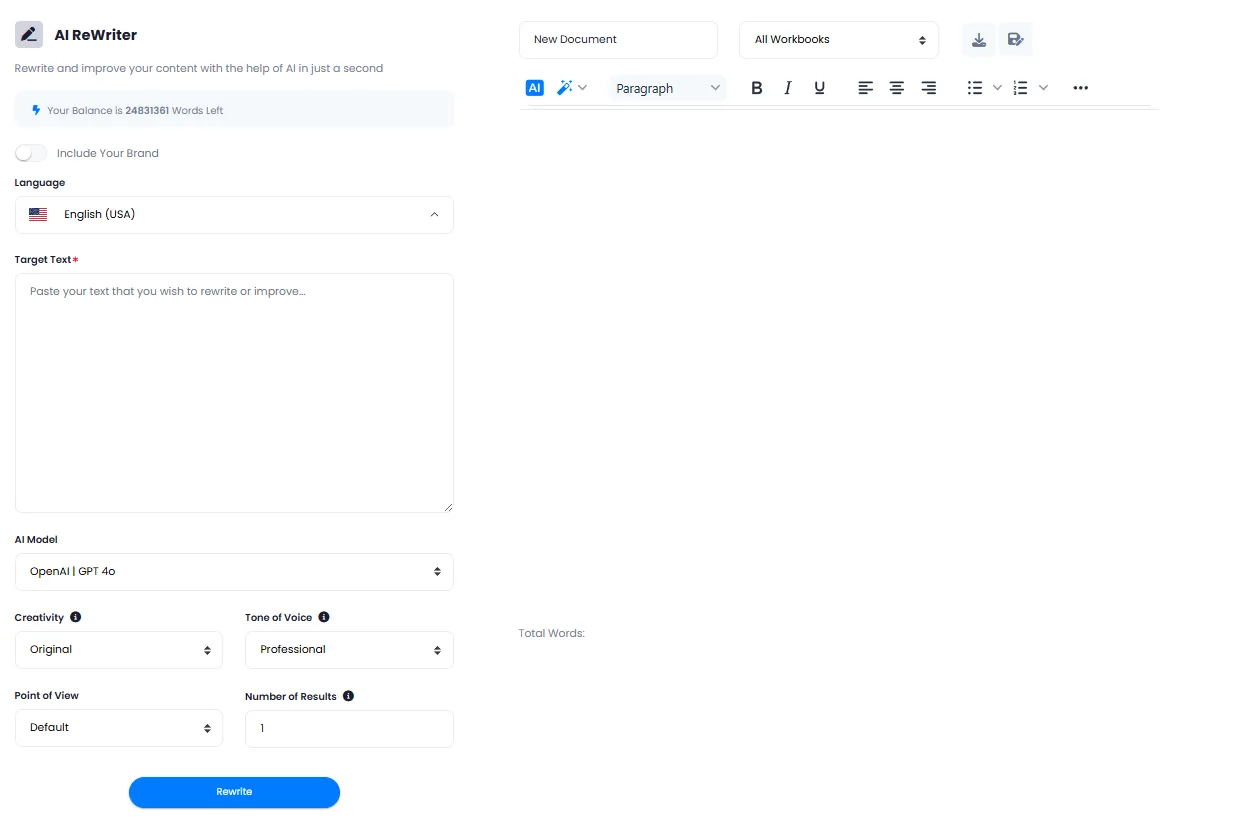
Paste your text, choose AI model, tone, creativity level and point of view. Get 1 to 50 professional rewritten results in seconds.
Rewrite and improve text with the most advanced AI models
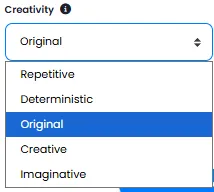
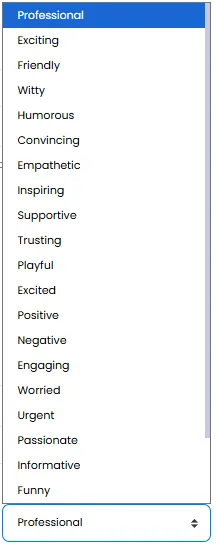
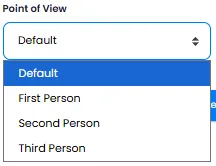
DeepFA's AI ReWriter is a comprehensive and powerful solution for rewriting, improving and enhancing the writing quality of any type of text. With 20+ AI models — from the GPT, Claude, Gemini, Grok and DeepSeek families — you can fine-tune the rewrite output precisely to your needs. Beyond model selection, you can choose from 23 professional tones, 5 creativity levels (from Repetitive to Imaginative) and 4 points of view (Default, First Person, Second Person, Third Person).
Paste your text in the Target Text field (required), set the number of results between 1 and 50, and click Rewrite. In seconds, the rewritten versions appear in the Rich Text editor. You can edit the output using Bold, Italic, Underline and alignment tools, then select a Workbook from the dropdown to save the document. Tick Include Your Brand to include your brand name in the output.
AI ReWriter is an essential, practical tool for content writers, marketers, students, businesses, social media managers, editors and anyone needing quick, professional text improvement.
20+ Powerful AI Models for Text Rewriting
From lightweight and fast models to super powerful ones — pick the model that fits your needs
GPT
All-roundGPT mini
Fast & cheapClaude
Fluent proseGemini
Long textsGrok
Casual toneDeepSeek
Technical, low costWhy DeepFA AI ReWriter?
Save time, improve writing quality and access 20+ AI models in one tool.
Rewrite in Seconds
Paste your text and get rewritten output in just a few seconds with one click.
20+ AI Models
Choose from GPT, Claude, Gemini, Grok, DeepSeek and more.
23 Professional Tones
From Professional and Formal to Friendly and Humorous — pick the right tone for your content.
5 Adjustable Creativity Levels
From Repetitive to Imaginative — control how creative the AI should be.
4 Points of View
Default, First Person, Second Person, Third Person — write from the right perspective.
Get 1 to 50 Results at Once
Set the number of rewrite results from 1 to 50 and compare multiple versions at once.
Rewrite text with AI in 5 simple steps
Simple, fast and professional — from pasting text to receiving rewritten output in seconds.
Paste your text
In the Target Text field, paste your text. This field is required.
Choose model, tone and settings
Select AI model, writing tone, creativity level, point of view and number of results (1 to 50).
Add your brand name (optional)
If you want your brand name included in the rewritten text, activate the relevant option.
Click the rewrite button
AI processes your text and displays the rewritten results in the text editor.
Edit and save output
Use the Rich Text editor to edit the output, select a Workbook and save.
Who benefits from AI text rewriting?
Anyone who needs fast, professional text improvement.
Content Writers
Rewrite articles and blog posts with desired tone and style for republishing
Marketers
Improve ad copy, marketing emails and social media captions
Students
Rewrite academic texts, papers and theses while preserving original meaning
Businesses
Improve website content, corporate brochures and formal organizational texts
Social Media Managers
Rewrite posts and stories with engaging tone matching the target audience
Editors
Polish, standardize and improve the writing quality of long texts
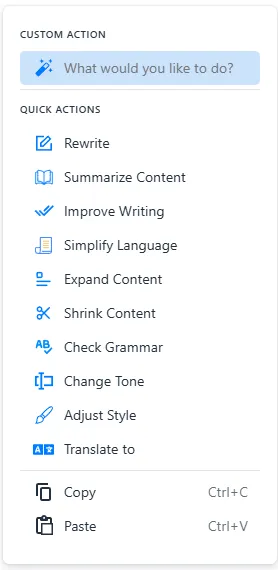
A look inside the DeepFA AI text rewriter tool
Simple, professional interface for fast text rewriting — click any image to enlarge.
What is AI text rewriting and how does it work?
From choosing the right model to setting tone, creativity and point of view — everything you need to know about professional text rewriting with 20+ AI models.
AI text rewriting is a process where an advanced language model analyzes your input text and generates a new version that preserves the original meaning but has a different structure, tone or style. Unlike manual rewriting which is time‑consuming and tedious, an AI rewriting tool can produce dozens of different versions of a text in seconds. The key difference from simple content generators lies in its advanced controls: you can specify exactly what tone the output should have (from professional and formal to friendly and humorous), how creative it should be, which point of view to use, and even which AI model to employ.
At DeepFA, text rewriting is powered by 20+ models from GPT, Claude, Gemini, Grok and DeepSeek. Each model has different strengths: fast, lightweight models like GPT mini are ideal for everyday rewrites, while advanced models like GPT and Claude perform better for specialized, technical or sensitive texts. 23 writing tones let you align the rewritten text precisely with your target audience. 5 creativity levels range from “Repetitive” (preserves the original structure) to “Imaginative” (generates fresh, unexpected ideas). You can also set the point of view (First Person, Second Person, Third Person) and the number of results (1 to 50). The “Include Your Brand” option places your brand name in the output.
20+ models — which model is right for your text rewrite?
Fast, economical models such as GPT mini for everyday rewrites. Powerful models such as GPT and Claude for specialized, technical and sensitive texts; Claude writes the more fluent prose. Gemini for long texts, and DeepSeek for technical text at low cost.
23 writing tones — from professional and formal to friendly and humorous
Professional for business emails and formal reports, Friendly and Funny for social media, Persuasive and Empathetic for sales emails, Inspiring and Positive for motivational content, Urgent and Passionate for marketing campaigns. Each tone automatically adjusts the text's structure and vocabulary.
5 creativity levels — from Repetitive to Imaginative
Repetitive: text stays as close as possible to the original (good for legal and technical text). Original (default): a balanced mix of meaning preservation and change. Imaginative: the text can change significantly — ideal for creative content rewriting.
4 points of view — First Person, Second Person, Third Person
First Person ("I"/"we") for personal narratives and experiences. Second Person ("you") for guides, recommendations and educational content. Third Person ("he"/"she"/"they") for formal content, scientific papers and organizational reports. The right perspective multiplies the text's impact on the reader.
Get 1 to 50 results at once — compare and choose the best version
Set the number of rewrite results from 1 to 50. The AI generates multiple different versions of the original text. Compare all versions and pick the best one or combine parts from several outputs. Reduce rewriting time for long texts by up to 90%.
Include your brand — automatic output personalization
With the "Include Your Brand" option enabled, your brand name is automatically inserted into the rewritten text at appropriate places (introduction, body or conclusion). No manual editing needed for each version — all rewrite results are brand‑driven.
For the best text rewriting results, first determine the final purpose of the text. If you have sensitive legal or technical text, use powerful models (GPT or Claude) with “Repetitive” or “Deterministic” creativity. If you need more engaging ad copy, choose GPT or Claude with “Original” or “Creative” creativity and a “Persuasive” or “Exciting” tone. Set the number of results to 3‑5 so you have several options to compare. Enable “Include Your Brand” to personalize outputs. You can also test one text with several different models and pick the best output — credits are only charged for saved results.
Tools that complement AI text rewriting
From creating new content to publishing on WordPress — a complete suite of intelligent content tools
Frequently asked questions about DeepFA AI text rewriter
Everything you need to know about how the rewrite tool works, its models, tones and capabilities.
Rewrite your first text with AI right now
Sign up free and rewrite your first text with 20+ AI models in under a minute