AI Virtual Photoshoot
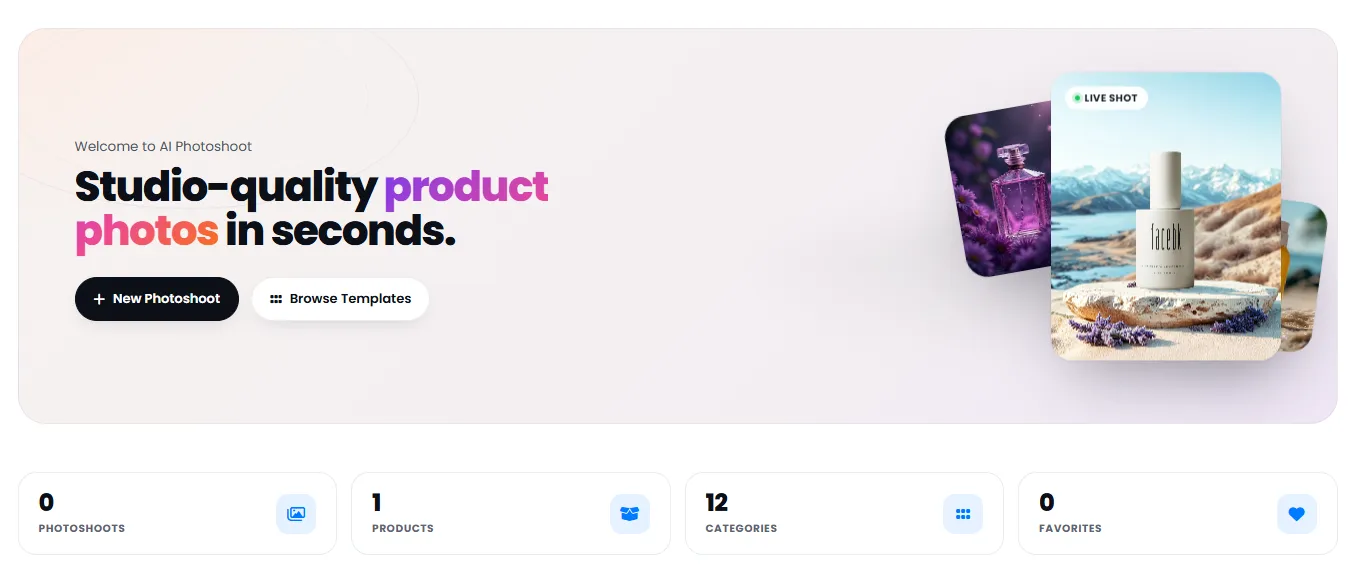
Generate studio-quality product
photos without a photographer
With custom prompts, professional ready-made templates or background replacement — generate studio-quality product photos in seconds. No camera, professional photographer or expensive studio equipment needed.
DeepFA AI Photoshoot: Generate Studio Product Photos with Custom Prompts, Templates or Background Replacement
DeepFA AI Virtual Photoshoot is a comprehensive solution for generating studio-quality product photos without needing a professional photographer, camera or expensive equipment. The tool offers three different methods for producing visual advertising content: Custom Photoshoot with text prompts providing full control over lighting, camera angle, environment and number of outputs; professional ready-made templates like Studio, Lifestyle, Billboard, UGC and digital ads for fast production without complex settings; and Background Replacement that changes the background of existing product photos while preserving shadows and reflections for realistic new scenes.
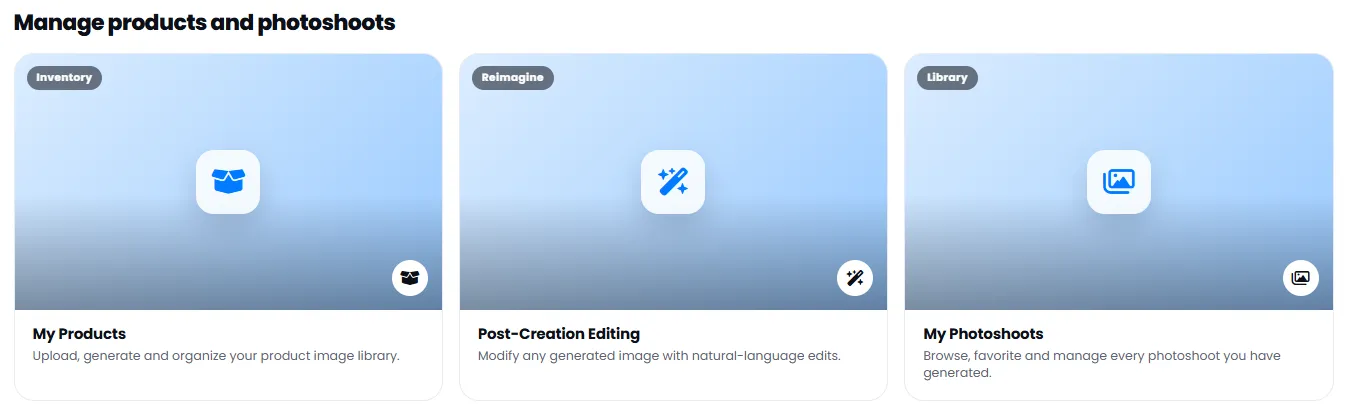
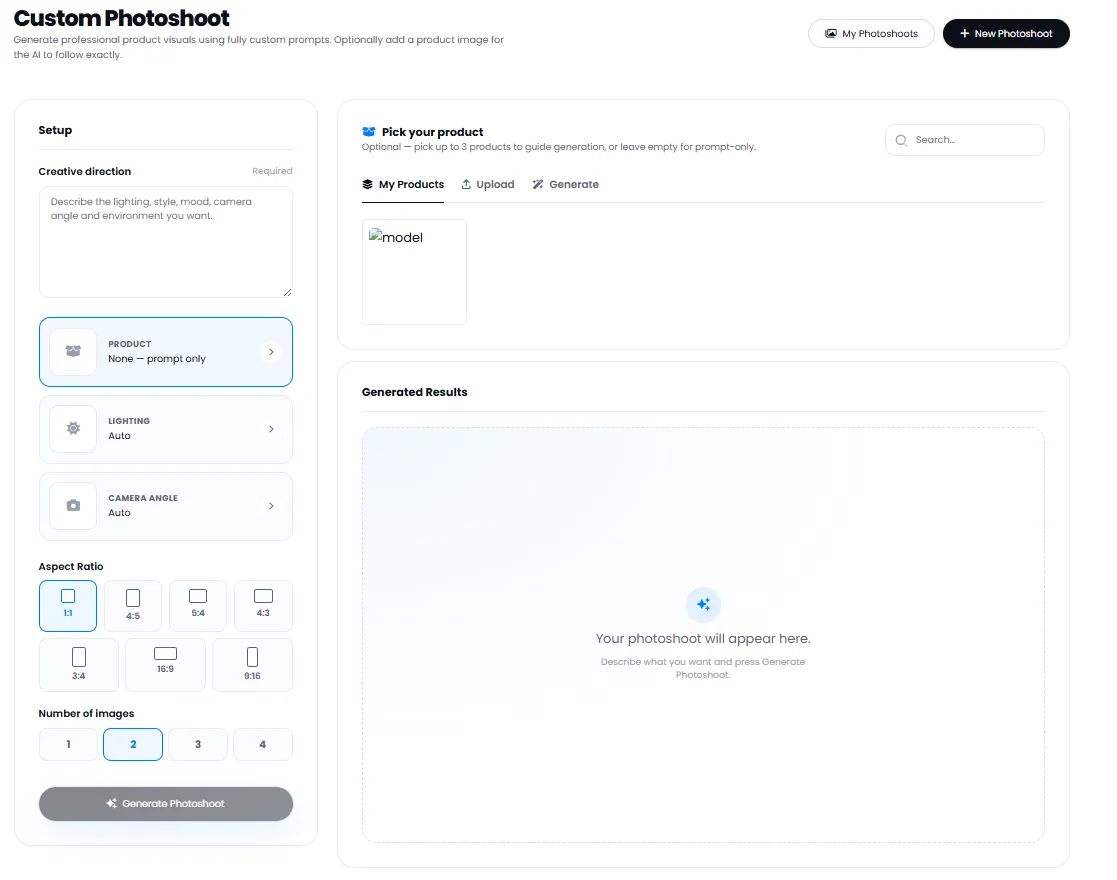
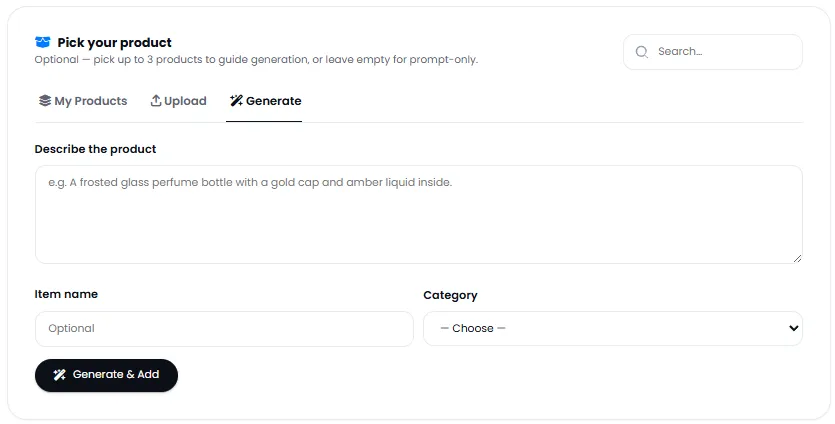
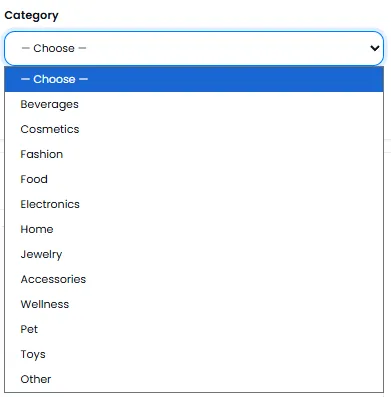
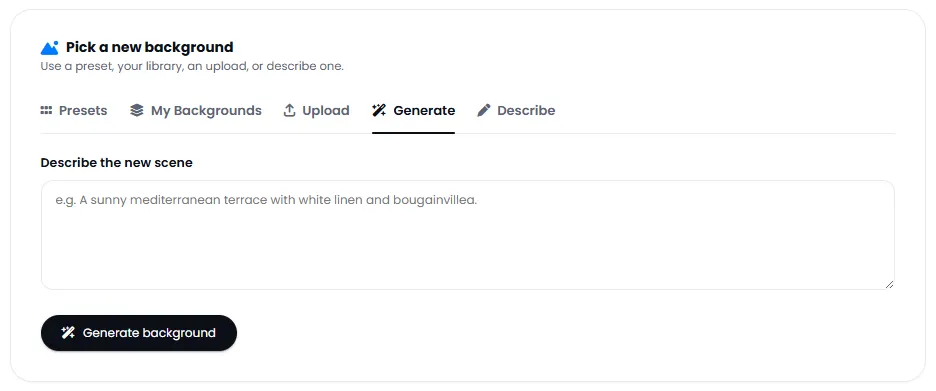
In Custom Photoshoot you can write the creative direction of the scene with details like lighting, style, mood, camera angle and desired environment. If you have a real product photo, uploading it helps the AI follow the product shape and details more precisely. Otherwise use prompt-only mode and create your desired image with just a text description. The Post-Generation Editing section also lets you refine and improve outputs with simple text commands, and the centralized product library lets you upload product photos once and reuse them in all future projects and photoshoots.
If you are looking for the best AI tool for product photography, lifestyle photoshoots, banner advertising, product background replacement or quick studio photo generation for online stores, DeepFA AI Photoshoot covers all your product visual needs with significant savings in cost and time.
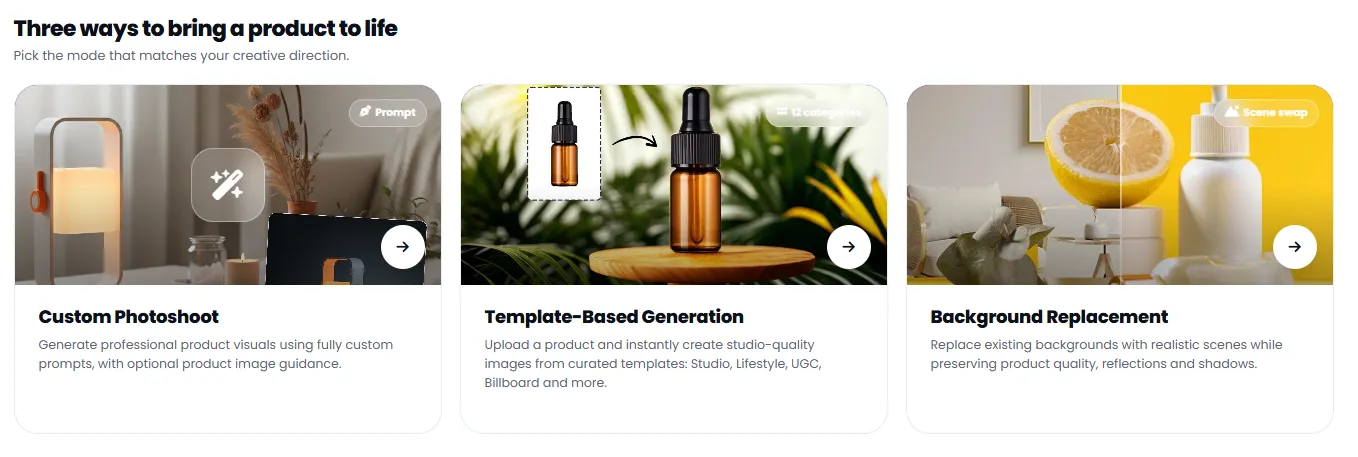
Three Ways to Turn Your Product into a Professional Image with AI
Each method is designed for a specific need — from full creative control to fast, easy production. Choose the method that suits you.
Custom Photoshoot Most Popular
Full control with text prompt — set lighting, camera angle, environment, style and number of outputs yourself. Ideal when you have a specific creative direction.
Template-Based Generation
Use ready-made professional templates for fast ad content production — no need to write prompts or complex settings.
Background Replacement
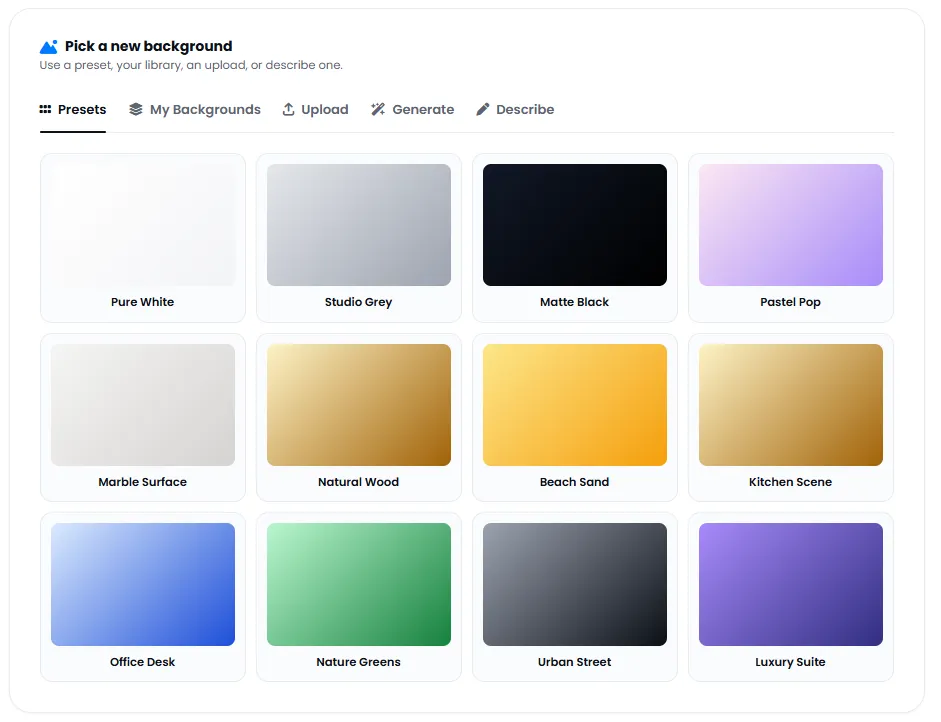
Replace the background of existing product photos with new realistic scenes — product shadows and reflections are preserved for a natural look.
Full Control Over the Product Photoshoot Scene
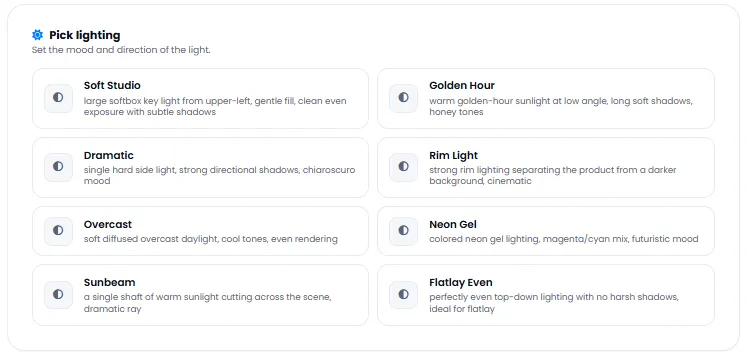
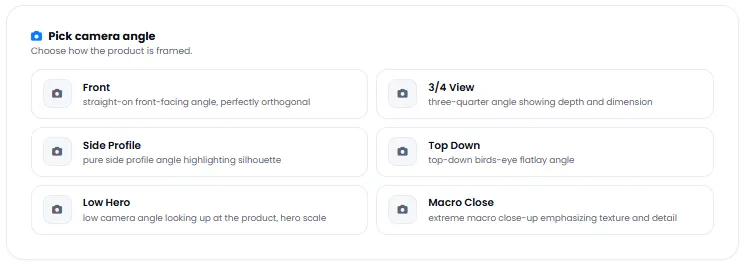
Precisely adjust lighting, camera angle, aspect ratio and number of outputs to match your exact needs.
Ready-Made Product Photoshoot Templates for Fast Production
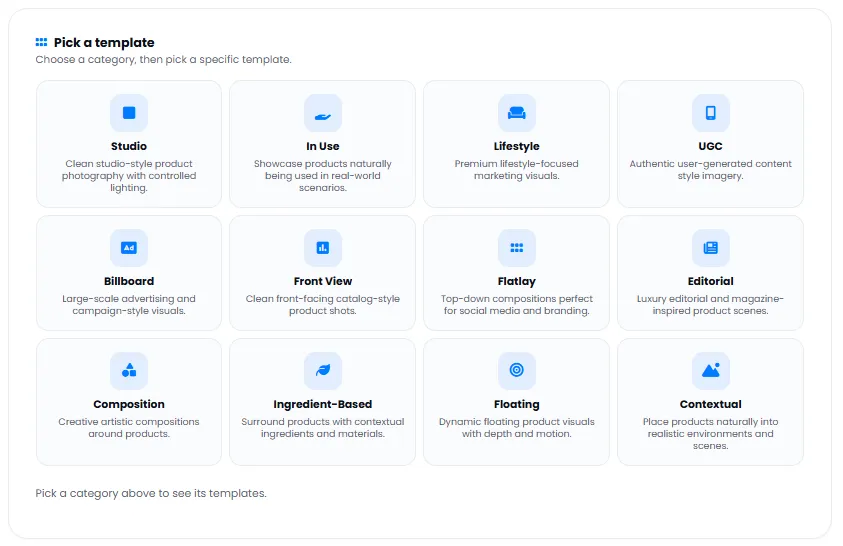
There is a professional ready template for every type of visual and advertising content — just upload your product and select the template.
Edit and Manage Photoshoot Outputs After Generation
After image generation, there is no need for complex image editing software — improve outputs with built-in tools and prepare them for publishing.
Text-Based Editing
Edit generated outputs with simple natural language instructions — no image editing software needed.
Remove Background
Automatically remove background with one click and get a transparent image.
Replace Background
Replace the output background with any scene or color you want.
Upscaler
Increase image resolution up to 4x without quality loss or blurring.
Cleanup
Remove unwanted elements, watermarks or distracting objects from the image.
My Photoshoots
Manage and access all outputs and projects in one centralized library.
Why DeepFA AI Photoshoot?
Leave traditional product photography behind — produce professional studio-quality product photos with AI without heavy equipment and photographer costs.
Dramatic Photography Cost Reduction
No need for a professional photographer, studio, lighting or expensive equipment — produce studio product photos at a fraction of traditional photography costs.
From Product Upload to Output in Seconds
Just upload a product photo or write a prompt — AI delivers a professional studio output in under a minute.
Three Different Production Methods in One Tool
Custom prompt, ready template or background replacement — each method designed for a specific need and you can switch between them.
Five Aspect Ratios for All Platforms
From square Instagram posts to vertical stories and horizontal ad banners — all common aspect ratios are covered.
Centralized Product Library
Upload product photos once and reuse them in all future projects and photoshoots without re-uploading.
Edit Outputs with Plain Language
Refine the final result with simple text commands — no need to learn complex image editing software.
How to Create Studio Product Photos with AI?
From uploading your product to receiving a studio output — just a few simple steps are needed.
Choose your production method
Choose between Custom Photoshoot, ready template or background replacement — each suits a different need.
Upload your product photo (optional)
Upload a real product photo for more precise AI output, or use prompt-only mode.
Write creative direction or pick a template
For custom: describe lighting, angle, environment and mood. For template: simply select it.
Set aspect ratio and number of outputs
Choose the right aspect ratio for your platform and set outputs from 1 to 4.
Generate and refine if needed
Hit generate, view the result and refine with the text editing tool if needed.
Who Uses AI Virtual Photoshoot?
Anyone who needs high-quality professional product photos — from online stores to startups and large brands.
Online Stores
Professional product photos for product pages, catalogues and seasonal discount campaigns
Marketers
Ad images for banners, Google Ads and social media campaigns
Content Creators
Lifestyle product photos for Instagram, TikTok and Pinterest
Brands
Consistent, professional images for the visual identity of seasonal campaigns and product launches
Designers
Quick product mockups for client presentations and pitches
Startups
Professional product photography for initial launch without studio and photographer costs
A Look Inside DeepFA AI Photoshoot Interface
Simple, professional interface — click any image to enlarge.
What is AI Virtual Photoshoot and what is it used for?
From custom photoshoots to ready templates and background replacement — everything you need to know about the three main AI virtual product photography methods.
DeepFA AI Virtual Photoshoot is a specialized tool for generating studio-quality product images without a photographer, camera or expensive equipment. Its key difference from basic image generators is the presence of three distinct, purposeful production methods: "Custom Photoshoot" provides full control with text prompts and settings for lighting, camera angle and aspect ratio. "Ready Templates" are designed for fast ad content production (Studio, Lifestyle, Billboard, etc.) without writing prompts. "Background Replacement" places existing product photos into new scenes while preserving shadows and reflections — ideal for catalogues and online stores.
Unlike simple tools that only give a random output, AI Photoshoot lets you generate up to 4 different outputs at once, change lighting and camera angle settings, and refine the final result with text-based editing. The centralized product library also allows you to upload product photos once and reuse them across all projects. These distinctions make it a suitable tool for online stores, brands and marketers who need high volumes of consistent product images.
Custom Photoshoot — full control with text prompts
In this method, you set lighting (Soft Studio, Golden Hour, Dramatic), camera angle (Eye Level, High, Low, Close-up), aspect ratio (1:1, 16:9, 9:16, etc.) and number of outputs (1 to 4). If you upload a real product photo, the AI follows the shape and details more precisely. You can also use prompt-only mode without a product photo.
Ready Templates — fast production without complex settings
Six professional templates are available: Studio (pure white background), Lifestyle (natural everyday scenes), Billboard (urban outdoor ads), UGC (authentic natural content), E-Commerce (optimized store photos) and Digital Ads (banners and campaign images). Just upload your product and pick a template — AI does the rest.
Background Replacement — change the scene, preserve the product
If you already have a good product photo but the background is not suitable, this method replaces the background while keeping shadows, reflections and product details untouched. Realistic scenes (nature, indoor, urban) and solid colors are available.
Central Product Library — unified management
Upload all your product photos to a central library. In every photoshoot project (custom, template or background replacement), you can select directly from this library — no re-uploading each time. This feature dramatically reduces upload time and cost for brands with large catalogues.
Post-Generation Editing — refine outputs with plain language
After generating an image, you can refine the final output with simple text commands like "make it slightly brighter", "soften the shadow" or "remove the earring". No Photoshop or specialist image editing knowledge required.
Aspect Ratios for all platforms
Five common aspect ratios are supported: 1:1 (Instagram posts), 4:5 (vertical posts), 16:9 (horizontal banners), 9:16 (stories and Reels) and 3:2 (catalogue photos). One product can be generated in multiple aspect ratios to be ready for all platforms.
Choosing the right method depends on your workflow stage. If you already have a product photo and only need to change the background, "Background Replacement" is the fastest. If you have no image and want to create from your imagination, "Custom Photoshoot" with a text prompt gives the best result. If you are short on time and need advertising images for multiple platforms quickly, "Ready Templates" is the ideal choice. All outputs are saved in "My Photoshoots" and you can improve them later with the text-based editing tool — no need to switch between different software.
Complementary Tools for AI Photoshoot
From image generation to background removal and upscaling — all AI image tools in one platform
Common Questions About AI Virtual Photoshoot
Answers to common questions about how it works, use cases and capabilities.
Create Your First Studio-Quality Product Photo Now
Professional studio-quality product photos in seconds with AI