AI Image
Generator
Turn your text descriptions into creative, artistic and advertising images. With 20+ AI models including GPT Image, FLUX and Midjourney, you have full control over lighting, art style and mood. Generate up to 10 images simultaneously from one prompt.
AI Image Generator — Text to Image with 20+ Advanced Models
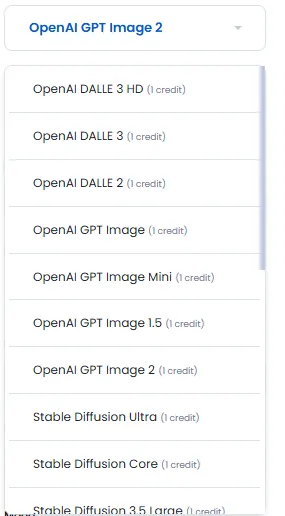
DeepFA AI Image Generator is a comprehensive environment for creating creative, artistic, and advertising images from text descriptions. With support for over 20 AI models including Nano Banana Pro, GPT Image, FLUX Realism, FLUX Pro, Stable Diffusion, SDXL, and Midjourney in Fast, Relax, and Turbo modes, you can choose the best model for any style and use case. Generate up to 10 images simultaneously from a single prompt, compare the results, and select the best output.
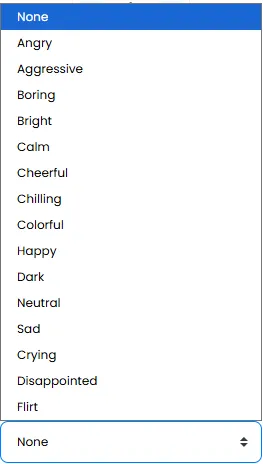
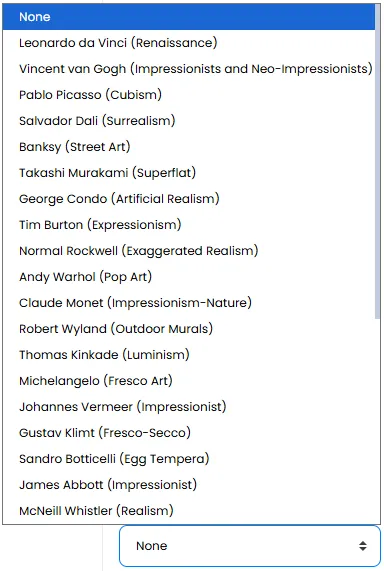
Full control over the final image appearance with 22 lighting styles (from Cinematic and Dramatic to Neon and Golden Hour), 14 art mediums (Watercolor, Charcoal, Oil Painting, Pencil, Spray Paint and more), 16 emotional moods and inspiration from 30+ famous artists including Van Gogh, Picasso, Banksy, Miyazaki and Dali — all on one page. Three resolutions — square (1024×1024), portrait (1024×1792) and landscape (1536×1024) — cover social media, banner and print needs.
If you are looking for an online AI image generator, or an all-in-one text-to-image platform with all major models, DeepFA covers everything with ready-made prompts, advanced settings and a simple interface.
20+ AI Image Generation Models on One Platform
The widest selection of image generation models — all on one platform without separate subscriptions.
Nano Banana Pro
PhotorealisticGPT Image
OpenAIFLUX Realism
RealisticFLUX Pro
Fast & HQStable Diffusion
Open SourceMidjourney
ArtisticSDXL
Stable+ Midjourney Fast / Relax / Turbo, GPT Image Mini, GPT Image 1.5, SD Core, SD Ultra and more
Full Control Over Generated Image Appearance
Lighting, art medium, mood, artist inspiration and resolution — exactly what you imagine.
Get Inspired by These Prompt Examples and Start Creating
Ready-made prompts for a faster start — usable directly from the tool page.
Why DeepFA Image Generation Is Different
Benefits that single-model tools lack — all models and settings in one place.
20+ AI Models in One Place
Use GPT Image 2.5, FLUX and Midjourney on one page without separate subscriptions.
Up to 10 Images Simultaneously from One Prompt
Generate up to 10 different outputs from one prompt and pick the best result — no re-waiting.
Inspiration from 30+ World Artists
Generate output in the style of Van Gogh, Picasso, Miyazaki, Banksy and 30+ other artists.
Full Control over Lighting, Mood & Art Style
Use 22 lighting styles, 14 art mediums and 16 moods to achieve the most precise output.
Multiple Resolutions for Every Platform
Square, portrait and landscape — for Instagram, banners, posters and any other use case.
Ready-Made Prompts for Quick Start
Get inspired faster with ready-made prompt examples and start generating right away.
Steps to Generate AI Images on DeepFA
From writing your prompt to downloading the final image — completely in your control.
Write your prompt
Describe your desired image with precise details.
Select the right AI model
Choose from 20+ models based on your desired style.
Set output count and resolution
Set 1 to 10 images and the resolution suitable for your platform.
Choose lighting, medium, mood and artist
Customize advanced settings to achieve the most precise output possible.
Who Is AI Image Generation For?
Anyone who needs creative and professional visuals — no design skills required.
Content Creators
Stunning images for posts, stories, covers and banners in seconds without a designer
Artists & Designers
Quick inspiration from 30+ famous artist styles for art and graphic projects
Marketers
Advertising images with precise mood and lighting aligned with brand identity
Online Stores
Conceptual product images, mockups and catalog covers in multiple resolutions
Game Developers
Initial concept art, posters, characters and scenes in diverse art styles
Startups
Pitch deck visuals, UI mockups and blog featured images without design costs
Inside the AI Image Generator Interface
Simple, professional interface — click any image to enlarge.
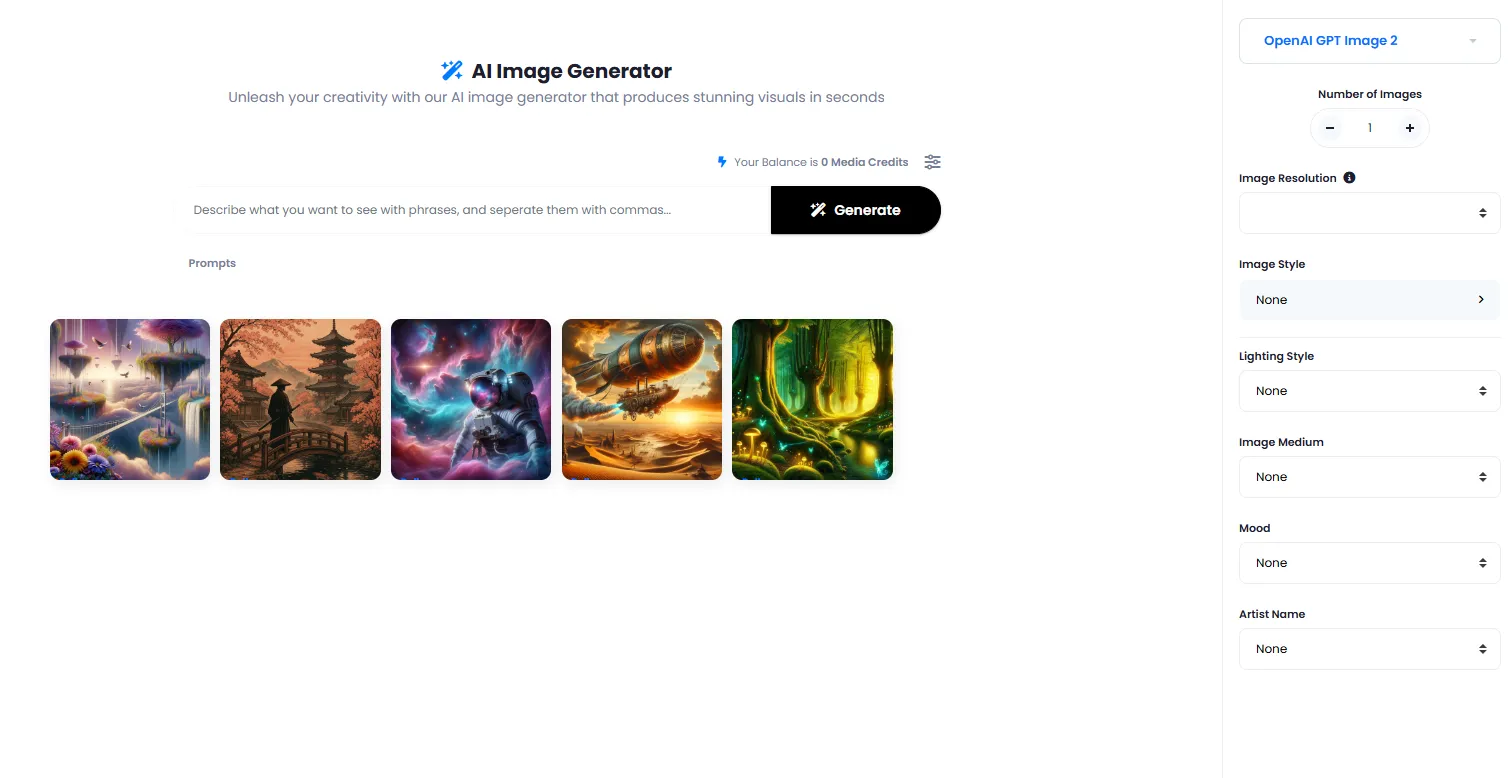
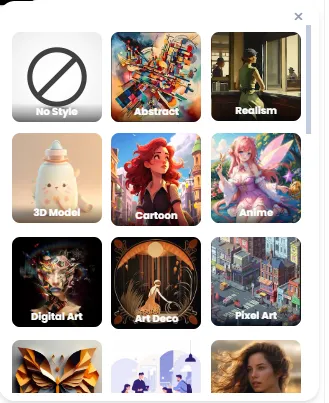
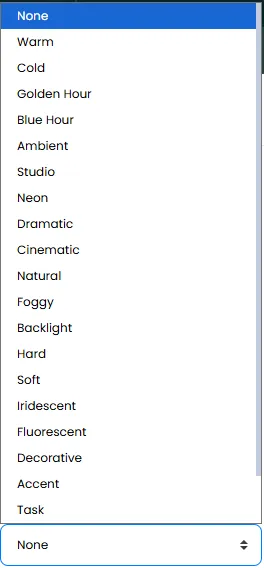
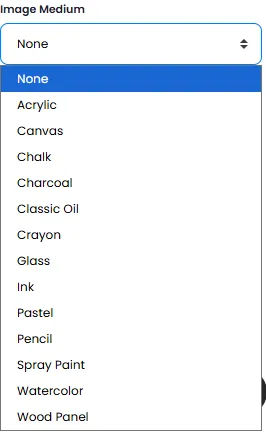
What is AI image generation and how do you get the best results?
From choosing the right model to writing professional prompts, controlling lighting and art style — everything you need to know.
AI image generation is a technology that uses deep learning models to create visual images from a text description (prompt). In recent years, with the emergence of models like GPT Image, Midjourney, FLUX and Stable Diffusion, this technology has reached a level where outputs are often indistinguishable from professional photography.
The key to achieving the best results lies in combining three factors: choosing the right model for the desired style, writing a precise prompt and using advanced settings like lighting, art medium and mood. Each model is optimized for a specific style — FLUX Realism for photorealistic images, Midjourney for artistic and creative outputs, and GPT Image for conceptual and clean visuals.
How to write a professional prompt
A good prompt includes the main subject, visual style, lighting and environmental details. Instead of "a cat", write "an orange cat on a rooftop at sunset, golden light, watercolor style". The more detail you include, the more precise the output the model produces.
Which AI model suits which style?
FLUX Realism and GPT Image are the best choices for photorealistic images. Midjourney produces high-quality artistic and creative output. Stable Diffusion offers high flexibility and delivers diverse results with precise settings.
How lighting affects image quality
Lighting is one of the most important factors in visual image quality. Cinematic light creates depth and drama, golden hour light builds a warm romantic atmosphere, studio light delivers clean professional output and neon light enhances urban and modern settings. Choosing the wrong lighting can ruin even the best prompt.
Art medium and its effect on image appearance
Art medium determines the texture and material feel of the image. Watercolor gives a transparent and delicate output, oil painting creates a heavy and classic texture, charcoal produces sharp and dramatic lines, and spray paint gives an urban graffiti feel. Combining medium with an artist style can produce a completely unique result.
Drawing inspiration from famous artists
Choosing an artist name completely changes the visual style of the image. Van Gogh creates energetic brushstrokes and vibrant colors, Miyazaki builds an animated fantasy atmosphere, Banksy brings a graffiti and street art style, and Dali produces surreal dreamlike output. This feature is highly valuable for art projects and creative inspiration.
Choosing the right resolution for each use case
The 1024×1024 resolution is ideal for square Instagram posts and profile images. The portrait resolution 1024×1792 is better suited for stories and mobile posters. The landscape resolution 1536×1024 is the best choice for web banners, LinkedIn covers and desktop images. Generating multiple images with different resolutions at once saves a great deal of time.
Combining these settings is the key to producing images that precisely reflect what you have in mind. It is recommended to start by generating 3 to 5 images simultaneously from one prompt, select the best output and then refine the prompt based on that result until you reach the ideal outcome.
Tools That Pair with AI Image Generator
From image creation to editing, redesign and new content — all on one platform
Frequently Asked Questions About AI Image Generation
Answers to common questions about models, settings, resolution and tool capabilities.
Create your desired image right now
Sign up in under a minute — instant access to 20+ image generation models