AI Presentation Maker
Professional slide decks in seconds
Write your presentation topic, choose slide count and detail level. AI creates a complete deck with persuasive text and relevant images in under a minute. Perfect for executives, teachers, marketers, developers and startups.
AI Presentation Maker — Auto-Generate Professional Decks with Custom Content and Images
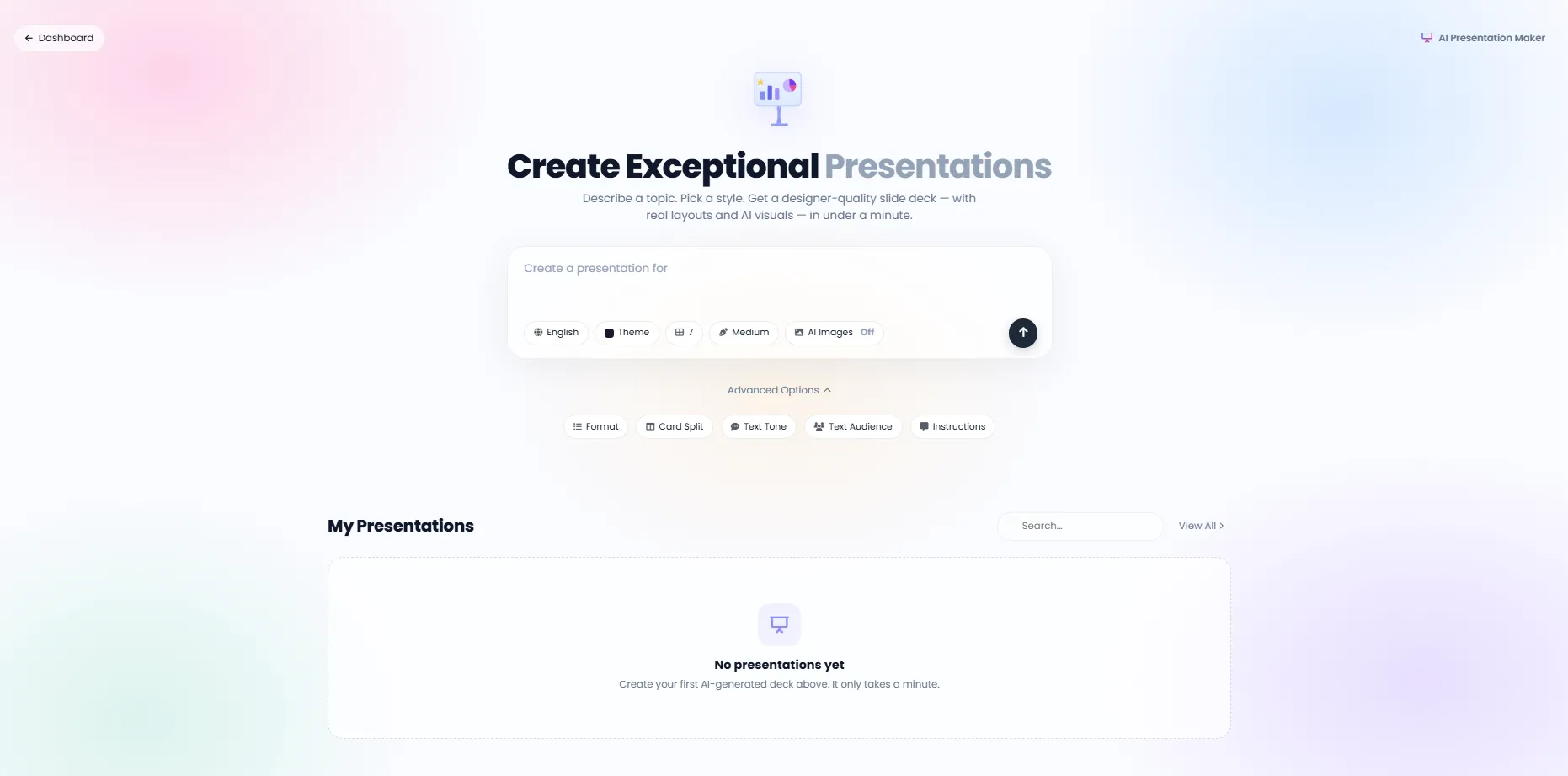
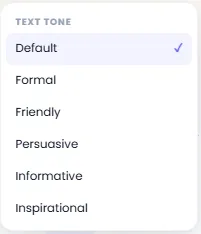
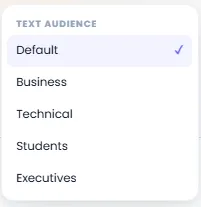
DeepFA AI Presentation Maker is a powerful, professional tool for automatically generating high-quality presentations. Simply enter your topic and choose your preferred settings: slide count (3 to 30), detail level (Brief to Extensive), tone (formal, friendly, persuasive, inspirational, humorous and journalistic), audience (executives, students, technical experts), content format (bullet points, paragraphs or mixed) and content distribution across slides. When AI Images is enabled, a relevant, high-quality image is automatically generated for each slide. The result is a complete, professional presentation with optimized content and visual design in under a minute.
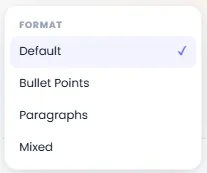
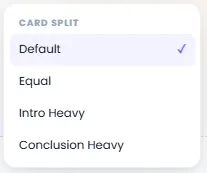
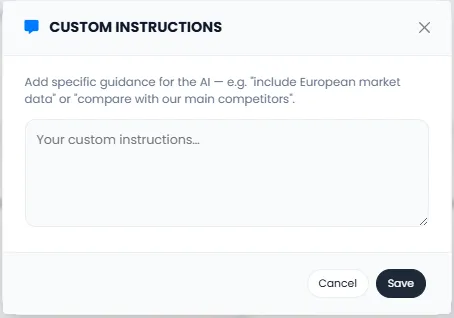
Beyond standard settings, the Advanced Options section lets you precisely set content format (Default, Bullet Points, Paragraphs, Mixed), content distribution (Default, Equal, Intro Heavy, Conclusion Heavy), writing tone, target audience and even custom instructions. Custom instructions let you specify details like "focus on the European market" or "add competitor comparison" directly to the AI. All generated presentations are saved in My Presentations, where you can search, view or reuse them anytime.
DeepFA AI Presentation Maker is ideal for executives and organizational decision-makers, university professors, marketers and sales teams, developers and technical teams, startups and entrepreneurs, and anyone who needs to create fast, professional and impactful presentations. Focus on your content and let AI handle the design and slide preparation.
Full control over every part of your AI presentation
From slide count and detail level to tone, audience and custom instructions
Slide count (3–30)
From a short 3-slide pitch to a comprehensive 30-slide deck — fully flexible for any need.
Content detail level
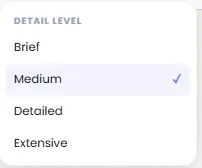
Brief, Medium, Detailed or Extensive — set the exact content depth to match your presentation type and audience.
Slide content format
Bullet points, paragraphs or mixed — choose the format that best suits your audience and presentation type.
Writing tone and target audience
From formal and inspirational to friendly and persuasive. Define your audience: executives, students, technical experts or general public.
Content distribution across slides
Intro Heavy, Conclusion Heavy or Equal distribution — emphasize the key sections of your presentation.
AI image generation
When enabled, AI generates a relevant, high-quality image for every slide. You can disable it if not needed.
Powerful AI models for presentation content
The best AI models for generating text content and visual images for presentations
GPT
Default text modelGPT
Fast text modelClaude
Analytical text modelPerplexity
Search and answer modelDeepSeek
Specialized text modelGPT-Image
Image generation modelNano Banana
Lightweight image modelWhy DeepFA AI Presentation Maker?
Dramatic time savings, improved presentation quality and access to a professional tool without design skills.
Auto-generated in under a minute
Write a presentation topic, choose slide count and settings – AI delivers a complete professional deck.
Full control over output
Tone, audience, content format (bullets/paragraphs), content distribution and custom instructions – all adjustable.
Optional AI images
Generate AI images for each slide or use text-only mode for your presentation.
Adjustable slide count from 3 to 30
From a short summary deck to a comprehensive presentation – choose the exact slide count you need.
4 detail levels for content
From brief summaries to extensive details – control how deep the content of each slide goes.
Multilingual and audience-aware
Choose output language and target audience (executives, students, technical experts and others).
Create a professional presentation in 5 simple steps
Simple, fast and powerful — from entering a topic to receiving a complete deck in under a minute.
Enter your presentation topic
Write your presentation topic in the text area (max 600 characters).
Set slide count and detail level
Select slide count (3–30), content detail level, writing tone, target audience and content format.
Apply optional settings
If needed, use Custom Instructions and enable or disable AI image generation.
Click the generate button
Wait for planning, text content creation and visual image generation steps to complete.
View your completed presentation
Your presentation is ready! Saved in My Presentations for viewing, searching and reuse.
Who benefits from AI Presentation Maker?
Anyone who needs fast, professional and impactful presentations.
Executives
Strategic presentations with strong conclusions and formal tone for boards and investors
Teachers & professors
Engaging educational slides with student audience and friendly tone for classes and workshops
Marketers
Product presentations, competitor analysis and marketing campaign performance reports
Developers
Technical presentations with detailed specs, practical examples and precise technical explanations
Startups
Investor pitch decks and presentations for accelerators and entrepreneurship events
A look inside the DeepFA AI Presentation Maker
Simple, professional interface for fast presentation creation — click any image to enlarge.
What is AI Presentation Maker and how does it work?
From slide count and detail level to tone, audience and images — everything you need to know about automated professional presentation generation with AI.
AI Presentation Maker is a process where an advanced language model analyzes your input topic, creates a logical and professional slide structure, generates text content for each slide, and, if the AI Images option is enabled, also creates relevant images. Unlike the traditional method where you spend hours on content design and image searching, this tool completes all steps in under a minute. The key difference from simple content generators lies in its advanced controls: you can set slide count (3 to 30), detail level per slide (from Brief to Extensive), writing tone (Formal, Friendly, Persuasive, Inspirational, Humorous, Journalistic), target audience (Executives, Students, Technical Experts, General Public), content format (Bullet Points, Paragraphs or Mixed), and content distribution across slides (Intro Heavy, Conclusion Heavy or Equal).
At DeepFA, the AI Presentation Maker is powered by several powerful models. For text content, you can use GPT (default and fast), Claude (analytical), Perplexity (search and answer) and DeepSeek (specialized) models. For AI images, GPT-Image and Nano Banana models are available. The Custom Instructions section lets you specify details like "focus on the European market" or "add competitor comparison" directly to the AI. All generated presentations are saved in My Presentations, where you can search, view or reuse them anytime.
Slide count — fully adjustable from 3 to 30
Short presentations (3–5 slides) for quick meetings and brainstorming. Medium presentations (6–12 slides) for standard work meetings and training. Long presentations (13–30 slides) for conferences, detailed meetings and comprehensive decks. Every need has a suitable slide count.
4 content detail levels — from Brief to Extensive
Brief: only key points (for quick meetings). Medium: short explanations with main points. Detailed: thorough explanations with examples. Extensive: all details, analyses and supporting data. Control exactly how deep your content goes.
6 writing tones — from Formal to Inspirational and Humorous
Formal for corporate presentations and official reports. Friendly for internal meetings and teams. Persuasive for investor pitch decks. Inspirational for motivational events. Humorous for creative presentations. Journalistic for data-driven and analytical reports.
4 audience types — content tailored to listeners
Executives: focus on conclusions and summaries, minimal technical details. Students: educational explanations with simple examples. Technical experts: detailed specs, data and technical sources. General public: plain, simple language without jargon. Each audience requires its own tone and depth.
3 content distribution types — emphasize the right section
Equal distribution: all sections matter equally. Intro Heavy: more focus on explaining the topic and its importance. Conclusion Heavy: more focus on achievements, summaries and next steps. Choose the right format for your presentation strategy.
AI images — automatically generate relevant images for each slide
Enable this option and AI generates a professional, fully relevant image for every slide based on its text content. No separate image search required. You can disable this feature if you prefer a text-only presentation.
For best results with AI Presentation Maker, first identify your audience and the main purpose of your presentation. If the presentation is for executives, choose a low slide count (5–10), Brief or Medium detail level, Formal or Persuasive tone, and Conclusion Heavy content distribution. If the presentation is for students, choose a higher slide count (10–20), Detailed or Extensive detail level, Friendly or Inspirational tone, and Equal or Intro Heavy distribution. For technical presentations, use analytical models like Claude. Always review your settings before final generation — every audience and purpose has its own optimal settings.
Tools that complement AI Presentation Maker
From text and image content creation to WordPress publishing — a complete suite of intelligent content tools
Frequently asked questions about DeepFA AI Presentation Maker
Everything you need to know about how the AI Presentation Maker works, its settings and capabilities.
Create your first professional presentation right now
Sign up free and build your first professional presentation with AI in under a minute