AI Image Pro
Professional image
generation & editing
Full control over image generation with professional AI models — adjust lighting, mood, art style and draw inspiration from world-famous artists. Plus 12 professional image editing tools in one integrated environment.
Advanced AI Image Generation and Professional Editing Tool
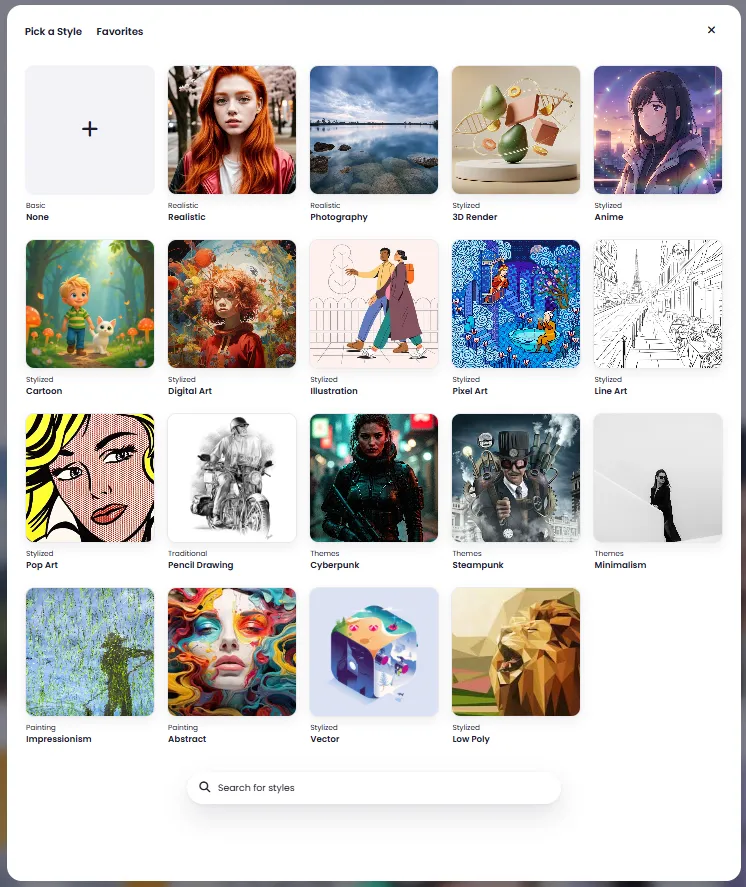
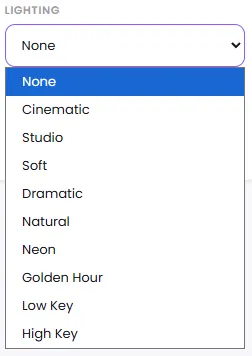
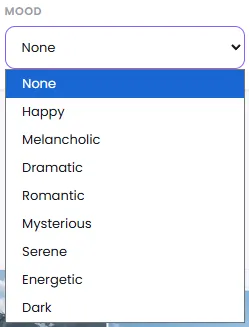
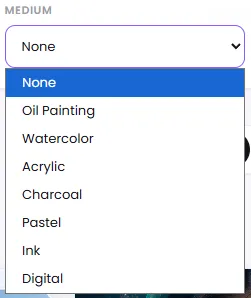
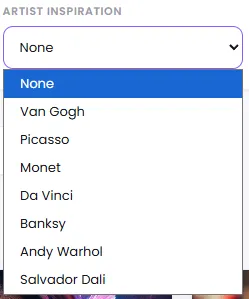
DeepFA AI Image Pro is a comprehensive, integrated environment for professional AI image generation and editing. This tool supports the most advanced image generation models including GPT Image, FLUX and Stable Diffusion, allowing you to precisely adjust lighting (Cinematic, Studio, Dramatic), mood (Happy, Mysterious, Dark), art style (Oil Painting, Watercolor, Digital) and draw inspiration from master artists like Van Gogh, Picasso and Monet to achieve exactly the image you have in mind. Vector (SVG) output is also available for graphic designers and logo creators.
What sets AI Image Pro apart from other image generation tools is 12 professional editing tools alongside generation: Merge Face for precise face replacement in images, Generative Fill for reconstructing empty and damaged areas, Remove Background for automatic subject-background separation, Upscaler for enlarging images up to 4x without losing clarity, Inpainting for adding new elements to specific image areas, Style Transfer for applying the artistic style of one image to another, and Image Relight for completely redesigning image lighting and atmosphere. All tools support personal image upload.
If you are looking for a comprehensive professional tool for AI image generation, AI image editing, photo upscaling, automatic background removal, or converting hand-drawn sketches into realistic images, DeepFA AI Image Pro delivers all these capabilities in one simple, fast and professional environment.
Full Control Over Generated Image Style and Appearance
From cinematic lighting to inspiration from world-famous artists — adjust exactly what you want.
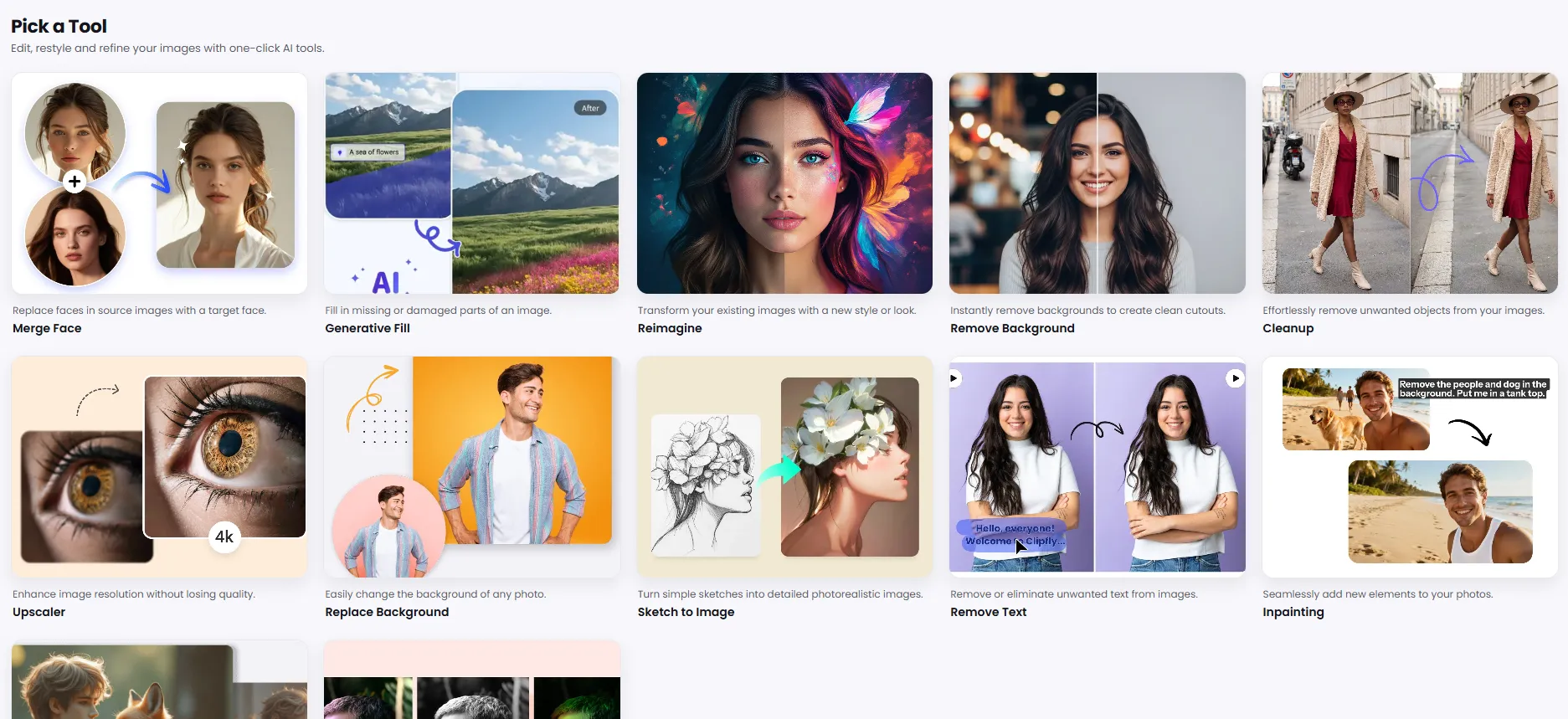
12 Professional Image Editing Tools in One Place
Beyond AI image generation, you have a complete suite of image editing tools at your disposal. Edit both your AI-generated images and personal photos with these tools.
Merge Face
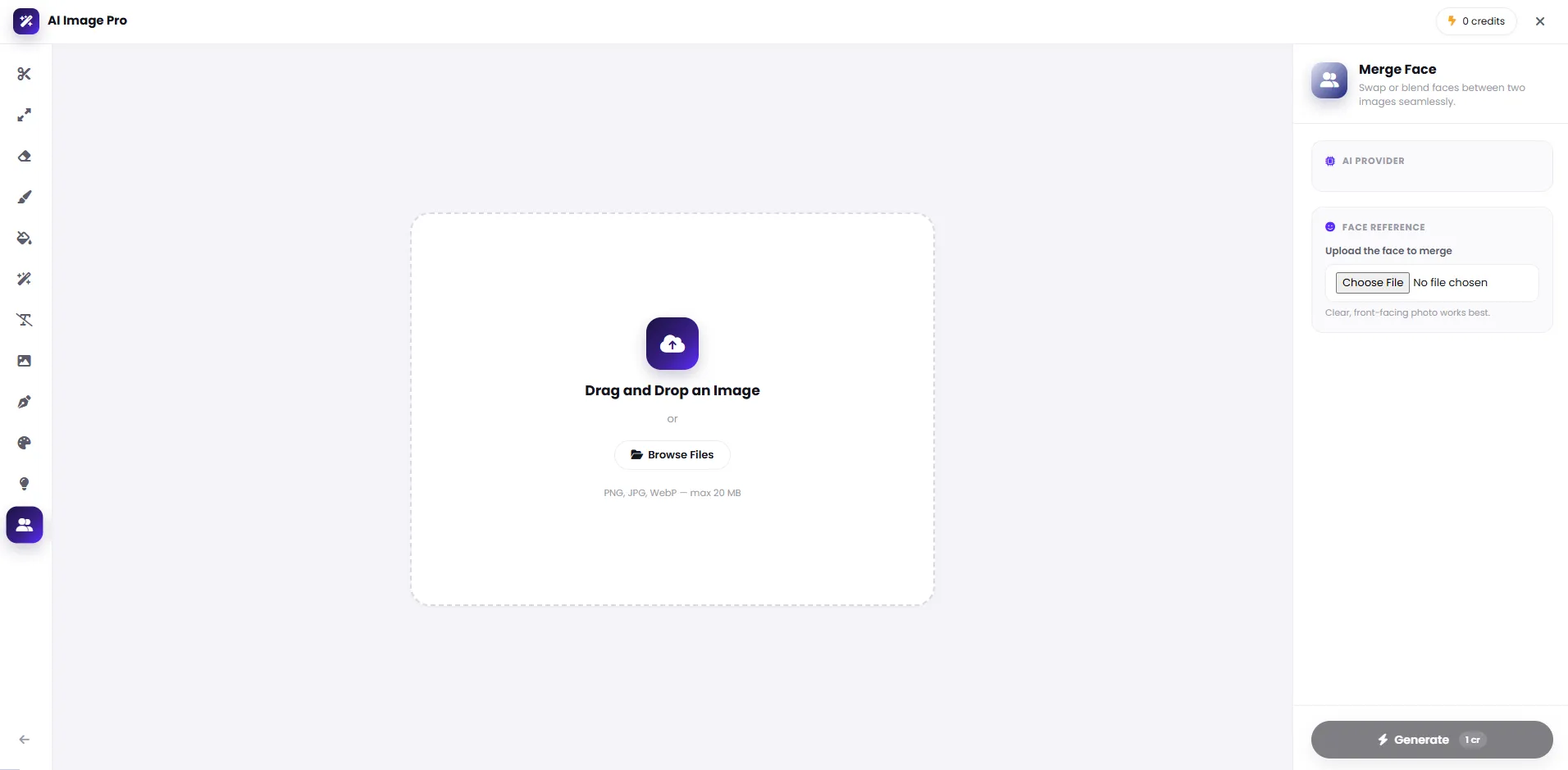
Replace any face in the target image with high accuracy. Perfect for creative portraits, group photo face swaps and professional image personalization.
Generative Fill
Fill empty, damaged or incomplete areas of an image with new AI-generated content — no Photoshop skills required.
Reimagine
Completely redesign the overall look and style of an image while preserving its structure and content. Turn a simple photo into a unique work of art.
Remove Background
Remove the image background with a single click, fully automatic. Precise result ready for any design or advertising project.
Cleanup
Remove unwanted objects, watermarks, extra text or any distracting elements from an image — no editing traces left behind.
Upscaler
Increase image resolution up to 4x without quality loss. Ideal for large-format printing, high-resolution displays and improving low-quality photos.
Replace Background
Replace the image background with any scene, color or environment you want — from a sunny beach to a modern office.
Sketch to Image
Convert simple sketches, hand-drawn art and paper drawings into realistic, high-quality images. Ideal for designers and illustrators.
Remove Text
Completely erase text, captions, subtitles and any writing from an image without leaving any traces.
Inpainting
Select a specific area of the image and add new elements using AI in that region — without altering the rest of the image.
Style Transfer
Transfer the artistic style of a reference image onto another. From oil painting to abstract art — unlimited style combinations.
Image Relight
Completely redesign the lighting, shadows and overall atmosphere of an image with AI — from golden hour glow to dramatic cinematic lighting.
AI Image Generation and Editing Models
DeepFA integrates with the world's best AI image generation models for the highest quality output. Each model has its own unique advantages and features.
FLUX
Fastest ModelBanana Pro
High QualityGPT-Image
OpenAI ModelStable Diffusion
Open SourceNano Banana
LightweightEach model is suited for specific use cases: FLUX for fast image generation, GPT-Image for image generation with deep text understanding, and Stable Diffusion for users who need finer control and more flexibility. Choose the model that best fits your project.
Why Choose AI Image Pro?
Benefits that basic image generation tools lack, and DeepFA AI Image Pro puts at your fingertips.
Full Output Control
Unlike basic image generators, AI Image Pro lets you precisely adjust lighting, mood, art style, famous artist inspiration and aspect ratio so the output matches your vision.
Generation + Editing in One Place
No need to switch between different image editing software. Create your image and immediately refine it with 12 professional editing tools — from background removal to upscaling.
Vector Output Support
For graphic designers and logo creators, vector (SVG) output is available. Vector images can be used at any size without quality loss.
Built-in Personal Gallery
All your generated images are saved in the personal gallery. Access previous images anytime, download them or re-edit them whenever you want.
Personal Image Upload
Editing tools support direct image upload from your device. Upload your photo and edit it with professional AI editing tools.
One-Click Editing Tools
Many editing tools like background removal, upscaling and cleanup work with just selecting the tool and uploading an image — no complex settings required.
Create Your Ideal Image in Four Steps
From writing a prompt to downloading a professional image — a fast and simple process.
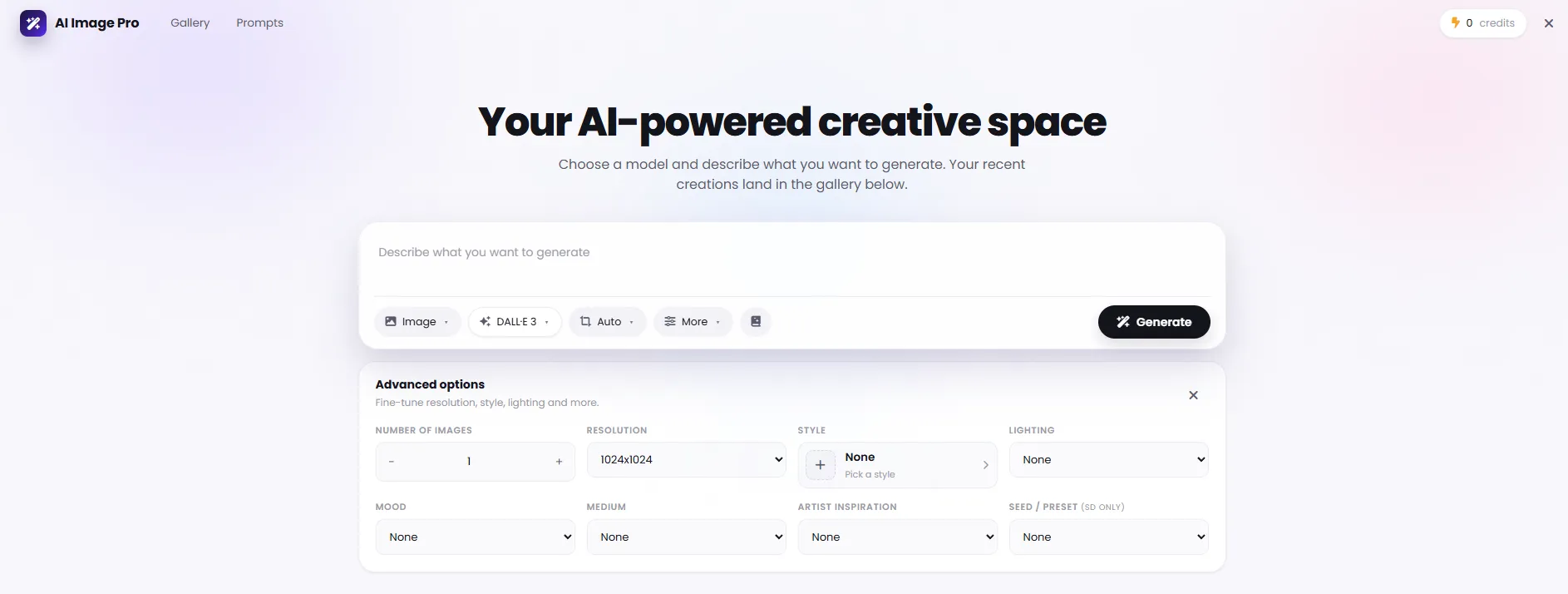
Write your prompt
In the text box, describe your desired image. The more details you provide, the more accurate your output will be.
Select model and aspect ratio
Choose your image generation model (e.g. FLUX) and the aspect ratio that fits your project (square, landscape, portrait).
Customize advanced settings
Set lighting, mood, art style and your preferred artist inspiration from Advanced Settings to make your output unique.
Hit Generate and edit if needed
After image generation, use the 12 professional editing tools to refine and enhance the result.
Who Is AI Image Pro For?
Anyone who needs more control and professional tools for image generation and editing.
Photographers
Increase photo resolution, change backgrounds and remove unwanted elements in seconds — without heavy software.
Graphic Designers
Create vector images, transfer artistic styles and convert sketches to realistic images — all in one place.
Online Stores
Prepare product photos with professional backgrounds and high quality to increase sales.
Content Creators
Create unique artistic images for social media posts and stories — inspired by the style of world-famous artists.
Marketers & Advertising
Create professional advertising images with cinematic lighting and precise mood matching your brand identity.
Game Developers & Artists
Create concept art, change your project's visual style and design characters with the Reimagine tool.
A Look Inside the AI Image Pro Interface
Simple, professional tool interface — click any image to enlarge.
What is AI Image Pro and what is it used for?
From advanced generation controls to 12 professional editing tools — everything you need to know about AI Image Pro.
AI Image Pro is an advanced version of basic image generation tools — instead of just getting one output from a text prompt, it lets you precisely set lighting, mood, art style and inspiration from famous artists. This means instead of trial-and-error with different prompts, you can define visual parameters upfront and reach the desired result faster.
The key difference from basic generators is having a full set of editing tools in the same environment. There's no need to leave the tool, upload the image to another service or use separate software — generation and editing happen in one place, and generated images are saved in a personal gallery for later access.
Advanced Generation Settings
Lighting (Cinematic, Studio, Dramatic), mood (Happy, Mysterious, Dark), art style (Oil Painting, Watercolor, Digital) and inspiration from artists like Van Gogh or Picasso can all be set — before the image is generated.
Choosing the Right Model for the Job
FLUX for fast generation, GPT-Image for deep text understanding, and Stable Diffusion for more control and flexibility — every project has its best-fit model.
One-Click Background Removal and Replacement
Separate the subject from the background or replace the background with any scene you want — useful for product photos and professional portraits.
Upscaling and Cleanup
Increase image resolution up to 4x without quality loss, or remove unwanted objects, watermarks and extra text without leaving any trace.
Face Merge, Style Transfer and Reimagine
Replace faces with high precision, transfer the artistic style of one image onto another, or redesign an entire photo's look while keeping its original structure.
Generative Fill and Sketch to Image
Fill empty or damaged areas of an image with new content, or turn a simple hand-drawn sketch into a realistic, high-quality image.
How you use it depends on your stage of work. If you don't have an idea yet, advanced settings (lighting, mood, style) help shape one; if you have an image that just needs fixing, editing tools like background removal or upscaling are the fastest route; and if you want to change a photo's overall look, Reimagine or Style Transfer is the better choice. The key point: there's no need to choose between these paths — they're all available in one integrated tool.
Tools That Pair with AI Image Pro
From image generation to editing and enhancement — the complete DeepFA AI image toolsuite
Frequently Asked Questions About DeepFA AI Image Pro
Answers to common questions about capabilities, models and how to use AI Image Pro.
Create Your First Professional AI Image Right Now
Free plan is active — no payment required, start right now