Subtitles that are part of the video
Upload a video or paste its link; the speech is recognised on its own, translated if you want, and written onto the picture in the style you choose — with the letters joined and the line running right to left, the way Persian is meant to be written.

Real Video Subtitles samples made with AI
What people have made with this tool, as it came out, with the prompt and AI model behind each.
AI Video Subtitles — Text On The Picture, Not In A Side File
DeepFA Video Subtitles listens to the speech in your video, turns it into text, and writes that text onto the picture itself with the right timing. Upload the video from your device or paste a direct link, pick a caption style, and get the subtitled video back — with no editing software and without typing a single line.
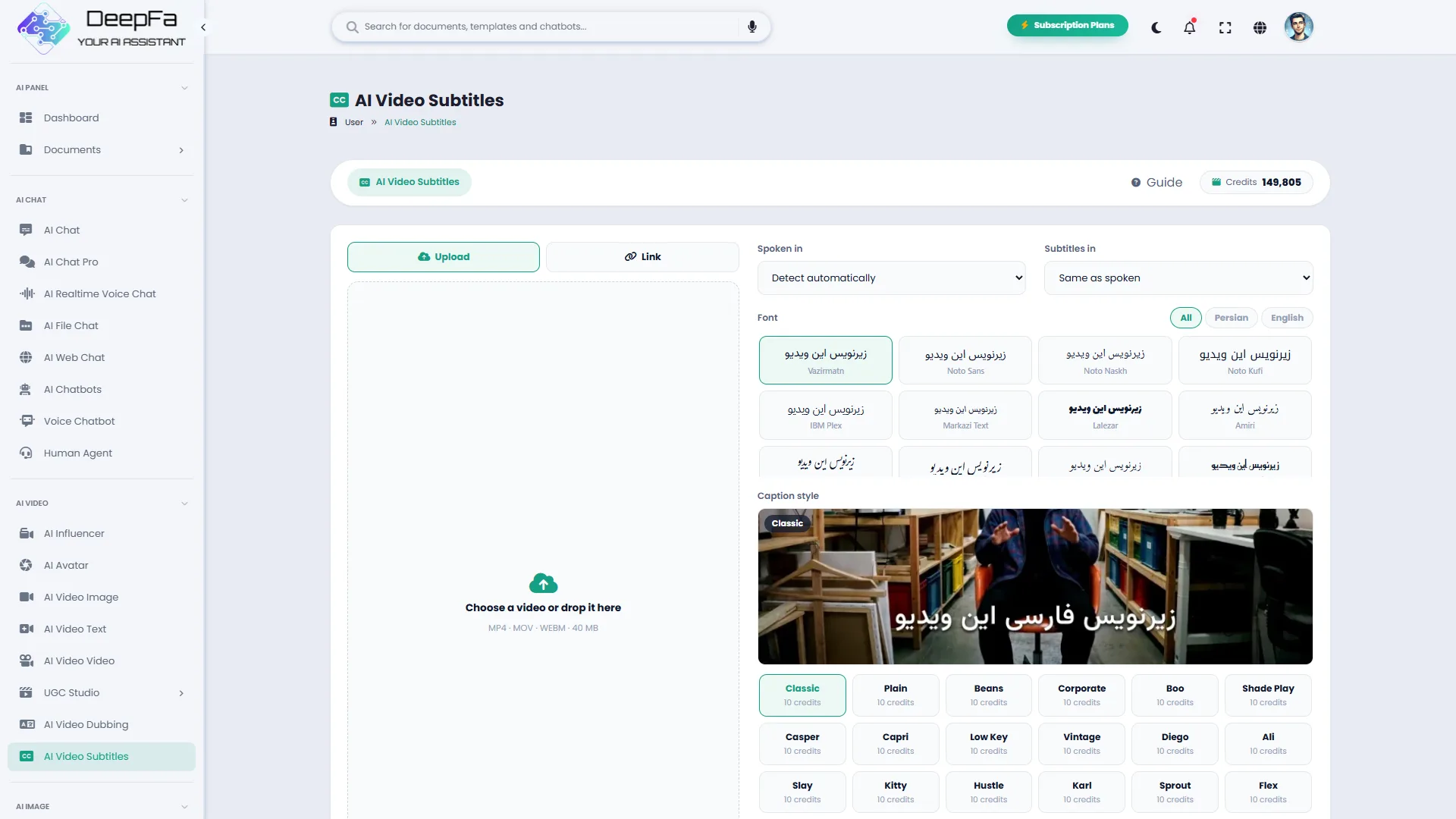
The thing that matters most for a Persian-speaking user is that Persian comes out right. A Persian subtitle needs two things many foreign tools do not do: the letters have to join, and the line has to run right to left. Without both, the output is unjoined or reversed and effectively unusable. Before releasing this tool we tested it on a real video with Persian text, and the default font is one with complete Persian glyphs.
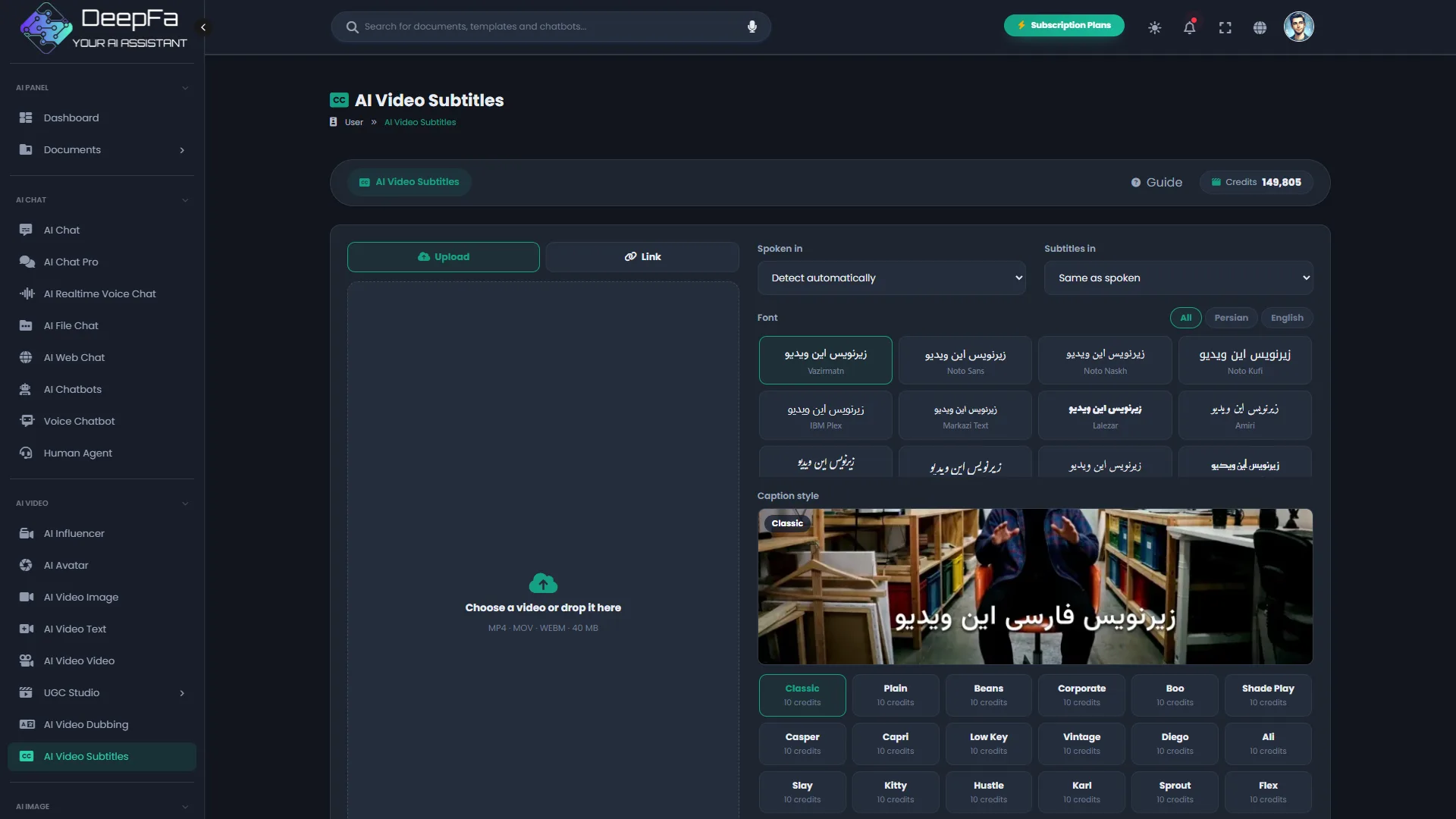
The spoken language and the subtitle language are chosen separately. You can leave the spoken language on automatic and only say which language the subtitles should read in; the text is then translated before it is drawn. The list covers Persian, Arabic, Turkish, Pashto, Urdu, English, German, French, Spanish, Russian, Chinese and several more.
There are thirty caption styles: twenty-one plain ones for tutorials and formal video, and nine animated ones that appear word by word, made for Reels and Shorts. The price follows the length of the video, by the minute, is written on the page before you start, and a job that fails returns its credits automatically.
Everything it takes to subtitle a video
From bringing the video to getting the subtitled version — all on one page.
A file or a link
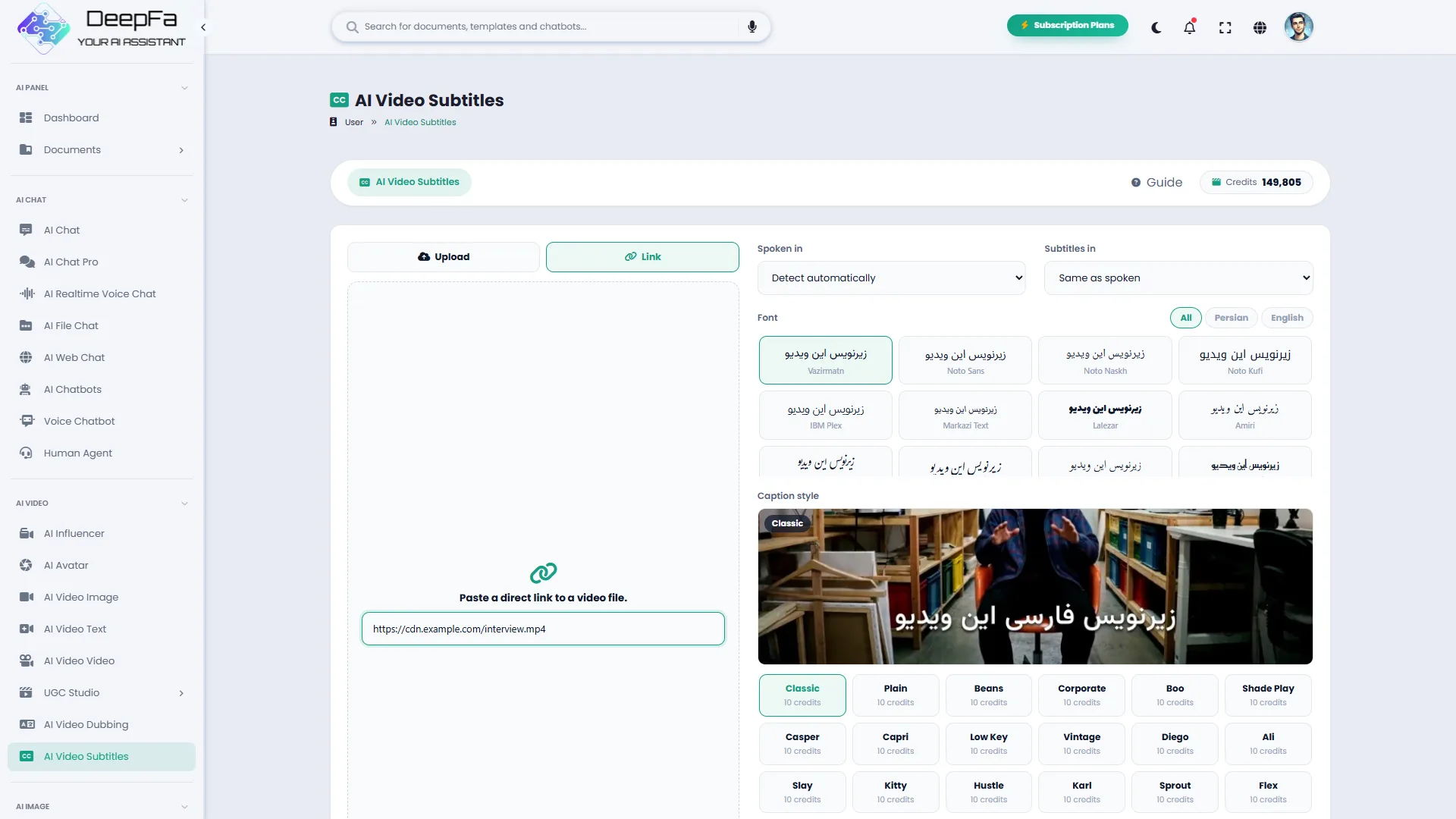
Upload the video from your device or paste a direct link to a video file.
Automatic speech recognition
The video’s language is detected on its own and each line is written with its own timing.
Thirty caption styles
From plain text and a shaded band to animated captions that appear word by word.
Your videos
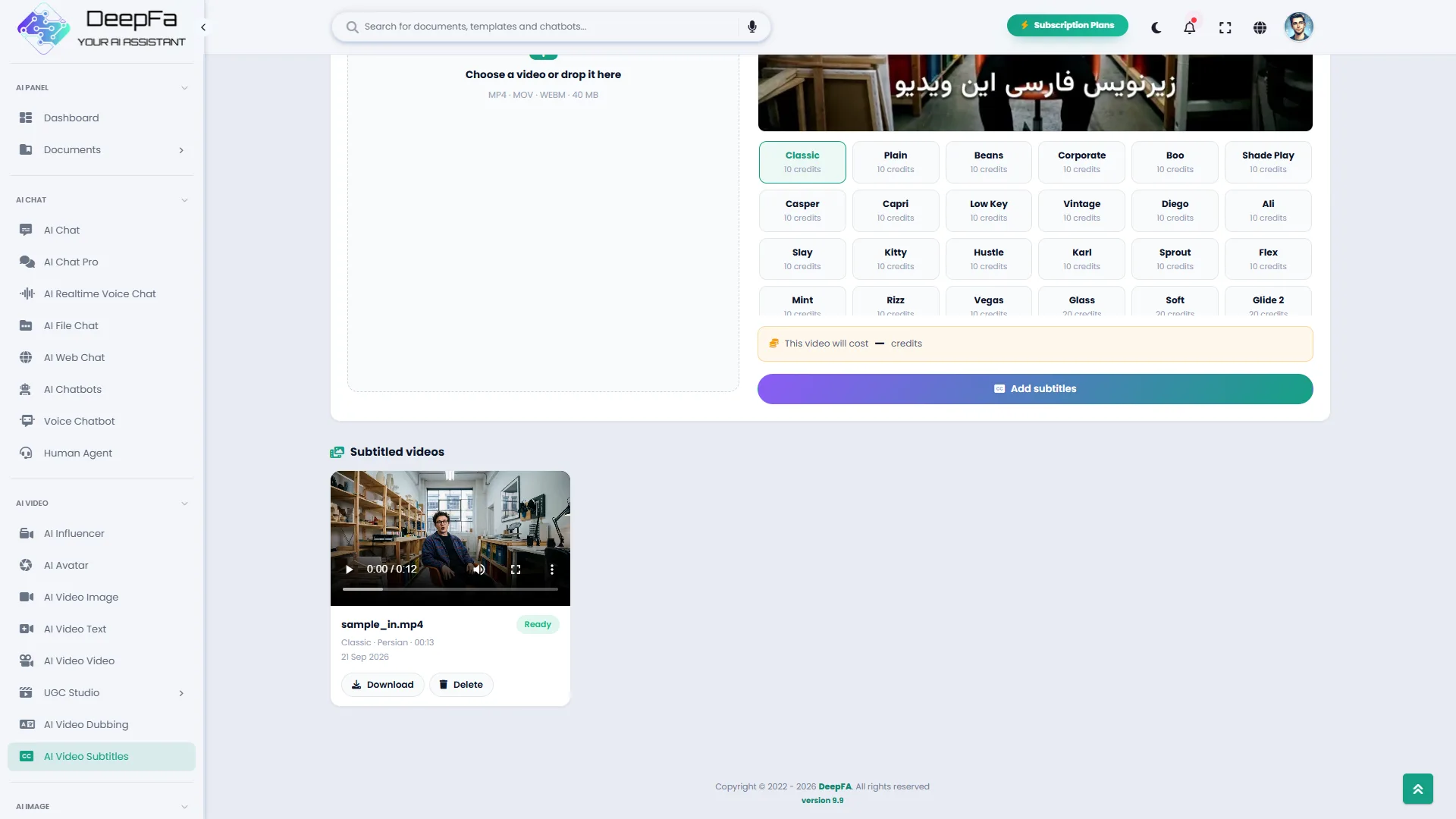
Every subtitled video stays in your list, with its status, playback and download.
From a bare video to one ready to publish in 4 steps
No editing software, no typing.
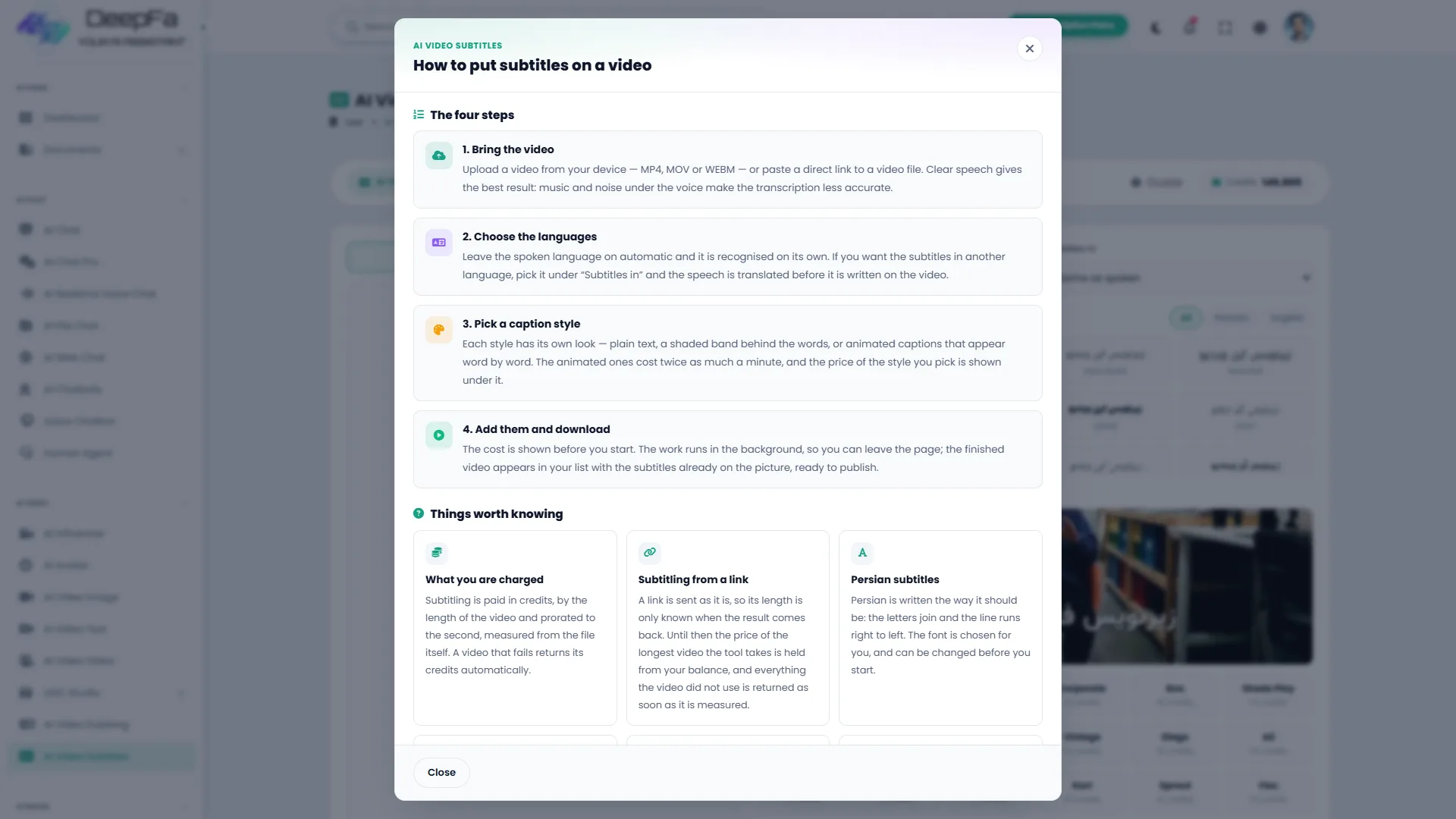
Bring the video
Upload an MP4, MOV or WEBM file, or paste a direct link to the video.
Choose the languages
Leave the spoken language on automatic, and pick another language if you want the subtitles translated.
Pick a caption style
Thirty ready styles, each with its price per minute. The font can be changed too.
Get the subtitled video
The cost is stated before you start. The work runs in the background and the finished video lands in your list.
Why DeepFA Video Subtitles?
A subtitle that used to take hours of typing and timing, now in minutes — and Persian comes out right.
Persian, written properly
The letters join and the line runs right to left — the thing most similar tools get wrong in Persian.
For the viewer with the sound off
Most people watch social video muted; a subtitle on the picture means your message reaches them too.
The subtitle is part of the picture
Not a separate file a player has to support; wherever the video goes, the subtitle goes with it.
Subtitles in a language other than the speech
An English video with Persian subtitles, or a Persian video with Arabic and English ones — with nothing extra to do.
Thirty styles, each with a real preview
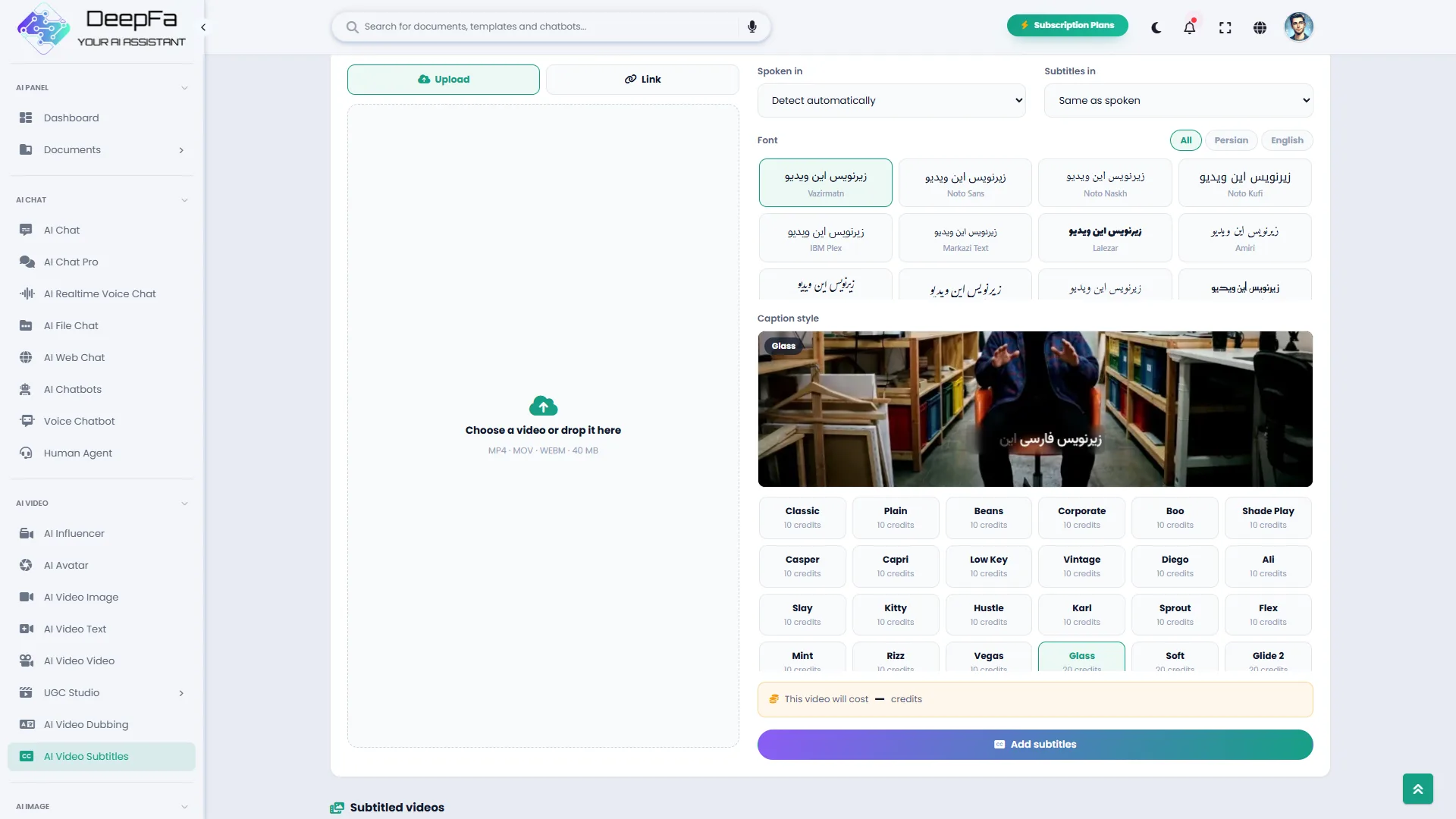
You see the real picture of each style before you choose it, not just its name. Quiet text for a tutorial, word-by-word animated captions for Reels and Shorts.
The price before, not after
The price follows the length of the video and is shown before you start; a job that fails returns its credits automatically.
Behind a subtitle
Four things happen one after another, with nothing for you to do.
The speech is heard
The video’s language is detected on its own and the speech is turned into text.
Each line is timed
It is worked out from which second to which second each line should stay on the picture.
It is translated if you asked
If the subtitle language differs from the spoken one, the text is translated before it is drawn.
It is written onto the picture
The text is rendered onto the video in your chosen style and font, and the final video is made.
Who are video subtitles for?
Anyone who publishes video and wants it understood with the sound off.
Reels and Shorts
Animated captions on short video, for the viewer watching muted
Courses and training
Subtitled lessons for faster review and for anyone who cannot use sound
Creators
Persian subtitles on a foreign video, or English ones on your own
Businesses
A product video that makes sense in the feed, without sound
Video podcasts
Short subtitled clips for social networks
Company training
Subtitled internal video, for teams working in noisy places
A look inside Video Subtitles
Real screens from the dashboard — click any image to enlarge.
Other DeepFA video tools
Dub, subtitle or lip-sync?
For the lowest cost, automatic subtitles; for viewers who do not read subtitles, voice dubbing in the speaker's own voice; when the speaker's face is on screen, lip-sync dubbing.
| Way | What it does | Good for | Cost (a minute) |
|---|---|---|---|
|
Automatic subtitles
Lowest cost
|
The original voice stays; the translation is written on the video | Lessons, interviews, talk-heavy videos | 250 credits about 50,000–75,000 Toman |
| Voice dubbing | Speech in the target language in the speaker's voice, lips unchanged | YouTube, courses, training | 1,500 credits about 300,000–450,000 Toman |
| Lip-sync dubbing | Translated speech with the lips moved to match | Face-to-camera and social videos | 7,500 credits about 1,500,000–2,250,000 Toman |
|
Precise lip-sync dubbing
Most natural
|
Closer lip-sync for close-ups | Ads and brand video | 15,000 credits about 3,000,000–4,500,000 Toman |
This table is built from DeepFA's current models and prices and changes the same day a price changes or a model is added. Toman follows what a credit costs in the plans and packs (about 200–300 Toman); each job's exact cost is shown before it is made, and credit is returned if it fails.
Translating a 5-minute video, each way
- Automatic subtitles (plain)1,250 creditsabout 250,000–375,000 Toman
- Voice dubbing7,500 creditsabout 1,500,000–2,250,000 Toman
- Lip-sync dubbing37,500 creditsabout 7,500,000–11,250,000 Toman
- Precise lip-sync dubbing75,000 creditsabout 15,000,000–22,500,000 Toman
Questions people ask about video subtitles
Subtitle your first video today
Sign up free and get your video back with subtitles in minutes