AI Speech to Text
Upload audio, get accurate text
Convert your audio and video files to accurate text with AI. Live transcribe conversations, speeches and meetings in real-time. Supports large files up to 500MB and multiple languages.
AI Speech to Text — Audio File Transcription & Live Conversation Transcribe
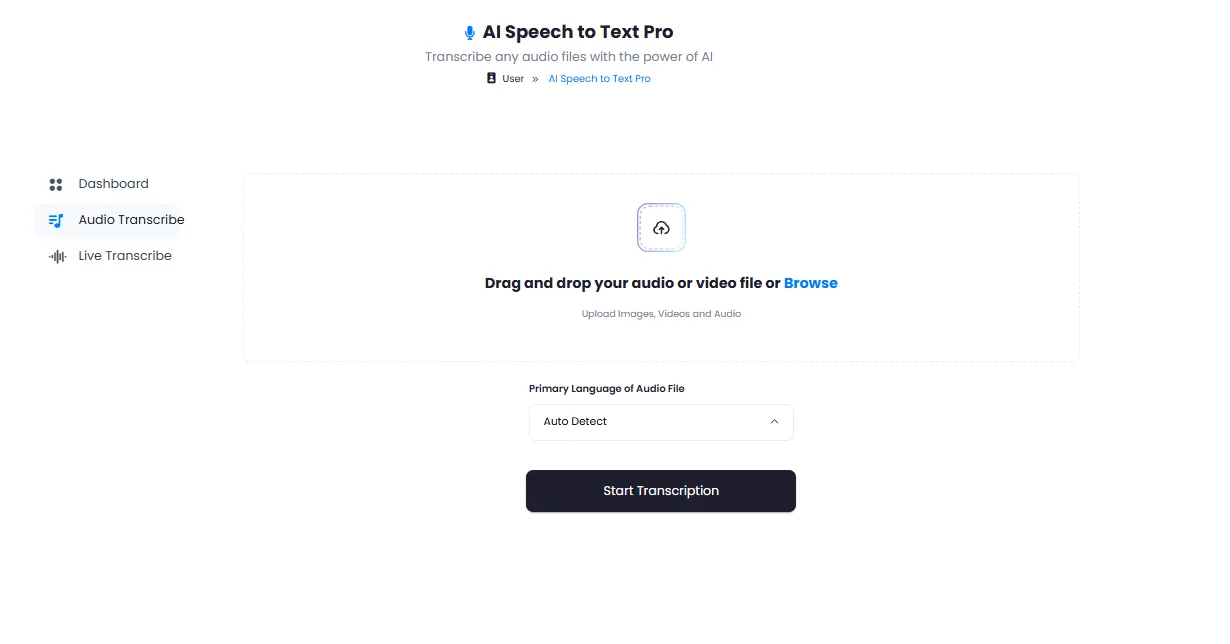
DeepFA's AI Speech to Text tool uses advanced artificial intelligence to accurately transcribe audio and video files to text. Simply upload your audio file and receive the accurate transcript in minimal time. Files up to 500MB are supported, and common audio formats like MP3, WAV and OGG as well as video formats are processable. This tool is ideal for anyone who needs fast and accurate voice-to-text conversion — from students and journalists to lawyers and healthcare professionals.
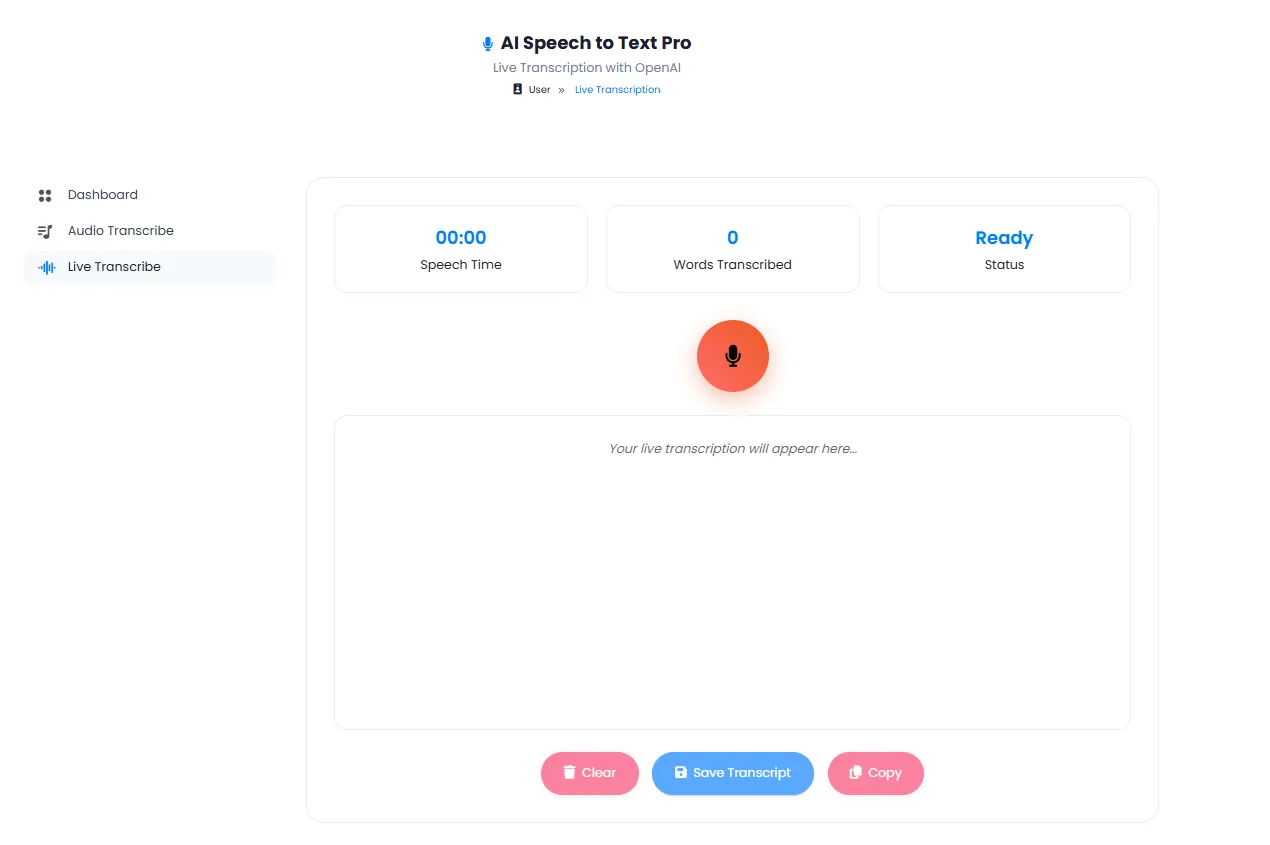
Beyond file transcription, DeepFA's live transcription tool enables real-time conversion of conversations, speeches and meetings to text. Just activate your device's microphone and text appears on screen as you speak. This feature is invaluable for journalists conducting interviews, students in class, lawyers in legal proceedings and anyone needing simultaneous transcription.
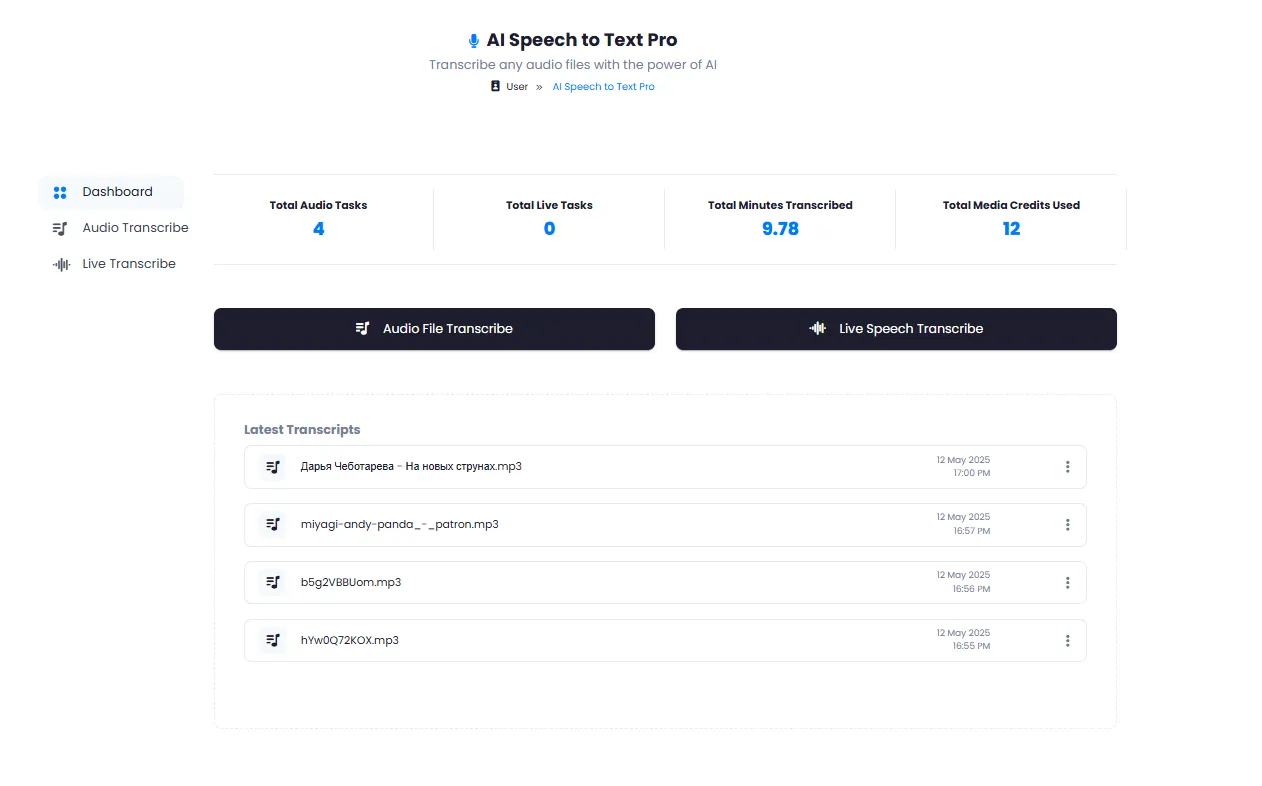
Detailed usage statistics show your total audio tasks, live transcription tasks, minutes transcribed and media credits used. All transcribed files are saved in history with exact date and time and are accessible for re-download anytime. Persian, English, Arabic and many other languages are supported with high accuracy.
Key Features of the AI Speech to Text Tool
Everything you need for audio transcription — from files to live conversations
Audio & Video File Transcription
Upload any audio or video file and receive an accurate, clean text transcript with AI.
Live Transcription of Conversations & Speeches
Transcribe live conversations, speeches or meetings in real-time as you speak.
Detailed Usage & Performance Stats
View total audio tasks, live tasks, minutes transcribed and credits used.
Complete Transcription History
All transcribed files saved with date, time and quick text access — always retrievable.
Download Transcribed Text
Download the transcribed text and use it anywhere — from text editors to content management systems.
Persian & Multi-Language Support
Supports Persian, English, Arabic and many other languages with high accuracy.
Get your text in 4 simple steps
Simple, fast and highly accurate — no software installation needed
Choose Transcription Type
Choose between uploading an audio file for transcription or live transcribing a conversation.
Upload Audio File or Start Live Recording
Upload your audio or video file or activate the microphone for live conversation transcription.
Smart AI Processing
AI analyzes the audio file or live conversation and converts it to text with high accuracy.
Receive, Edit & Download Text
View and edit the transcribed text, download in your preferred format or save to history.
Who uses the AI speech-to-text tool?
From call centers and hospitals to content creators and journalists — anyone who needs audio transcription.
Call Centers
Transcribe customer phone calls for service quality analysis and staff training
Education
Transcribe lectures, classes and webinars for study notes and learning materials
Journalism & Media
Convert audio interviews to publication-ready text for editing
Legal
Accurate transcription of court hearings, depositions and legal proceedings
Healthcare
Convert doctors voice reports and visit notes to accurate text documentation
Content Creation
Generate subtitles and text for videos, podcasts and audio content
Why speech to text with DeepFA?
The most accurate and fastest audio transcription tool in one simple environment.
High AI Transcription Accuracy
Advanced AI recognizes speech with high precision and produces clean, publication-ready text.
Fast Audio File Processing
Audio and video files are processed in minimal time and text is delivered immediately.
Real-Time Live Conversation Transcription
Text appears on screen simultaneously as you speak — ideal for meetings, speeches and interviews.
Large File Support up to 500MB
Upload large audio and video files without issues and receive their accurate transcripts.
Complete Usage Statistics & Reports
Track tasks, transcribed minutes and credits used with complete detailed reports.
File History & Quick Access
All transcribed files are stored in history and accessible for re-download anytime.
Simple and practical AI speech-to-text interface
Screenshots of DeepFA speech-to-text tool — click any image to enlarge.
What is AI speech to text and how does it work?
From audio file transcription to live conversation transcription — everything you need to know about automatic speech-to-text conversion with AI.
AI speech to text is a process where advanced deep learning models analyze recorded audio or live audio streams and convert them into accurate, usable text. Unlike the traditional method of listening to an audio file and typing manually, this tool delivers text in seconds or in real time. The key difference from simple speech‑to‑text converters lies in two separate, purposeful modes: "Audio File Transcription" for recorded files (up to 500MB) and "Live Conversation Transcription" for real‑time conversion of live speech. Both modes run with high accuracy and support Persian and multiple other languages.
At DeepFA, speech‑to‑text is performed with support for common audio formats (MP3, WAV, OGG) and video formats. Clear audio files without background noise give the best accuracy. After processing, the transcribed text appears in an editor where you can edit, download or save it to history. Detailed usage statistics show total audio tasks, live transcription tasks, minutes transcribed and media credits used. This tool is ideal for call centers, universities, journalists, lawyers, doctors and content creators.
Two transcription modes — uploaded files and live conversations
Mode one: upload an audio or video file (up to 500MB). AI analyzes the file and delivers accurate text. Mode two: activate the microphone and text appears on screen in real‑time as you speak — ideal for meetings and speeches.
Transcription accuracy — clear files, precise results
The clearer and more noise‑free your audio file is, the higher the transcription accuracy. DeepFA AI models are optimized to recognize different accents and specialized vocabulary.
Usage statistics — transparent and trackable
On the analytics page, see total audio tasks, live transcription tasks, minutes transcribed and media credits used. No hidden fees — everything is transparent.
Full history and file re‑access
All transcribed files are saved in history with exact date and time. View the text again, re‑download or delete anytime. No worries about losing files.
Support for Persian and multiple languages
The tool supports Persian (Farsi), English, Arabic and many other languages. Select your preferred language from the menu and transcription runs in that language.
Integrated with other AI audio tools
Send the transcribed text directly to other DeepFA tools such as Text‑to‑Speech or Sound Studio for a complete, automated workflow.
For best results in speech‑to‑text conversion, use high‑quality audio files without background noise. For live transcription, use a good quality microphone and a quiet environment. If you need even higher accuracy, split the file into shorter segments. Always review and edit the transcribed text before final use — AI is very accurate but human review guarantees final quality. All transcribed files are saved in history and always accessible.
More AI Audio & Music Tools
From music generation and voiceover to voice cloning and sound studio — all tools together
AI Speech to Text — frequently asked questions
Answers to the most common questions about audio file transcription and live conversation transcribe.
Start audio transcription right now
DeepFA sign up is free — no payment information required