Customers, deals and invoices all in one place
DeepFA AI CRM replaces the scattered spreadsheets and phone notes: contacts, companies, pipelines, tasks, invoices and payments in one place — with an AI assistant that scores your leads and writes the follow-up.
AI CRM — Customer Relationship Management, Done Properly
DeepFA AI CRM is a complete customer relationship manager that runs inside your own dashboard. Every person and company you deal with gets a page: contact details, tags, an owner, notes, open tasks and the full conversation history. No more digging through a spreadsheet, a notebook and your phone to remember what you last agreed.
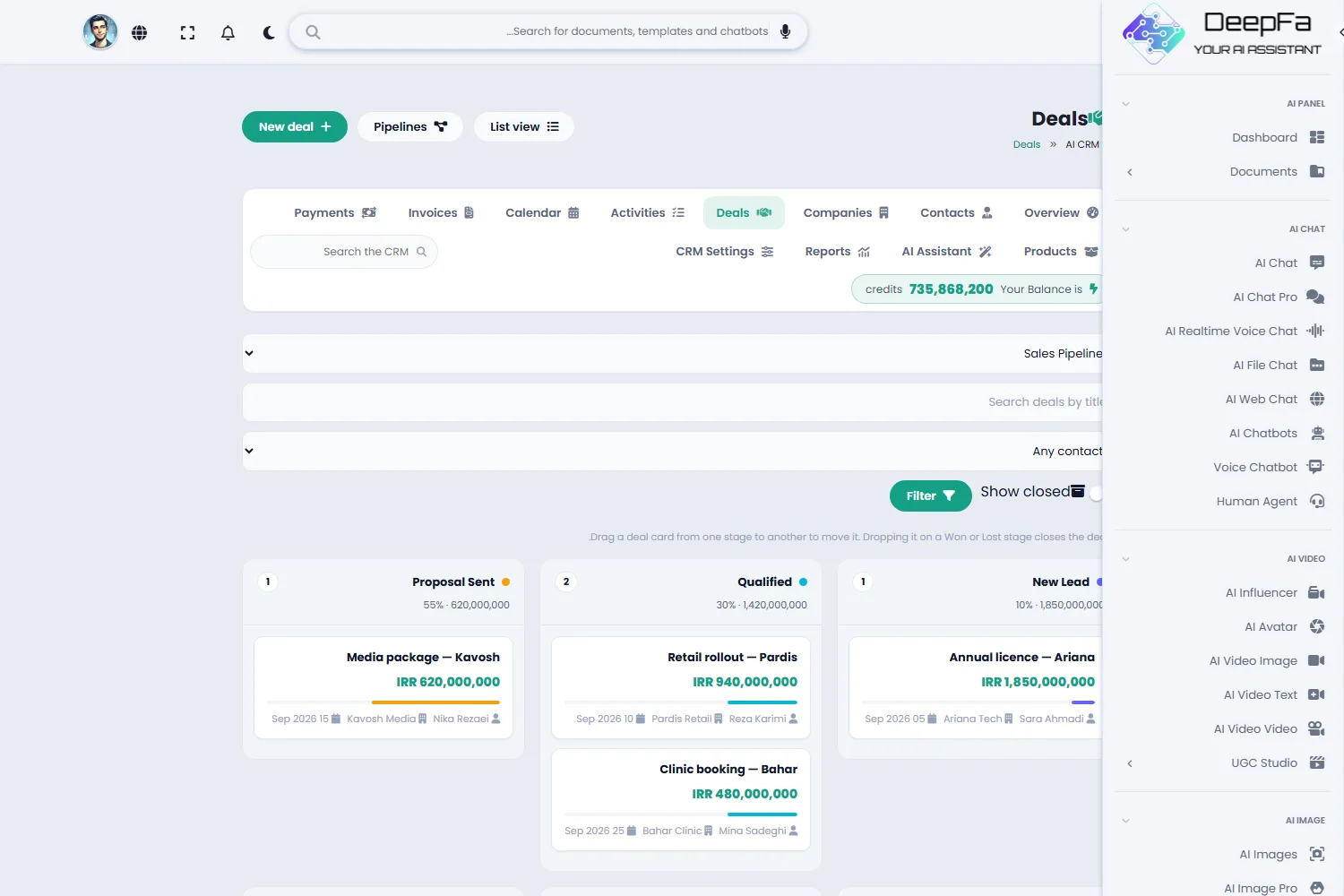
Sales are run on pipelines. Each pipeline has its own stages and you move deals along by dragging the card; the total value sitting in each stage is shown at the top of its column, so you can see where the money is stuck. You can run several pipelines side by side — one for new business and one for renewals, for example.
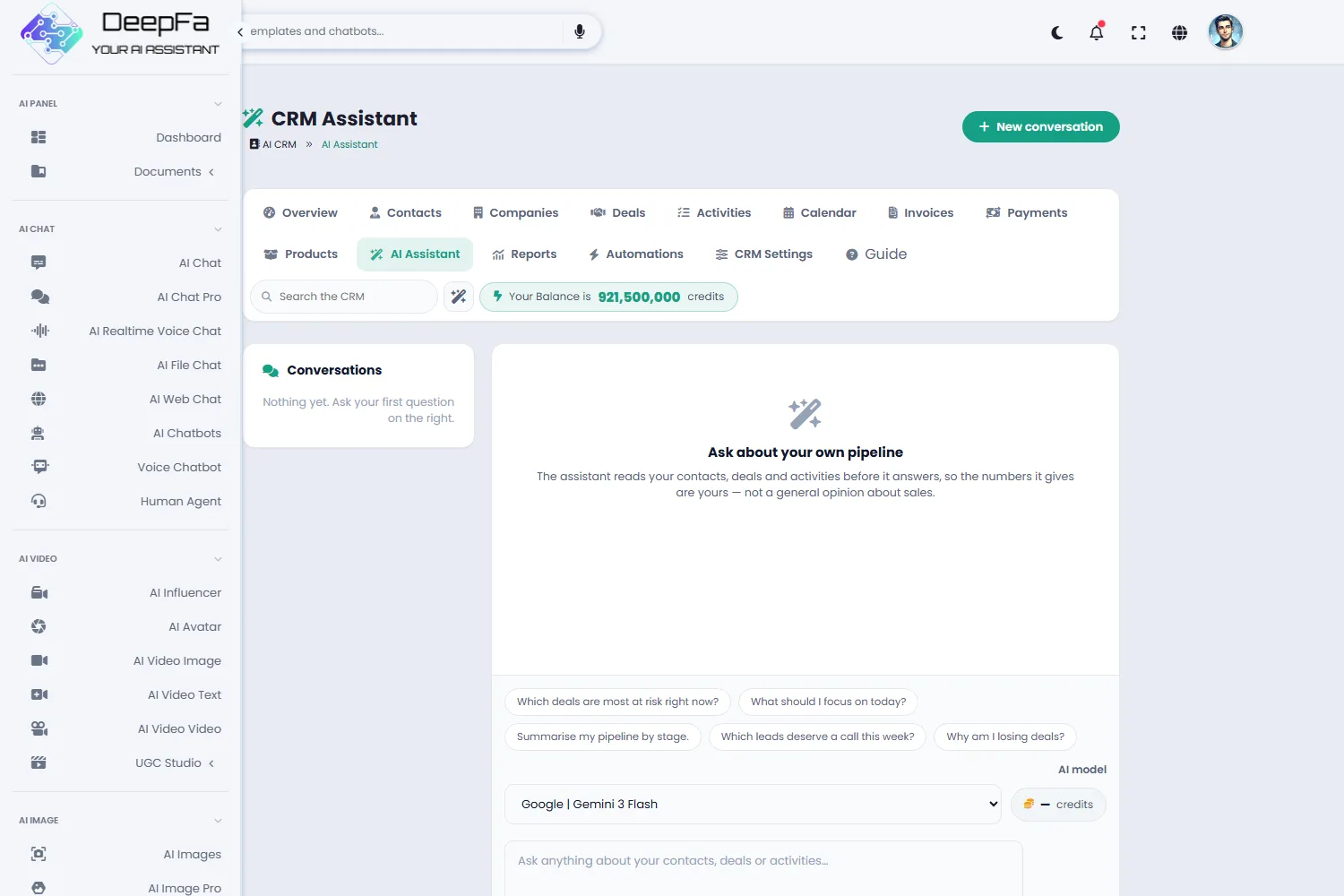
The AI here is not decoration: it scores leads and explains the score, suggests the next move on a deal that has stalled, writes follow-up emails and messages, summarises a long contact history, estimates the likely value of a deal and pulls insights out of your sales data. The model it uses is chosen in the CRM settings.
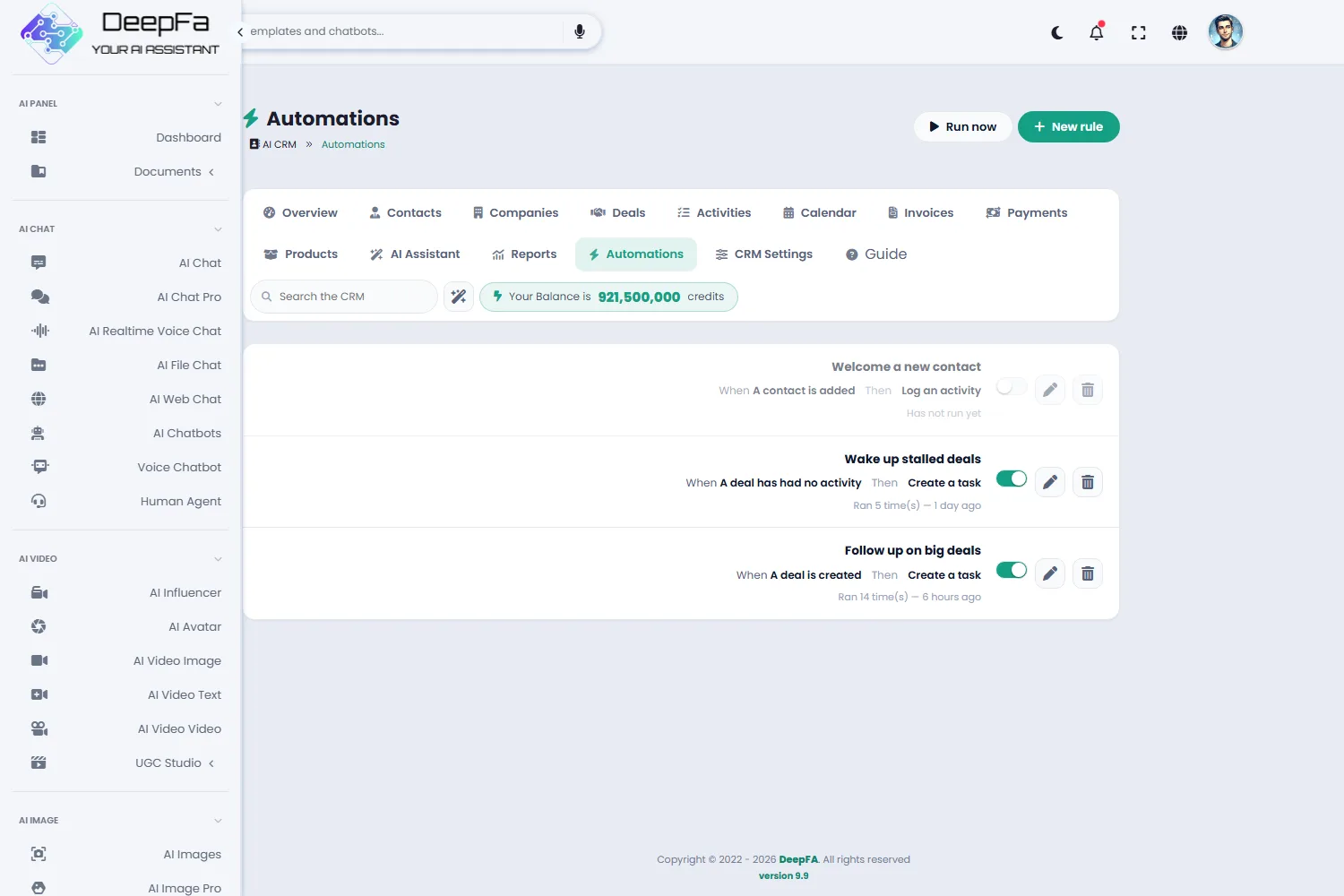
The repetitive work does not have to be done by hand either. In the Automations section you build rules — “when a deal opens above this value, create the proposal task”, “when a deal goes quiet for two weeks, raise a call reminder” — and they run without you being on the page. The message the assistant writes can be sent from the same dialog on email, WhatsApp or Telegram, and is logged on the contact’s timeline as it goes. And if you cannot remember the customer’s name but you remember what worried them, semantic search finds that note.
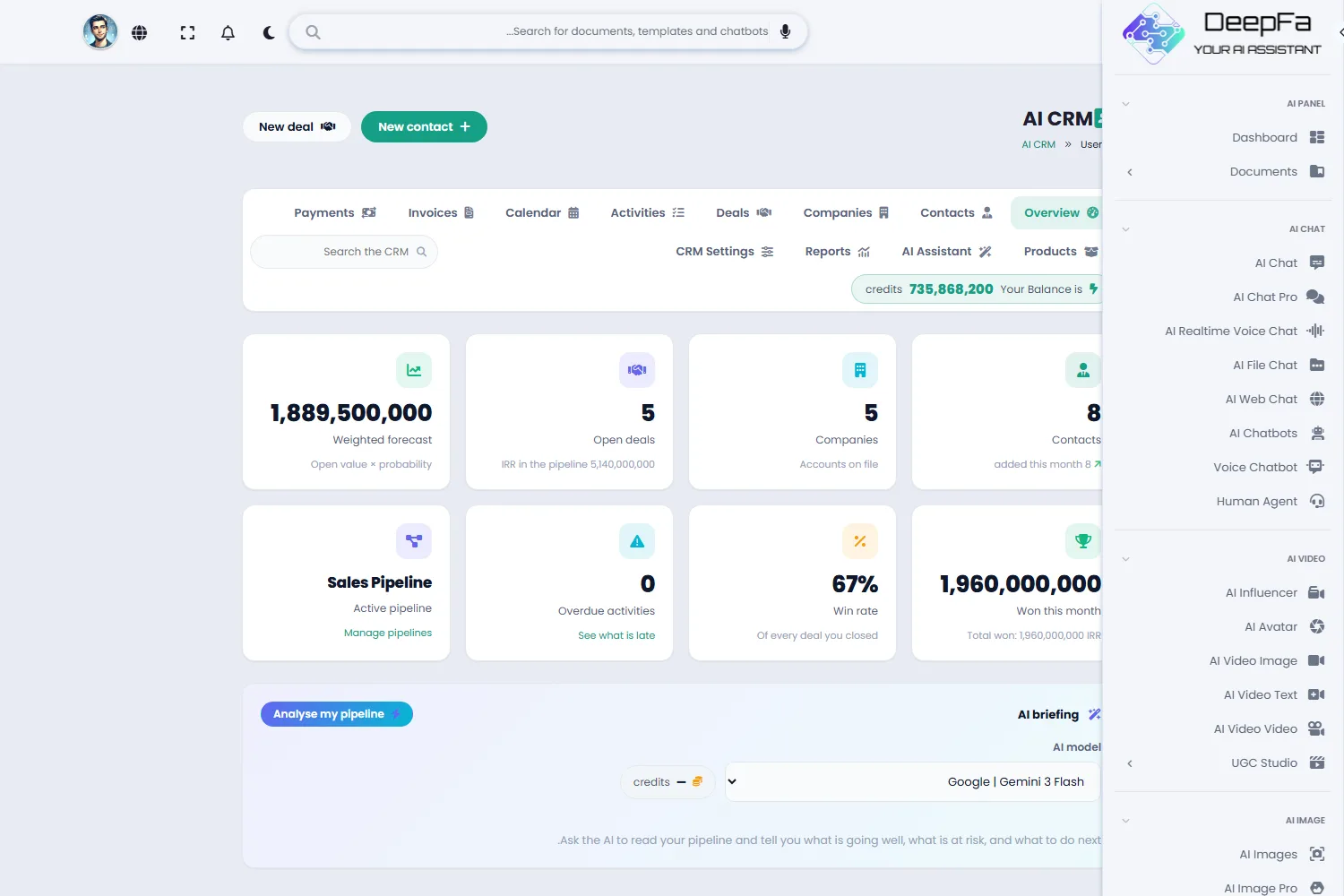
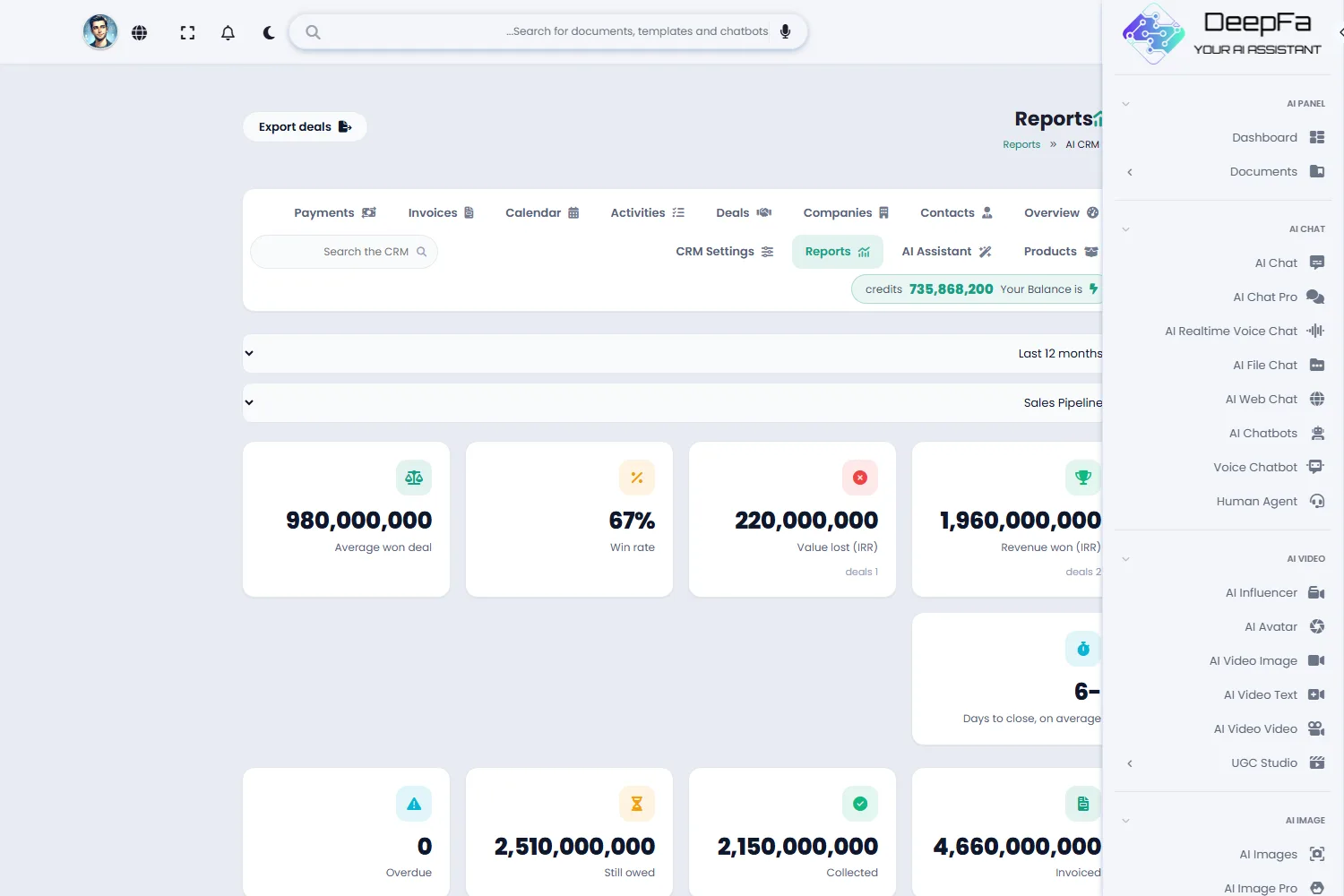
The performance report does not have to be pulled by hand either. Turn the period briefing on and a summary is written at the start of each week or month and waits on the Reports page — with the comparison against the previous period, the deals won and lost by name, the deals that have gone quiet, and a list of what to do next. Its figures are counted straight from your own records and stored beside the text, so every claim in the briefing can be checked.
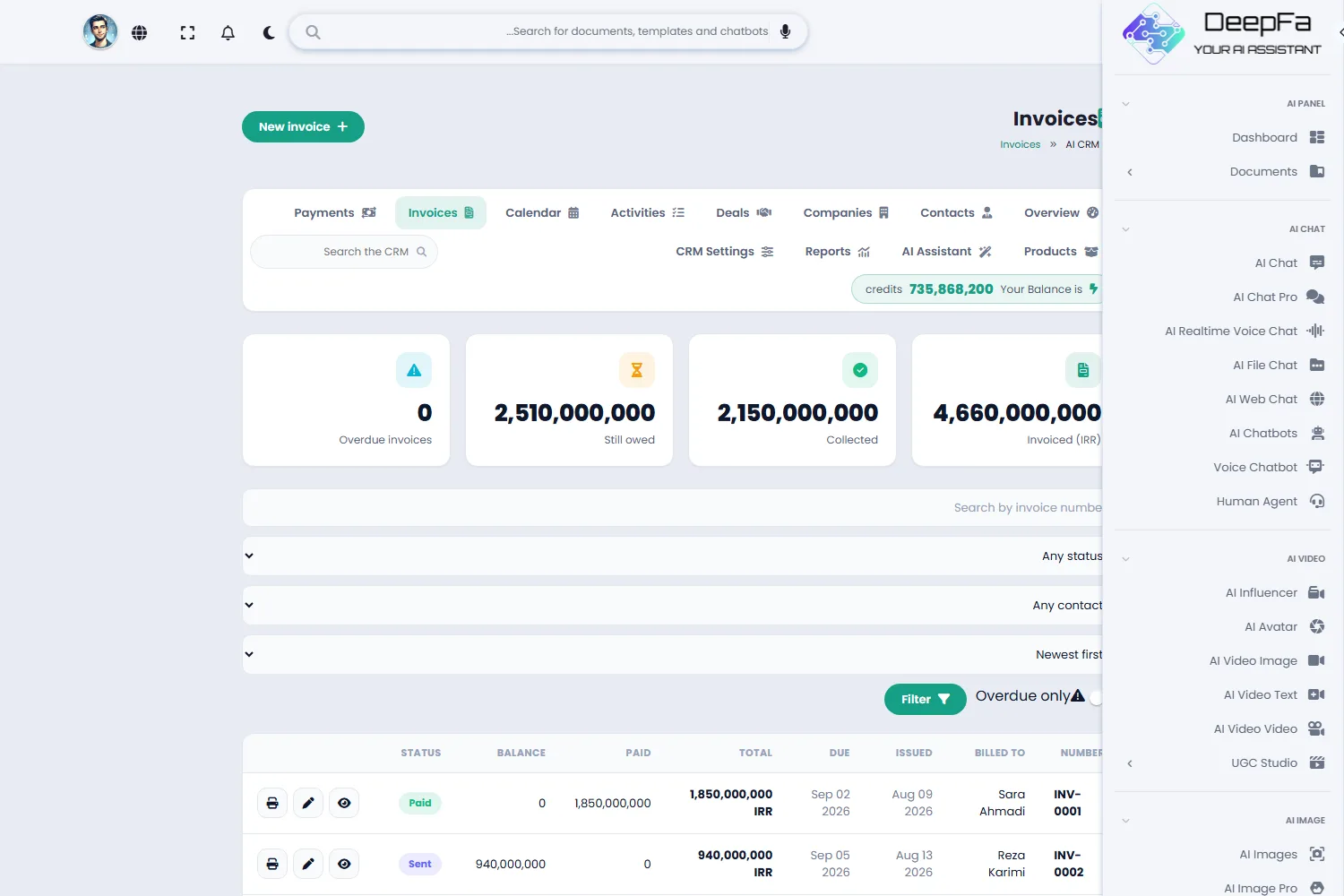
The money side is covered too: invoices are built from line items and products, payments are recorded against them, and each invoice balance is calculated for you. The default currency is the Iranian rial with three-digit grouping, and seven currencies are available. In Persian, dates display and are picked on the Jalali calendar. If you need a field the CRM does not ship with, you define it yourself — and you can export your data whenever you want.
7 modules that make one complete sales cycle
From the first call to the paid invoice — without moving between several tools.
Contacts and companies
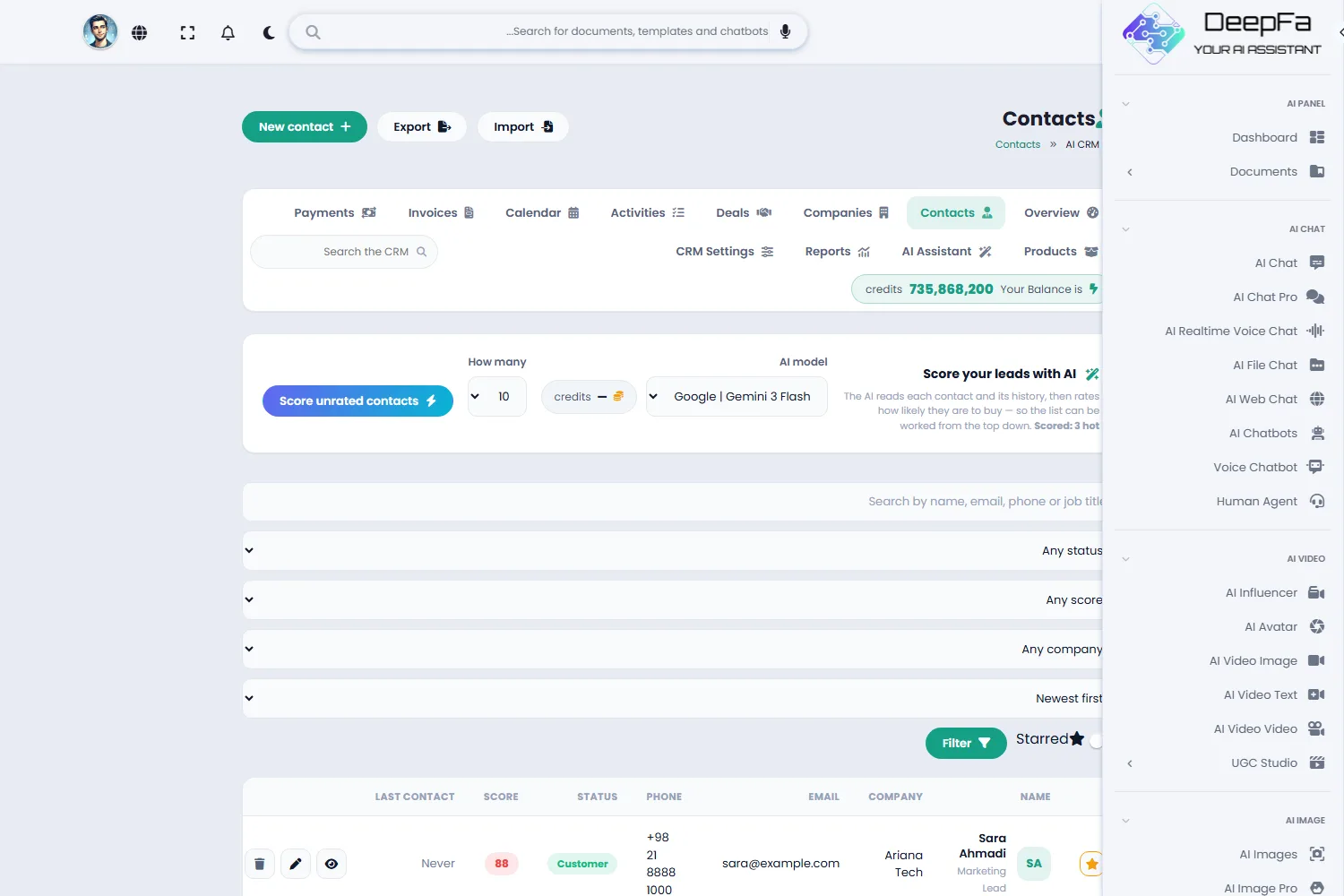
Every person and company you work with, with contact details, tags, the team member responsible, notes and the whole conversation history on one page — and a whole list brought in from Excel.
Pipelines and deals
Drag deals across a stage board. Several pipelines side by side, each with its own stages and a running total per column.
Tasks and calendar
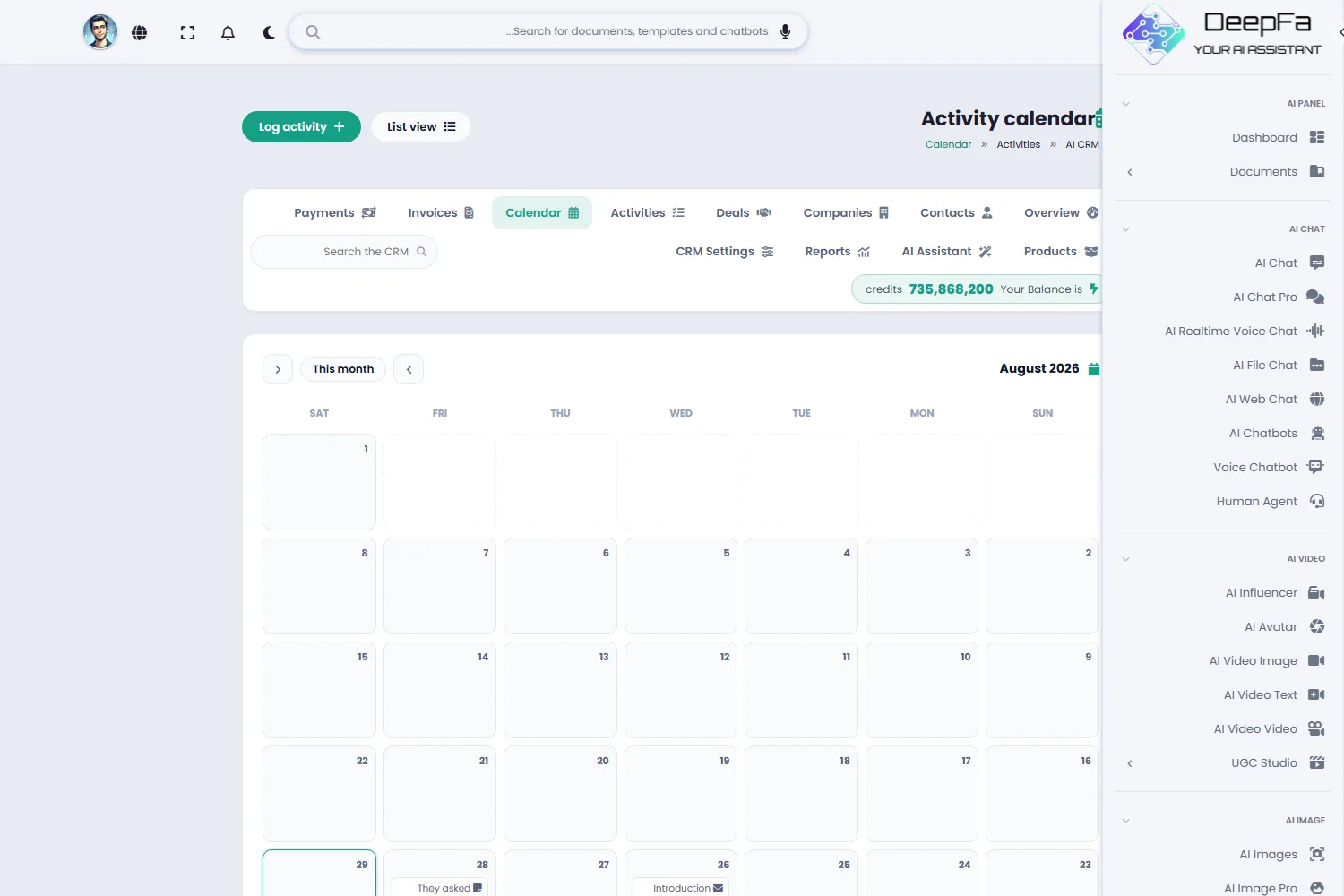
Calls, meetings, emails and reminders with due dates and priorities — as a list or on the calendar, tied to the contact and the deal.
Invoices and payments
Build an official invoice with your logo, economic code and the total in words, send it by link or email, record payments and cheques, and see each balance worked out for you.
Reports
Revenue, win rate, pipeline value, a three-month forecast and each team member’s share — plus a weekly and monthly briefing that writes itself and arrives by email.
AI assistant
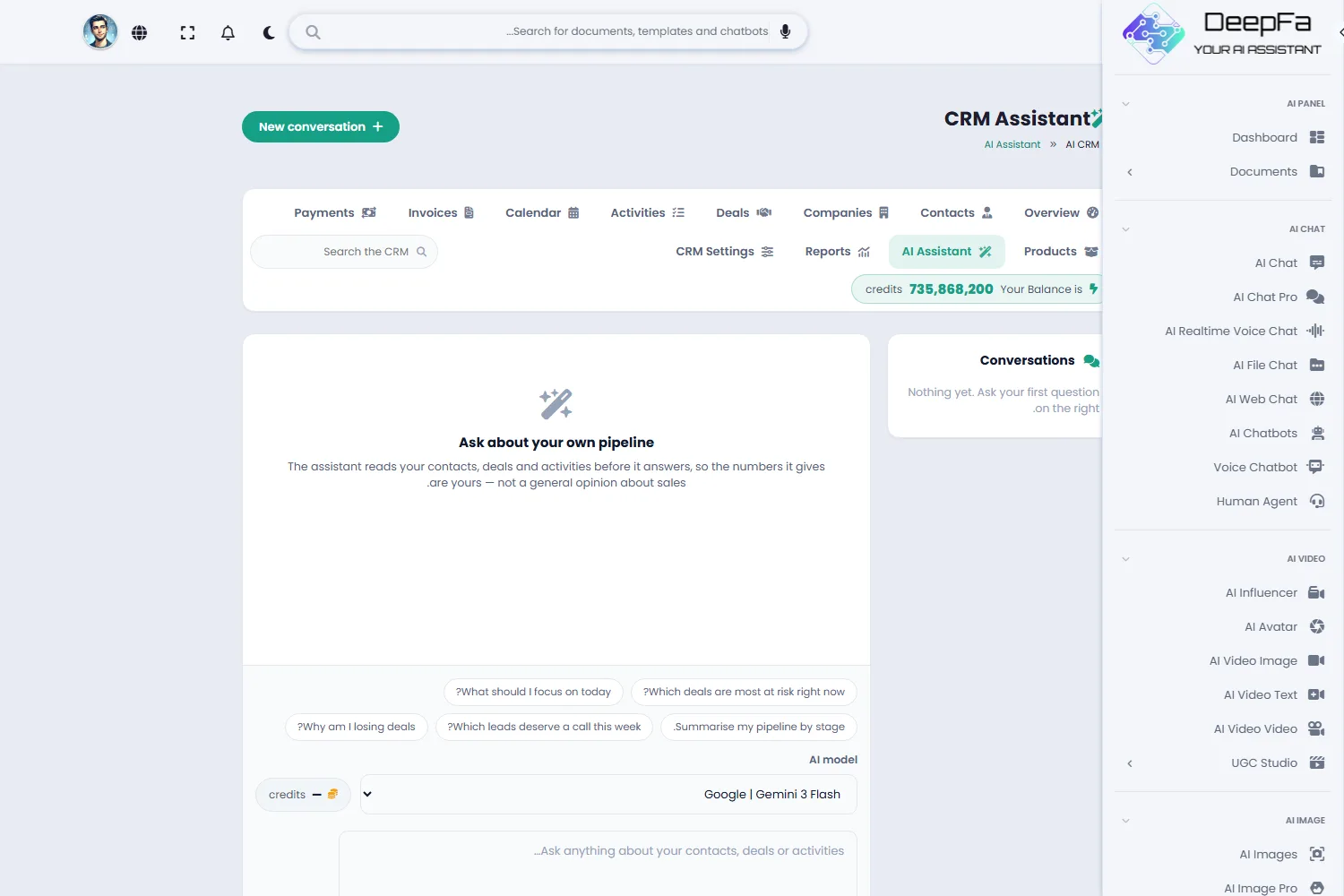
Lead scoring, next-step suggestions, follow-up messages, history summaries, a sales forecast — and an assistant that creates a task or moves a deal from one sentence.
Automation and channels
Build “if this happens, do that” rules, and send the drafted message on email, WhatsApp or Telegram without leaving the page.
Messages from social channels
With the Auto Reply extension, everyone who writes on Instagram, Telegram, WhatsApp, Bale or Rubika becomes a contact here, with the message and its answer on their timeline, and their mood, what they asked about and a readiness-to-buy score written onto that contact. An unhappy message can raise a follow-up task — optional, and can be switched off.
From nothing to a tidy CRM in 4 steps
No installation, no server setup, no multi-day training.
Bring your contacts in
Add the people and companies, tag them, and define any field you need that is not there by default.
Set up a pipeline
Define your own stages and lay the deals out on the board — moving them along by dragging the card.
Never drop a follow-up
Put a dated task on every deal, see it on the calendar and let the assistant write the follow-up message.
Invoice, measure, automate
Invoice the won deal, record the payment, let the reports show which stage is losing deals — and hand anything you repeat every time to a rule.
Why DeepFA AI CRM?
The things a foreign CRM either lacks or never gets right for a Persian team.
AI inside the CRM itself
Nothing has to be copied somewhere else. The lead score, the next step and the follow-up text are produced right next to the deal itself.
Jalali calendar, fully Persian interface
The date picker is Jalali, the dates display as Jalali, and the whole interface is built right-to-left — not a translation pasted onto a left-to-right layout.
Rial by default, seven currencies available
Rial amounts are grouped in threes, and if you work in another currency you change it in the settings — the whole CRM follows.
Your own custom fields
Every business tracks something no CRM ships with. Add a text, number, date, yes/no or select field and it appears on the forms.
Drag and drop, everywhere
Deals drag between stages and files can be dropped straight onto a card — with the accepted formats written right there.
The repetitive work runs itself
Set a rule: when a deal opens above a value, create the proposal task; when a deal goes quiet for two weeks, raise a call reminder. Rules cost no credits.
Send the message from here
Send the draft the AI wrote on email, WhatsApp or Telegram from the same dialog — and what you sent is logged on the contact’s timeline automatically.
A briefing you did not have to ask for
The week nobody looks at the numbers is the week worth looking at them. Switch it on once and the first day of each week or month a briefing is waiting: what happened, how it compares with the period before, and what to do next.
Built for a team
Every contact, deal and task has someone responsible, everyone can see just their own work, and whoever is handed something is told.
Official invoices and cheques
Economic codes and national IDs for seller and buyer, the total in words, an invoice link for the customer, and a cheque that only counts as paid once it clears.
Search by meaning, not spelling
You cannot remember the name, but you remember they were worried about the delivery time? Type that — the note that says so is found, even in different words.
The data stays yours
Each user sees only their own records, and the "Your data" section lets you export contacts, companies and deals whenever you want.
What the AI does with your sales data
The jobs that eat most of a salesperson’s day.
Leads get scored
The AI reads the contact, the company, the history and the deal value and returns a score from 0 to 100 — with its reasoning, not just a bare number.
A stalled deal gets a next move
The deal coach looks at where the deal stands and says where the risk is and what the sensible next action would be.
The follow-up gets written
A follow-up email or message is written for this specific contact and deal — as a draft for you to edit.
Insights come out of the data
Instead of reading the charts yourself, you get a summary of where deals are being lost and where the opportunity is.
The coming months get forecast
The AI puts the open pipeline next to your closed history and gives an estimate with a worst and best case — and the reasoning behind it.
The period briefing writes itself
On the first day of each week or month a summary is written for you: what was won and lost, how it compares with the period before, which deals have gone quiet and what to do next. Its figures are counted, not estimated.
One sentence gets the job done
Tell the assistant “make a task to call Ahmadi tomorrow” or “move the Acme deal to negotiation” — it does it and tells you what it did.
Who is the AI CRM for?
Any team with customers to follow up and nothing they can afford to drop.
B2B sales teams
Multi-stage pipelines, an owner on every deal and follow-ups that do not get forgotten
Freelancers and consultants
From lead to invoice to payment, without keeping three separate tools
Agencies
Clients, projects and billing side by side, with a report that says where the money comes from
Property and services
Every listing and client is a deal, with call reminders and a history that does not get lost
Schools and course providers
Enrolments as deals, tuition invoices and instalment follow-ups in one place
Startups
Start with a tidy CRM on day one instead of migrating out of a spreadsheet later
A look inside the CRM
Real screens from the dashboard — click any image to enlarge.
Tools that work well alongside the CRM
Questions people ask about the CRM
Get your customers organised today
Sign up free and build your first pipeline in minutes