AI RSS to Text
Generate Fresh Content from News & Blog Feeds
Enter any news site, blog or agency feed URL and AI will automatically generate fresh, unique, publication-ready text content for blogs and social media. Choose your own tone, creativity and output language.
Convert RSS Feeds to Unique Text Content with AI
DeepFA's RSS to Text tool reads any news website, agency or blog feed and generates completely fresh, unique and publish-ready text based on titles and content. Simply enter the feed URL, click fetch to load items, then configure your preferred settings including language, tone and creativity level to let the system automatically generate new content ready for editing and publishing.
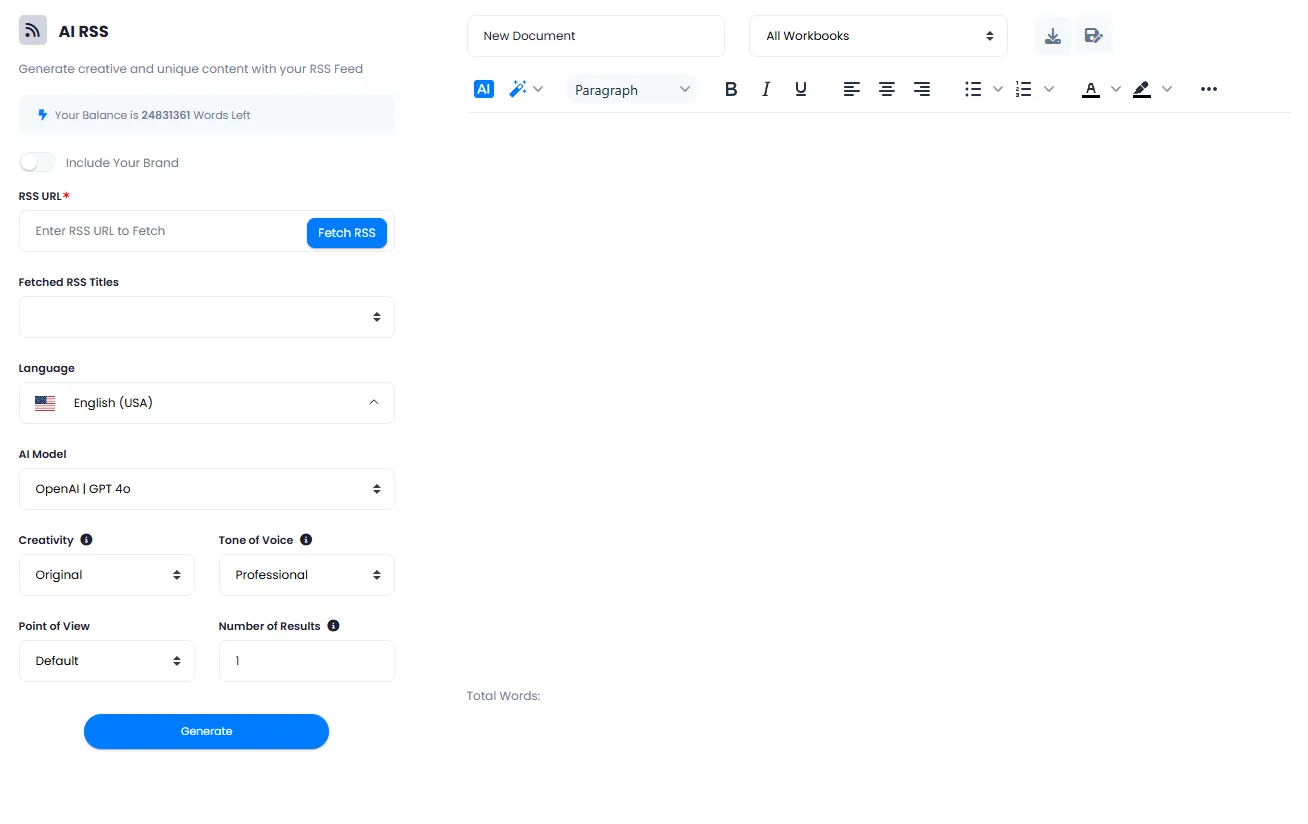
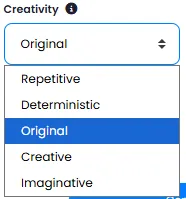
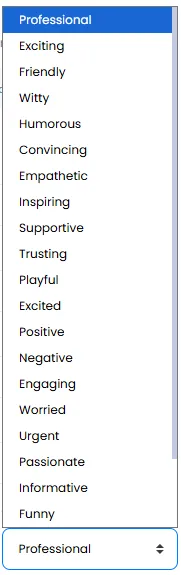
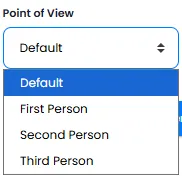
This tool provides extensive output customization options. You can choose the AI model, adjust creativity level from precise and conservative to creative and exploratory, change writing tone to match your audience, define point of view and select output language from dozens of languages. By enabling the brand voice feature, your brand identity and tone are reflected in all generated texts, and you can create up to fifty variations from a single feed.
All outputs are saved as documents in your project workbook and can be fully edited in a professional rich editor before final saving. Use this tool for blog content creation, social media post captions, news summaries, analytical content and newsletters. DeepFA's RSS to Text tool supports all standard feed formats and is the best solution for automated, high-quality content generation.
Key Features of Feed to Text Tool
Everything you need to automatically generate quality content from feeds
Auto Fetch Feed
Enter any news site, blog or agency feed URL and automatically fetch all titles and content.
Generate Unique Content
Create completely fresh, creative and non-repetitive text for blogs and social media from feed content.
Powered by Advanced AI
Advanced AI models analyze feed content and generate fresh, unique texts.
Tone & Creativity Control
Fine-tune writing tone, creativity level and point of view of the output text to your exact needs.
All Languages Supported
Choose output language — content can be generated in any language you need.
Save in Project Workbook
Output saved as a document in the selected workbook, accessible and manageable from Documents.
Generate content from feeds in 4 simple steps
From entering feed URL to saving a publication-ready document
Enter the Feed URL
Enter the feed URL from a news site, blog or any source and click Fetch to load titles and content.
Configure Output Settings
Select output language, AI model, creativity level, writing tone, point of view and number of variations.
Start Content Generation
Click generate. The system analyzes feed content and produces fresh, unique, publication-ready text.
Edit & Save to Workbook
Generated text appears in the rich editor. Edit it and save to your project workbook.
Who benefits from converting feeds to text?
From journalists and bloggers to content agencies and businesses
Journalists & Media
Quickly generate news summaries and analytical articles from news agency and news site feeds
Bloggers
Create fresh unique articles from reference and specialized blog feeds
Social Media Managers
Generate post captions from latest news and specialized feed content
Businesses
Monitor competitor content via feeds and create competitive, up-to-date content
Researchers
Automatically collect and rewrite scientific and specialized articles from journal feeds
Content Agencies
Bulk diverse content production for clients from various news and specialized feeds
Why convert feeds to text with DeepFA?
DeepFA makes the feed-to-content process fully automated, fast and gives you complete control.
Automated Without Copy-Paste
Without manual copy-paste, generate fresh publication-ready content from site feeds. The entire process is automated.
Precise Control of All Parameters
Content type, tone, creativity level, point of view and output language — all precisely adjustable to your needs.
Generate Up to 50 Variations
Generate up to fifty different text versions from one feed — ideal for A/B testing and choosing the best version.
Full Editing Before Saving
Content appears in the rich editor and is fully editable before final saving.
Full Workbook Integration
Output saved as document, fully synced and integrated with the Documents and Workbook sections.
Brand Identity in Content
By enabling the brand voice feature, your brand tone and identity are reflected in all generated texts.
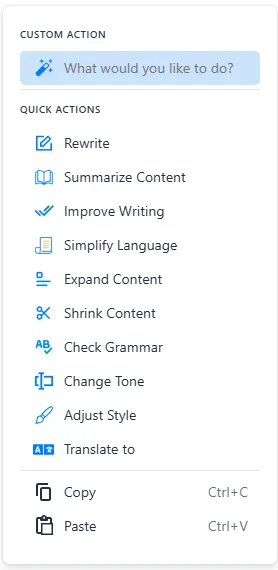
Simple and automated feed-to-text interface
Screenshots of the DeepFA feed-to-text tool workflow
What is AI RSS to Text and how does it work?
From automatic feed fetching to unique, publish-ready content — everything you need to know about AI-powered RSS to text conversion.
Converting an RSS feed to text with AI is a process where an advanced language model analyzes feed content (titles and descriptions) and generates fresh, unique, creative text based on them. Unlike the traditional method of copying titles and manually rewriting them, this tool delivers publication-ready content for blogs, social media and newsletters in seconds. The key difference from simple text extractors lies in its advanced features: you can change the AI model, adjust the creativity level, choose the writing tone, set the point of view (first, second or third person) and even generate the text in multiple languages.
At DeepFA, RSS-to-text conversion is powered by 17+ OpenAI models (from GPT-3.5 Turbo to GPT-5 and the o‑series). Powerful models are ideal for deeper analysis and higher accuracy, while lightweight, fast models are perfect for quick, economical generation. You can also generate up to 50 different versions of one feed and pick the best one. The final output is saved in your project Workbook and can be edited in the rich text editor. By enabling the "Brand Voice" feature, your brand tone and identity are reflected in all generated texts.
What is an RSS feed and what content is extracted?
RSS feed is a standard method for automatically receiving latest website content. Our tool extracts titles, descriptions and links from each feed item, and AI generates new content based on them — no manual copy-paste needed.
Generate unique content — never duplicate or copied
AI analyzes feed content and generates completely fresh, rewritten and creative text. Each output is unique and considered search-engine friendly. No worries about duplicate content.
Choose your AI model — how models affect quality and style
Powerful models (GPT-5, GPT-4o, o1) are best for deep analysis and high accuracy. Lightweight, fast models (GPT-4o mini, GPT-5 nano) are ideal for quick, economical generation. You can test different models and find the best fit.
Tone, creativity and point of view — full content personalisation
Professional tone for formal content, friendly for personal blogs, inspiring for campaigns. Creativity from Repetitive (stays close to original) to Imaginative (creative changes). First person for personal narratives, second person for guides, third person for formal content.
Multi‑language output and brand inclusion — global content, aligned with identity
Set output language to any language you need (Persian, English, Arabic, Spanish, German, etc.). Enable "Include Your Brand" to automatically insert your brand name into the text.
Save and edit in the project Workbook — centralised document management
Generated text appears in a rich text editor. Before final saving, you can apply bold, italic, lists and other formatting. The document is then saved in your project Workbook and accessible from the Documents section.
For optimal results in RSS‑to‑text conversion, first determine the feed type (news, blog, specialized). For news feeds, "Deterministic" or "Original" creativity with "Journalistic" or "Formal" tone is best. For blog feeds, "Original" or "Creative" creativity with "Friendly" or "Inspiring" tone works better. Set the number of results to 2‑5 so you have several versions to compare. Always review your settings before final generation — each content type has its own optimal settings. Saved outputs in your project Workbook are always accessible.
Other AI Content Generation Tools
From text generation to WordPress publishing and presentation creation
Frequently asked questions about feed-to-text conversion
Answers to every question about the feed-to-text tool
Convert RSS feeds into publication-ready content
Enter a news or blog feed URL and get unique, creative content — feed-to-content generation has never been this easy