Write once,
publish to 7 social networks simultaneously
Write your content once and publish simultaneously to Instagram (posts and stories), Facebook, Twitter, LinkedIn, TikTok, YouTube (videos and reels) and Threads. Post text is written by AI, live preview shows how it appears on each network, and three publishing modes (now, scheduled and auto) are at your disposal.
AI Social Media Management Studio — Simultaneous Publishing to 7 Platforms
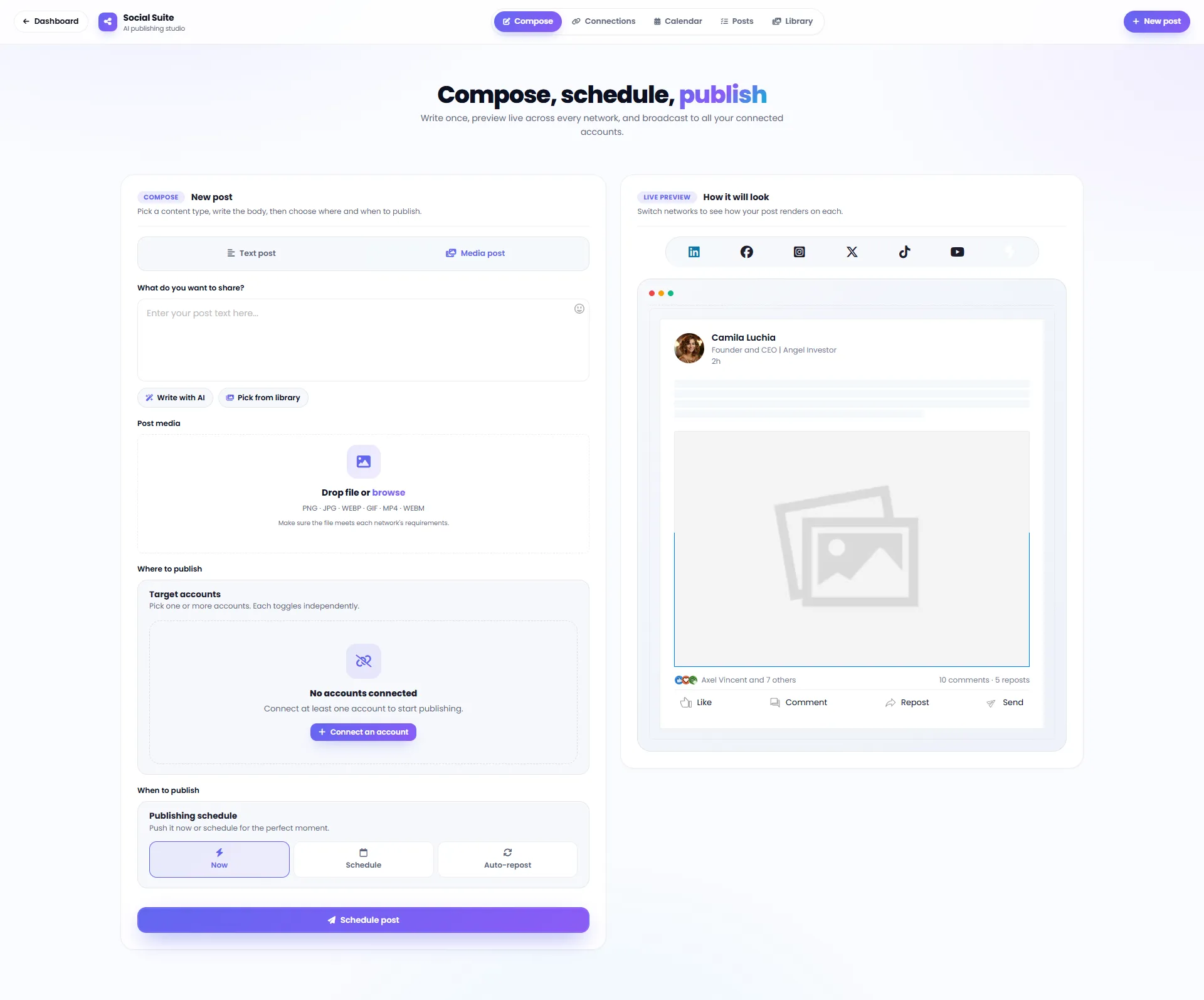
DeepFA AI Social Media Suite is a comprehensive AI-powered social media content management and publishing tool. With this tool, you can write content once and publish simultaneously to Instagram (posts and stories), Facebook, Twitter, LinkedIn, TikTok, YouTube (videos and reels) and Threads. The AI text writing tool optimizes your content for each social network in terms of length, tone and style. The Live Preview section shows exactly how the post appears on each platform, and three publishing modes (instant, scheduled and auto-repost) make content management much simpler.
In addition to writing text with AI, you can also generate post images or videos directly with AI or select from the existing media library — no need to upload files from your device unless you want to use your own custom file. Supported formats include PNG, JPG, WEBP, GIF, MP4 and WEBM. The visual publishing calendar shows all scheduled posts in a single view for easier and more organized content planning. Over 16 specialized templates for each social network and content type are available.
If you are looking for the best AI tool for social media management, automated post publishing, content scheduling on Instagram, LinkedIn and other platforms, DeepFA Social Media Suite covers all these needs in one simple and professional environment with a write-once-publish-everywhere approach. Sign up today and publish your first multi-platform post.
7 Social Networks in One Content Management Studio
One content, seven destinations — simultaneous and smart publishing across all popular platforms.
Twitter / X
TikTok
YouTube
Threads
8 Key Features for Professional Social Media Management
All the tools you need to create, schedule and publish content across social networks.
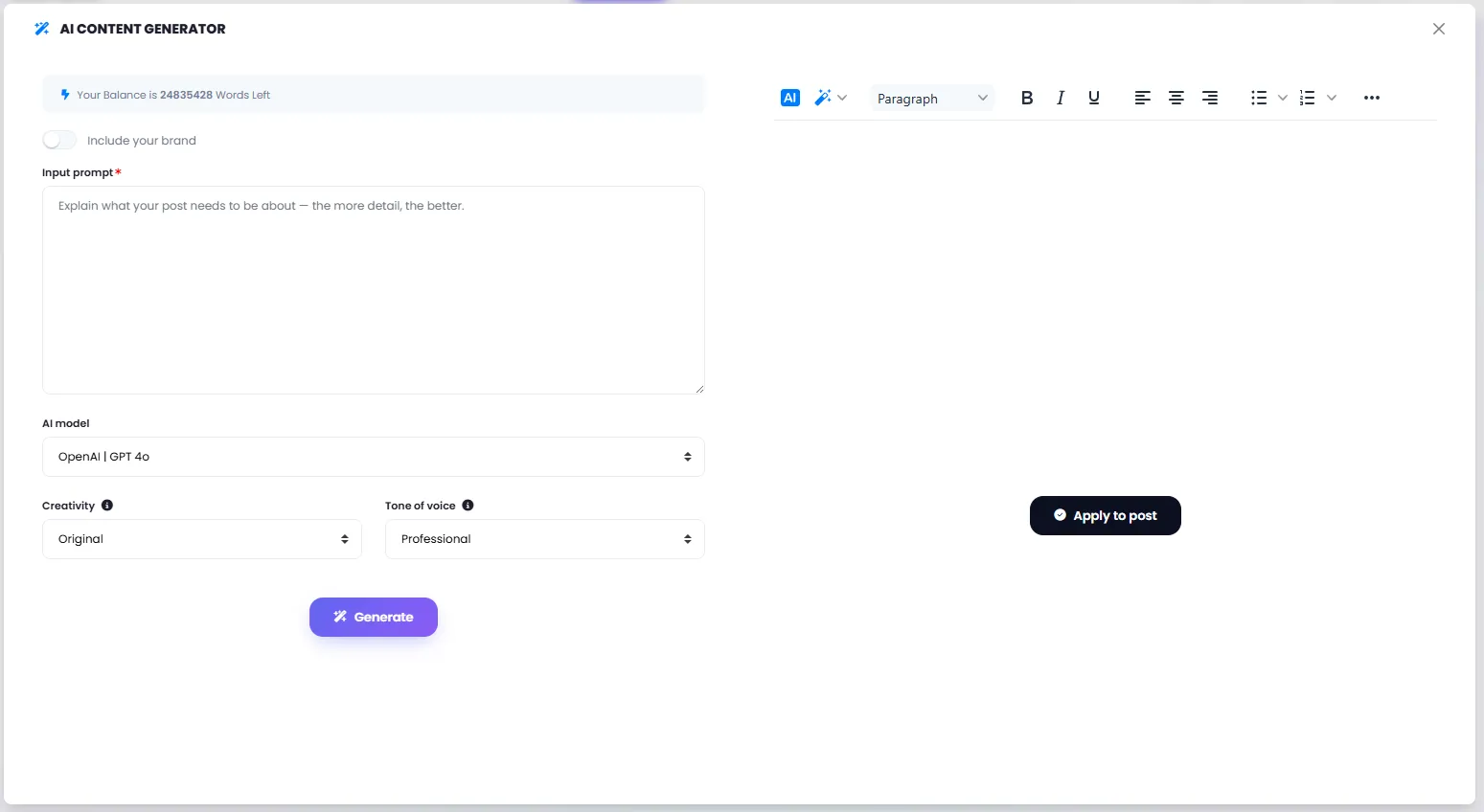
Write Text with AI
Write post text with AI — optimized for each social network in length, tone and style.
Live Preview Before Publishing
See how your post looks on each social network before publishing and edit if needed.
Simultaneous Multi-Network Publishing
Write once and send simultaneously to all connected accounts across different networks.
Central Media Library
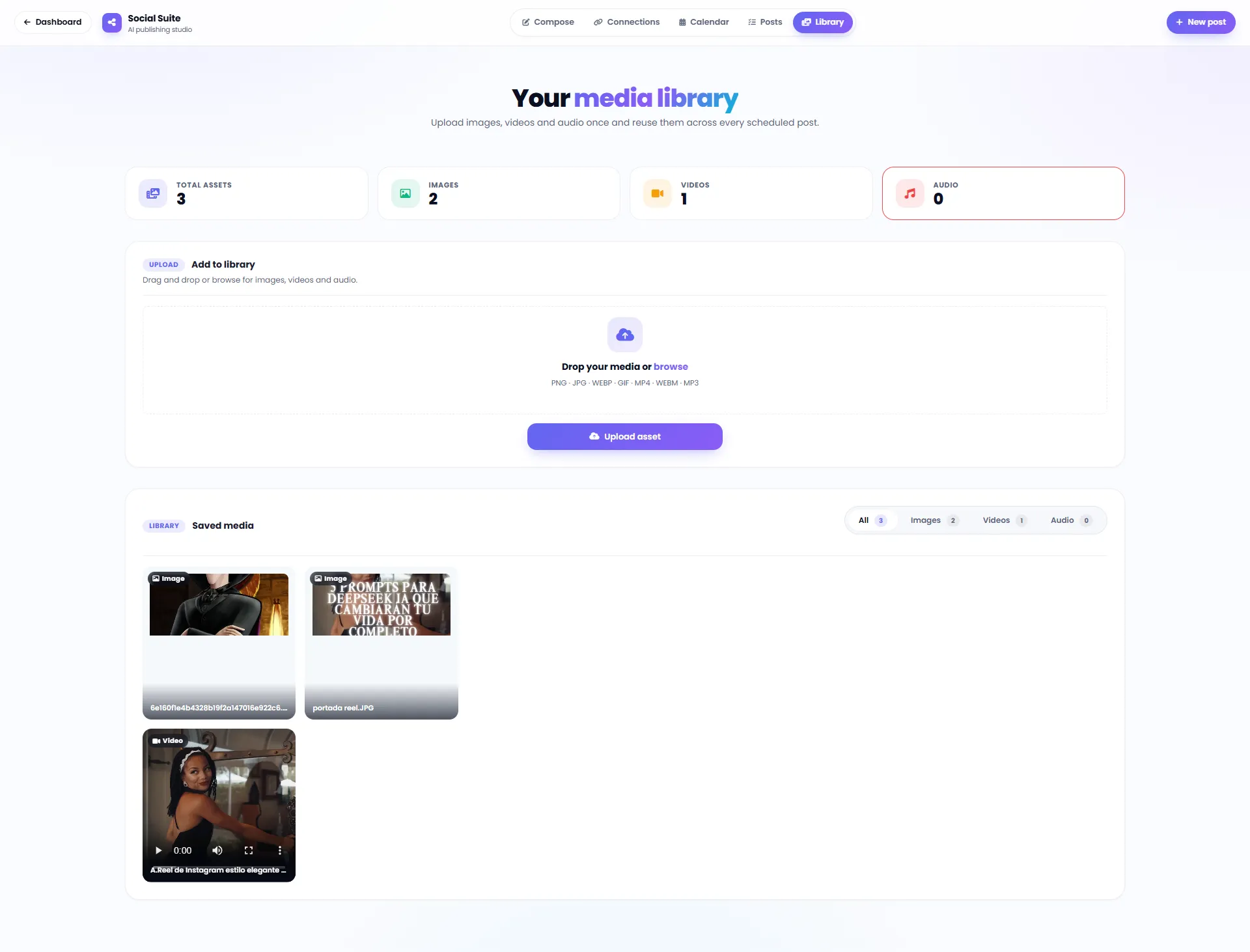
Pick from your previous content library or upload new media — no need to search again.
AI Image and Video Generation
Generate post image or video with AI — no need to upload files from your device.
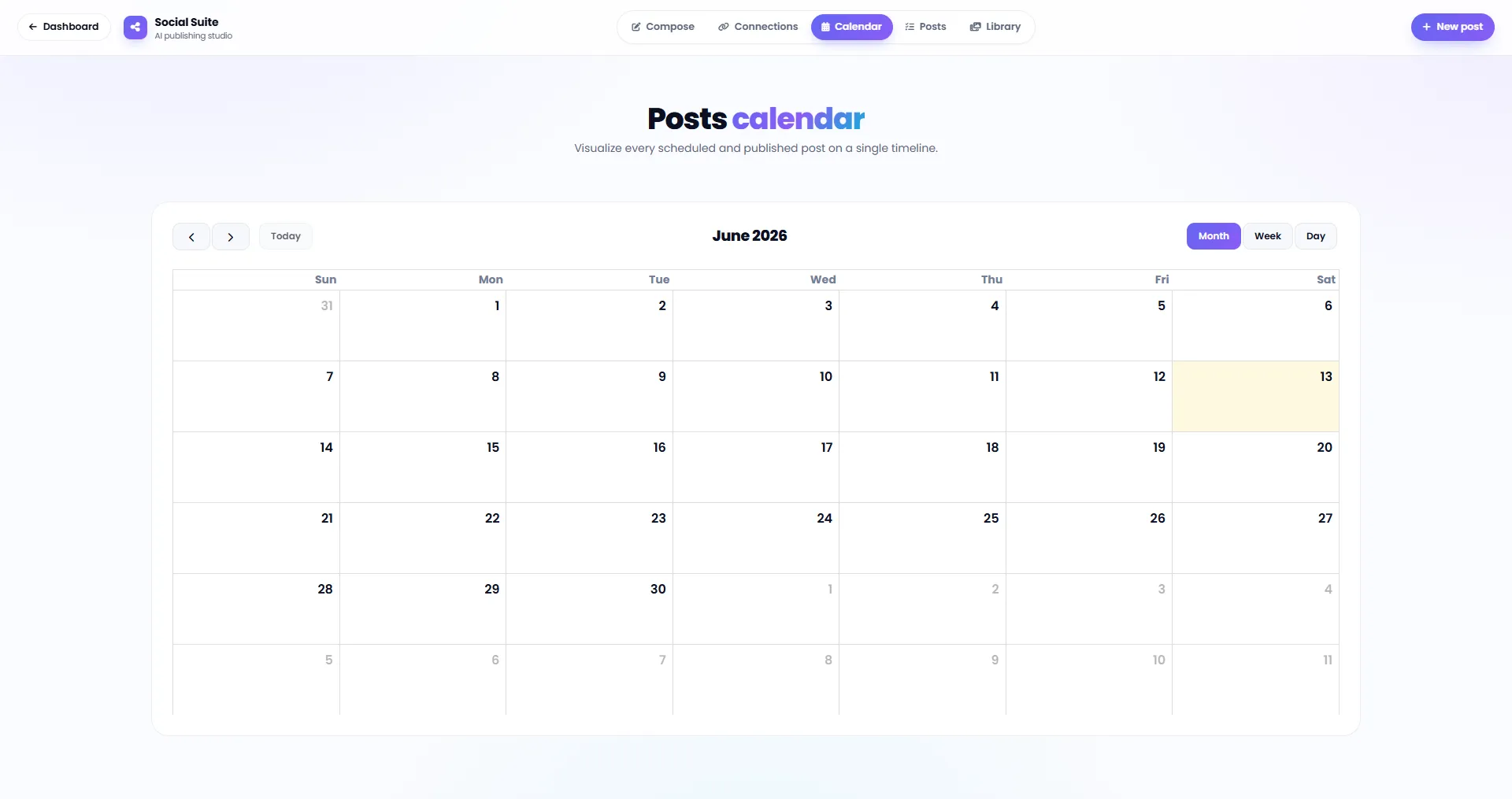
Visual Publishing Calendar
View all scheduled posts in a visual calendar and manage your content planning.
Six Image and Video Formats
PNG, JPG, WEBP, GIF, MP4 and WEBM — all common image and video formats supported.
Multi-Account Connection
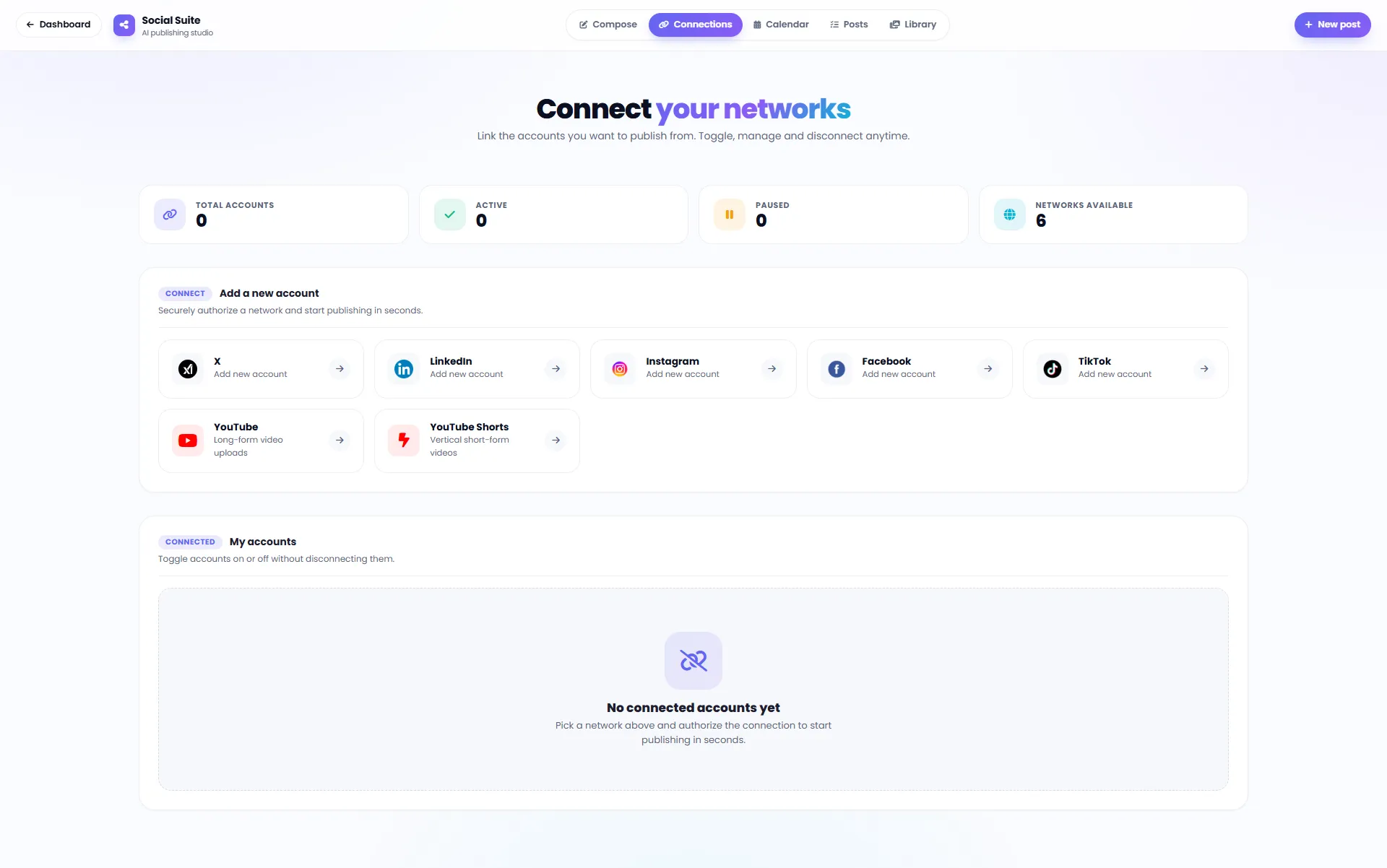
Connect all your social media accounts and manage each one independently.
16+ Specialized Social Media Content Templates
A ready AI template exists for every platform and content type — from Instagram captions to TikTok scripts.
AI Tools for Creating and Managing Social Media Content
Every tool you need for a professional and effective social media presence — in one panel.
AI Social Media Content Generator
Generate captions, posts, headlines and ad copy for all platforms in seconds with AI.
TikTok Video Script Generator
Create engaging, viral TikTok scripts with a strong hook, body and call-to-action.
Smart Hashtag Generator
Automatically generate relevant, high-reach hashtags optimized for Instagram and TikTok.
Social Media Post Image Generator
Generate eye-catching social media post images with AI directly within the tool.
AI RSS — Content from Feed
Automatically generate social media content from news and blog RSS feeds.
AI YouTube — Content from Video
Auto-generate descriptions, tags, titles and social media posts from YouTube videos.
Brand Voice Integration
Define your brand voice once — all social media content is generated in that consistent style.
AI Ad Copy Generator
Generate Google, Facebook and LinkedIn ad copy using professional AIDA, BAB and PPPP frameworks.
Three Publishing Modes for Every Need and Content Strategy
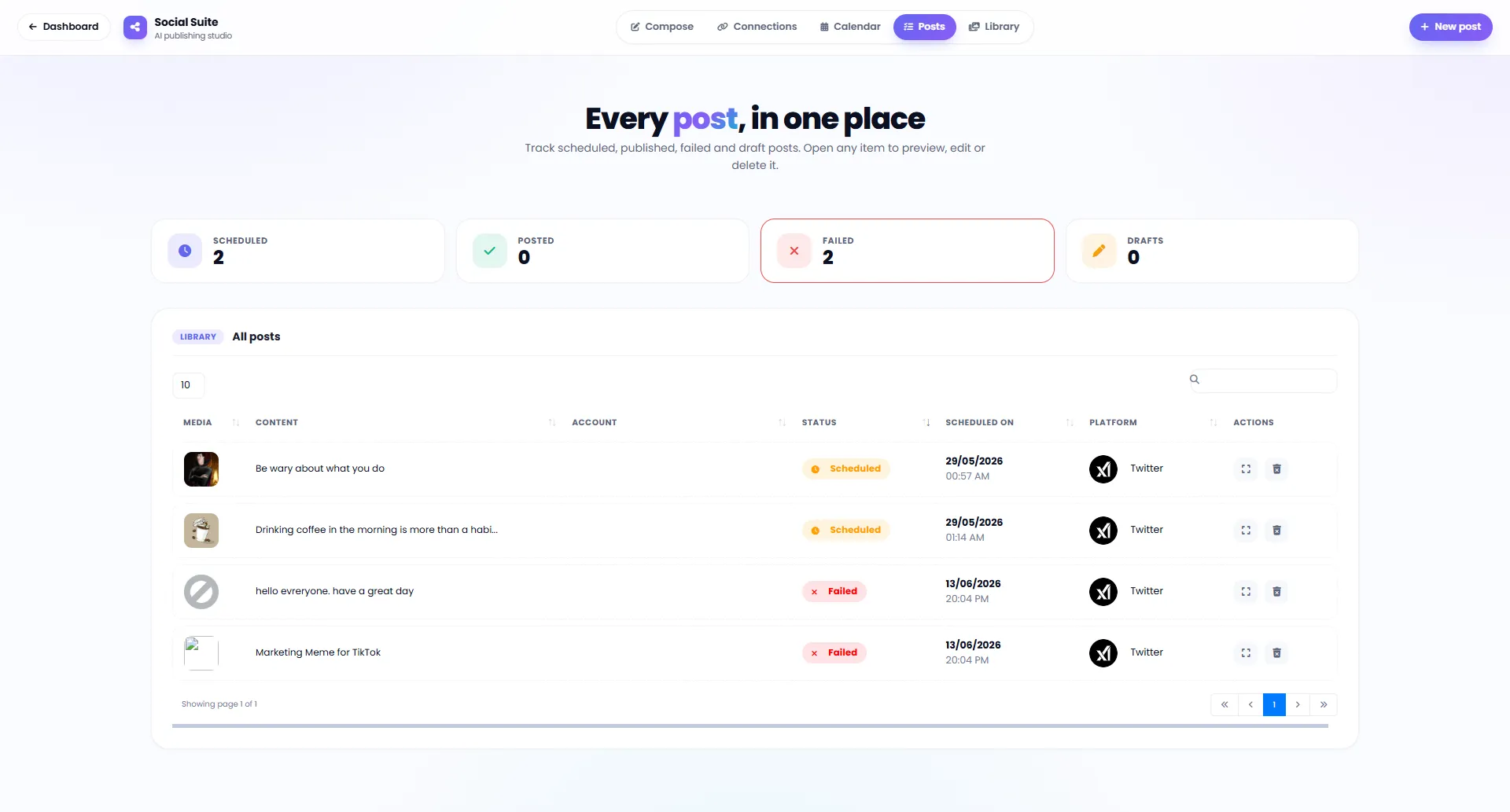
Instant, scheduled or auto-recurring — choose based on your publishing plan.
Publish Now
Post is ready? Publish to all selected accounts right now — no delay.
Schedule for Later
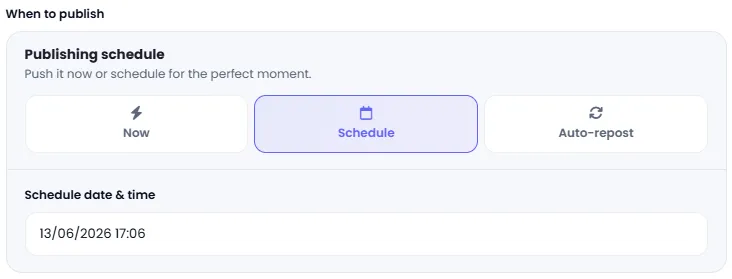
Choose your desired date and time for automatic publishing at the optimal moment.
Auto-Repost
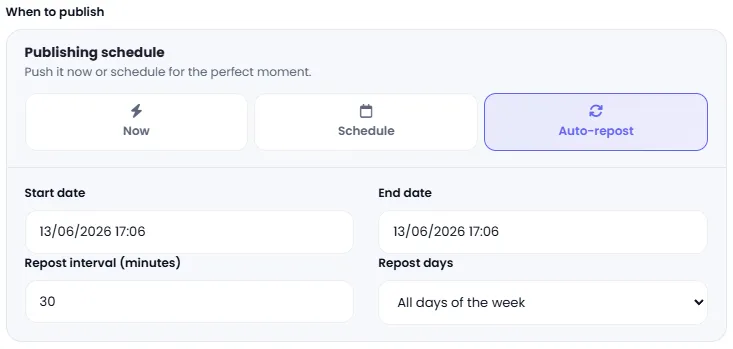
Automatically republish posts at set time intervals — no manual intervention needed.
Why DeepFA Social Media Suite?
Benefits that transform your social media management — from time savings to professional publishing.
Write Once, Publish Everywhere
Instead of writing 7 separate posts for 7 social networks, write once and send to all simultaneously — saving hours every week.
Live Preview Before Final Publishing
See exactly how the post appears on Instagram, LinkedIn, Twitter or TikTok — before it goes live.
AI-Powered Text, Image and Video Generation
Generate both post text and its image or video with AI — without leaving the page or needing a separate tool.
Smart Scheduling and Auto-Publishing
Set the best publishing time for each network or activate auto-repost — your content stays active at all times.
Manage All Accounts in One Dashboard
Instagram, Facebook, LinkedIn, Twitter, TikTok, YouTube and Threads — all manageable in one central panel.
Central and Searchable Content Library
All your media and previous content is saved in the library — reusable anytime without re-uploading.
How to Publish Your Post Across Multiple Networks
From writing content to simultaneous publishing — in 5 simple steps and a few minutes.
Choose your content type
Select Text post (text only) or Media post (text + image or video).
Write post text or generate with AI
Write post text yourself, pick from content library or generate with one click using AI.
Upload image/video or generate with AI
Upload image or video from your device, pick from library or generate directly with AI.
Select target networks and accounts
Select one or more accounts from different social networks for simultaneous publishing.
Preview and publish
Check the live preview, edit if needed and publish now or with scheduling.
Who Is the Social Media Suite For?
For any individual or team that has or wants an active social media presence.
Brands & Businesses
Unified publishing across all networks while maintaining consistent visual identity and brand tone
Digital Marketers
Schedule multi-channel campaigns and review how content displays on each platform before publishing
Content Creators
Significant time savings by writing content once and publishing simultaneously to all channels
Online Stores
Simultaneously publish new products, seasonal discounts and ad campaigns across all networks
Digital Marketing Agencies
Manage multiple brands simultaneously with separate accounts in one unified dashboard
Influencers and Video Creators
Active simultaneous presence across all platforms without spending extra time on manual publishing
A Look Inside the Social Media Suite Interface
Simple and practical interface — click any image to enlarge.
Complementary Tools for Social Media Content Creation
Alongside the Social Media Suite, use these tools too.
AI Writer
Over 60 content templates from Instagram posts to long-form articles.
View toolAI Image Generator
Generate social media post images and advertising banners with AI.
View toolAI Content ReWriter
Rewrite and refresh old social media content while preserving meaning and context.
View toolWhat is AI social media management and what is it used for?
From simultaneous publishing and scheduling to AI writing and image generation — everything you need to know about the social media suite.
AI social media management tools are applications that bring writing, scheduling and publishing content across multiple platforms into one panel. Instead of logging into each social network separately and publishing manually, these tools let you write once and publish simultaneously to all connected accounts — with AI assistance for writing text and generating images or videos.
The key difference from manual social media management is that the hours spent every week on copy-pasting, reformatting for each platform and publishing separately are eliminated. In addition, live preview shows exactly how content will look on each network, preventing mistaken or inconsistent posts.
Simultaneous Publishing to 7 Social Networks
Write content once and publish it to Instagram (posts and stories), Facebook, Twitter, LinkedIn, TikTok, YouTube (videos and reels) and Threads at the same time. The tool automatically adjusts format and length for each platform.
Writing Post Text with AI
With the "Write with AI" button, post text is generated for each social network — with length, tone and style suited to that platform. You can also generate the post image or video with AI.
Live Preview Before Publishing
Before publishing, see exactly how the post will appear on Instagram, LinkedIn, Twitter or TikTok. This helps review and adjust content before it goes live.
Scheduling and Auto-Repost
In addition to publishing now, you can set an exact date and time, or automatically republish a post at set intervals — useful for seasonal or recurring content.
Media Library and Publishing Calendar
Previous images and videos are stored in the media library and reusable. The visual publishing calendar shows all scheduled posts at a glance, making content planning easier.
Specialized Templates for Every Platform
For every content type — from Instagram captions and TikTok scripts to LinkedIn and Google ad copy — a ready template generates output tailored to that network, just by entering a topic.
How you use it depends on your needs. For quickly sharing news or an announcement, instant publishing across all networks is enough; for planning weekly content, scheduling and the publishing calendar are most useful; for recurring campaigns, auto-repost is the right choice, and for quickly producing varied content, specialized templates and AI writing help most. The key point: there's no need to choose between these capabilities — DeepFA offers all of them in one integrated platform.
Frequently Asked Questions About the DeepFA Social Media Suite
Answers to common user questions about simultaneous publishing, scheduling and AI capabilities
Publish Your First Multi-Platform Post Right Now
Connect accounts in 30 seconds, write text with AI and publish simultaneously to 7 social networks