Every phone call as notes and follow-ups
DeepFA AI Call Analysis turns recorded calls into a transcript with the agent and the customer told apart, a summary, the customer's mood, an agent score and the fields your business needs; promises become follow-up tasks and everything is written to the CRM. Issabel, FreePBX and Asterisk connect with one command.
AI Call Analysis — Every Call Recorded and Followed Up
Every day, things are said on a business's phone calls that are written down nowhere: a customer gave their budget, an agent promised to send a quote tomorrow, someone complained about a late delivery. DeepFA AI Call Analysis takes those calls and writes each one out in full, turn by turn, with every line marked as said by the agent or by the customer.
Once the transcript is written, the call's summary, its topic and outcome, the customer's mood at the end and a score for how the agent handled it are written too. The fields your business needs, from the customer's name and request type to a case number, an amount, a follow-up date and any field of your own, are filled from what was said, and the promises made become follow-up tasks with the due date agreed.
The result lands in the AI CRM: the contact is found by the caller's number or made, the call goes on their timeline, the tasks go to that agent's list and every field is written where you chose. If you use another CRM, everything is sent to it by a signed webhook as well.
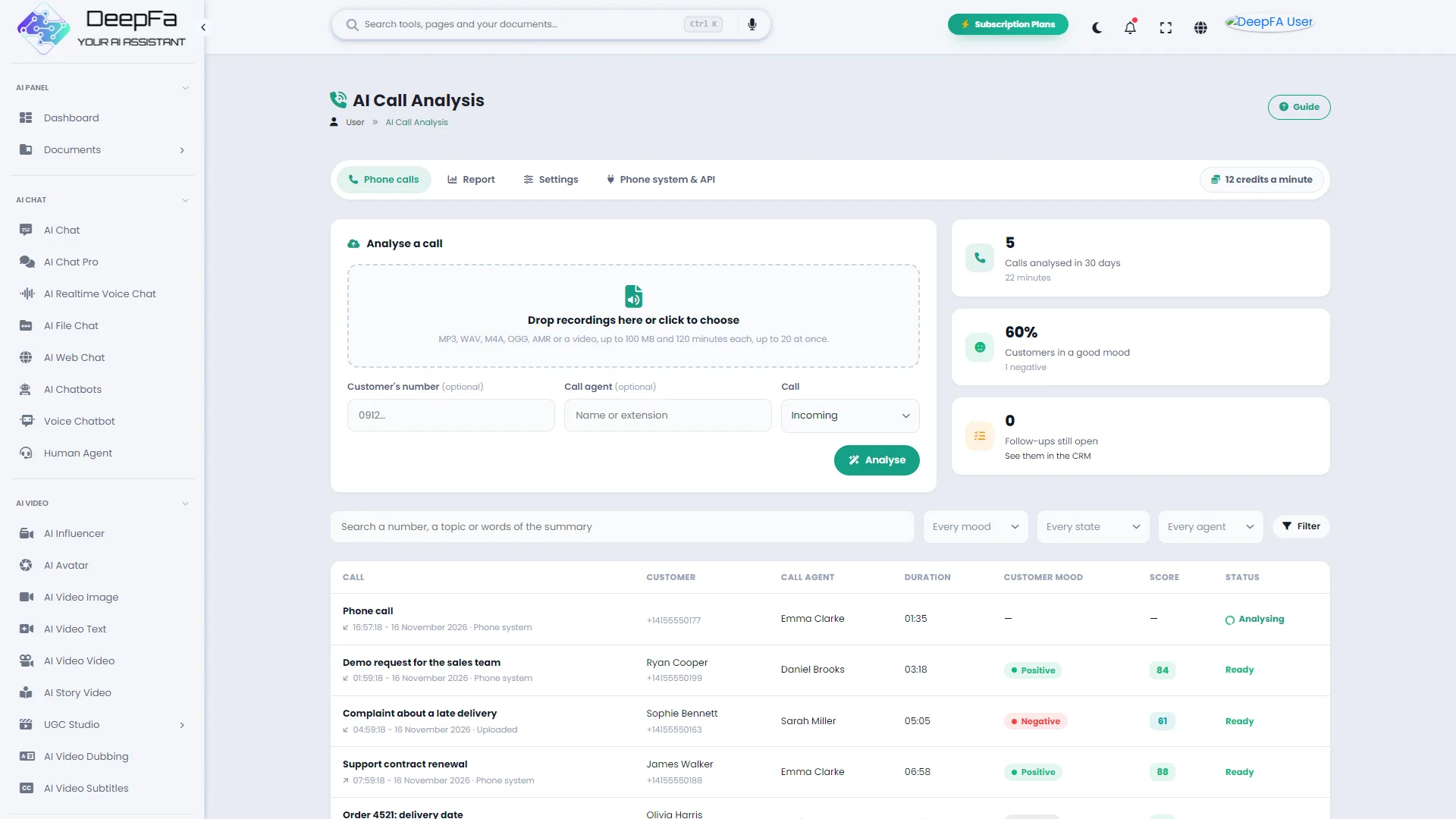
Calls can be uploaded on the panel, or an Issabel, FreePBX or Asterisk phone system connects with one command so every recorded call is sent by itself with its numbers, its direction and the agent's extension. It is charged by the minute of call from your account's credit, and recordings are kept privately and deleted after the time you set.
From the sound of a call to a task in the CRM
What each call gives you, without anyone listening to it again.
A two-sided transcript
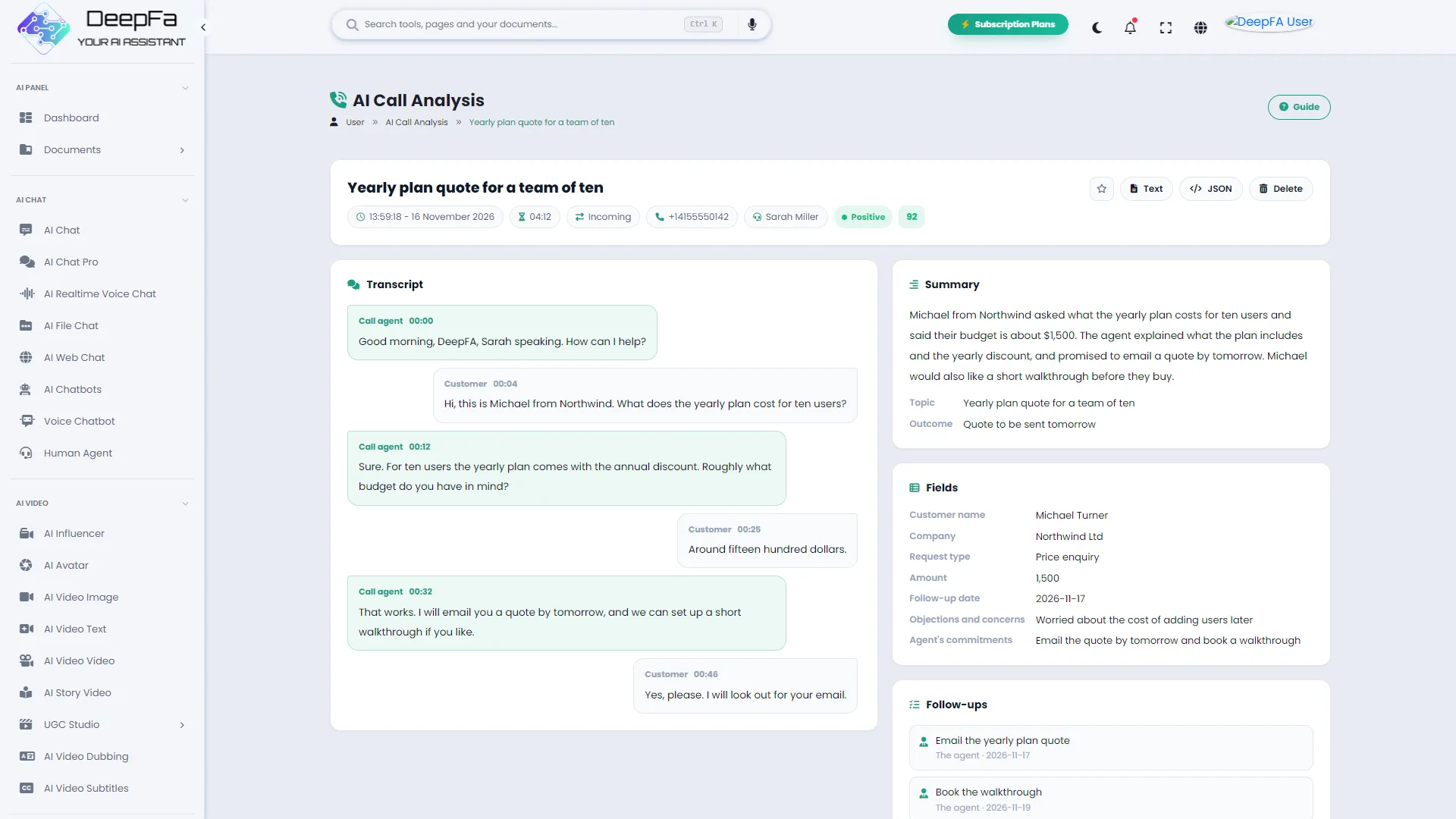
The whole conversation, turn by turn, with the agent's and the customer's lines marked and the time of each; click a time to hear that moment.
Summary, topic and outcome
A few sentences on why the customer called, what was said and agreed and what happens next; without anyone listening to the whole call again.
Customer mood and agent score
Whether the customer ended happy or not, and a score out of 100 for how the agent handled it, with a sentence or two on what went well and what could be better.
Your own fields
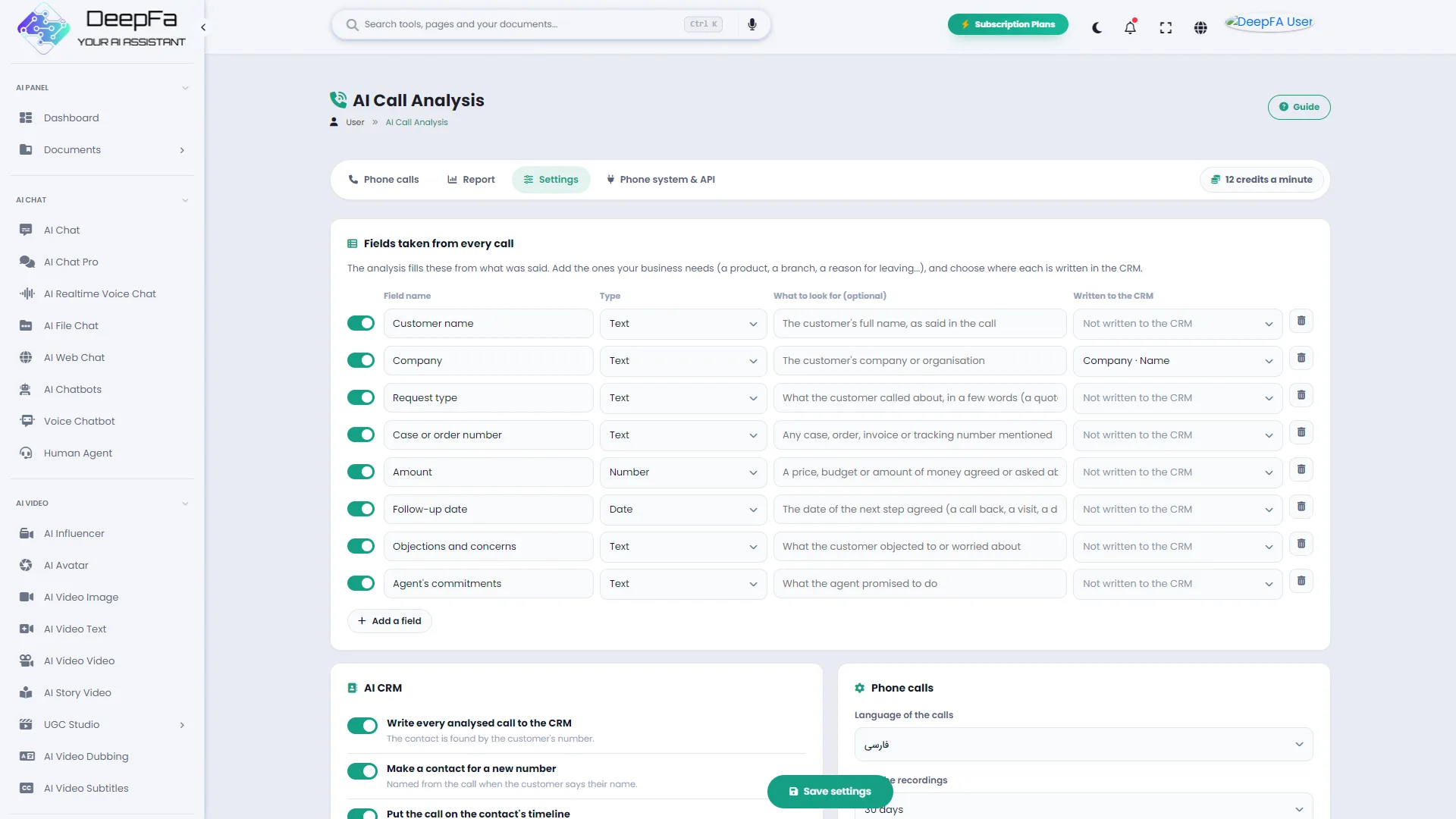
Customer name, request type, case number, amount, follow-up date; and any field your business needs, as text, a number, a date, yes or no, or a list.
Follow-up tasks by themselves
What the agent promised becomes a task with the agreed due date, on their own list in the CRM.
In the CRM, and by webhook
The contact is found by the number or made, the call goes on their timeline and the fields in their places; everything also goes to your own CRM or software by a signed webhook.
Connected to your phone system
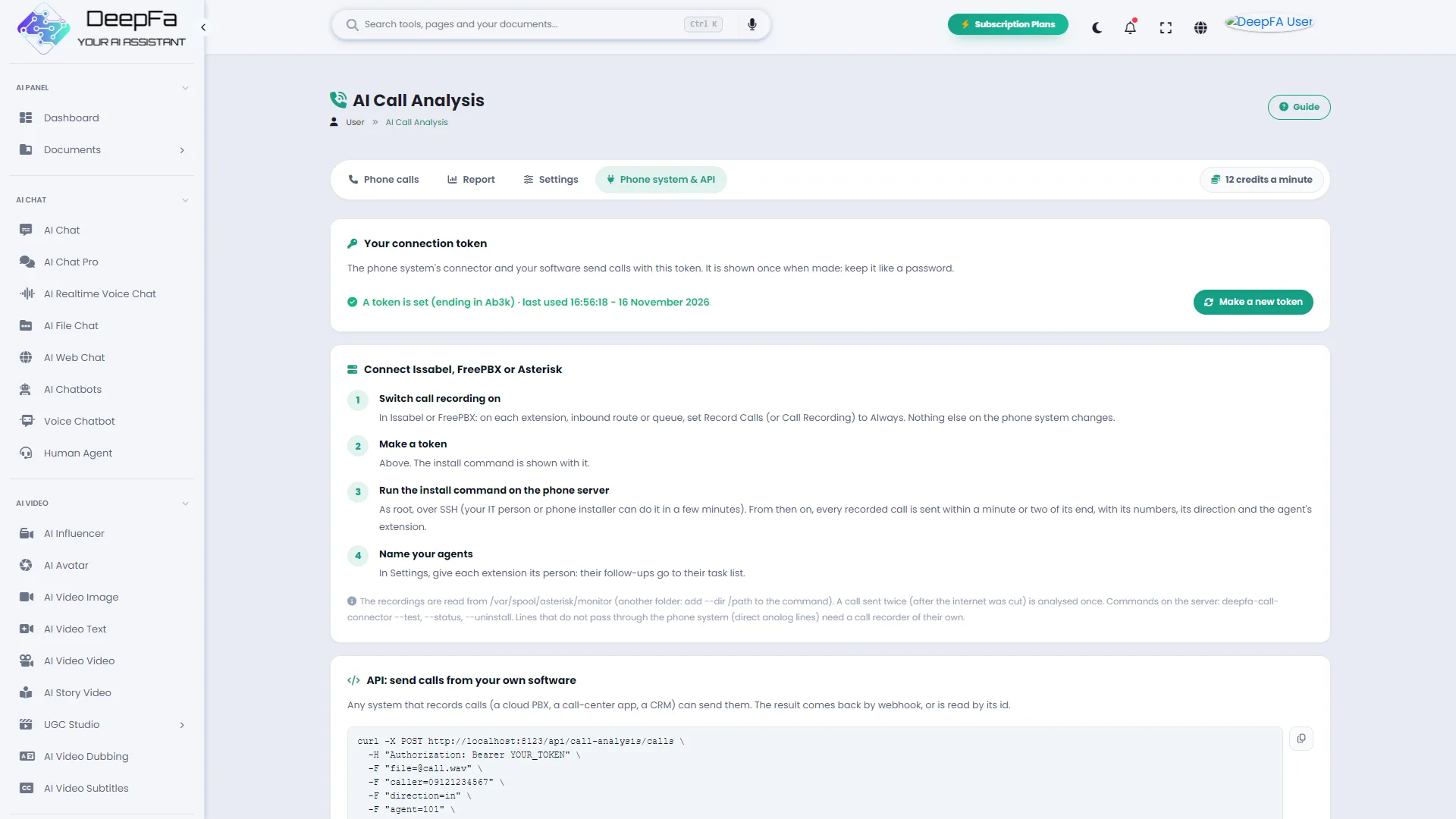
Connect Issabel, FreePBX or Asterisk with one command so each recorded call is sent by itself with its numbers, its direction and the agent's extension; or from any software through the API.
Team report
The number and minutes of calls, the customers' mood, the topics that come up most and each agent's record, over the period you choose.
From your first call to a call center that logs itself, in 4 steps
No new hardware, no change in the phone system, no multi-day training.
Try one call
Upload one recorded call and see its transcript, summary and fields in a minute or two.
Define your fields
Say what matters to you in each call and where in the CRM each is written.
Connect the phone system
One command on the Issabel, FreePBX or Asterisk server, and every call is analysed by itself from then on.
Follow up and measure
Each agent's tasks wait for them in the CRM, and the report shows what customers call about and whose handling is best.
Why AI Call Analysis?
What is said on a call has been the easiest thing for a business to lose.
No promise is forgotten
Every “I'll send the quote tomorrow” becomes a task with a due date; even when the agent took no note.
No manual logging
Instead of typing up the call, the agent takes the next one; the CRM is filled in by itself.
Facts in the right field
Not just one long note: each fact is written to its own field, so it can be searched, filtered and reported on.
Call handling, measured
Each call's score and each agent's average show where training is needed; without anyone listening to hundreds of calls.
With the phone system you have
No new hardware, no change in the phone system; only one command on the server, which also analyses a call sent twice after an internet cut only once.
Recordings stay private
Recordings are kept outside the site's public storage and deleted after the time you choose.
Where each call goes, step by step
All of it without anyone lifting a finger.
The call arrives
From an upload on the panel, from the phone system a minute or two after the call ends, or from your own software through the API.
The two-sided transcript is written
The whole conversation, turn by turn, with the agent and the customer told apart and the time of each line.
The call is analysed
Summary, topic, outcome, the customer's mood and the agent's score; with the fields you defined yourself.
Follow-ups become tasks
Each promise made goes, with the due date agreed in the call, to that agent's task list.
The CRM fills itself in
The contact is found by the number or made, the call goes on their timeline and the fields in their places; and the result goes to any other system by webhook too.
Who is AI Call Analysis for?
Any business whose customers call it.
Call and support centers
Every call has a summary and a follow-up, and the manager sees which topic keeps coming up
Phone sales teams
The price, budget and next step of each customer land in the CRM and no lead is lost
Property and services
Each caller's request, area and budget are recorded without anyone taking notes
Clinics and practices
Appointments, requests and patients' call-backs are followed up on time
Service and registration offices
Each request's case number and status are taken from the call and filed with the customer
Online shops
Order queries, returns and complaints from each call are recorded and handed to whoever owns them
A look inside AI Call Analysis
Real screens from the dashboard — click any image to enlarge.
Tools that work well alongside call analysis
Questions people ask about call analysis
From today, no call goes unrecorded
Sign up and analyse your first call right now