Introduction
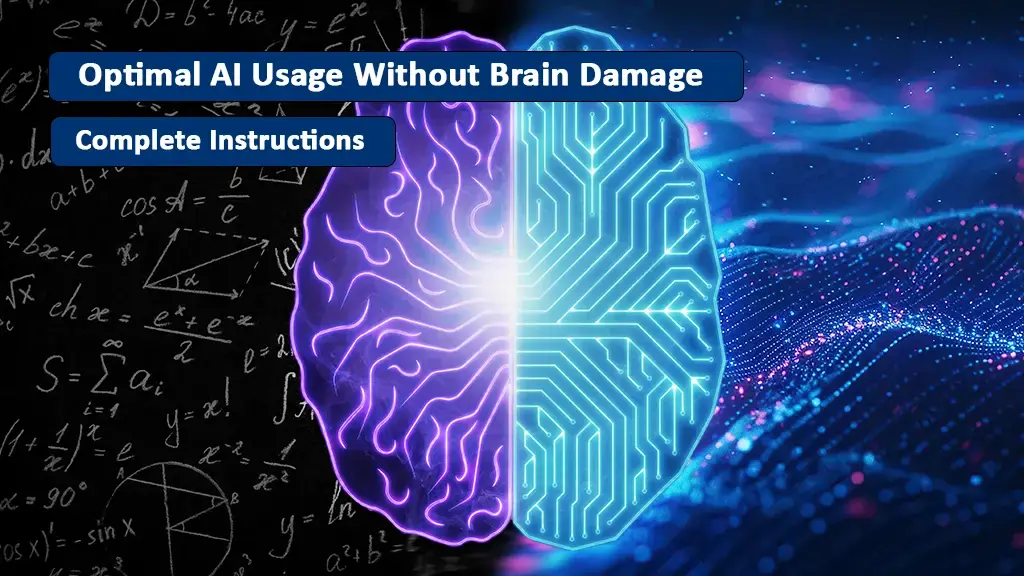
AI as a powerful tool that can increase your productivity tenfold, save you hours, and help you complete complex tasks in minutes. But the same tool, if not used correctly, can slowly destroy your mental abilities. This is exactly the story of Artificial Intelligence - a double-edged sword that can be both your champion and your enemy.
Dr. Sarah Miller, a neurologist at Stanford University, warned in her recent research: "We are witnessing a generation gradually losing their ability to think independently - not because of inherent weakness, but because of over-reliance on intelligent systems." The statistics are concerning: 73% of professional AI users report they can no longer work without these tools.
But the good news is that you can benefit from AI's amazing power without becoming dependent on it. This article is a comprehensive, scientific guide that teaches you how to collaborate with artificial intelligence, not surrender to it.
The Philosophy of Optimal Use: AI as Augmenter, Not Replacement
The Concept of Intelligence Augmentation vs Artificial Intelligence
There's a fundamental difference between "intelligence augmentation" and "intelligence replacement":
Intelligence Augmentation (IA): AI is a tool that multiplies your abilities - like glasses that enhance your vision, not replace your eyes.
Intelligence Replacement (AI - when misused): When AI performs your entire thinking process and you just copy the result.
MIT research has shown that people who use AI as an augmenter not only have 35% higher productivity, but their cognitive skills have also increased by 28%. In contrast, those who use AI as a replacement experience a 42% decrease in problem-solving ability.
The Golden Rule: The 70-20-10 Principle
This is a simple but highly effective framework designed by Oxford University researchers:
| Ratio | Activity Type | Description | Example |
| 70% | Your work | Thinking, analysis, creativity, decision-making | Designing project architecture, writing main content |
| 20% | Collaboration with AI | Research, review, improvement suggestions | Finding sources, receiving feedback |
| 10% | AI mechanical tasks | Repetitive and low-value tasks | Formatting, spell check, translation |
Why is this ratio important? Cambridge University research has shown that this ratio is exactly at the point where:
- Your brain stays active
- Your productivity is maximized
- Dependency risk is minimized
Practical Techniques for Smart AI Use
Technique 1: The "Think-First Method"
This is the most powerful technique for preventing cognitive dependency.
How it works:
Step 1: At least 10 minutes of independent thinking
Before opening ChatGPT or Claude, take paper and pen and:
- Define the problem yourself
- Find at least 3-5 possible solutions
- Write down key points
Step 2: Targeted interaction with AI
Now that your mind is clear, ask AI:
- "Is there a better solution I've overlooked?"
- "What's the logical flaw in my analysis?"
- "What sources do you suggest for further research?"
Step 3: Personal synthesis
View AI's response as raw material, not the final product. You must:
- Combine it with your own knowledge
- Apply critical thinking to it
- Make the final result completely personalized
Real example - Ali, web developer:
❌ Wrong way: "Dear ChatGPT, write an authentication system for my application."
✅ Right way:
- First 15 minutes: Ali researched JWT vs Session-based auth himself
- Next 10 minutes: Designed the overall architecture on paper
- AI usage: "I designed JWT architecture with this flowchart. Are there any security improvements?"
- Result: Ali implemented the system himself and only used AI for code review
Difference: In the first method, Ali learned nothing. In the second method, his skills were enhanced.
Technique 2: Smart Prompting
How you interact with AI determines whether your brain stays active or not.
Different prompt levels and their effects:
| Prompt Type | Example | Brain Impact | Recommendation |
| Lazy Prompt 🔴 | "Write a 1500-word article" | Zero cognitive activity | Never use |
| Advisory Prompt 🟡 | "This is my outline. What do you think?" | Medium - you're in control | Good, but can be better |
| Socratic Prompt 🟢 | "Ask me questions to make me think" | High - AI is teacher, not worker | Ideal for learning |
What is a Socratic Prompt?
Instead of asking AI to answer, ask it to ask questions. This technique is based on Socrates' method of using targeted questions to push students toward deep thinking.
Real example - Fatima, content writer:
❌ Weak prompt: "Write an article about climate change."
✅ Strong prompt: "I want to write about climate change. Instead of writing the article, ask me 5 challenging questions that force me to think deeper. After I answer, find the logical flaws in my reasoning."
Result: Fatima went through the entire process herself. Her brain stayed active and she wrote a truly original article.
Technique 3: The Sandwich Method (Layering Responsibility)
This is a practical framework used at Google Brain for researchers:
🍞 Layer 1 - You (bottom bread):
- Problem definition
- Initial research
- Ideation
🥗 Layer 2 - AI (middle ingredients):
- Finding sources
- Data analysis
- Improvement suggestions
🍞 Layer 3 - You (top bread):
- Final synthesis
- Critical thinking
- Decision-making
Practical example - Reza, data scientist:
Project: Customer churn prediction
🍞 Layer 1 (Reza):
- Problem definition: Which variables are important?
- Hypothesis: Probably satisfaction and contact count matter
- Design general approach
🥗 Layer 2 (AI):
- Reza asked ChatGPT: "What machine learning algorithms are best for this problem?"
- AI suggested: Random Forest, XGBoost, Neural Networks
- Reza asked Claude: "Which feature engineering techniques are more effective in churn prediction?"
🍞 Layer 3 (Reza):
- Reza wrote the code himself
- Trained the models
- Interpreted results and presented to the team
Key difference: AI was a consultant, not an employee. Reza made all major decisions.
Technique 4: The "3 Whys" Rule Before Using AI
Before opening any AI tool, ask yourself these three questions:
1. Why am I using AI?
- ✅ Good answer: "I need an alternative perspective"
- ❌ Bad answer: "I'm lazy and don't want to think"
2. Why can't I do this myself?
- ✅ Good answer: "I need more data that I don't have access to"
- ❌ Bad answer: "I can, but AI is faster"
3. Why is this task worth AI's time?
- ✅ Good answer: "It can find patterns I don't see"
- ❌ Bad answer: "I just want to get it done"
If your answer to all three questions is in the "bad" category, don't use AI. Instead, spend 15 more minutes thinking about the problem yourself.
Real Scenarios: How to Use AI in Different Situations
Scenario 1: Writing Code (for programmers)
Situation: You want to add a new feature to your application.
❌ Incorrect use:
Me: "ChatGPT, write a complete payment system with Stripe"
ChatGPT: [200 lines of code]
Me: [Copy-paste and hope it works]
Problem: You learned nothing. If there's a bug, you don't know how to fix it.
✅ Correct use:
Step 1 (30 minutes): I design the integration flowchart myself
Step 2 (45 minutes): I write the main code myself
Step 3 (10 minutes): I ask ChatGPT: "Review my code. What potential security bugs does it have?"
Step 4 (20 minutes): I improve the code myself based on suggestions
Result: You understand the code. You can maintain it. Your skills have grown.
Scenario 2: Content Writing (for writers)
Situation: You need to write a 2000-word technical article.
❌ Incorrect use:
Me: "Gemini, write an article about AI in healthcare"
Gemini: [Complete article]
Me: [5-minute edit and publish]
Problem: This article doesn't have "your voice." It has no unique insights. Readers feel AI wrote it.
✅ Correct use:
Step 1 (60 minutes): I research myself, read 15 sources, take key notes
Step 2 (90 minutes): I write 70% of article myself with my personal insights
Step 3 (15 minutes): I ask Claude: "Did I miss any important points?"
Step 4 (30 minutes): I add new points in my style and do final editing
Result: The article is unique. Your expertise is evident. Readers see real value.
Scenario 3: Data Analysis (for analysts)
Situation: You have a 100,000-row dataset and need to find insights.
❌ Incorrect use:
Me: [Upload CSV to ChatGPT] "Analyze this data and tell me what you see"
ChatGPT: [Superficial analysis]
Me: [Copy to PowerPoint]
Problem: Not deep analysis. You might miss important patterns.
✅ Correct use:
Step 1 (45 minutes): I do EDA (Exploratory Data Analysis) myself
Step 2 (60 minutes): I look at distributions, find outliers, form hypotheses
Step 3 (20 minutes): I ask AI: "With this pattern, should I be concerned? What statistical test do you suggest?"
Step 4 (45 minutes): I run tests myself and draw conclusions
Result: Analysis is deep and defensible. You know why this conclusion is correct.
Warning Signs: When Is Your Use Incorrect?
8 Danger Signs You Must Take Seriously
If you have 3 or more of these symptoms, you must immediately change your usage:
1. Blank Page Syndrome: You can't write even one sentence without opening AI.
2. Instant Forgetting: You don't remember text you wrote with AI help 10 minutes ago.
3. Error Panic: Fear of mistakes makes you delegate every small task to AI.
4. Loss of Personal Voice: You can no longer distinguish which part you wrote and which part AI wrote.
5. Inability to Defend: When someone asks about your work, you can't explain because AI did it.
6. Decreased Real Speed: Without AI, your work speed drops to one-quarter.
7. Separation Anxiety: When you don't have AI access, you feel helpless and severely stressed.
8. Imposter Feeling: You feel like a "fraud" inside and everything is AI's work.
Self-Assessment Test: Are You Dependent?
Do this simple 5-minute test:
Challenge: Without using any AI, write a 150-word paragraph about your last project.
Evaluation:
- Under 5 minutes, smooth and clear: Excellent! You're in control ✅
- 5-10 minutes, with pauses and thinking: Average, but improvable 🟡
- Over 10 minutes or incomplete: Serious dependency risk 🔴
Decision Framework: When to Use AI?
This is a simple decision flowchart:
Step 1: Is this learning or production?
If learning: Use AI as a teacher (Socratic prompt)
If production: Go to step 2
Step 2: Does this require creativity?
If yes: 80% you + 20% AI for improvement
If no: Go to step 3
Step 3: Is this repetitive and low-value?
If yes: Delegate entire task to AI (like formatting)
If no: Use the Sandwich method
| Task Type | You:AI Ratio | Example |
| Strategic thinking | 90:10 | Important business decisions |
| Creativity and innovation | 80:20 | New product design, original content writing |
| Analysis and research | 60:40 | Data analysis, literature review |
| Technical implementation | 70:30 | Coding, debugging |
| Optimization and editing | 50:50 | Code refactoring, text editing |
| Mechanical tasks | 10:90 | Formatting, translation, summarization |
Advanced Tools and Techniques
Technique 5: Using Multiple AIs in Parallel
One of the most powerful methods is using multiple AI models for one problem and making the final decision yourself.
How it works:
Step 1: Send the problem to ChatGPT, Claude, and Gemini
Step 2: Receive three different responses
Step 3: You apply critical thinking:
- Which answer is more logical?
- Are there any contradictions?
- What are the strengths and weaknesses of each answer?
Step 4: You create the final answer
Real example - Mehdi, business consultant:
Problem: Market entry strategy for new product
ChatGPT said: Focus on digital marketing and online advertising
Claude said: Partner with local distributors and B2B approach
Gemini said: Hybrid strategy focusing on small market test
Mehdi decided: Three-phase strategy - first small test (Gemini), then local partnerships (Claude), and finally scale with digital (ChatGPT)
Result: A unique and deep strategy that no AI alone could provide.
Technique 6: "Me vs AI" Journal
This is a powerful exercise for maintaining cognitive independence:
Every day:
Do one task twice:
- Once completely yourself
- Once with AI help
Compare them:
- Which is better?
- Which was faster?
- In which did you learn more?
Write one paragraph of reflection:
- What did I learn?
- How can I improve?
Example - Sarah, graphic designer:
Day 15:
- My work: Cafe logo design - 2 hours, 5 versions
- Work with AI: Using Midjourney - 15 minutes, 20 versions
- Result: AI version was faster, but mine felt better and client chose it
- Lesson: AI is great for initial ideas, but human touch is essential
Technique 7: Weekly "No-AI Challenge"
Declare one day every week as "No-AI Day":
Rules:
❌ No ChatGPT
❌ No Claude
❌ No Gemini
❌ No GitHub Copilot
❌ Even no Gmail Smart Compose
You're allowed:
✅ Google for search (not summarization)
✅ Non-AI tools (calculator, text editor)
✅ Reading books and articles
Why is this important?
Stanford University research shows that people who work at least one day per week without AI:
- Are 45% less dependent
- Have 32% better problem-solving skills
- Have 58% higher self-confidence
Real example - startup development team:
An 8-person team in Tehran declared every Monday "AI-Free Monday." After 3 months:
- Code quality improved by 40%
- Production bugs decreased by 35%
- Team job satisfaction increased
Long-Term Strategies: Maintaining Balance
Strategy 1: Permanent 80-20 Rule
Maintain this ratio forever:
80% of tasks: Do yourself
20% of tasks: With smart AI help
If this ratio changes (e.g., becomes 50-50), immediately correct it.
Strategy 2: Monthly AI Audit
Once a month, spend an hour and:
1. Usage review:
- How many hours per month did I use AI?
- What tasks did I use it for?
- Has my dependency increased?
2. Progress assessment:
- Have my skills grown or decreased?
- Can I work without AI?
3. Readjustment:
- If concerning, have a week detox
- Set new rules for usage
Strategy 3: "Smart AI Use" Club
Find a group of colleagues or friends who:
Weekly meeting:
- Share your challenges
- Learn new techniques
- Hold each other accountable
Shared challenges:
- Weekly challenge: "Do this without AI"
- Compare results together
Interesting statistic: People in such groups are 4 times more likely to maintain healthy AI use.
Common Traps and Solutions
Trap 1: "AI does everything better"
Reality: AI is faster in many tasks, but not necessarily better.
Example: AI can write a professional email, but can't put your soul in it. Customers feel they're talking to a robot.
Solution: Use AI for drafts, but complete personalization by you.
Trap 2: "I don't have time to do it myself"
Reality: You don't have time to lose your skills!
Simple calculation:
- 30 more minutes doing it yourself = Investment in your brain
- 5 minutes AI does it = 0 learning
In 6 months: The person who spent 30 more minutes is 10 times more skilled.
Solution: Do at least 70% of work yourself. This isn't a "cost," it's an investment.
Trap 3: "I only use it for simple tasks"
Reality: Research shows "simple tasks" quickly become "all tasks".
Dependency process:
- Week 1: Only for spell check
- Month 1: For writing emails
- Month 3: For writing entire projects
- Month 6: Can't work without AI
Solution: Set clear red lines: "I will never use AI for these types of tasks."
Trap 4: "AI has made my work more creative"
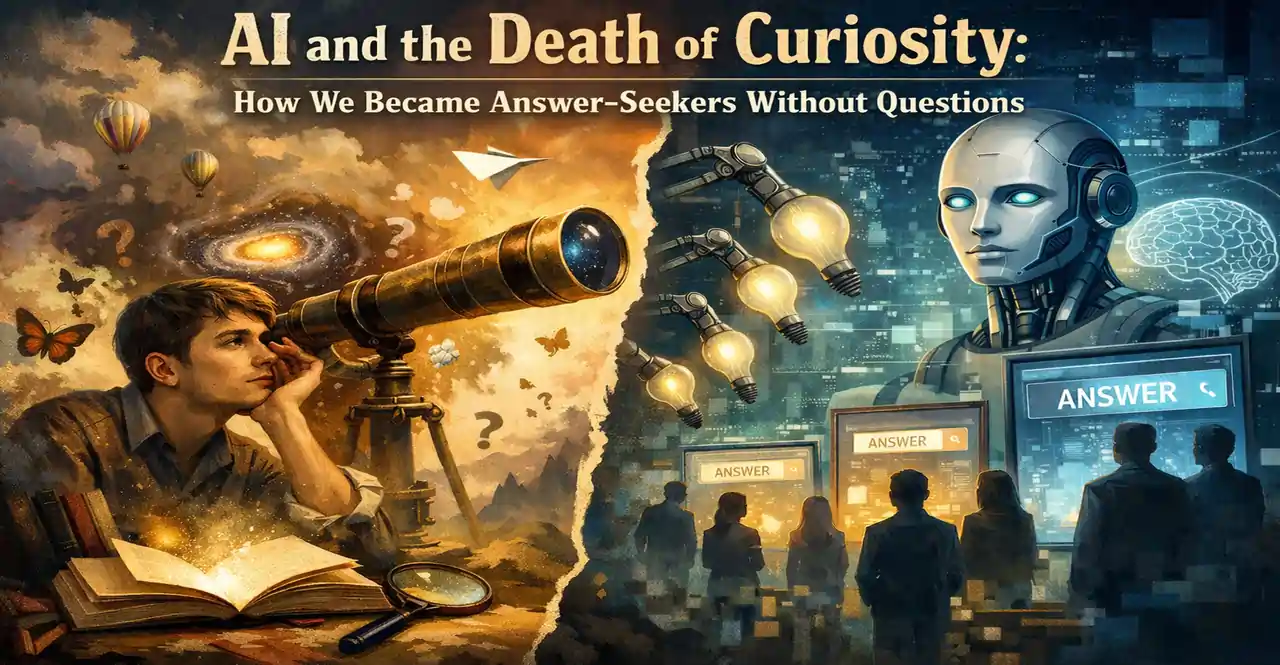
Reality: Maybe in short term, but in long term your real creativity decreases.
The science behind it: Creativity comes from "cognitive effort." When AI does all the effort, your brain avoids effort.
Solution: Use AI for initial spark, not final production. 80% of creativity must be from you.
The Future: Optimal Coexistence with AI
5-Year Outlook
Researchers predict that by the end of the decade, we'll have two categories of humans:
Category 1: AI Controllers (20%)
- Use AI as an augmentation tool
- Their skills grow
- Their market value increases
Category 2: AI Dependents (80%)
- Completely dependent on AI
- Lose core skills
- High replaceability
Question: Which category do you want to be in?
Role of Education and Organizational Systems
Schools and universities should:
- Teach "Optimal AI Use" courses (like Prompt Engineering)
- Design assignments that AI cannot complete
- Make critical thinking the top priority
Companies should:
- Prepare AI usage guidelines for employees
- Hold "smart usage" workshops
- Prevent employee dependency
Conclusion: The Power of Choice Is Yours
Artificial Intelligence is one of the most powerful tools in human history. But like any powerful tool, how you use it is what matters.
Remember:
✅ AI should augment you, not replace you
✅ Do 70% of work yourself - it's an investment in your future
✅ Before using AI, think for at least 10 minutes yourself
✅ Use multiple AIs and make the final decision yourself
✅ Work one day per week without AI
✅ Audit your usage monthly
✅ If you see dependency symptoms, act immediately
Final message:
Your brain is a million-year-old miracle. No AI - even the most powerful - can replace your creativity, intuition, emotion, and human consciousness. Use AI, but never lose control.
Your journey starts today. Are you ready to use AI without becoming dependent on it?



 Social Impact & Future
 Social Impact & Future
 Social Impact & Future
 Social Impact & Future
 Social Impact & Future
 Social Impact & Future