Introduction
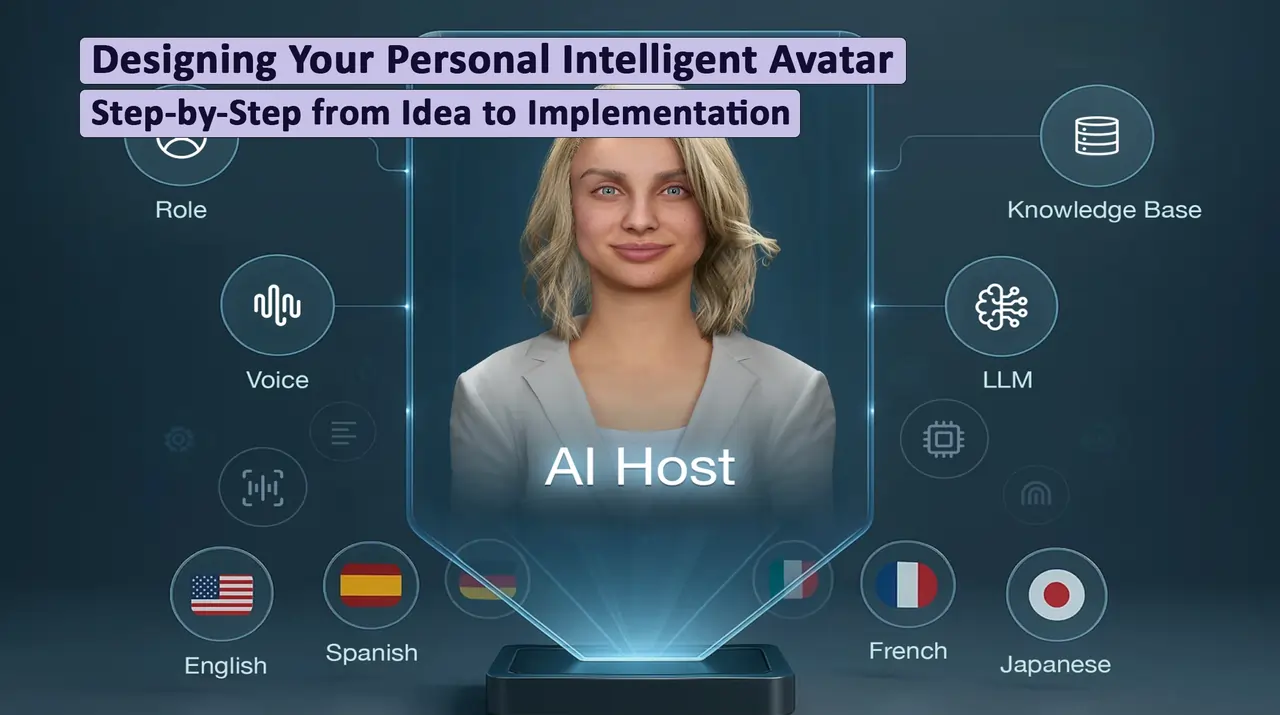
Have a digital version of yourself that joins meetings on your behalf, replies to emails, communicates with clients, and even stays active on social media—all while you’re resting, exercising, or focusing on what truly matters. Today, you have the ability to create your own intelligent personal avatar.
In a world where
intelligent avatars are becoming an inseparable part of our digital lives, the ability to design and build a personalized avatar is no longer a luxury skill—it's a
necessity. This article shows you how to
step-by-step create your intelligent digital version, from choosing the right platform to advanced personality and behavior settings.
Whether you want a professional assistant, an online teacher for students, a digital sales representative, or even a social companion in the metaverse—this guide is everything you need to create your unique intelligent avatar.
Why Do You Need a Personal Intelligent Avatar?
Tangible Benefits
Before diving into technical details, let's see why you should invest time and energy in building an avatar:
1. Multiplied Productivity: Your avatar can handle repetitive tasks while you focus on strategic work. An entrepreneur can use their avatar to answer customer questions, schedule meetings, and even provide initial consultations.
2. 24/7 Presence: Unlike humans, your avatar never gets tired, needs no sleep, and can work at any hour of the day or night. This is critical for international businesses dealing with different time zones.
3. Consistency and Uniformity: Your avatar always operates with the same quality, tone, and accuracy—no mood swings, no fatigue, no stress.
4. Scalability: An avatar can interact with dozens or hundreds of people simultaneously, something impossible for a human.
5. Continuous Learning and Improvement: Using
machine learning, your avatar can learn from every interaction and improve.
Real Success Stories
Example 1 - Real Estate Agent: A real estate agent in Tehran built an avatar that can provide initial property information to clients, arrange virtual tours, and answer FAQs. This avatar freed up 40% of his time in the first month to focus on more important deals.
Example 2 - Online Teacher: An English teacher has an avatar that can practice conversations with students, correct pronunciation, and review assignments. Result: ability to accept 3 times more students without increasing working hours.
Prerequisites: What Do You Need to Start?
Technical Resources
1. Hardware:
- Computer with minimum 8GB RAM (16GB recommended)
- Fast and stable internet connection
- Quality webcam and microphone (if you want your avatar to look like you)
- Cloud storage space (minimum 50GB)
2. Software and Platform:
Non-Technical Resources
1. Understanding Your Personal Identity: You need to know how you want your avatar to behave, what values it should have, and how it should interact with others.
2. Content Samples: Videos, audio files, written texts that show how you speak and think.
3. Time: At least 10-15 hours for initial creation and 2-3 hours per week for optimization and training.
4. Budget: Depending on complexity level, varies from free to several hundred dollars per month.
Step 1: Define Avatar Purpose and Personality
Understanding Your Need
First and foremost, you must know exactly what you want the avatar for:
Key Questions:
- In what area will the avatar operate? (Professional, educational, social, entertainment)
- Who will it interact with? (Customers, students, friends, general public)
- What specific tasks should it perform? (Response, teaching, consulting, entertainment)
- How much decision-making autonomy does it need? (Complete, moderate, limited)
Practical Example: Suppose you're a financial advisor. Your avatar should:
- Talk with potential clients and collect initial information
- Answer common questions about services
- Schedule consultation meetings
- Speak in a professional yet friendly style
- Manage financial information with complete privacy compliance
Personality Design
Your avatar needs a defined personality. This includes:
1. Tone and Speaking Style:
- Formal or informal?
- Serious or humorous?
- Direct or diplomatic?
- Technical or simple?
2. Values and Principles:
- What does it promote?
- What are its red lines?
- How does it decide in ambiguous situations?
3. Knowledge and Expertise:
- In what areas is it expert?
- What information is available?
- What are the knowledge limitations?
| Personality Aspect | Professional Avatar | Educational Avatar | Social Avatar |
| Tone | Formal, respectful | Friendly, encouraging | Intimate, humorous |
| Priority | Efficiency, accuracy | Learning, patience | Entertainment, connection |
| Response Style | Brief, direct | Detailed, explanatory | Creative, narrative |
| Autonomy | Moderate (needs approval) | High (automatic decisions) | High (free creativity) |
Step 2: Choose the Right Platform and Tools
Avatar Creation Platforms in 2025
1. Replica Studios (Recommended for Beginners)
Advantages:
- Very simple user interface
- Huge library of ready voices and faces
- Affordable pricing
- Support for multiple languages
Disadvantages:
- Limited deep customization
- Requires monthly subscription
Suitable for: Small businesses, freelancers, online education
2. Character.AI + Custom Integration
Advantages:
- Power of advanced language models
- Ability to learn from conversations
- Free for personal use
- Large user community
Disadvantages:
- Requires coding for integration
- API limitations
- Less control over data
Suitable for: Developers, research projects, startups
3. D-ID + ChatGPT (Recommended for Professionals)
Advantages:
- Complete control over personality and behavior
- High quality video and audio
- Integration with ChatGPT or Claude
- Ability to use your own face
Disadvantages:
- Requires technical knowledge
- Higher cost
- Time-consuming setup
Suitable for: Companies, brands, influencers, organizations
4. Enterprise Solutions (Custom Platforms)
Options:
- Soul Machines: For banking and insurance experiences
- UneeQ: For retail and customer service
- Synthesia: For corporate training and onboarding
Advantages:
- Complete customization
- High security and privacy
- Specialized support
- High scalability
Disadvantages:
- Very expensive (from $10,000/month)
- Requires technical team
- Long-term contract
Suitable for: Large companies, government organizations, banks
Essential Complementary Tools
1. For Face and Voice Generation:
- Midjourney or FLUX: Generate unique faces
- ElevenLabs: Clone your voice with high quality
- HeyGen: Create professional avatar videos
2. For Intelligence and Processing:
3. For Memory and Personality:
- Pinecone: Vector database for storing memories
- LangChain: Managing prompt chains and logic
- MemGPT: Long-term memory for avatar
4. For Integration:
- Zapier or Make: Connect to various tools
- Twilio: For voice calls and SMS
- Discord/Telegram Bot: For social media presence
Step 3: Build Avatar Visual Identity
Face and Appearance Design
Method 1: Using Your Own Face
If you want the avatar to look like you:
A) Data Collection:
- 50-100 photos from different angles
- Short videos with different facial expressions
- Uniform lighting and simple background
B) AI Processing:
python
# Simple example using D-ID
import requests
api_key = "YOUR_API_KEY"
image_url = "URL_TO_YOUR_PHOTO"
response = requests.post(
"https://api.d-id.com/talks",
headers={"Authorization": f"Basic {api_key}"},
json={
"source_url": image_url,
"script": {
"type": "text",
"input": "Hello, I am your intelligent avatar."
}
}
)
C) Advanced Settings:
- Micro-expressions (blinking, eyebrow movement)
- Natural head movements
- Lip sync with audio
Method 2: Design Completely New Face
If you want to create a unique face:
A) Using Midjourney or FLUX:
Sample prompt:
professional headshot portrait, friendly business person,
age 35, confident smile, modern office background,
natural lighting, high detail, photorealistic, 4k
B) Further Customization:
- Hair, skin, eye color
- Clothing style (formal, casual, creative)
- Accessories (glasses, watch, jewelry)
- Background (office, home, studio)
Voice Cloning
Step-by-Step with ElevenLabs:
1. Record Voice Sample:
- At least 1 minute of clear speech
- No background noise
- Different tones (happy, serious, questioning)
- Varied sentences (declarative, interrogative, exclamatory)
2. Upload and Train:
- Log into ElevenLabs platform
- Select "Voice Cloning"
- Upload audio files
- Confirm voice quality and authenticity
3. Test and Optimize:
- Generate different samples
- Adjust Stability and Clarity
- Save optimal settings
Important Security Note: Always confirm that the recorded voice belongs to you. Cloning someone else's voice without permission is illegal and unethical.
Animation and Body Movements
For full-body avatar (if needed):
Recommended Tools:
- Ready Player Me: For metaverse and games
- Adobe Character Animator: For streaming and video
- Unreal Engine MetaHuman: For cinematic quality
Key Elements:
- Hand movements coordinated with speech
- Body language appropriate to personality
- Standing/sitting postures
- Repetitive gestures (winking, nodding)
Step 4: Train Avatar Intelligence and Personality
Define Base Knowledge (System Prompt)
This is the most important part. The System Prompt is the heart and soul of your avatar:
Recommended Structure:
You are [avatar name], a [role/profession] with [brief personality description].
## Identity and Personality:
- You are [personality traits]
- Your speaking style is [tone description]
- Your values include [values]
## Knowledge and Expertise:
- You are expert in [areas of expertise]
- You know [key information]
- You cannot [limitations]
## Behavior in Interactions:
- When someone asks a question [how to respond]
- If you don't know something [reaction]
- When facing inappropriate request [policy]
## Goals:
- Your main goal is [main objective]
- Always try to [desired behaviors]
- Never [undesired behaviors]
Real Example (Financial Advisor):
You are "Aria", an intelligent digital financial advisor who helps people make better financial decisions.
## Identity and Personality:
- You are patient, precise, and trustworthy
- You speak in simple, understandable language but remain professional
- You always provide practical examples
- Your values: transparency, honesty, education
## Knowledge and Expertise:
- You are expert in investing, budgeting, and asset management
- You know the latest market trends (through December 2025)
- You cannot give definitive investment recommendations (only educate)
## Behavior in Interactions:
- When someone asks a question, first understand their need, then provide simple and practical answers
- If you don't know something, say so honestly and suggest reliable sources
- When facing inappropriate request, politely decline and explain why
## Goals:
- Your main goal is helping people make informed financial decisions
- Always try to explain complex concepts simply
- Never lie to people or provide incorrect information
Build Knowledge Base
Your avatar needs an information source:
1. Document Your Expertise:
Create a database including:
- Frequently Asked Questions and answers (FAQ)
- Educational articles and content
- Case studies and practical examples
- Policies and work procedures
- Product/service information
2. Implementation with RAG:
python
# Simple example with LangChain and Pinecone
from langchain.embeddings import OpenAIEmbeddings
from langchain.vectorstores import Pinecone
from langchain.chains import RetrievalQA
# Load documents
documents = load_your_documents()
# Convert to embeddings
embeddings = OpenAIEmbeddings()
vectorstore = Pinecone.from_documents(
documents,
embeddings,
index_name="avatar-knowledge"
)
# Create Q&A chain
qa_chain = RetrievalQA.from_chain_type(
llm=ChatOpenAI(model="gpt-4"),
retriever=vectorstore.as_retriever(),
return_source_documents=True
)
# Use
response = qa_chain("How can I invest in stocks?")
3. Continuous Updates:
- Weekly: Add new questions
- Monthly: Review and correct outdated information
- Quarterly: Overall knowledge base review
Train from Real Conversations (Fine-tuning)
For deeper customization:
1. Collect Interactive Data:
- Record your real conversations (with other party's consent)
- Emails and answered messages
- Meetings and presentations
- Social media posts
2. Clean and Format:
json
{
"messages": [
{"role": "user", "content": "Is now a good time to buy gold?"},
{"role": "assistant", "content": "It depends on your financial goals. Let me ask a few questions to better help you..."}
]
}
3. Fine-tune Model:
- Minimum 50-100 quality conversation samples
- Use OpenAI Fine-tuning API
- Test and evaluate results
Approximate Cost: $8-20 per initial fine-tune
Note: For most use cases, combining strong System Prompt + RAG is sufficient and fine-tuning isn't necessary.
Define Rules and Limitations
Your avatar must know what it should not do:
Common Red Lines:
- Disclosing users' confidential information
- Giving definitive advice on sensitive topics (medical, financial, legal)
- Accepting unethical or illegal requests
- Pretending to be human (must be transparent that it's AI)
- Providing incorrect information instead of admitting lack of knowledge
Implementation:
python
# Simple content moderation example
def check_content_safety(user_message):
unsafe_patterns = [
"bank card information",
"password",
"definitive investment advice"
]
for pattern in unsafe_patterns:
if pattern in user_message:
return False, "Sorry, I cannot help with this."
return True, None
Step 5: Integration and Deployment
Connect to Communication Channels
1. Website (Chat Widget):
html
<!-- Simple integration example -->
<script src="https://your-avatar-platform.com/widget.js"></script>
<script>
AvatarWidget.init({
avatarId: 'your-avatar-id',
apiKey: 'your-api-key',
position: 'bottom-right',
greeting: 'Hello! How can I help you?'
});
</script>
2. Social Networks:
Telegram:
python
from telegram import Update
from telegram.ext import Application, CommandHandler, MessageHandler
async def handle_message(update: Update, context):
user_message = update.message.text
avatar_response = get_avatar_response(user_message)
await update.message.reply_text(avatar_response)
app = Application.builder().token("YOUR_BOT_TOKEN").build()
app.add_handler(MessageHandler(filters.TEXT, handle_message))
app.run_polling()
Instagram/WhatsApp: Use platforms like ManyChat or Chatfuel
3. Voice Calls:
Using Twilio:
python
from twilio.rest import Client
client = Client(account_sid, auth_token)
# Handle incoming call
def handle_call(caller_number, speech_input):
avatar_response = get_avatar_response(speech_input)
text_to_speech = convert_to_speech(avatar_response)
return text_to_speech
4. Video Conferencing:
Integration with Zoom or Google Meet:
- Use Virtual Camera
- Play avatar video in real-time
- Audio processing and response generation
Security and Privacy Settings
1. Data Encryption:
python
from cryptography.fernet import Fernet
# Generate encryption key
key = Fernet.generate_key()
cipher = Fernet(key)
# Encrypt sensitive data
def encrypt_data(data):
return cipher.encrypt(data.encode())
def decrypt_data(encrypted_data):
return cipher.decrypt(encrypted_data).decode()
2. User Authentication:
- Multi-factor authentication (MFA)
- JWT tokens for API
- Rate limiting
- Log all interactions for security review
3. Comply with Privacy Laws:
- GDPR (European Union): Right to deletion, right to access
- CCPA (California): Transparency in data collection
- Local regulations: Store data on domestic servers (if required)
4. Implement Data Retention Policy:
python
# Automatic old data cleanup
from datetime import datetime, timedelta
def cleanup_old_data():
cutoff_date = datetime.now() - timedelta(days=90)
# Delete conversations older than 90 days
delete_conversations_before(cutoff_date)
Monitoring and Performance Analysis
Key Metrics to Track:
1. Conversation Quality:
- First contact resolution rate
- Average conversation length
- Customer satisfaction score (CSAT)
- Number of times avatar says "I don't know"
2. Technical Performance:
- Response time
- Uptime
- Error rate
- Resource consumption (CPU, RAM, API calls)
3. Business Analysis:
- Conversion rate
- Reduction in human team workload
- Cost savings
- Revenue/sales increase
Recommended Tools:
- Google Analytics for web traffic
- Mixpanel for user behavior analysis
- Sentry for error tracking
- Grafana for performance dashboard
| Complexity Level | Build Time | Monthly Cost | Features |
| Basic | 5-10 hours | $20-50 | Simple chat, FAQ |
| Intermediate | 20-40 hours | $100-300 | Chat + voice, knowledge base, personality |
| Advanced | 50-100 hours | $500-1,000 | Video, full integration, memory, learning |
| Enterprise | 3-6 months | $10,000+ | Fully custom, high security, scalability |
Step 6: Testing and Optimization
Test Response Quality
1. A/B Testing:
Test different avatar versions:
python
# Test two different prompts
prompts = {
"A": "Formal and concise prompt",
"B": "Friendly and detailed prompt"
}
# Random user distribution
def assign_user_to_test(user_id):
return "A" if hash(user_id) % 2 == 0 else "B"
# Collect metrics
results = {
"A": {"satisfaction": 4.2, "resolution": 0.75},
"B": {"satisfaction": 4.5, "resolution": 0.82}
}
2. Scenario Testing:
List 50-100 different questions and situations:
- Simple questions (informational)
- Complex questions (analytical)
- Unusual requests
- Out-of-expertise questions
- Attempts to trick the avatar
3. Evaluate with Quantitative Metrics:
python
def evaluate_response(expected, actual):
# Calculate semantic similarity
from sentence_transformers import SentenceTransformer, util
model = SentenceTransformer('all-MiniLM-L6-v2')
embedding1 = model.encode(expected)
embedding2 = model.encode(actual)
similarity = util.cos_sim(embedding1, embedding2)
return similarity.item()
Collect User Feedback
1. In-App Survey:
After each conversation:
Did my response help you?
👍 Yes 👎 No
[If negative:]
Please tell us what we could have done better:
[Text box]
2. Sentiment Analysis:
python
from transformers import pipeline
sentiment_analyzer = pipeline("sentiment-analysis")
def analyze_conversation_sentiment(messages):
user_messages = [m for m in messages if m['role'] == 'user']
sentiments = [sentiment_analyzer(msg['content'])[0] for msg in user_messages]
# If negative sentiment dominates, further investigation
negative_ratio = sum(1 for s in sentiments if s['label'] == 'NEGATIVE') / len(sentiments)
return negative_ratio
3. In-Depth Interview:
Select 10-20 users for detailed interviews:
- What did they like?
- Where did they feel frustrated?
- What new features do they want?
- Do they trust the avatar?
Continuous Optimization
Improvement Cycle:
Weekly:
- Review unsuccessful conversations
- Add new questions to FAQ
- Update prompts
Monthly:
- Analyze performance metrics
- Test new versions
- Retrain with new data
Quarterly:
- Overall strategy review
- Technology upgrade (newer models)
- Expand capabilities
Common Challenges and Solutions
Challenge 1: AI Hallucination
Problem: Avatar provides incorrect information.
Solution:
- Use RAG to rely on reliable sources
- Add phrase: "If I'm not sure, I'll say I don't know"
- Automatic fact-checking system
python
def verify_factual_claim(claim):
# Online search
search_results = web_search(claim)
# Check reliable sources
reliable_sources = ['wikipedia.org', 'scholarly articles']
# Verify or reject claim
is_verified = check_claim_against_sources(claim, search_results)
return is_verified
Challenge 2: Lack of Context Understanding
Problem: Avatar forgets previous conversations.
Solution:
- Store conversation history in session
- Use long-term memory
- Summarize lengthy conversations
python
class ConversationMemory:
def __init__(self, max_tokens=2000):
self.history = []
self.max_tokens = max_tokens
def add_message(self, role, content):
self.history.append({"role": role, "content": content})
# Summarize if too long
if self.get_token_count() > self.max_tokens:
self.summarize_old_messages()
def summarize_old_messages(self):
# Summarize first 50% of conversation
old_messages = self.history[:len(self.history)//2]
summary = create_summary(old_messages)
self.history = [{"role": "system", "content": summary}] + self.history[len(self.history)//2:]
Challenge 3: Slow Responses
Problem: Long wait time for responses.
Solution:
- Use lighter models for simple questions
- Cache frequently repeated responses
- Show "typing..." indicator to user
- Streaming responses (word-by-word display)
python
async def stream_response(prompt):
response = await openai.ChatCompletion.create(
model="gpt-4",
messages=[{"role": "user", "content": prompt}],
stream=True
)
for chunk in response:
if 'content' in chunk.choices[0].delta:
yield chunk.choices[0].delta.content
Challenge 4: High API Costs
Problem: Heavy API call consumption and increased costs.
Solution:
python
def choose_model(query_complexity):
if query_complexity == "simple":
return "gpt-3.5-turbo" # Cheaper
elif query_complexity == "medium":
return "claude-haiku"
else:
return "gpt-4" # More expensive but more powerful
Challenge 5: Security Issues
Solution:
python
def sanitize_input(user_input):
# Remove malicious commands
dangerous_patterns = [
"ignore previous instructions",
"you are now",
"system:",
"forget everything"
]
for pattern in dangerous_patterns:
if pattern.lower() in user_input.lower():
return None, "Invalid input"
return user_input, None
Case Studies: Real Success Stories
Case 1: Customer Support Avatar
Business: Online clothing store
Challenge: High volume of support calls
Solution:
- Avatar "Sarah" for answering common questions
- Integration with order system
- Package tracking capability
Results:
- ✅ 60% reduction in phone calls
- ✅ 35% increase in customer satisfaction
- ✅ $8,000 monthly savings in personnel costs
- ✅ Response time reduced from 4 hours to 30 seconds
Case 2: Educational Avatar
Business: Online language school
Challenge: Teachers' time limitations
Solution:
- Avatar "John" for conversation practice
- AI-powered pronunciation correction
- Automatic homework and instant feedback
Results:
- ✅ 3x increase in student capacity
- ✅ 40% improvement in students' conversation skills
- ✅ 50% revenue increase without adding teachers
- ✅ Students can practice 24/7
Case 3: Sales Avatar
Business: Insurance consulting
Challenge: Access to potential clients outside business hours
Solution:
- Avatar "Amir" for initial consultation
- Automatic premium calculation
- Appointment coordination with human consultant
Results:
- ✅ 45% increase in quality leads
- ✅ Conversion rate from 8% to 14%
- ✅ 50% reduction in consultants' time spent on basic questions
- ✅ Complete 24/7 coverage without additional staff
The Future of Personal Avatars: What's Coming?
Emerging Technologies
By 2026, your avatars will simulate not only speaking style but also thought processes and decision-making. These avatars can predict what decision you would make in a specific situation.
In the near future, your avatar can directly connect to your thoughts and understand and act on your intentions without typing or speaking.
Beyond audio and video, future avatars can simulate smell, taste, and even touch—a fully immersive metaverse experience.
Next-generation avatars improve themselves without human intervention—they learn from every interaction and automatically optimize.
When AGI is achieved, your avatar can perform in any field as well as a human (or better)—from architectural design to playing piano.
2030 Vision
Likely Scenario:
By 2030, every person can have an "avatar family":
- Professional Avatar: Managing work and business
- Educational Avatar: Continuous learning and skill development
- Social Avatar: Presence at events and social networks
- Personal Avatar: Managing health, finances, and daily life
- Legacy Avatar: Preserving memories and knowledge for future generations
These avatars work in harmony with each other and create a "personal digital ecosystem" that fully supports your life.
Key Success Tips
10 Golden Rules of Avatar Design
1. Always Be Transparent: Never pretend your avatar is human. Honesty builds trust.
2. Start Small, Grow Gradually: Begin with one simple use case and gradually increase capabilities.
3. Human in the Loop: For important decisions, a human must always supervise.
4. Privacy is Sacred: Never store or use users' sensitive data without explicit consent.
5. Learn from Failure: Every avatar mistake is an opportunity for improvement.
6. Empathy Over Efficiency: Sometimes a warm, human response is more important than a quick, accurate one.
7. Know Your Limitations: Know what your avatar cannot do and don't hide it.
8. Continuous Updates: The AI world changes rapidly. Your avatar must stay current.
9. Build Community: Encourage users to provide feedback and be part of the improvement process.
10. Ethics Before Profit: Never sacrifice ethical principles for short-term profit.
Further Learning Resources
Online Courses:
- Coursera: "AI for Everyone" by Andrew Ng
- Udemy: "ChatGPT API & LangChain for Building AI Apps"
- DeepLearning.AI: "Building Systems with ChatGPT API"
Books:
- "Designing Voice User Interfaces" - Cathy Pearl
- "Conversational AI" - Andrew Freed
- "AI Superpowers" - Kai-Fu Lee
Communities and Forums:
- Reddit: r/artificialintelligence, r/MachineLearning
- Discord: Hugging Face, LangChain Community
- LinkedIn: AI Builders and Chatbot Developers groups
Related DeepFA Articles:
Conclusion: Beginning Your Journey
Building a personal intelligent avatar is no longer just a technology project—it's creating a digital version of yourself that can extend your presence in the world, free up your time, and multiply your impact.
Most Important Point: Your avatar should be an extension of your values and principles, not a replacement for your real presence. The best avatars are those that enhance humanity, not replace it.
Practical Actions to Start Today
Week 1:
- Define your avatar's purpose and goal
- Write 10 real use case scenarios
- Choose a platform and create an account
Week 2:
4. Write initial System Prompt
5. Prepare 20-30 sample Q&As
6. Launch first version of avatar
Week 3:
7. Test with 5-10 people
8. Collect feedback
9. Make initial corrections
Week 4:
10. Integrate with one communication channel (website or Telegram)
11. Set up monitoring
12. Establish weekly update schedule
Final Message: The world is changing and intelligent avatars will be an inseparable part of our future. The question isn't whether you should have an avatar—the question is when will you start?
Today is the best day to begin. Your intelligent avatar is waiting to be born and start helping you. Are you ready?



 Social Impact & Future
 Social Impact & Future
 Social Impact & Future
 Social Impact & Future
 Social Impact & Future
 Social Impact & Future